1. پیژندنه
The MCHOSE G75 Pro is a versatile 75% layout wireless mechanical keyboard designed for optimal performance and user experience. It features a gasket-mounted structure with 5 layers of sound and shock-absorbing dampening, vibrant RGB backlighting, and tri-mode connectivity (2.4GHz wireless, Bluetooth, and wired USB-C). The keyboard also supports hot-swappable switches, allowing for easy customization and maintenance.
2. د بسته محتويات
مهرباني وکړئ تصدیق کړئ چې ټول توکي ستاسو په کڅوړه کې شتون لري:
- MCHOSE G75 Pro Wireless Mechanical Keyboard
- USB-C ته USB-A کیبل
- 2.4GHz بې سیم ترلاسه کونکی
- کیکیپ پلر
- د کارونکي لارښود (دا لاسوند)
3. محصول ختم شوview
The MCHOSE G75 Pro features a compact 75% layout, which includes function keys, arrow keys, and a navigation cluster, while minimizing desk space. Its robust construction incorporates a gasket-mounted design for a flexible and comfortable typing feel.

Image: The MCHOSE G75 Pro keyboard showcasing its compact 75% layout.
Internally, the keyboard utilizes a 5-layer dampening system, including Poron foam, IXPE foam, and a PET film, to enhance typing acoustics and reduce vibrations, providing a satisfying sound profile.

Image: Diagram illustrating the 5-layer gasket-mounted dampening structure of the keyboard.
The keyboard offers flexible connectivity options through a mode switch located on the side, allowing seamless transitions between wired, 2.4GHz wireless, and Bluetooth modes.
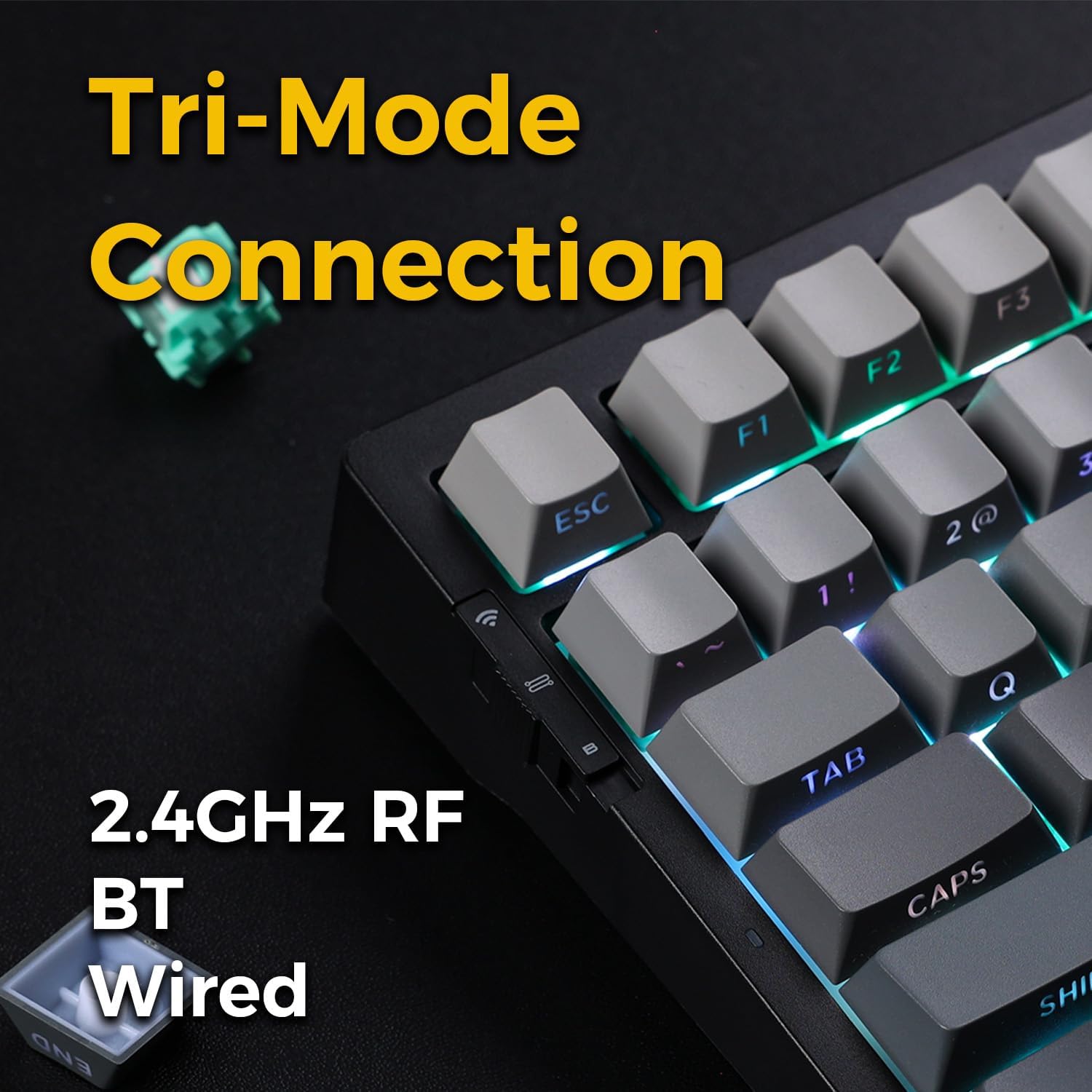
Image: Close-up of the tri-mode connection switch and USB-C port on the keyboard's side.
4. ترتیب کول
4.1 ابتدايي چارج کول
Before first use, connect the keyboard to a USB power source using the provided USB-C cable. The keyboard is equipped with 2 Lithium Polymer batteries. A full charge ensures optimal wireless performance.
۴.۲ د ارتباط طریقې
The MCHOSE G75 Pro supports three connection modes: Wired, 2.4GHz Wireless, and Bluetooth. Use the switch on the side of the keyboard to select your desired mode.
د بریښنا پيوستون
- په کیبورډ کې د موډ سویچ 'وایرډ' موقعیت ته تنظیم کړئ.
- د کیبل د USB-C پای د کیبورډ سره او د USB-A پای خپل کمپیوټر سره وصل کړئ.
- کیبورډ به ستاسو د عملیاتي سیسټم لخوا په اتوماتيک ډول وپیژندل شي.
۳.۲.۱ ۲.۴GHz بېسیم اتصال
- په کیبورډ کې د موډ سویچ '2.4G' موقعیت ته تنظیم کړئ.
- د 2.4GHz بېسیم ریسیور په خپل کمپیوټر کې موجود USB پورټ کې دننه کړئ.
- The keyboard should connect automatically. If not, press and hold the Fn key + the 2.4G key (usually indicated by a wireless icon) for 3 seconds to initiate pairing.
4.2.3 د بلوتوث اتصال
- په کیبورډ کې د موډ سویچ 'BT' موقعیت ته تنظیم کړئ.
- په خپل کمپیوټر یا وسیله کې، بلوتوث فعال کړئ او د نویو وسایلو لټون وکړئ.
- په کیبورډ کې، فشار ورکړئ او ونیسئ fn+1, fn+2، یا fn+3 for 3 seconds to enter pairing mode for one of the three available Bluetooth channels. The indicator light will flash rapidly.
- Select 'MCHOSE G75 Pro' from the list of available devices on your computer.
- کله چې جوړه شي، د شاخص څراغ به ځلیدل ودروي. تاسو کولی شئ د جوړو بلوتوث وسیلو ترمنځ د فشارولو سره بدل کړئ fn+1, fn+2، یا fn+3 په لنډه توګه
5. عملیاتي لارښوونې
5.1 کلیدي دندې
The MCHOSE G75 Pro utilizes an Fn (Function) key for accessing secondary key functions, including multimedia controls, lighting adjustments, and system shortcuts. Refer to the keycap legends for specific Fn combinations.
د Fn عام کیلي ترکیبونه:
- Fn+F1-F12: Access multimedia controls or system functions (e.g., volume, play/pause, brightness).
- Fn + د غشي کیلي: د RGB رڼا اغیزې تنظیم کړئ (د مثال په توګه، روښانتیا، سرعت، سمت).
- Fn + Backspace: Delete.
- Fn+وین: د وینډوز کیلي لاک/انلاک کړئ.
5.2 د RGB بیکلاینټینګ
The keyboard features customizable RGB backlighting with south-facing LEDs for enhanced visibility and compatibility with various keycap profiles. You can adjust lighting modes, colors, and brightness.
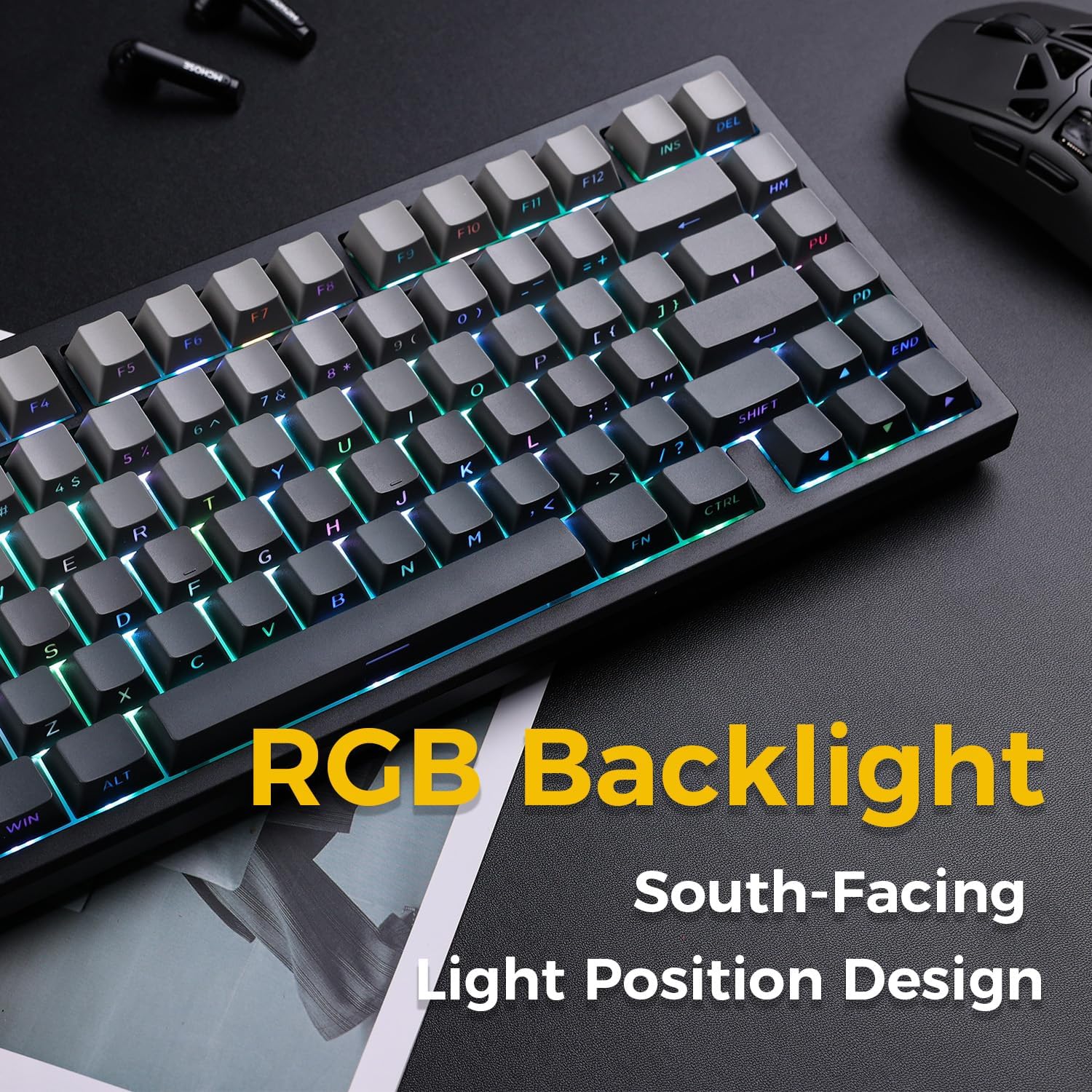
Image: The MCHOSE G75 Pro keyboard displaying its vibrant RGB backlighting.
Adjusting RGB Effects:
- Fn + \|: Cycle through different lighting effects.
- Fn+: د رڼا سرعت کم کړئ.
- Fn + >: د رڼا سرعت زیات کړئ.
- Fn + پورته تیر: روښانتیا زیاته کړئ.
- Fn + ښکته تیر: روښانتیا کمه کړئ.
۵.۳ ګرم بدلیدونکي سویچونه
The MCHOSE G75 Pro is equipped with hot-swappable sockets, allowing you to easily change mechanical switches without soldering. This feature enables customization of typing feel and sound.

Image: The keyboard with several keycaps and switches removed, demonstrating the hot-swappable feature.
د سویچ مشخصات:
The keyboard may come with Matcha Latte Switch V2 or Cabbage Tofu Switch V2, depending on the variant.
- Matcha Latte Switch V2:
عملیاتي ځواک: ۵۵±۸ ګرامه
د سفر څخه مخکې: 2.0±0.4mm
ټول سفر: 3.6±0.2mm - Cabbage Tofu Switch V2:
عملیاتي ځواک: ۵۵±۸ ګرامه
مخکې سفر: 1.9±0.3mm
Travel distance: 4.0±0.5mm
6. ساتنه
6.1 پاکول
د کیبورډ بڼه او فعالیت ساتلو لپاره:
- د پاکولو دمخه کیبورډ له خپل کمپیوټر څخه جلا کړئ.
- د نرم، لینټ پاک ټوکر څخه لږ څه کار واخلئampد کیلي کیپونو د پاکولو لپاره د اوبو یا یو نرم پاکولو محلول سره مینځل شوي او casing.
- For dust and debris between keycaps, use compressed air or the provided keycap puller to remove keycaps and clean thoroughly.
- د سختو کیمیاوي موادو یا خړوبولو موادو کارولو څخه ډډه وکړئ.
۶.۲ د کیلي کیپ او سویچ بدلول
The included keycap puller can be used to carefully remove keycaps. For switch replacement, use a switch puller (not included unless specified) to gently remove the existing switch. Align the new 3-pin or 5-pin mechanical switch with the hot-swap socket and press firmly until it clicks into place. Ensure pins are not bent during installation.
7. ستونزه حل کول
۵.۱ کیبورډ ځواب نه ورکوي
- ډاډ ترلاسه کړئ چې کیبورډ په کافي اندازه چارج شوی دی.
- Check the mode switch to confirm it is set to the correct connection type (Wired, 2.4G, or BT).
- د تار لرونکي اتصال لپاره، یو بل USB پورټ یا کیبل هڅه وکړئ.
- For 2.4GHz wireless, ensure the receiver is securely plugged in and try re-pairing (Fn + 2.4G key).
- For Bluetooth, ensure Bluetooth is enabled on your device and try re-pairing (Fn + 1/2/3).
- خپل کمپیوټر بیا پیل کړئ.
7.2 RGB Backlighting Not Working/Incorrect
- ډاډ ترلاسه کړئ چې کیبورډ فعال دی.
- Use Fn key combinations (e.g., Fn + Up/Down Arrow) to adjust brightness.
- Cycle through lighting effects using Fn + \|.
- If specific keys are not lighting up, check if the switch is properly seated or if the LED is damaged.
7.3 Software Compatibility (Windows/macOS)
While the keyboard functions plug-and-play, some advanced customization may require dedicated software. Please note that official software might have limited language support or compatibility issues, particularly with macOS. For optimal functionality, ensure you have the latest drivers or software from the MCHOSE official webسایټ که شتون ولري.
8. مشخصات
| فیچر | تفصیل |
|---|---|
| د ماډل شمیره | MC-G75 |
| ترتیب | 75% |
| ارتباط | 2.4GHz Wireless, Bluetooth, Wired (USB-C) |
| د کیبورډ ډول | میخانیکي |
| د نصب کولو سټایل | ګازکیټ نصب شوی |
| Dampد طبقو لوړول | 5 Layers (Poron Foam, IXPE Foam, PET Film) |
| شاته رڼا کول | RGB, South-Facing LEDs |
| کیکیپس | دوه ګونی شاټ PBT |
| سویچونه | ګرم بدلیدونکی (۳-پن/۵-پن مطابقت لرونکی) |
| بیټرۍ | 2 لیتیم پولیمر بیټرۍ (شامل) |
| مطابقت لرونکې وسیلې | PC |
| د توکي وزن | ۱.۹ پونډه (تقریبا ۰.۸۶ کیلوګرامه) |
| د کڅوړې ابعاد | ۲.۶۴ x ۲.۳۲ x ۲.۷۶ انچه (تقریبا ۶.۷ x ۵.۹ x ۷ سانتي متره) |
9. تضمین او ملاتړ
د تضمین معلوماتو او تخنیکي ملاتړ لپاره، مهرباني وکړئ رسمي MCHOSE ته مراجعه وکړئ webسایټ ته مراجعه وکړئ یا خپل پرچون پلورونکي سره اړیکه ونیسئ. د تضمین ادعاوو لپاره د پیرود رسید وساتئ.


