۱.۱. د خوندیتوب مهم معلومات
Please read all instructions carefully before using the DOYO 180° PC Racing Wheel. Retain this manual for future reference.
- وسیله د خورا تودوخې ، رطوبت یا مستقیم لمر وړانګو ته مه ښکاره کوئ.
- د قوي تاثیراتو سره د وسیله له مینځه وړلو یا تابع کولو څخه ډډه وکړئ.
- د وسیلې د جلا کولو یا بدلولو هڅه مه کوئ. دا به تضمین باطل کړي.
- وسیله د اوبو او نورو مایعاتو څخه لرې وساتئ.
- یوازې چمتو شوي کیبلونه او لوازم وکاروئ.
- د ډیر تودوخې مخنیوي لپاره د کارونې پرمهال مناسب هوا ورکول ډاډمن کړئ.
2. د بسته محتويات
ډاډ ترلاسه کړئ چې ټول توکي ستاسو په کڅوړه کې شتون لري:
- DOYO 180° PC Racing Wheel Unit
- Pedal Unit (Accelerator and Brake)
- د USB اتصال کیبل
- د کارن لارښود
3. محصول ختم شوview
3.1 اجزا
The DOYO 180° PC Racing Wheel system consists of the main steering wheel unit and a separate pedal unit.
شکل 3.1: پایview of the DOYO 180° PC Racing Wheel and Pedal Unit.
3.2 کلیدي ځانګړتیاوې
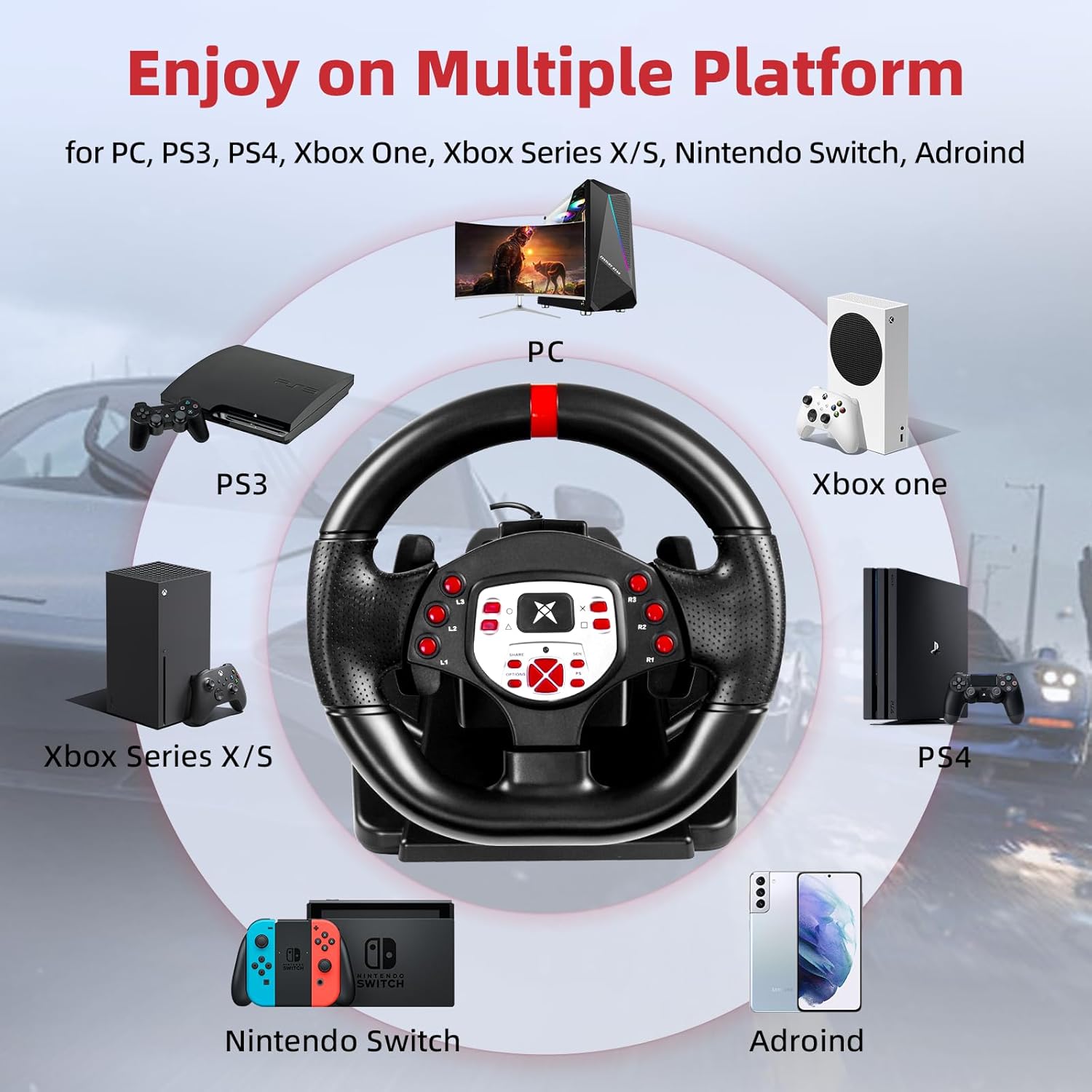
- پراخه مطابقت: Supports PC, PlayStation 4 (PS4), PlayStation 3 (PS3), and Nintendo Switch.
- 180 ° گردش: The steering wheel offers 180 degrees of rotation for realistic driving simulation.
- دوه ګونی موټرو وایبریشن: Built-in dual motors provide realistic vibration feedback based on in-game events.
- Adjustable Height & Tilt: The steering wheel's height and tilt can be adjusted to suit various user preferences and seating positions.
- د پیډل شیفټرونه: Integrated paddle shifters allow for quick and responsive gear changes.
- Linear Pedal Design: The pedal unit features a linear design for precise control over acceleration and braking.
- Strong Fixation: Equipped with four large suction cups on the base for stable mounting on flat surfaces.
- Multi-level Sensitivity Adjustment: Allows users to fine-tune steering sensitivity for different games and driving styles.

شکل 3.2: مفصل view of the racing wheel's controls and features.
۴. د تنظیم لارښوونې
4.1 Connecting the Steering Wheel
The DOYO Racing Wheel is designed for plug-and-play functionality across supported platforms.

Figure 4.1: Multi-platform compatibility of the racing wheel.
4.1.1 د کمپیوټر اتصال
- Connect the USB cable from the steering wheel unit to an available USB port on your PC.
- The system should automatically detect and install the necessary drivers. If not, manual driver installation may be required (refer to DOYO support webسایټ).
4.1.2 PS3/PS4 Connection
- Ensure your console is powered off.
- Connect the USB cable from the steering wheel unit to an available USB port on your PS3 or PS4 console.
- Power on your console. The wheel should be recognized as a controller.
۳.۲.۴ د نینټینډو سویچ اتصال
- Go to System Settings > Controllers and Sensors > Pro Controller Wired Communication and set it to 'On'.
- Connect the USB cable from the steering wheel unit to the Nintendo Switch dock's USB port.
- The wheel should be recognized and ready for use.
4.2 Connecting the Pedal Unit
Connect the cable from the pedal unit to the designated port on the back of the steering wheel unit.

Figure 4.2: Connection point for the foot pedal unit.
۴.۱ د سټیرینګ ویل نصبول
The steering wheel base is equipped with four large suction cups for secure mounting.
- Place the steering wheel unit on a clean, flat, and smooth surface (e.g., a desk or table).
- Press down firmly on the steering wheel base to engage the suction cups.
- Ensure the wheel is stable before use.
Video 4.3: Demonstration of the DOYO 180 Degree PC Racing Wheel and its features, including setup and usage.
5. عملیاتي لارښوونې
5.1 Steering Wheel Rotation
The steering wheel provides 180 degrees of rotation, allowing for 90 degrees to the left and 90 degrees to the right from the center position.

Figure 5.1: The steering wheel's 180-degree rotation range.
۵.۲ د لوړوالي او خښتو تنظیم کول
To adjust the steering wheel's position for optimal comfort:
- Locate the adjustment knob or lever on the steering wheel base.
- Rotate the knob or release the lever to unlock the adjustment mechanism.
- Adjust the tilt angle and telescopic length (up to 5cm) to your desired position.
- Secure the adjustment by rotating the knob or engaging the lever.

Figure 5.2: Steering wheel height and tilt adjustment.
۵.۴ پیډل شفټرونه
Use the paddle shifters located behind the steering wheel for manual gear changes in compatible games. The left paddle typically shifts down, and the right paddle shifts up.

Figure 5.3: Dual paddle shifters for gear control.
5.4 Pedal Unit Operation
The linear pedal unit provides progressive control for acceleration and braking. Press the right pedal for acceleration and the left pedal for braking.
۵.۲ د وایبریشن فیډبیک
The dual motor vibration system provides immersive feedback, simulating road conditions, collisions, and other in-game effects.

Figure 5.4: Illustration of dual motor vibration feedback.
5.6 د حساسیت سمون
The steering wheel features a multi-level sensitivity adjustment. Refer to the on-screen display or indicator on the wheel to select your preferred sensitivity level (e.g., Grade 1-7).

Figure 5.5: Sensitivity adjustment dial on the steering wheel.
6. ساتنه
To ensure the longevity and optimal performance of your DOYO Racing Wheel:
- پاکول: Use a soft, dry cloth to wipe down the steering wheel and pedal unit. Do not use abrasive cleaners or solvents.
- ذخیره کول: وسیله په یخ او وچ ځای کې وساتئ، د مستقیم لمر وړانګو او سختې تودوخې څخه لرې وساتئ کله چې کارول نه وي.
- د کیبل پاملرنه: Avoid bending or twisting cables excessively.
7. ستونزه حل کول
If you encounter issues with your DOYO Racing Wheel, please refer to the following common solutions:
| ستونزه | احتمالي حل |
|---|---|
| څرخ د کنسول/کمپیوټر لخوا نه پیژندل کیږي |
|
| No vibration feedback |
|
| پیډلونه ځواب نه ورکوي |
|
| Steering sensitivity too high/low |
|
If the problem persists, please contact DOYO customer support for further assistance.
8. مشخصات
- د ماډل شمیره: R180C-PC
- ASIN: B0DXBNTWZG
- د گردش زاویه: 180 درجې
- مطابقت: PC، PS4، PS3، Nintendo Switch
- وایبریشن: Dual Motor Feedback
- تثبیت: 4 سکشن کپ
- د توکي وزن: نږدې 7.24 پونډه (3.28 کیلو ګرامه)
- د بسته ابعاد: 13 x 11.5 x 10.5 انچه (33 x 29.2 x 26.7 سانتي متره)
- جوړونکی: DOYO
9. تضمین او ملاتړ
DOYO products come with a limited warranty. For detailed warranty information, product support, or to report any issues, please refer to the warranty card included with your product or visit the official DOYO website. Please have your model number (R180C-PC) and purchase information ready when contacting support.


