۱.۱. د خوندیتوب مهم معلومات
Please read this manual carefully before installation and use. Keep it for future reference.
- Do not expose the lock to extreme temperatures outside the specified operating range (-22°F to 158°F).
- Use only the specified battery type (Lithium Polymer) and charging methods.
- Ensure proper installation to prevent damage to the lock or door.
- میخانیکي کیلي د ملکیت څخه بهر په یوه خوندي ځای کې وساتئ.
- د قلف په سطحه د کثافاتو پاکوونکو یا محلولونو کارولو څخه ډډه وکړئ.
2. د بسته محتويات
د نصبولو پیل کولو دمخه ډاډ ترلاسه کړئ چې ټولې برخې شتون لري:
- بهرنۍ مجلس
- داخله مجلس
- Lithium Polymer Battery (1)
- میخانیکي کیلي (2)
- Installation Hardware (screws, strike plate, etc.)
- د کارن لارښود
3. محصول ختم شوview او کلیدي ځانګړتیاوې
The Lockin Veno Pro is an advanced smart lock system integrating multiple security and convenience features.
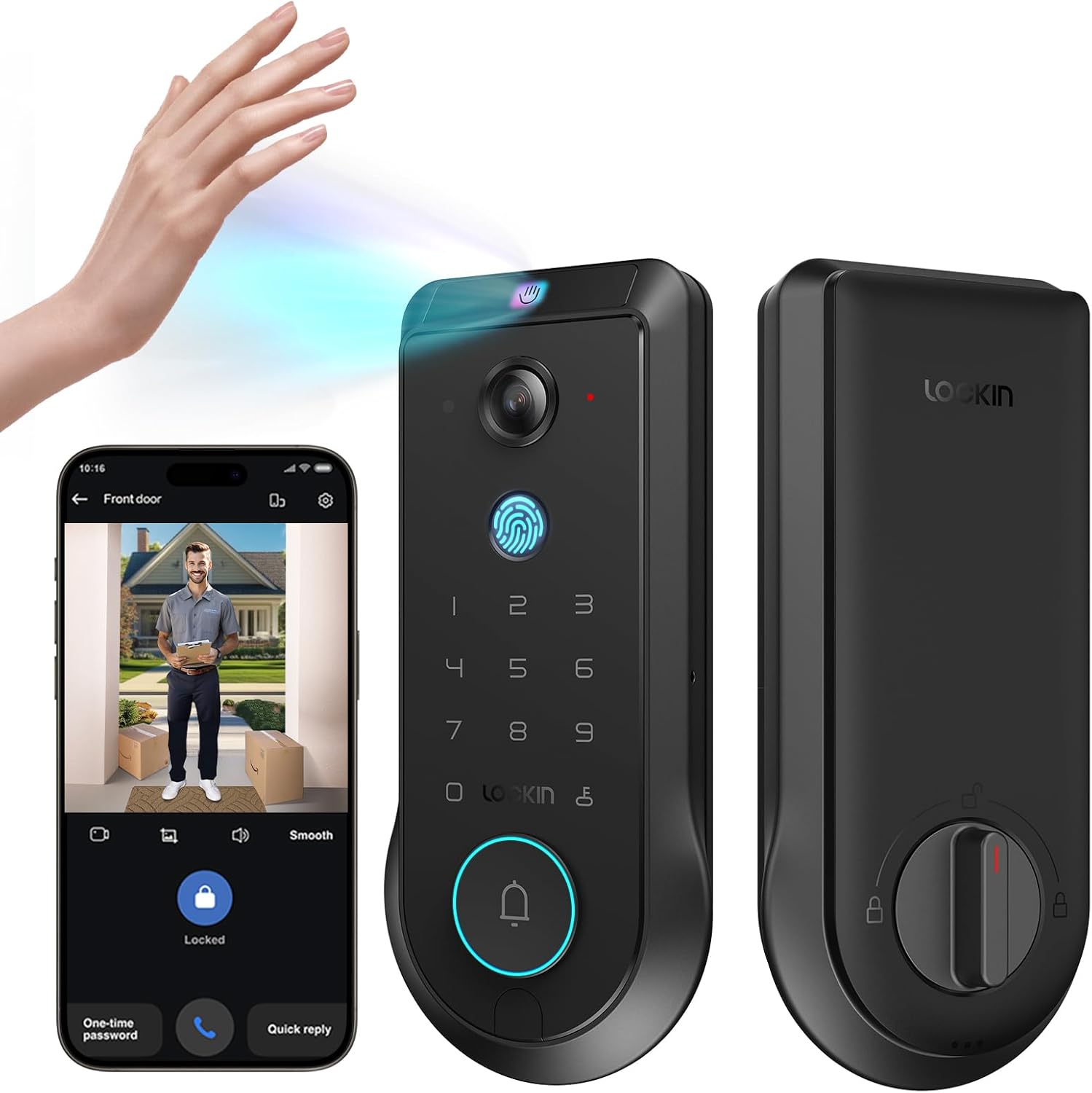
Figure 3.1: Lockin Veno Pro Smart Lock with integrated camera and keypad.
3.1. Integrated 4-in-1 System
The Veno Pro combines a palm vein & fingerprint smart lock, a 2K 180° true panoramic camera, a smart video doorbell with night vision, and a built-in AI hub with 32GB local storage. No additional hub or monthly fees are required.
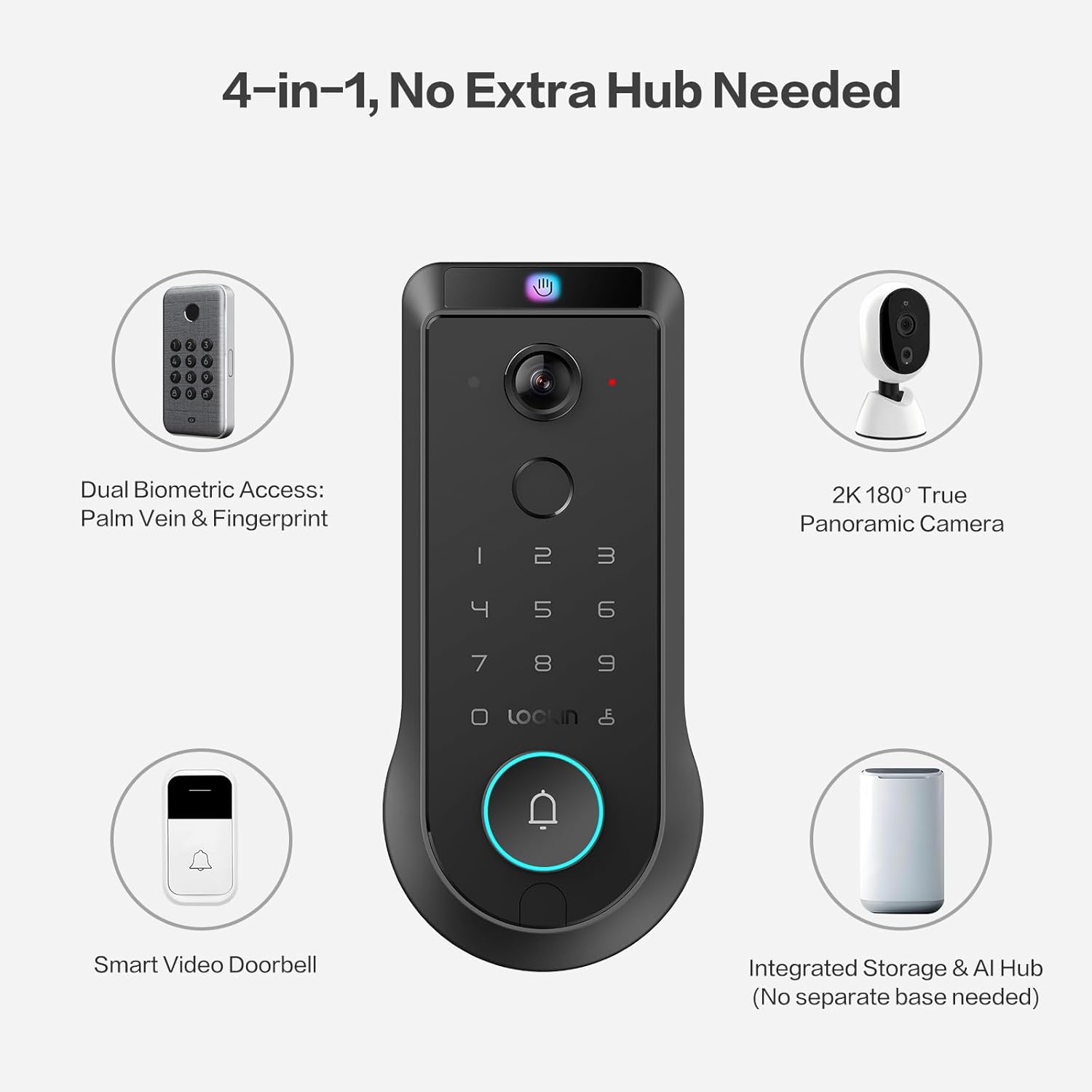
Figure 3.2: The 4-in-1 integrated system of the Veno Pro.
3.2. Venokey Palm Vein Recognition
Experience touchless unlocking with TÜV Rheinland certified 0.17s recognition speed and 99.9% accuracy. This technology works reliably even with soiled hands, peeling fingers, faint fingerprints, or long nails. The False Acceptance Rate (FAR) is less than 0.00001%, ensuring high security.
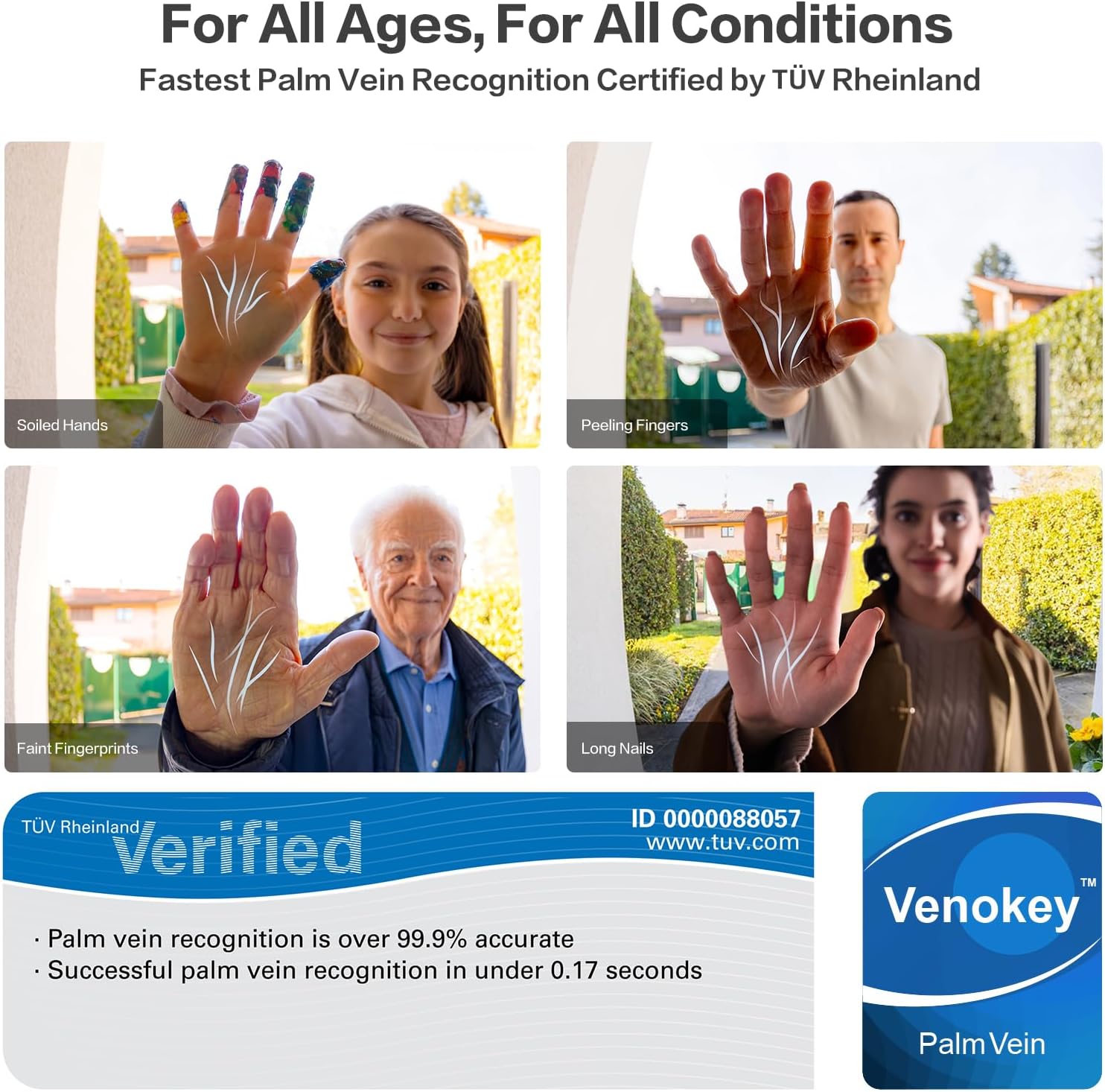
Figure 3.3: Palm vein recognition adapts to various hand conditions.
ویډیو ۳.۱: یو اوورview of the benefits and technology behind palm vein recognition.
3.3. LockinCam 2K 180° True Panoramic Camera
The revolutionary 180°x180°x180° camera significantly reduces blind spots, providing a head-to-toe, ultra-wide view at your doorstep. Features include local AI motion detection, IR night vision, two-way talk, and 32GB built-in storage, all without monthly fees.
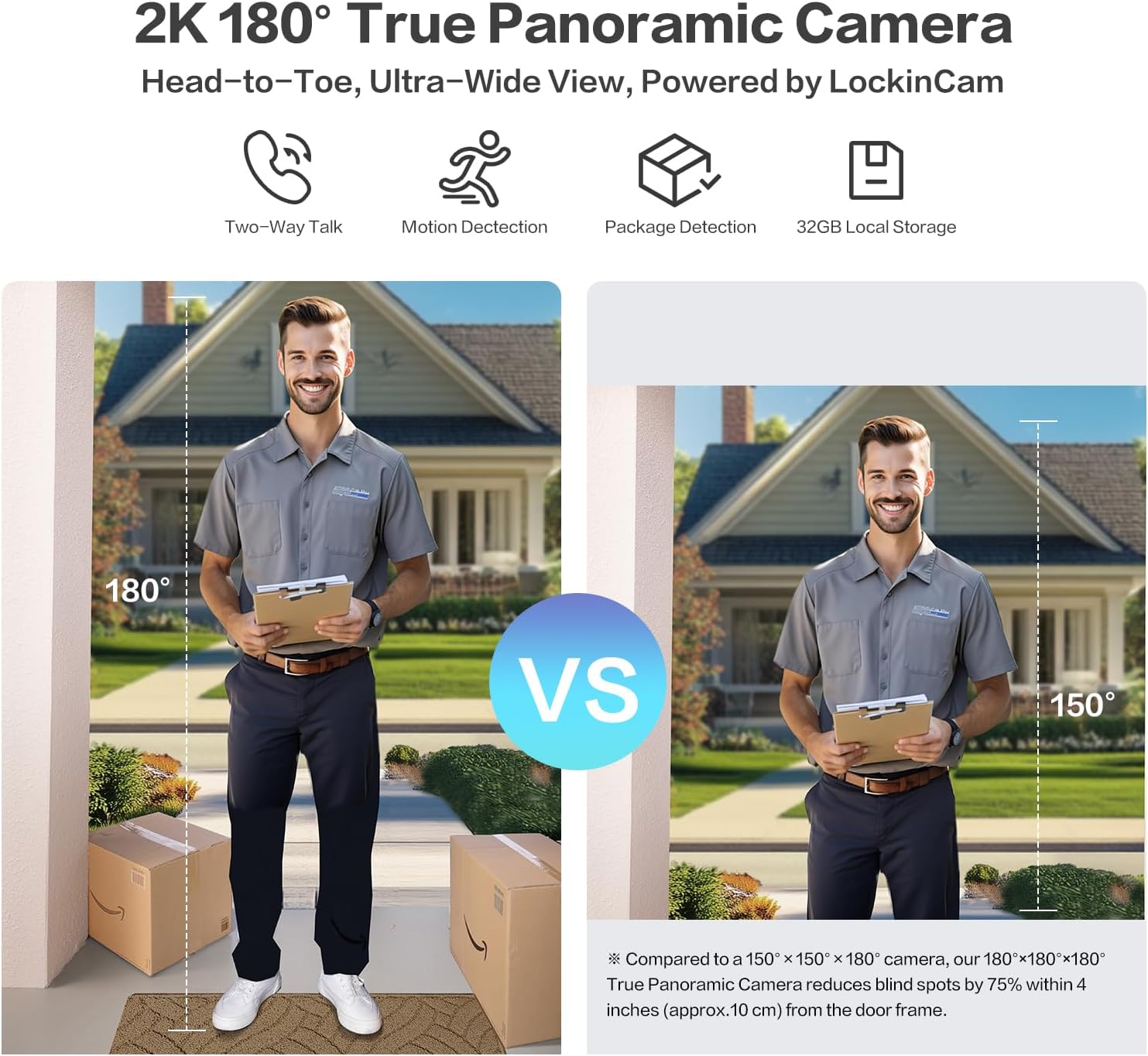
Figure 3.4: Enhanced field of view with the 180° panoramic camera.
3.4. Triple-Layer Security Protection
LockinAI's on-device computation architecture ensures all data processing occurs locally, eliminating cloud dependencies and safeguarding your privacy from unauthorized access and data transmission risks.
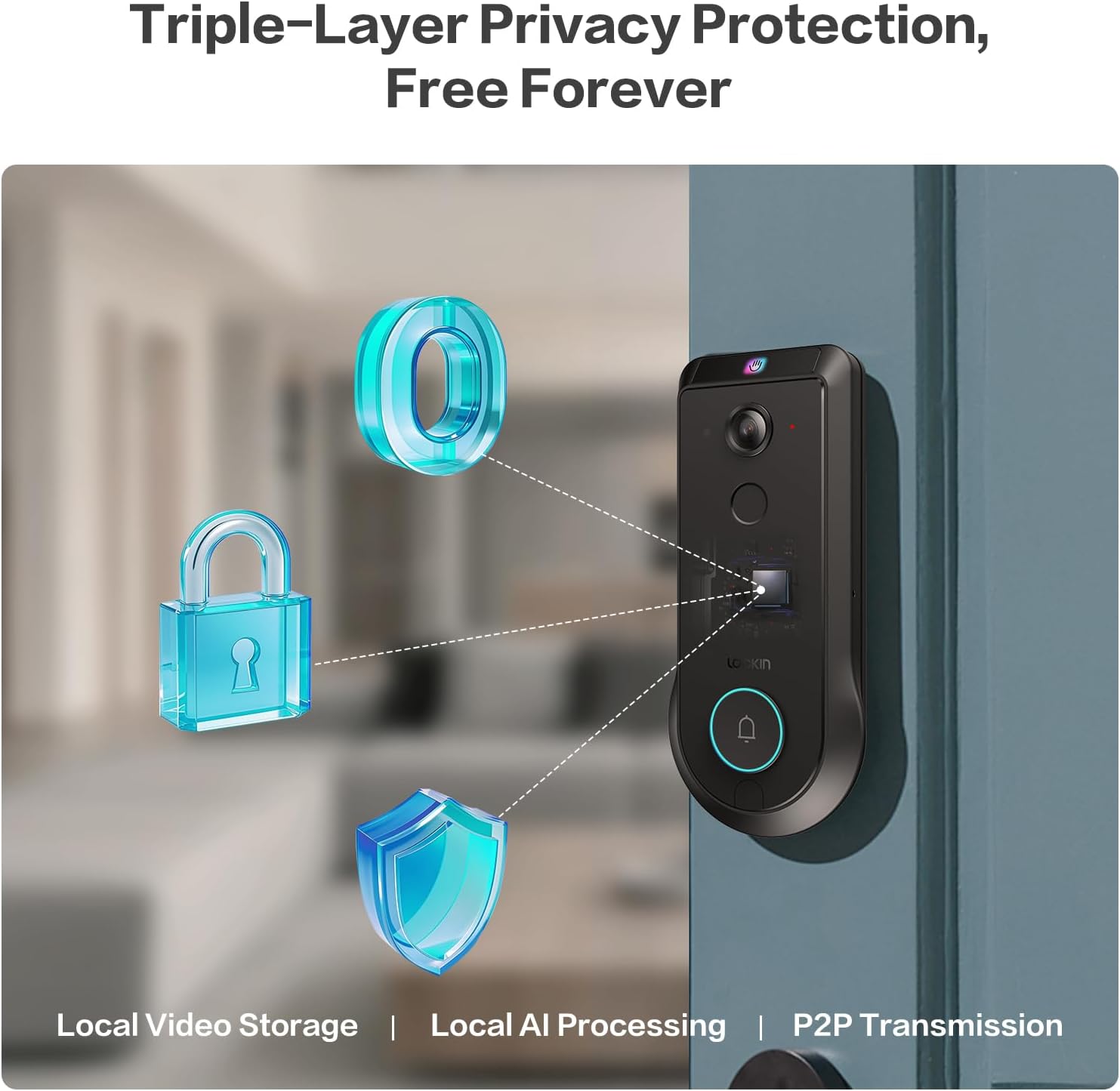
Figure 3.5: Triple-layer privacy protection architecture.
Video 3.2: Detailed information about the Veno Pro's features and capabilities.
4. ترتیب او نصب کول
Installation is designed to be straightforward, requiring only a screwdriver and approximately 15 minutes.
4.1. د نصب کولو دمخه چک لیست
- ډاډ ترلاسه کړئ چې ستاسو دروازه لاندې مشخصات پوره کوي:
- د دروازې سوري قطر: ۱ انچه / ۲۵.۴ ملي متره
- د کراس بور قطر: ۲⅛ انچه / ۵۴ ملي متره
- Door Thickness: 1⅜ in - 2¹¹⁄₆₄ in (35-55 mm)
- شاته سیټ: ۲⅜ انچه / ۶۰ ملي متره یا ۲¾ انچه / ۷۰ ملي متره
- The lock is نه compatible with round faceplate cutouts, Storm Doors, or Mortise Locks.
- Compatible with Single Cylinder and doors with a rectangular latch faceplate cutout.
- Fully charge the included Lithium Polymer battery before installation.

Figure 4.1: Door measurement requirements for installation.
4.2. د نصبولو پړاوونه
Refer to the detailed step-by-step instructions provided in the included Quick Start Guide for precise installation. A screwdriver is the only tool typically required.
- Prepare the door by ensuring it meets the specified dimensions.
- د قلف او سټرایک پلیټ نصب کړئ.
- Mount the exterior assembly.
- Install the interior assembly and connect the cables.
- چارج شوی بیټرۍ دننه کړئ.
- د قلف فعالیت ازموینه وکړئ.
5. عملیاتي لارښوونې
5.1. د خلاصولو طریقې
The Lockin Veno Pro offers six convenient ways to unlock your door:
- Palm Vein: Touchless recognition by simply presenting your palm to the sensor.
- د فنگر پرنټ: Fast and secure access using your registered fingerprint.
- د پن کوډ: Enter your personalized code on the keypad.
- د اپلیکیشن کنټرول: Unlock remotely via the Lockin App on your smartphone.
- د غږ کنټرول: Integrate with smart home ecosystems for voice commands (e.g., Alexa, Google Home).
- میخانیکي کیلي: Traditional key access for backup.
5.2. Lockin App Features
The Lockin App provides comprehensive control and monitoring capabilities:
- لرې لاسرسی: Control your lock from anywhere.
- فوري خبرتیاوې: Receive notifications for activity at your door.
- یو ځلي پاس کوډونه: Generate temporary access codes for guests.
- د کارونکي مدیریت: Easily add or remove user permissions.
- سمارټ موډونه: Choose from Home, Away, Geofencing, and Party modes to tailor alerts and access.
- دوه اړخیزه خبرې: د اپلیکیشن له لارې له لیدونکو سره اړیکه ونیسئ.
5.3. Camera and AI Features
The integrated camera and AI enhance your home security:
- 2K HD Video: Clear video feed with a 180° panoramic view.
- د AI حرکت کشف: Local AI processing accurately identifies humans, packages, and vehicles.
- د IR شپې لید: Ensures clear monitoring in low-light conditions.
- 32GB Local Storage: Securely stores video recordings without cloud fees.
Video 5.1: A short demonstration of the Veno Pro's features.
Video 5.2: A brief video showcasing the Veno Pro's capabilities.
6. ساتنه
6.1. د بیټرۍ مدیریت
The Veno Pro includes a removable, rechargeable Lithium Polymer battery that lasts up to 3 months per charge. For continuous power, consider adding the optional Lockin Solar Panel (sold separately).

Figure 6.1: Battery charging options and backup methods.
- Monitor battery levels via the Lockin App.
- Recharge the battery using the provided USB-C cable.
- In case of a dead battery, use the external USB-C port for emergency power or the mechanical keys.
6.2. پاکول او ساتنه
The tempered glass finish is designed to resist scratches, fingerprints, and fading. To maintain its appearance:
- سطح په نرم سره مسح کړئ، دamp ټوکر
- د سختو کیمیاوي موادو یا خړوبونکي موادو څخه ډډه وکړئ.
- Ensure the lock is dry after cleaning, especially around the keypad and sensors.
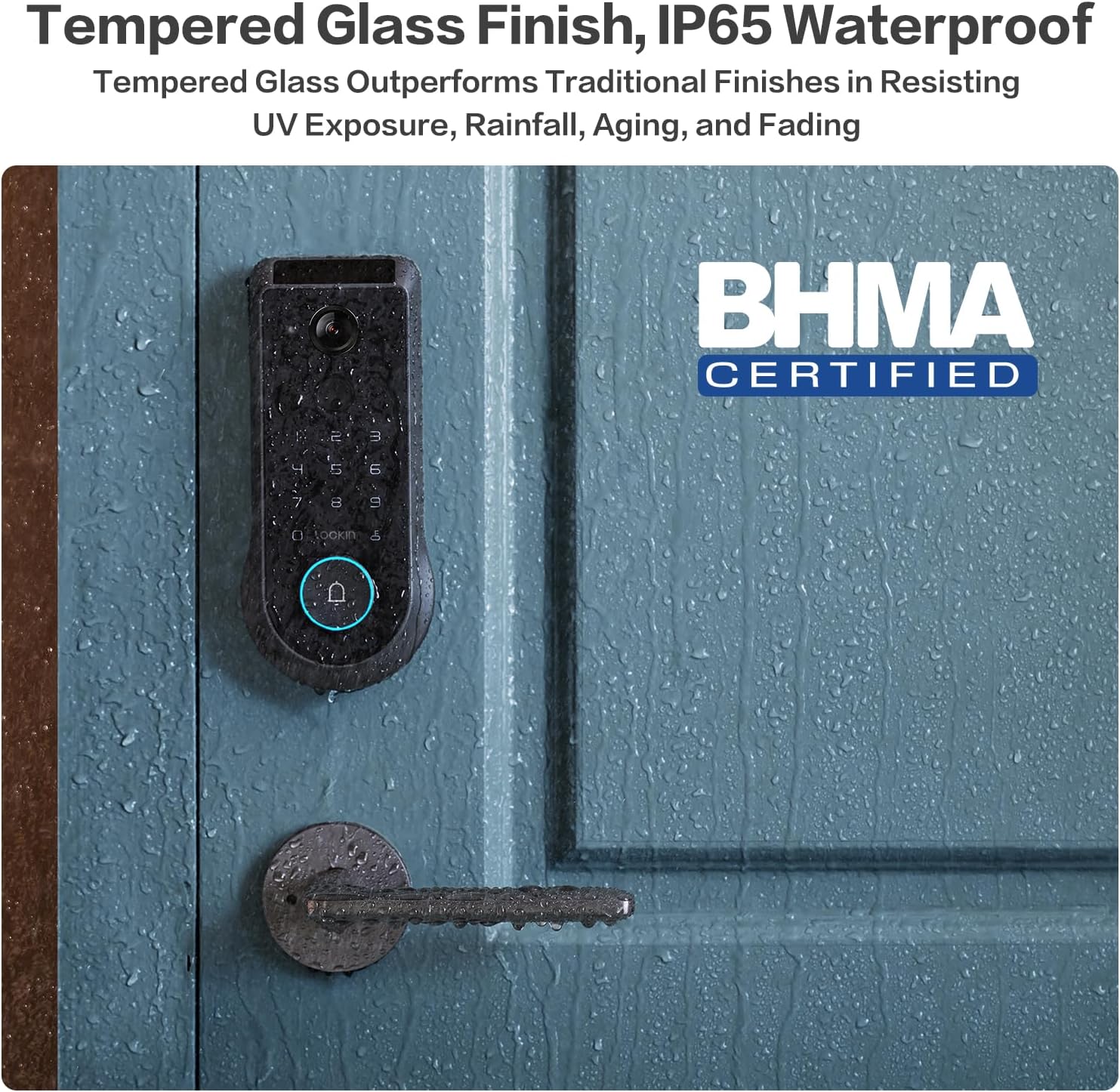
Figure 6.2: Tempered glass finish and IP65 waterproof rating.
7. ستونزه حل کول
This section addresses common issues you might encounter with your Lockin Veno Pro Smart Lock.
| ستونزه | احتمالي لامل | د حل لاره |
|---|---|---|
| "Door Locked" voice prompt is too loud/cannot be disabled. | Firmware setting for auto-lock voice volume/disabling. | Check the Lockin App's audio settings. Ensure all volume controls are set to minimum or muted if possible. Lockin is actively working on firmware updates to provide more control over this feature. |
| Palm Vein recognition requires multiple attempts. | Incorrect hand positioning or environmental factors. | Ensure your palm is approximately 6-8 inches from the camera. Try approaching from about a foot away and slowly moving closer. Re-enroll your palm vein if issues persist. |
| Fingerprint recognition fails. | Dirty sensor, dry/peeling skin, or unregistered fingerprint. | Clean the fingerprint sensor with a soft, dry cloth. Ensure your finger is clean and dry. Re-register your fingerprint if necessary. |
| Lock does not respond (no power). | بیټرۍ ختمه شوې. | Recharge the battery. Use the external USB-C port with a power bank for emergency power, or use the mechanical keys. |
| د اپلیکیشن د اتصال ستونزې. | Wi-Fi signal, app version, or lock firmware. | Ensure your Wi-Fi is stable. Update the Lockin App to the latest version. Check for firmware updates for the lock via the app. Restart the lock and your phone. |
| False triggers from camera (rain/sunlight). | د چاپیریال مداخله. | The lock features advanced anti-false trigger technology. If issues persist, ensure the camera lens is clean and free from obstructions. Adjust motion detection sensitivity in the app if available. |
8. مشخصات
| فیچر | تفصیل |
|---|---|
| برانډ | Lockin |
| د ماډل نوم | وینو |
| د توکي ماډل شمیره | د LKMSD411 معرفي کول |
| د بند ډول | Biometric, Deadbolt, KeypadBiometric |
| ځانګړي ځانګړتیاوې | Motion Sensor, Night Vision, HD Definition, Palm Vein, Auto-Lock, One-Touch Lock |
| مواد | زنک |
| رنګ | تور |
| د توکي ابعاد (L x W x H) | 7.24 x 3.29 x 1.48 انچه |
| د توکي وزن | ۲.۴۵ پونډه |
| وړاندیز شوي استعمالونه | مخکینۍ دروازه |
| شاملې برخې | Interior Assembly, Exterior Assembly |
| د کنټرول طریقه | اپلیکیشن |
| د ارتباط پروتوکول | Bluetooth, Matter, Wi-Fi |
| د بیټرۍ ډول | لیتیم پولیمر (شامل دی) |
| د پنروک درجه | IP65 |
| د عملیاتي حرارت درجه | -22°F څخه تر 158°F |
| د BHMA تصدیق | Grade 2 (10-year mechanical durability) |
۷. تضمین او د پیرودونکو ملاتړ
Lockin stands behind the quality of its products.
- تضمین: The Lockin Veno Pro comes with a 1-year warranty.
- د پیرودونکي ملاتړ: Lockin provides round-the-clock customer care. For assistance, please contact:
- بریښنالیک: ملاتړ@lockin.com
- Phone: Refer to Lockin's official webد سیمه ایزو تلیفوني ملاتړ شمیرو لپاره سایټ.
The customer support team is available via phone or email to assist with installation, troubleshooting, and any product-related inquiries.


