پیژندنه
This manual provides essential information for setting up, operating, maintaining, and troubleshooting your Lenovo IdeaPad 3i 15.6-inch laptop. Please read these instructions carefully to ensure proper use and longevity of your device.
د بسته محتويات
Before you begin, verify that all items are present in your package:
- Lenovo IdeaPad 3i Laptop
- د بریښنا اډاپټر
- د 7-in-1 ډاکینګ سټیشن د 128GB ذخیره سره
- ۳۲ جي بي مایکرو ایس ډي کارت د اډاپټر سره
- د ډول-C ډیټا کیبل
- د 3-in-1 چارج کیبل
- د سابر پاکولو ټوکر

Image: Components of the included docking station set, featuring the 7-in-1 docking station, 32GB MicroSD card with adapter, Type-C data cable, 3-in-1 charging cable, and a suede cleaning cloth.
چمتو کول
۳. لومړنی بریښنا فعالول
- د بریښنا اډاپټر د لیپ ټاپ د بریښنا پورټ سره وصل کړئ او بیا د بریښنایی آوټ لیټ سره وصل کړئ.
- د لپ ټاپ پوښ خلاص کړئ.
- Press the power button, usually located on the top-right of the keyboard or on the side.
- د وینډوز ۱۰ لومړني تنظیم بشپړولو لپاره په سکرین کې لارښوونې تعقیب کړئ، پشمول د ژبې، سیمې، شبکې اتصال، او د کارونکي حساب جوړول.
2. د ډاکینګ سټیشن سره نښلول
The included 7-in-1 docking station expands your laptop's connectivity options.
- Connect the docking station to your laptop using the Type-C data cable.
- You can then connect external devices such as monitors (via HDMI), USB devices (USB 2.0, USB 3.0), and memory cards (SD/MicroSD) to the docking station.
- The docking station also supports PD Charging (100W) for compatible devices.
عملیاتي لارښوونې
ښودنه او لیدونه
Your IdeaPad 3i features a 15.6-inch Full HD (1920x1080) anti-glare display, powered by Intel UHD Graphics, providing clear and vibrant visuals for various tasks.
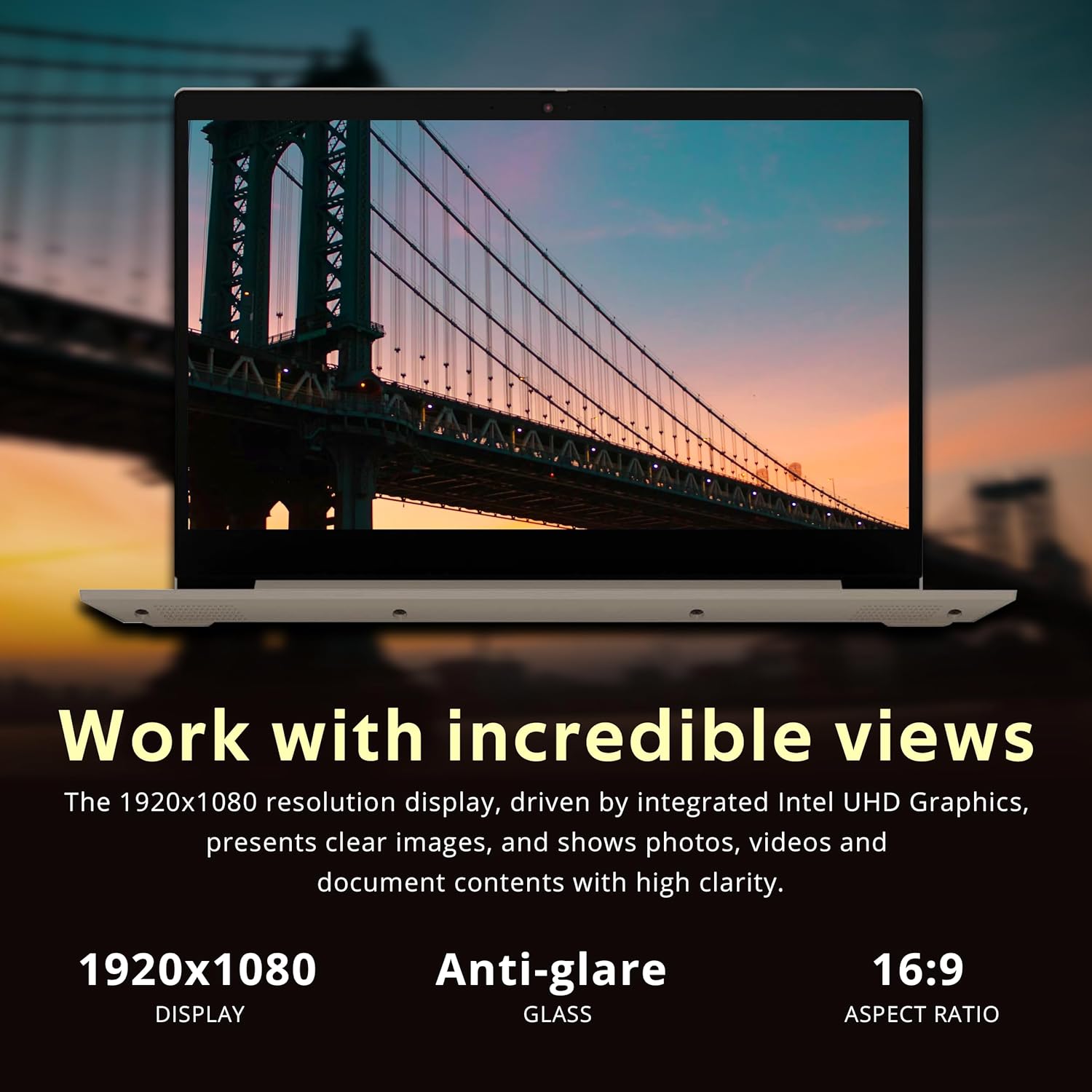
Image: The laptop's 15.6-inch Full HD display, emphasizing its 1920x1080 resolution and anti-glare properties for comfortable viewing.
کیبورډ او ټچ پیډ
The laptop includes a full-size keyboard with a numeric keypad for efficient data entry. The precision touchpad supports multi-touch gestures for navigation.
ارتباط
The IdeaPad 3i offers various connectivity options:
- وای فای: Connect to wireless networks using the integrated Wi-Fi 5 (801.11ac).
- بلوتوث: Pair with Bluetooth-enabled devices such as headphones or mice.
- بندرونه:
- 3x USB Type-A ports (USB 2.0 and USB 3.2 Gen 1)
- 1x HDMI port for external displays
- 1x Headphone/microphone combo jack
- 1x Media card reader

Image: The laptop's communication features, including a 720p HD webcam for video calls, Wi-Fi 5 for internet access, and Bluetooth for peripheral connections.

انځور: تفصیلي view of the laptop's side ports, including the headphone/microphone combo jack, power input, HDMI, USB 2.0, and USB 3.2 (Gen 1) ports.
Multitasking and Performance
Equipped with an Intel Core i3-1115G4 processor and 8GB DDR4 RAM, the IdeaPad 3i is designed for smooth multitasking and responsive performance for everyday computing tasks. The 416GB storage (256GB PCIe SSD + 160GB Docking Station Set) provides ampلپاره ځای files او غوښتنلیکونه.

Image: The laptop demonstrating effortless multitasking with several applications open simultaneously, showcasing its capability for efficient workflow.
Flexible Hinge
The laptop features a 180-degree hinge, allowing you to lay the screen flat for comfortable viewing or collaborative presentations.

Image: The laptop's screen rotated 180 degrees, illustrating the flexible hinge design for versatile viewing and presentation modes.
ساتنه
د 3 څخه 3 میتود: خپل لپ ټاپ پاک کړئ
- Use the provided suede cleaning cloth or a soft, lint-free cloth to gently wipe the screen and exterior surfaces.
- د سختو داغونو لپاره، لږ څهampټوکر د اوبو یا سکرین خوندي کلینر سره ومینځئ. د سخت کیمیاوي موادو څخه ډډه وکړئ.
- د پاکولو دمخه ډاډ ترلاسه کړئ چې لپ ټاپ بند دی او پلګ شوی دی.
د سافټویر تازه معلومات
- Regularly check for Windows updates through ترتیبات> د وینډوز تازه معلومات ترڅو ډاډ ترلاسه شي چې ستاسو سیسټم وروستي امنیتي پیچونه او ځانګړتیاوې لري.
- Consider installing Lenovo Vantage software for driver updates and system health checks.
د بیټرۍ پاملرنه
- د بیټرۍ د ژوند اوږدولو لپاره، د سختې تودوخې څخه ډډه وکړئ.
- سپارښتنه کیږي چې کله ناکله بیټرۍ د 20٪ څخه کم چارج کړئ او بیا یې په بشپړ ډول چارج کړئ.
د ستونزو حل کول
If you encounter issues with your Lenovo IdeaPad 3i, refer to the following common solutions:
| ستونزه | احتمالي حل |
|---|---|
| لیپ ټاپ نه چالانېږي. | Ensure the power adapter is securely connected to both the laptop and a working electrical outlet. Check if the power adapter's indicator light is on. Try a different outlet. |
| سکرین خالي یا تور دی. | مطبوعاتي Fn + F2 (or the key with a display icon) to ensure the display is not turned off. Connect an external monitor to check if the issue is with the laptop's display. Restart the laptop. |
| د وای فای اتصال ستونزې. | Check if Wi-Fi is enabled (often Fn + F5 or a dedicated Wi-Fi key). Restart your router and modem. Ensure correct Wi-Fi password. Update network drivers via Device Manager. |
| ورو فعالیت. | Close unnecessary applications. Check Task Manager for high CPU/RAM usage. Run a disk cleanup. Ensure Windows is updated. Consider running a malware scan. |
For further assistance, please visit the official Lenovo support webسایټ یا د دوی پیرودونکي خدمت سره اړیکه ونیسئ.
مشخصات
Key technical specifications for the Lenovo IdeaPad 3i laptop:

انځور: اوورview of the laptop's core specifications, including the Intel i3-1115G4 processor, Intel UHD Graphics, 8GB RAM, and 416GB total storage.
| فیچر | تفصیل |
|---|---|
| د ماډل نوم | لینوو آیډیا پیډ ۱ آی |
| پروسیسر | انټل کور i3-1115G4 (1.7 GHz) |
| RAM | 8 GB DDR4 SDRAM |
| ذخیره کول | 256 GB PCIe SSD + 160 GB Docking Station Set (Total 416GB) |
| ګرافیک | د انټل UHD ګرافیک (مدغم) |
| ښودل | 15.6-inch FHD (1920 x 1080) Anti-glare |
| عملیاتي سیسټم | وینډوز ۱۱ |
| بې سیم ارتباط | وای فای ۵ (۸۰۲.۱۱ac)، بلوتوث |
| بندرونه | 3x USB Type-A, 1x HDMI, 1x Headphone/Mic Combo, 1x Media Card Reader |
| Webکمره | 720p HD Webکمره |
| ابعاد (LxWxH) | نږدې ۱۵.۹۸" x ۱۳.۹۴" x ۱۵.۹۸" (۴۰.۶ سانتي متره x ۳۵.۴ سانتي متره x ۴۰.۶ سانتي متره) |
| وزن | نږدې 4.07 پونډه (1.85 کیلو ګرامه) |
| رنګ | بادام |

Image: Physical dimensions of the laptop, showing its sleek profile and measurements for thickness, width, and depth.
تضمین او ملاتړ
Your Lenovo IdeaPad 3i laptop comes with a 1-year manufacturer warranty on original components. Any upgraded RAM/SSD components also carry a 1-year warranty.
For warranty claims, technical support, or service inquiries, please visit the official Lenovo support website or contact their authorized service centers. Keep your purchase receipt and product serial number handy for faster service.
د لینوو ملاتړ Webسایټ: ملاتړ.lenovo.com


