1. محصول ختم شوview
The ShanWan Q38 is a versatile wireless Bluetooth controller designed for a wide range of gaming platforms. It features advanced controls such as Hall Effect joysticks and micro-switch buttons for enhanced precision and responsiveness.

انځور ۲: پورته څخه ښکته view of the ShanWan Q38 Wireless Bluetooth Controller, showcasinد هغې کمپیکټ ډیزاین او د تڼۍ ترتیب.
2. د بسته محتويات
مهرباني وکړئ ډاډ ترلاسه کړئ چې ټول توکي په بسته کې شتون لري:
- ShanWan Q38 Wireless Bluetooth Controller
- د USB چارج کیبل
- د کارونکي لارښود (دا لاسوند)
- 1 AAA Battery (pre-installed or included separately)
3. تنظیم او ارتباط
3.1 د کنټرولر چارج کول
Before initial use, ensure the controller is sufficiently charged. Connect the provided USB charging cable to the controller's charging port and to a USB power source (e.g., computer, USB wall adapter). The LED indicator will show charging status.
3.2 مطابقت
The ShanWan Q38 controller is compatible with the following platforms:
- Nintendo Switch / Switch 2 (firmware upgrade may be required for Switch 2)
- د بھاپ ډیک
- کمپیوټر (وینډوز)
- Android devices (phones, tablets)
- iPhone
- iPad
- macOS devices
- PS4 (as indicated by mode switch, specific compatibility may vary)

Image 3.1: The ShanWan Q38 controller demonstrating compatibility with multiple gaming platforms.
3.3 د بلوتوث له لارې نښلول
د خپل وسیله سره کنټرولر وصل کولو لپاره:
- پاور آن: Press and hold the Home button on the controller until the indicator lights begin to flash.
- حالت غوره کړئ: Use the mode switch located on the top edge of the controller to select the appropriate mode for your device:
- X Mode: For Mobile & Computer (Android, PC, macOS, iOS).
- S حالت: د نینټینډو سویچ لپاره.
- د P حالت: For PS4 (if compatible).
- جوړه کول: On your device, navigate to the Bluetooth settings and search for available devices. Select "ShanWan Q38" (or similar) from the list to pair.
- تایید: Once successfully paired, the indicator light on the controller will become solid.
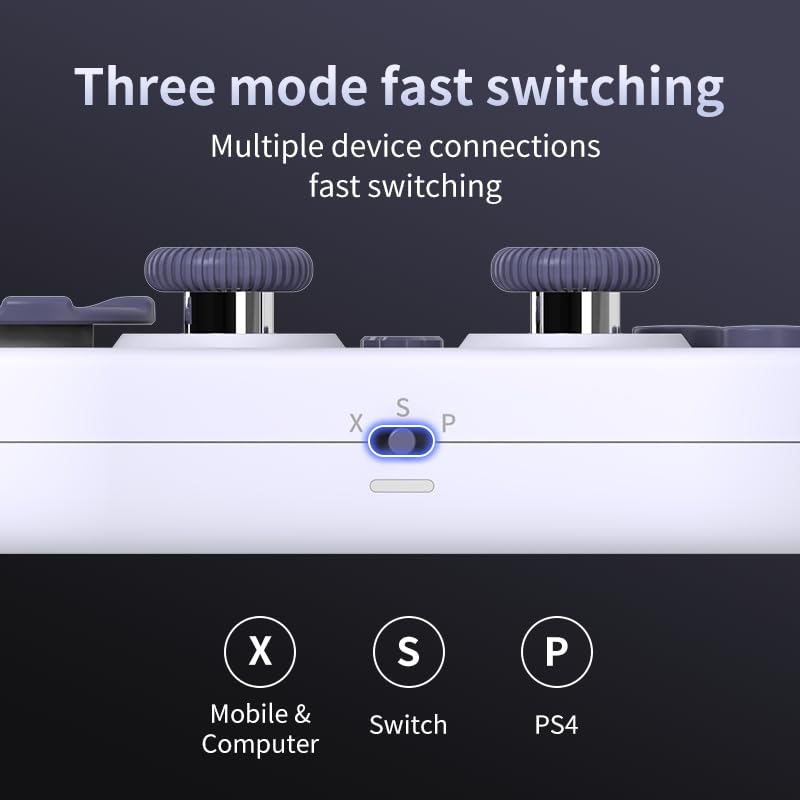
Image 3.2: Detail of the three-mode fast switching selector on the controller.
3.4 Customization and Calibration
For advanced customization, including button remapping and macro functions, download the official "gamepad space" application. This application also allows for controller calibration to ensure optimal performance.
۳. د کنټرولر چلول
4.1 کلیدي ځانګړتیاوې
- د هال اغیزې جوی سټیکونه: Provides high precision and sensitivity. The joystick height is adjustable between 5mm and 8mm for personalized comfort.
- Composite Micro-Switch Buttons: These buttons offer a tactile response similar to mechanical keyboards, providing quick and precise input.
- Mechanical Triggers: Designed for fast response times.
- Dual Micro Motors: Provides dual vibration feedback for an immersive gaming experience.
- Somatosensory Gyroscope: Equipped with a 6-axis gyroscope for motion control in supported games.

Image 4.1: Detail of the adjustable Hall Effect joysticks.

Image 4.2: Close-up of the composite micro-switch action buttons.

Image 4.3: Diagram illustrating the internal components of the composite micro-keypad.
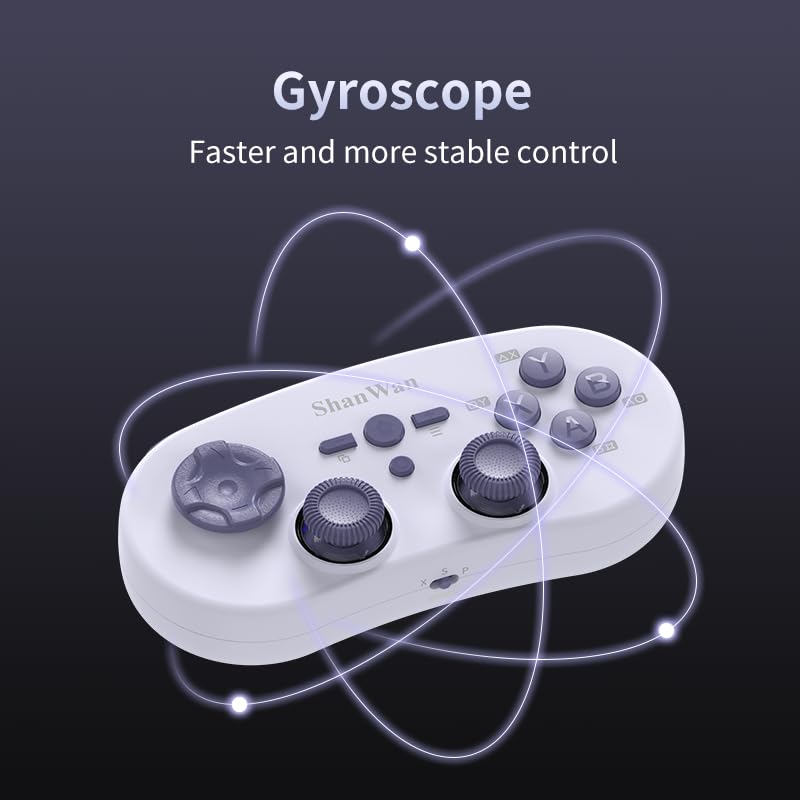
Image 4.4: Visual representation of the controller's gyroscope functionality.
۳.۲ د لوبو تجربه
The compact design allows for portability, making it suitable for gaming on the go with devices like the Nintendo Switch or smartphones.

Image 4.5: Controller in use with a Nintendo Switch.

Image 4.6: Controller paired with a smartphone for mobile gaming.
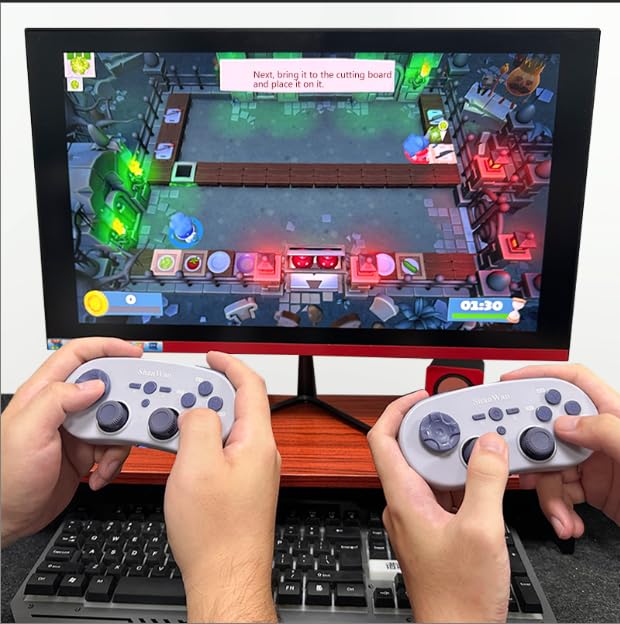
Image 4.7: Two controllers in use for multiplayer gaming on a PC.
5. ساتنه
To ensure the longevity and optimal performance of your ShanWan Q38 controller, follow these maintenance guidelines:
- پاکول: د کنټرولر د پاکولو لپاره نرم، وچ ټوکر وکاروئ. د سختې خاورې لپاره، یو څه damp ټوکر کارول کیدی شي، مګر ډاډ ترلاسه کړئ چې رطوبت وسیله ته ننوځي. د سختو کیمیاوي موادو یا د کثافاتو پاکوونکو څخه ډډه وکړئ.
- ذخیره کول: کنټرولر په یخ او وچ ځای کې د مستقیم لمر وړانګو او سختې تودوخې څخه لرې وساتئ.
- د بیټرۍ پاملرنه: If using replaceable AAA batteries, remove them if the controller will not be used for an extended period to prevent leakage.
- له څاڅکو ډډه وکړئ: Protect the controller from physical impact and drops, which can damage internal components.
6. ستونزه حل کول
If you encounter issues with your ShanWan Q38 controller, refer to the following common problems and solutions:
- Controller Does Not Power On:
- Ensure the battery is correctly inserted and has sufficient charge. Replace AAA batteries if necessary.
- Connect the controller to a power source using the USB cable to confirm if it charges.
- Difficulty Connecting via Bluetooth:
- Ensure the controller is in the correct mode (X, S, or P) for your device.
- د خپل وسیله بلوتوث بند او فعال کړئ.
- وسیله په خپلو بلوتوث ترتیباتو کې هېره کړئ او د بیا جوړې کولو هڅه وکړئ.
- Ensure the controller is within the effective range of your device.
- Buttons or Joysticks Not Responding Correctly:
- Calibrate the controller using the "gamepad space" application.
- د تڼیو یا جوی سټیکونو شاوخوا د کوم فزیکي خنډ یا کثافاتو لپاره وګورئ.
- Ensure the controller's firmware is up to date, especially for Switch 2 compatibility.
- ناڅاپي قطع کېدل:
- Ensure there are no strong wireless interferences nearby.
- Keep the controller close to the connected device.
- Re-pair the controller if disconnections are frequent.
7. مشخصات
| فیچر | تفصیل |
|---|---|
| د ماډل شمیره | Q38 |
| جوړونکی | شانوان |
| ارتباط | بلوتوث بې سیم |
| مطابقت | Switch/Switch 2, Steam Deck, PC, Android, iPhone, iPad, macOS, PS4 |
| د جوی سټیک ډول | Hall Effect, Adjustable Height (5mm-8mm) |
| د تڼۍ ډول | Composite Micro-Switch |
| وایبریشن | Dual Micro Motors |
| د حرکت کنټرول | 6-محور Gyroscope |
| د کڅوړې ابعاد | 5.63 x 4.53 x 1.54 انچه |
| د توکي وزن | 4.6 اونس |
| بیټرۍ | 1 AAA بیټرۍ ته اړتیا ده (شامل ده) |

Image 7.1: Physical dimensions of the ShanWan Q38 controller.
8. تضمین او ملاتړ
For warranty information and customer support, please refer to the official ShanWan webسایټ ته مراجعه وکړئ یا له هغه پرچون پلورونکي سره اړیکه ونیسئ چې تاسو یې محصول اخیستی دی. د تضمین ادعاوو لپاره د پیرود ثبوت وساتئ.


