1. پیژندنه
The YOJOCK HT97D Socket Tester is an essential tool for quickly and accurately detecting wiring faults in standard 3-wire and RCD-protected sockets. It provides immediate results on its clear LCD screen, indicating the precise wiring status, voltage, and frequency. This device is suitable for both professional electricians and DIY enthusiasts for electrical maintenance, office socket checks, power strip inspections, and general home use.

Image: The YOJOCK HT97D Socket Tester indicating a correct wiring configuration in a wall socket.
2. د خوندیتوب معلومات
- د بریښنا سره کار کولو په وخت کې تل احتیاط وکړئ.
- Ensure the tester is in good condition before use. Do not use if damaged.
- The RCD test function should be used with care on normal sockets, as it may trip the household electrical system. Ensure the RCD test is performed under correct wiring conditions with a current greater than 30 mA.
- This socket tester complies with CE marking for safety.
- د عملیاتو حجمtage range: 30-260V AC. Do not exceed this range.
3. د بسته محتويات
ډاډ ترلاسه کړئ چې ټول توکي په کڅوړه کې شتون لري:
- 1 x YOJOCK HT97D Socket Tester
- 1 x سکرو ډرایور
- 2 x AAA بیټرۍ
- 1 x د کارونکي لارښود
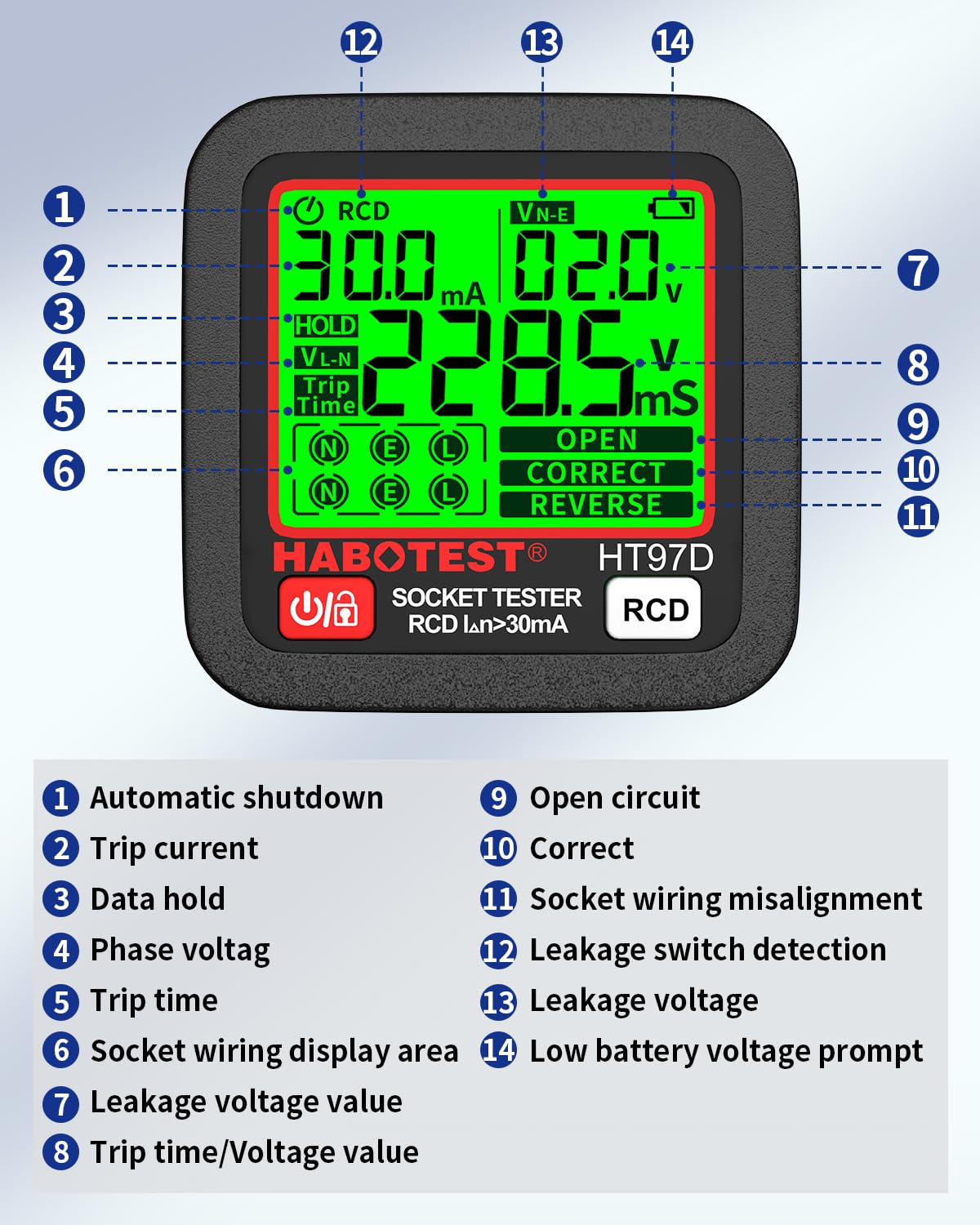
Image: All components included in the YOJOCK HT97D Socket Tester package.
4. محصول ختم شوview
The YOJOCK HT97D Socket Tester features a clear, backlit LCD display for easy reading of results even in dimly lit environments. It is designed for quick and intuitive operation, providing instant feedback on socket wiring status, voltage ، او فریکونسی.
کلیدي ځانګړتیاوې:
- Instant Inspection: Color LCD screen shows precise wiring status at a glance.
- RCD Test Function: Verifies the proper functioning of residual current devices.
- پراخه ټوکtagد لړيو: Operates within 30-260V AC.
- د فریکونسی اندازه کول: Displays frequency between 45-65Hz.
- 6 Wiring Fault Diagnoses: Identifies common wiring issues.
- د معلوماتو ساتل: Automatically locks data after 3 seconds of insertion.
- اتوماتیک بندول: د بیټرۍ د خوندي کولو لپاره د ۱۵ دقیقو غیر فعال کیدو وروسته بریښنا بندیږي.

Image: Labeled diagram of the HT97D display, explaining each indicator.
5. ترتیب کول
د بیټرۍ نصب کول:
The device requires 2 AAA batteries (included). Follow these steps to install them:
- Loosen the screws under the rear cover counter-clockwise using the provided screwdriver.
- Slide the rear cover downwards to open it.
- دوه AAA بیټرۍ دننه کړئ، د سم قطبیت ډاډ ترلاسه کړئ (+/-).
- Replace the rear cover and tighten the screws.

Image: Instructions for battery replacement.
6. عملیاتي لارښوونې
بنسټیز عملیات:
- ډاډ ترلاسه کړئ چې بیټرۍ په سمه توګه نصب شوي.
- Insert the YOJOCK HT97D Socket Tester directly into the socket you wish to test.
- The LCD screen will immediately display the wiring status, voltage ، او فریکونسی.
- The device automatically holds the displayed data after approximately three seconds. To release the data, press the unlock button (if available, otherwise re-insert).
- The tester will automatically shut down if there is no operation within 5 minutes of power-on to conserve battery life.

Image: Data retention feature of the socket tester.
Image: Automatic shutdown feature for battery saving.
۴.۶. د RCD ازموینه
The RCD (Residual Current Device) test function checks if your circuit breaker is working correctly to protect against current leakage.
Performing the RCD Test:
- Insert the tester into the socket.
- Ensure the socket wiring is indicated as سمه ده before proceeding with the RCD test.
- فشار ورکړئ RCD button on the tester for two seconds.
- If the RCD protection is functioning correctly, the circuit breaker connected to that socket should trip, cutting off power to the socket.
- If the circuit breaker does not trip, the RCD may be faulty and should be inspected by a qualified electrician.
احتیاط: Use this function carefully on normal sockets, as it will trip the electrical system. Ensure the RCD test is performed under correct wiring conditions with a current greater than 30 mA.
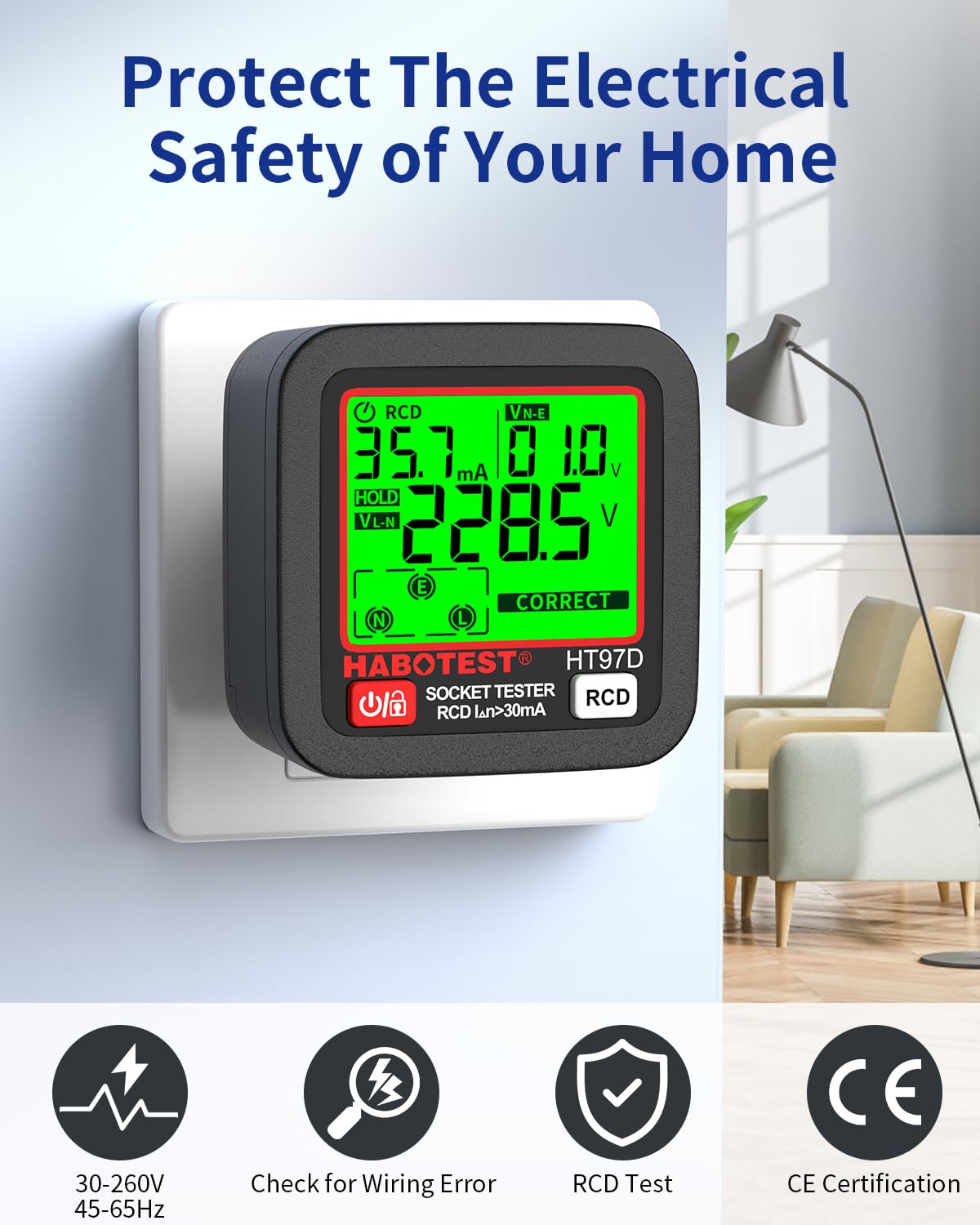
Image: Performing the RCD test by pressing the dedicated button.
8. Understanding Display Indicators (6 Wiring Faults)
The YOJOCK HT97D Socket Tester can diagnose six common wiring faults. The LCD screen will clearly indicate the detected status.

Image: Visual representation of the 6 wiring fault diagnoses.
| شاخص | تفصیل |
|---|---|
| سمه ده | تارونه سم دي: ژوندی، بې طرفه، او ځمکنی په سمه توګه وصل دي. |
| خلاص ځمکه | The ground wire is disconnected or not present. This is a safety hazard. |
| غیر جانبدار خلاص کړئ | The neutral wire is disconnected or not present. This can cause appliances to not function or operate incorrectly. |
| ژوندی/GRD ریورس | The live and ground wires are reversed. This is a serious safety hazard and can lead to electric shock. |
| ژوندی/نیو ریورس | The live and neutral wires are reversed. While some appliances may still function, it can be a safety risk and affect device performance. |
| LIVE/GRD REVERSE; MISSING GRD | Both the live and ground wires are reversed, and the ground connection is also missing. This is a critical safety issue. |
9. ساتنه
پاکول:
وسیله په وچ، نرم ټوکر سره پاک کړئ. د کثافاتو پاکوونکي یا محلولونه مه کاروئ.
د بیټرۍ بدلول:
Refer to the "Setup" section for detailed instructions on how to replace the AAA batteries when the low battery indicator appears on the display.
10. ستونزه حل کول
- وسیله نه فعالیږي: وګورئ چې بیټرۍ په سمه توګه نصب شوي او کافي چارج لري. که اړتیا وي نو بدل یې کړئ.
- ناسم لوستل: Ensure the tester is fully inserted into the socket. Verify the socket is clean and free of debris.
- RCD test does not trip: Confirm the socket wiring is correct before testing. If it still doesn't trip, the RCD itself may be faulty and requires professional inspection.
- ښودنه تیاره ده: بیټرۍ بدل کړئ.
11. مشخصات
| پیرامیټر | ارزښت |
|---|---|
| جوړونکی | یوجوک |
| د ماډل شمیره | B0DN67Q5YL (YK-HT97D) |
| د توکي وزن | 150 ګرامه |
| د کڅوړې ابعاد | 8.3 x 7.6 x 7.2 سانتي متره |
| د بریښنا سرچینه | ۲ x AAA الکلین بیټرۍ (شامل دي) |
| د عملیاتو Voltage | 30-260V AC |
| د فریکونسی رینج | 45-65Hz |
| د اندازه کولو دقت | +/-(3.0%+2) |
| د RCD ازموینې جریان | > 30mA |
| د عملیاتي حرارت درجه | ۵ درجو سانتي ګراد - ۳۵ درجو سانتي ګراد |
| عملیاتي رطوبت | ۳۵٪ - ۹۰٪ RH |
| د ذخیرې د حرارت درجه | -۱۰ درجو سانتي ګراد - ۴۰ درجو سانتي ګراد |
| د ذخیره کولو رطوبت | ۳۵٪ - ۹۰٪ RH |
| لوړوالی | ≤2000m |
| تصدیقونه | CE |

Image: Detailed technical parameters of the socket tester.
12. تضمین او ملاتړ
This YOJOCK Socket Tester is certified for safety and comes with a user manual for guidance. For any issues or support inquiries, please refer to the contact information provided in your product packaging or reach out to YOJOCK customer service.

Image: The socket tester providing assistance in various electrical safety checks.


