1. پیژندنه
د پیرودلو لپاره مننهasing the Karlsson Vogue Alarm Clock. This versatile device combines a digital alarm clock, a wireless induction charger, and a Bluetooth speaker, designed to enhance your daily routine. Please read this manual carefully before using the product to ensure proper operation and to maximize its lifespan. Keep this manual for future reference.
د خوندیتوب احتیاطونه
- وسیله د اوبو یا ډیر رطوبت سره مه مخ کوئ.
- د سخت تودوخې څخه ډډه وکړئ.
- مه جلا کوئ یا هڅه مه کوئ چې وسیله پخپله ترمیم کړئ.
- Use only the provided or recommended USB adapter for power.
- د عملیاتو په جریان کې د وسیلې شاوخوا مناسب هوا ورکول ډاډمن کړئ.
2. محصول ختم شوview
The Karlsson Vogue Alarm Clock features a sleek design with a fabric-covered front and intuitive controls. Below is an overview of its main components and controls.
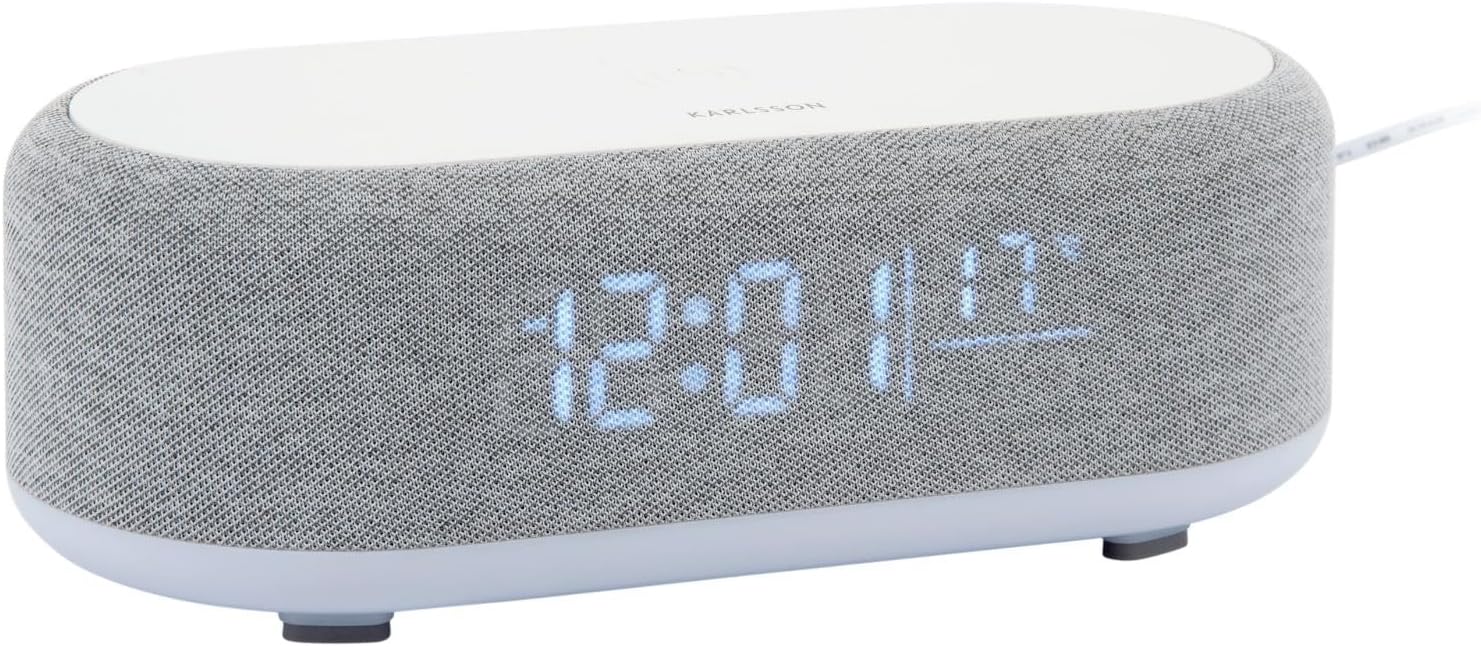
شکل 2.1: مخکی view of the Karlsson Vogue Alarm Clock, displaying the digital time and temperature.
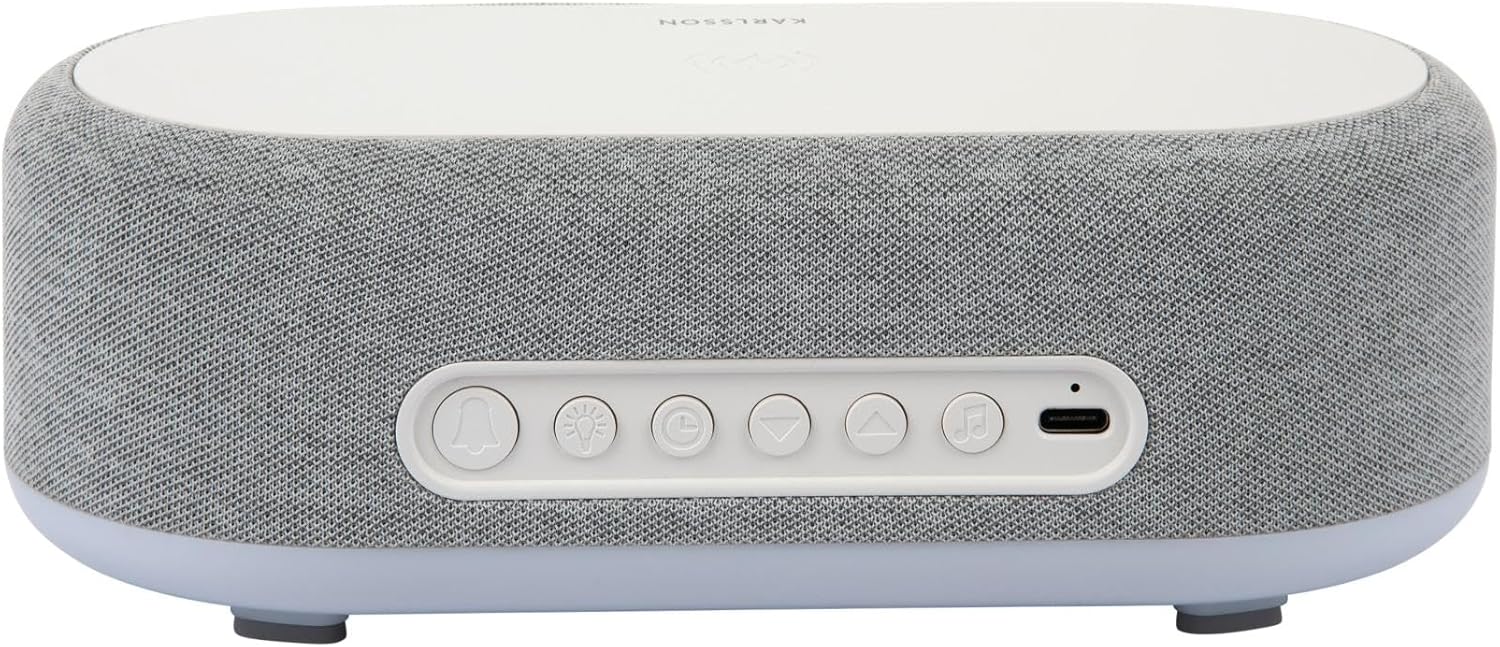
شکل 2.2: شاته view of the alarm clock, highlighting the control buttons and USB-C power input.
Control Buttons (from left to right on rear panel):
- د الارم 1 بټن: Press to activate/deactivate Alarm 1. Long press to set Alarm 1 time.
- د الارم 2 بټن: Press to activate/deactivate Alarm 2. Long press to set Alarm 2 time.
- Brightness/Snooze Button: Press to adjust display brightness. When alarm sounds, press to snooze.
- د وخت تنظیم کولو تڼۍ: د وخت تنظیم کولو حالت ته د ننوتلو لپاره اوږد فشار ورکړئ.
- ښکته تtonۍ: Decrease values during setting, navigate menus.
- بټن: Increase values during setting, navigate menus.
- Bluetooth/Play/Pause Button: Long press to enter Bluetooth pairing mode. Press to play/pause music.
- د USB-C بریښنا داخلول: دلته د بریښنا اډاپټر سره وصل کړئ.
غوره پینل:
- د بې سیم چارج کولو پیډ: Place compatible devices here for wireless charging.
3. ترتیب کول
3.1 د بریښنا نښلول
- Connect the provided USB adapter to the USB-C Power Input port on the rear of the alarm clock.
- Plug the USB adapter into a standard wall outlet.
- ښودنه به روښانه شي، چې دا په ګوته کوي چې وسیله فعاله ده.
۲.۳ د لومړني وخت تنظیم
- اوږد فشار ورکړئ د وخت تنظیم کولو تڼۍ (clock icon) on the rear panel. The hour digits will start flashing.
- د کارولو Up او ښکته تڼۍ د ساعت تنظیم کولو لپاره.
- فشار ورکړئ د وخت تنظیم کولو تڼۍ بیا د ساعت تاییدولو لپاره او د دقیقې ترتیب ته لاړ شئ. د دقیقو شمیرې به روښانه شي.
- د کارولو Up او ښکته تڼۍ دقیقې تنظیم کولو لپاره.
- فشار ورکړئ د وخت تنظیم کولو تڼۍ one more time to confirm the minute and exit time setting mode.
4. عملیاتي لارښوونې
۵.۲ د الارمونو تنظیم کول
دا وسیله دوه خپلواک الارمونه (الارم ۱ او الارم ۲) ملاتړ کوي.
- To set Alarm 1: اوږد فشار ورکړئ د الارم 1 تtonۍ (bell icon with '1'). The hour digits for Alarm 1 will flash.
- د کارولو Up او ښکته تڼۍ د الارم ساعت تنظیمولو لپاره.
- فشار ورکړئ د الارم 1 تtonۍ بیا د ساعت تاییدولو لپاره او دقیقې ترتیب ته لاړ شئ.
- د کارولو Up او ښکته تڼۍ د الارم دقیقه تنظیمولو لپاره.
- فشار ورکړئ د الارم 1 تtonۍ one more time to confirm and exit alarm setting. The alarm icon will appear on the display.
- To set Alarm 2: Follow the same steps using the د الارم 2 تtonۍ (bell icon with '2').
۶.۲ د الارمونو فعالول/غیر فعالول
- اړونده فشار ورکړئ د الارم 1 تtonۍ or د الارم 2 تtonۍ briefly to toggle the alarm on or off. The alarm icon on the display will indicate its status.
4.3 د سنوز فعالیت
- کله چې الارم غږیږي، فشار ورکړئ Brightness/Snooze Button (light bulb icon) to activate snooze. The alarm will temporarily stop and sound again after approximately 9 minutes.
- To turn off the alarm completely, press any other button on the rear panel.
۵.۵ د بلوتوث سپیکر عملیات
- جوړه کول: اوږد فشار ورکړئ Bluetooth/Play/Pause Button (music note icon) until the display shows "BT" and starts flashing, indicating pairing mode.
- On your mobile device, enable Bluetooth and search for "Karlsson Vogue". Select it to connect.
- Once connected, the "BT" indicator will stop flashing. You can now play audio through the alarm clock's speaker.
- پلې بیک: فشار ورکړئ Bluetooth/Play/Pause Button briefly to play or pause music.
- Volume control is managed via your connected mobile device.
4.5 Wireless Induction Charging
The top surface of the alarm clock features a wireless charging pad compatible with Qi-enabled devices.
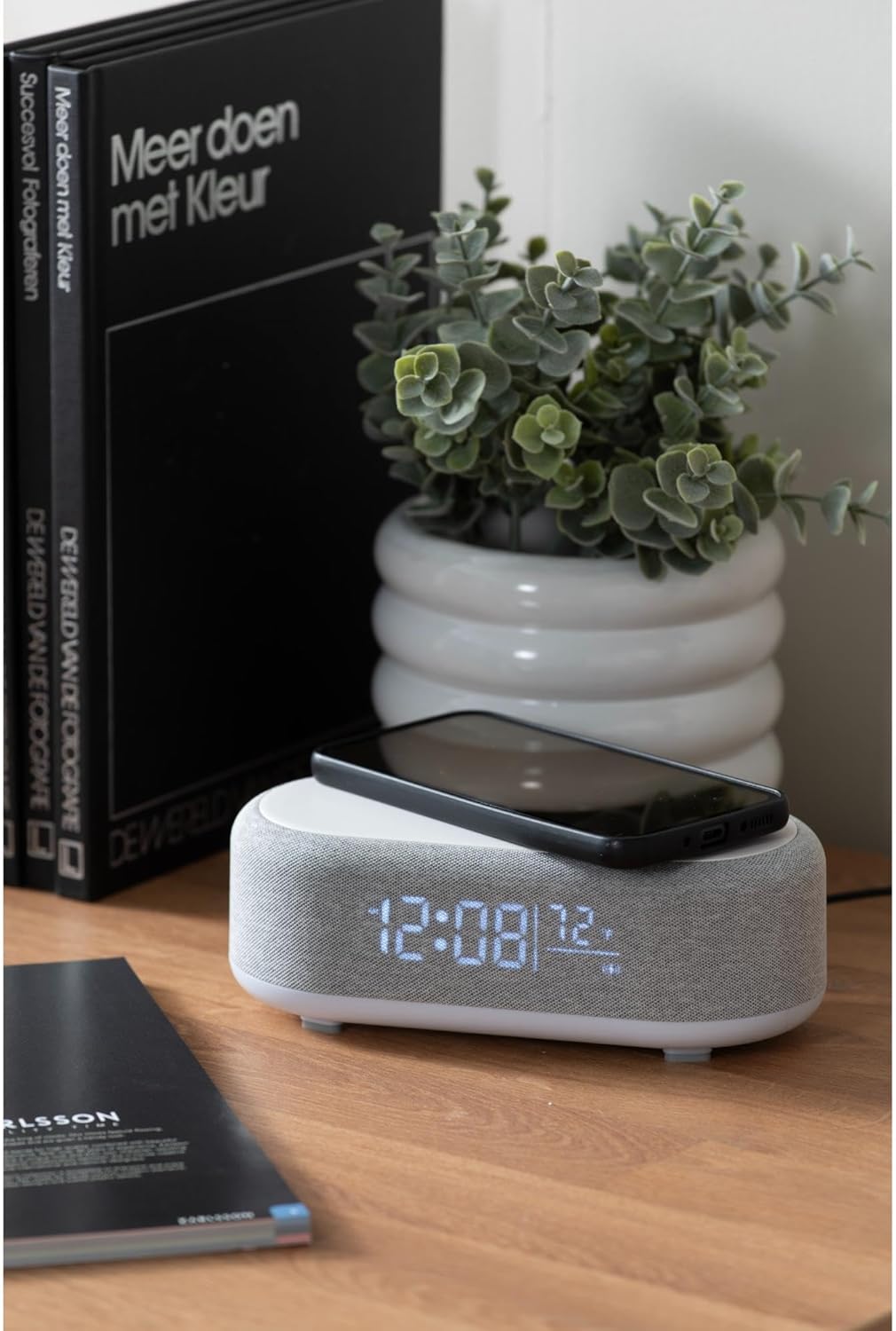
Figure 4.1: A smartphone placed on the wireless charging pad of the alarm clock.
- Place your Qi-compatible smartphone or other device directly onto the center of the top charging pad.
- Ensure the device is properly aligned. A charging indicator (usually on your phone screen) will confirm charging has begun.
- یوځل چې په بشپړ ډول چارج شي خپل وسیله لرې کړئ.
4.6 د روښانتیا تنظیم کول
- فشار ورکړئ Brightness/Snooze Button (light bulb icon) repeatedly to cycle through different brightness levels for the display.
5. ساتنه
5.1 پاکول
- Before cleaning, disconnect the power adapter.
- Wipe the surface of the alarm clock with a soft, dry, or slightly damp ټوکر
- د کثافاتو پاکوونکي، محلولونه، یا قوي کیمیاوي مواد مه کاروئ، ځکه چې دوی ممکن سطح ته زیان ورسوي.
5.2 ذخیره کول
- که چیرې وسیله د اوږدې مودې لپاره ذخیره کوئ، نو له بریښنا څخه یې قطع کړئ.
- په یخ او وچ ځای کې د مستقیم لمر وړانګو او خورا تودوخې څخه لرې وساتئ.
6. ستونزه حل کول
| ستونزه | احتمالي لامل | د حل لاره |
|---|---|---|
| وسیله نه چلیږي. | د بریښنا اتصال نشته یا اډاپټر خراب دی. | Ensure the USB-C cable is securely connected and the adapter is plugged into a working outlet. Try a different outlet. |
| بلوتوث نه وصل کېږي. | Device not in pairing mode; already connected to another device; mobile device Bluetooth off. | Long press the Bluetooth button to enter pairing mode. Ensure no other device is connected. Turn off and on Bluetooth on your mobile device. |
| بېسیم چارج کار نه کوي. | Phone not Qi-compatible; phone not aligned; phone case too thick. | Ensure your device supports Qi wireless charging. Re-position the device on the center of the pad. Remove thick phone cases. |
| الارم نه غږیږي. | Alarm deactivated; volume too low (for Bluetooth alarm). | Check if the alarm icon is displayed. Ensure the alarm time is set correctly. If using Bluetooth audio for alarm, ensure phone volume is adequate. |
7. مشخصات
| فیچر | تفصیل |
|---|---|
| برانډ | کارلسن |
| د ماډل شمیره | KA6033GY |
| رنګ | خړ |
| مواد | پلاستیک (ABS) |
| ابعاد (L x W x H) | 19.8 x 9.8 x 7 سانتي متره (7.8 x 3.86 x 2.76 انچه) |
| وزن | ۷.۰ کیلو ګرامه (۱۵.۵ پونډه) |
| د بریښنا انډول | USB (Adapter included) |
| بې سیم چارج کول | انډکشن (د Qi سره مطابقت لرونکی) |
| ارتباط | بلوتوث |
8. تضمین او ملاتړ
For warranty information and customer support, please refer to the documentation provided with your purchase or contact your retailer. You may also visit the official Karlsson webد نورو مرستو لپاره سایټ.
Webسایټ: Karlsson Official Store


