پیژندنه
The Precision Pro Titan Elite Golf Range Finder is engineered to enhance your golf game with cutting-edge features and meticulous craftsmanship. This manual provides detailed instructions for setup, operation, and maintenance to ensure optimal performance and longevity of your device.

Image: The Precision Pro Titan Elite Golf Range Finder, showcasinد هغې ښکلی ډیزاین او کمپیکټ فارم فاکتور.
څه پکې شامل دي
Your Precision Pro Titan Elite package includes the following items:
- Titan Elite Rangefinder
- د پریمیم بار وړلو قضیه
- د USB-C چارج کیبل
- د لارښود لارښود (دا سند)

Image: A visual representation of the items included in the product packaging: the Titan Elite Rangefinder, its premium carrying case, and the USB-C charging cable.
کلیدي ځانګړتیاوې
- Comprehensive GPS Distances: په بې ساري ډول view front, center, and back distances for precise measurements.
- د اوږدې مودې د چارج وړ بیټرۍ: Enjoy up to 10 full rounds with GPS enabled, or 40 rounds without GPS, on a single charge.
- Find My Precision Pro: Receive notifications if the rangefinder separates from you and locate it on a map.
- All-Weather Waterproof Durability: IP67 waterproof rating protects against dust, water, and debris.
- Visual Target Lock: Provides immediate confirmation of your target with a ripple effect and subtle pulse vibration.
- د تطبیق وړ سلپ ټیکنالوژي: Dynamically adjusts for varying terrains, providing accurate distance readings with elevation changes.
- Crystal-Clear HD Magnification: 6X magnification with HD optics for unparalleled clarity up to 999 yards.
- iOS-Only Compatibility: Designed for iPhone users, connecting to the Precision Pro app for built-in GPS and standard distance measurements.
د فیچر لیدونه
انځور: یو روښانه view of the rangefinder's display, highlighting the aiming reticle, straight line distance, slope adjusted distance, yards/meters indicator, and battery indicator for a golfer-friendly experience.

Image: The rangefinder connected to a smartphone app, demonstrating dual-level accuracy by showing front, center, and back of green distances both on the device and within the app.

Image: A smartphone screen displaying a notification for the 'Find My Rangefinder' feature, indicating the device's last connected location, helping users prevent loss.

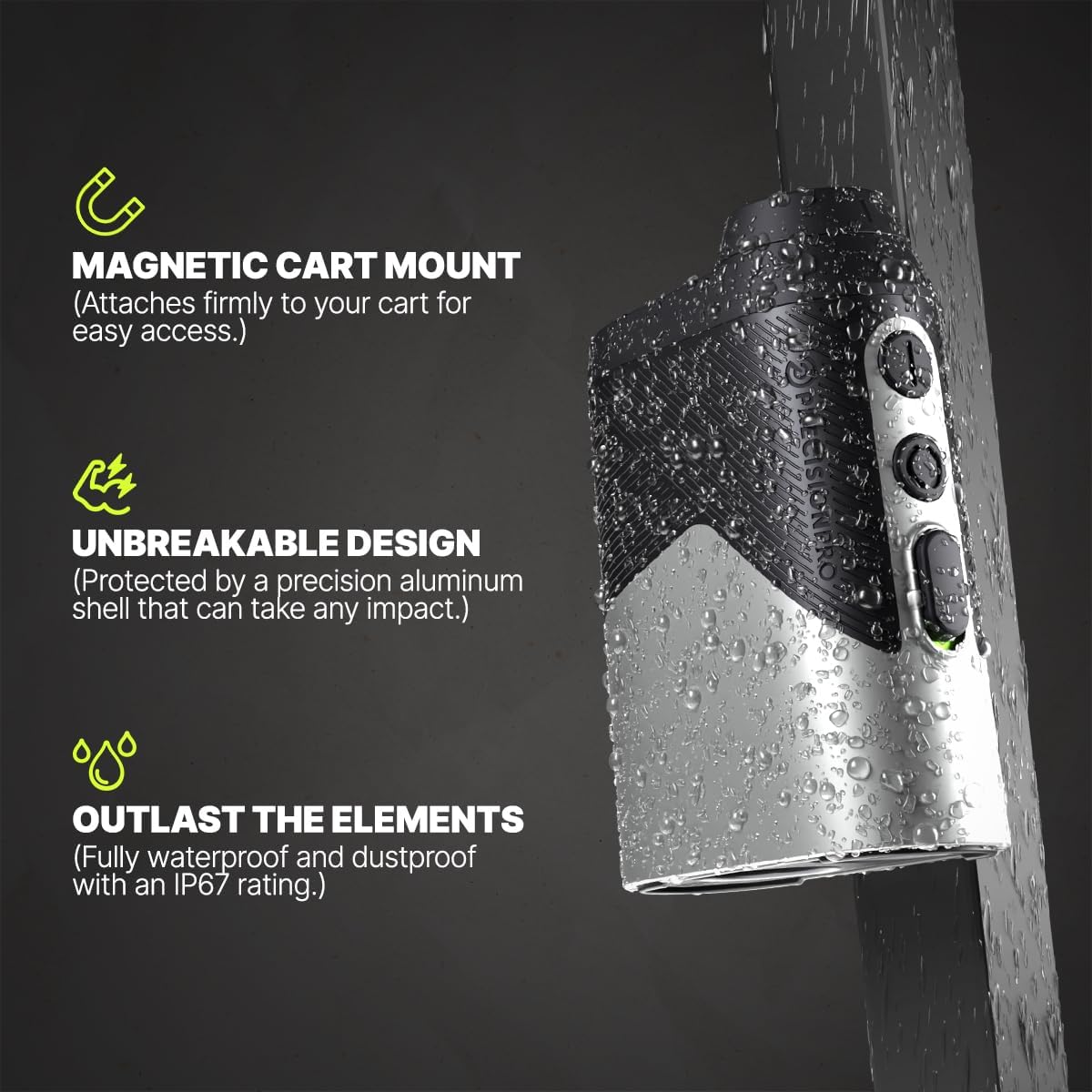
Image: The Titan Elite rangefinder being sprayed with water, illustrating its IP67 waterproof and dustproof rating, along with its magnetic cart mount and unbreakable aluminum shell.
پیل کول
د وسیله چارج کول
Before first use, fully charge your Titan Elite Range Finder.
- په وسیله کې د USB-C چارج کولو بندر ومومئ.
- ورکړل شوی USB-C کیبل د رینج فائنڈر او یو مناسب USB بریښنا سرچینې سره وصل کړئ (د مثال په توګه، کمپیوټر، دیوال اډاپټر).
- د چارج کولو شاخص څراغ به روښانه شي. کله چې په بشپړ ډول چارج شي، څراغ به بدل شي یا بند شي.
انځور: نږدې انځور view of the USB-C charging port on the Titan Elite Range Finder, with the charging cable inserted, indicating the device is being charged.
App Connection (iOS Only)
To utilize the full GPS functionality and 'Find My' features, connect your rangefinder to the Precision Pro app on your iPhone.
- Download the Precision Pro app from the Apple App Store.
- ډاډ ترلاسه کړئ چې ستاسو په آی فون کې بلوتوټ فعال دی.
- Open the Precision Pro app and follow the on-screen instructions to pair your Titan Elite Range Finder.
- Once paired, the app will display course maps and detailed distances.

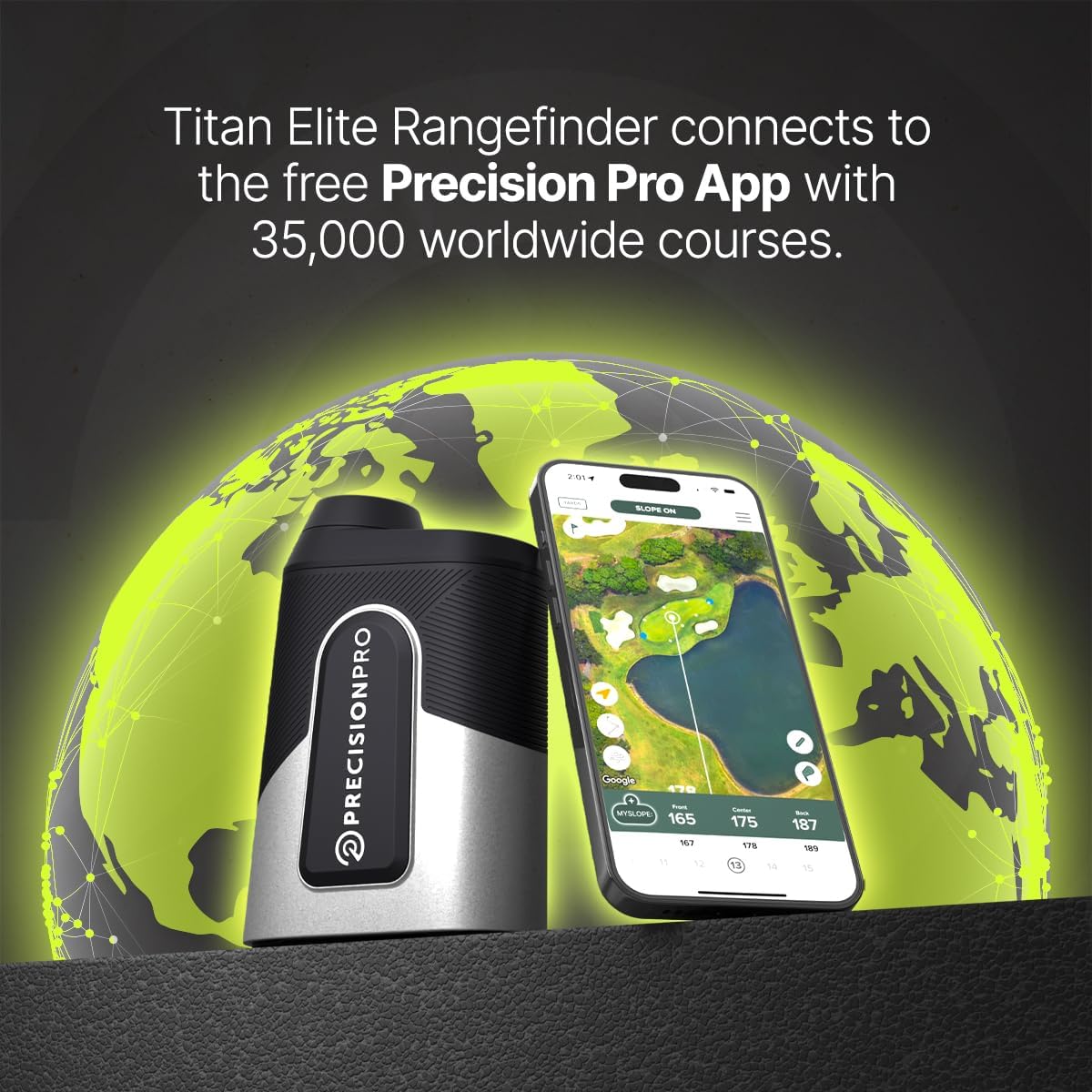
Image: The Titan Elite Range Finder positioned next to a smartphone displaying the Precision Pro app, illustrating the seamless connection and access to worldwide course data.
عملیاتي لارښوونې
اساسي رنګ ورکول
- Look through the eyepiece and aim the reticle at your target.
- Press the power/fire button to activate the laser and get a distance reading.
- For target lock, aim slightly off the target, hold the laser button, and pan onto the target. The device will vibrate and the aiming circle will ripple when locked.
د GPS فعالیت
When connected to the app, the rangefinder provides enhanced GPS distances:
- View front, center, and back distances to the green directly on the rangefinder display or within the app.
- The app provides a visual layout of the hole, helping you plan your shots.
د سلپ ټیکنالوژي
The adaptive slope technology automatically calculates the adjusted distance based on elevation changes. This feature can be toggled on/off for tournament play.
Video: A demonstration titled "Play A Hole With Chelsea & The Titan Elite," showcasing the rangefinder's features and ease of use during a golf round, including distance measurement and app integration.
پاملرنه او ساتنه
- پاکول: Use a soft, clean cloth to wipe the lenses and body. For stubborn dirt, a slightly damp cloth can be used. Avoid abrasive materials.
- ذخیره کول: Store the rangefinder in its protective carrying case when not in use. Keep it in a cool, dry place away from direct sunlight and extreme temperatures.
- د پنروک درجه: The device has an IP67 rating, meaning it is protected from dust and can withstand immersion in water up to 1 meter for 30 minutes. However, avoid prolonged submersion.
- د بیټرۍ پاملرنه: د بیټرۍ د غوره ژوند لپاره، د بیټرۍ په مکرر ډول په بشپړه توګه چارج کولو څخه ډډه وکړئ. په منظم ډول یې چارج کړئ، حتی که په دوامداره توګه نه وي.
د ستونزو حل کول
| ستونزه | احتمالي لامل | د حل لاره |
|---|---|---|
| وسیله فعاله نه ده | د بیټرۍ ټیټوالی؛ د بریښنا تڼۍ په سمه توګه نه ده فشار شوې | Charge the device; Ensure the power button is pressed firmly. |
| د فاصلې ناسم لوستل | Dirty lens; Obstruction; Incorrect mode (e.g., slope off) | Clean the lenses; Ensure clear line of sight; Check slope switch setting. |
| د اپلیکیشن سره نښلول کیدی نشي | Bluetooth off; Device not in pairing mode; Android device | Enable Bluetooth; Follow app pairing instructions; Note: App is iOS-only. |
| 'Find My' feature not working | Device out of range; App not running in background | Ensure device is within Bluetooth range; Keep app running or check background app refresh settings. |
د محصول مشخصات
| مشخصات | تفصیل |
|---|---|
| برانډ | دقیق پرو |
| د ماډل نوم | Titan-Elite |
| د اندازه کولو رینج | د 5Y-999Y معرفي کول |
| غټوالی | 6 x |
| د اوبو د مقاومت کچه | واټر پروف (IP67) |
| مواد | المونیم |
| د بیټرۍ ډول | Lithium-Ion Polymer (Rechargeable) |
| د توکي وزن | 16 اونس |
| د محصول ابعاد | ۷۱"لیتر x ۲۳.۶"واټه x ۲۴.۴"هوا |
تضمین او ملاتړ
The Precision Pro Titan Elite Golf Range Finder comes with a 3-year warranty. For detailed warranty information, claims, or technical support, please refer to the official Precision Pro Golf webسایټ ته مراجعه وکړئ یا مستقیم د دوی د پیرودونکو خدماتو سره اړیکه ونیسئ.
د نورو مرستو لپاره، لیدنه وکړئ: Precision Pro Store on Amazon


