1. محصول ختم شوview
This user manual provides essential information for the proper use and maintenance of your Coverage Silicon Matte Rubber Hybrid Armor Case. This case is designed to provide robust protection and enhance the aesthetic appeal of your compatible smartphone.
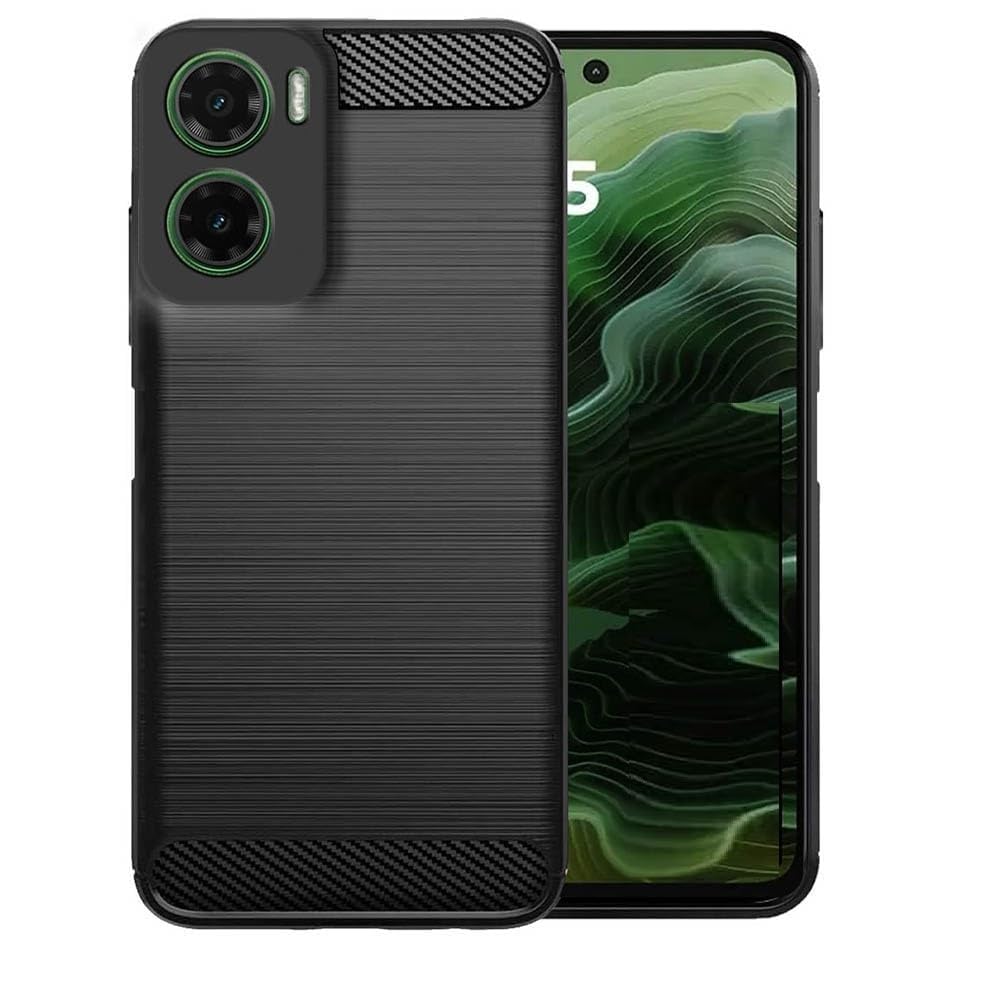
Image 1.1: The Coverage Silicon Matte Rubber Hybrid Armor Case in black, fitted onto a compatible smartphone, showcasinد هغې ډیزاین او مناسبیت.
۲. په بکس کې څه دي؟
- Coverage Silicon Matte Rubber Hybrid Armor Case (1 unit)
- Cleaning Cloth (1 unit)
3. مطابقت
دا قضیه په ځانګړي ډول د دې لپاره ډیزاین شوې ده Realme P3 5G (Model: Realme RMX5070 / Realme_P3). It is crucial to verify your phone's model number before installation to ensure a correct fit and optimal protection. This case is مطابقت نلري with Realme P3 Pro 5G or Realme P3 Ultra models.

Image 3.1: Visual guide illustrating the specific compatibility of the case with Realme P3 5G, and its incompatibility with Realme P3 Pro and Realme P3 Ultra models.
To check your mobile model, navigate to "Settings" > "About Phone" on your device.
4. ځانګړتیاوې
- مواد: Crafted from high-quality silicone for durability and resilience.
- ساتنه: Provides excellent shock-absorption and complete 360-degree protection from all sides, safeguarding against bumps, damages, and cracks.
- ډیزاین: Sleek design that enhances the phone's aesthetic appeal while providing a comfortable grip.
- لاسرسی: Designed to fit the contour precisely, allowing easy access to all controls and buttons.
- ځانګړي ځانګړتیاوې: Includes kickstand functionality, flexibility, shock-absorbent properties, and is compatible with wireless charging.

Image 4.1: Visual representation of key features including non-slip grip, anti-fingerprint surface, and anti-scratch durability.
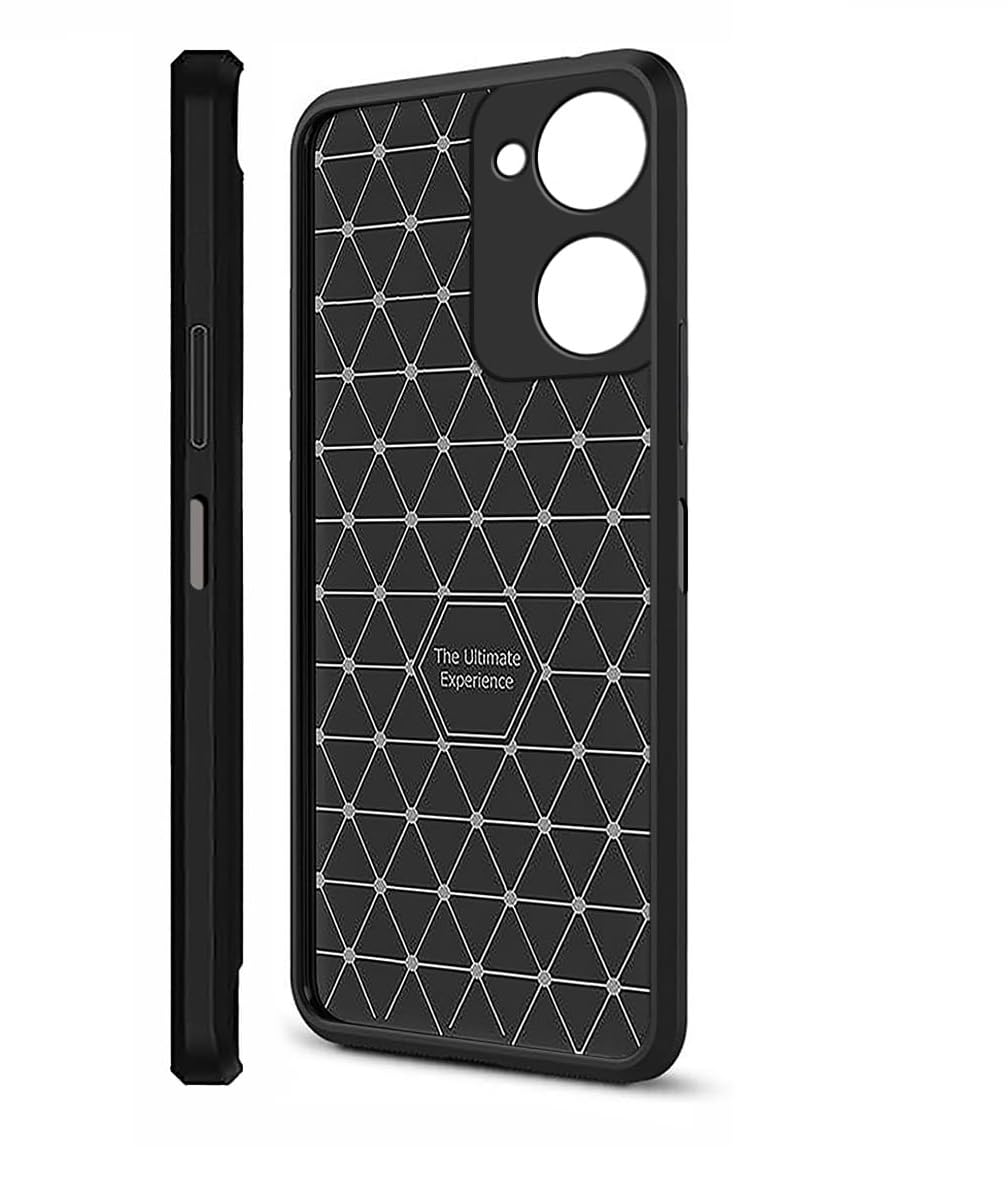
Image 4.2: The interior design of the case, featuring a geometric pattern intended to enhance shock absorption and provide optimal protection.
۴. تنظیم (نصب)
- خپل وسیله پاکه کړئ: Before installing the case, use the provided cleaning cloth to gently wipe your smartphone, ensuring it is free of dust, fingerprints, and smudges.
- قضیه سره سمون ورکړئ: کیس د کیمرې کټ آوټ سره ونیسئ چې ستاسو د تلیفون د کیمرې ماډل سره سمون ولري.
- Insert One Side: Gently push one side of your phone into the case, starting with either the top or bottom edge.
- ځای ته ننوتل: Apply gentle pressure around the edges of the phone until it fully snaps into the case. Ensure all corners are securely fitted.
- فټ چک کړئ: Verify that all buttons, ports, and camera cutouts are perfectly aligned and accessible.

انځور ۴.۱: یو اړخیز مسلکيfile of the case fitted onto the smartphone, demonstrating its slim profile and precise cutouts for buttons and ports.
6. پاملرنه او ساتنه
To maintain the appearance and protective qualities of your case, follow these guidelines:
- پاکول: یو نرم استعمال کړئ، دamp cloth (or the provided cleaning cloth) to wipe down the case regularly. For stubborn dirt, a mild soap solution can be used, but ensure the case is completely dry before re-installing your phone.
- د سختو کیمیاوي موادو څخه ډډه وکړئ: Do not use abrasive cleaners, solvents, or harsh chemicals, as these can damage the material and finish of the case.
- ذخیره کول: کله چې په کارولو کې نه وي، نو قضیه په یخ او وچ ځای کې د مستقیم لمر وړانګو څخه لرې وساتئ ترڅو د موادو د تخریب مخه ونیسي.
7. ستونزه حل کول
If you encounter any issues with your case, consider the following:
- قضیه مناسبه نه ده: Double-check your phone's model number against the compatibility information in Section 3. This case is exclusively designed for Realme P3 5G.
- Buttons Are Stiff/Unresponsive: Ensure the case is correctly aligned and fully seated around your phone. Remove and re-install the case, making sure all edges are properly snapped into place.
- سکریچونه/اغوستل: While the case offers protection, extreme impacts or abrasive surfaces can still cause cosmetic wear. Regular cleaning and careful handling can prolong its appearance.
8. مشخصات
| برانډ | پوښښ |
| د ماډل نوم | Realme RMX5070 / Realme_P3 |
| مطابقت لرونکې وسیلې | Realme RMX5070 / Realme_P3 |
| مواد | سیلیکون |
| رنګ | تور |
| د فارم فکتور | بمپر |
| ځانګړي ځانګړتیاوې | Kickstand, Flexible, Shock-Absorbent, Wireless Charging Compatible |
9. تضمین او ملاتړ
For information regarding warranty coverage or product support, please refer to the retailer or manufacturer's official webهغه ځای چې محصول پکې اخیستل شوی و. د هر ډول تضمین ادعا لپاره د پیرود ثبوت وساتئ.


