1. پیژندنه
This manual provides detailed instructions for the setup, operation, and maintenance of your 8BitDo Retro R8 Mouse with Charging Dock. Please read this manual thoroughly before using the product to ensure optimal performance and longevity.

Image 1.1: The 8BitDo Retro R8 Mouse with its charging dock.
2. د بسته محتويات
ډاډ ترلاسه کړئ چې ټول توکي ستاسو په کڅوړه کې شتون لري:
- 8BitDo Retro R8 Mouse - N Edition x 1
- د چارج کولو ډاک x 1
- 2.4G adapter x 1
- د USB کیبل ایکس 1
- لارښود لارښود x 1
3. محصول ختم شوview
The 8BitDo Retro R8 Mouse is designed for precision and versatility, featuring a PAW 3395 optical sensor and Kailh Sword GM X Micro Switches. It offers multiple connectivity options and customizable controls.
۳.۳ د موږک ځانګړتیاوې
- PAW 3395 Optical Sensor: Provides 6 sensitivity levels from 50 DPI to 26,000 DPI for precise tracking.
- Kailh Sword GM X Micro Switches: Engineered for up to 100 million clicks, offering tactile feedback.
- د پروګرام وړ بټنونه: Customizable side buttons for personalized control.
- Left/Right-Hand Mode Switching: Symmetrical design for comfortable use by both left and right-handed users.
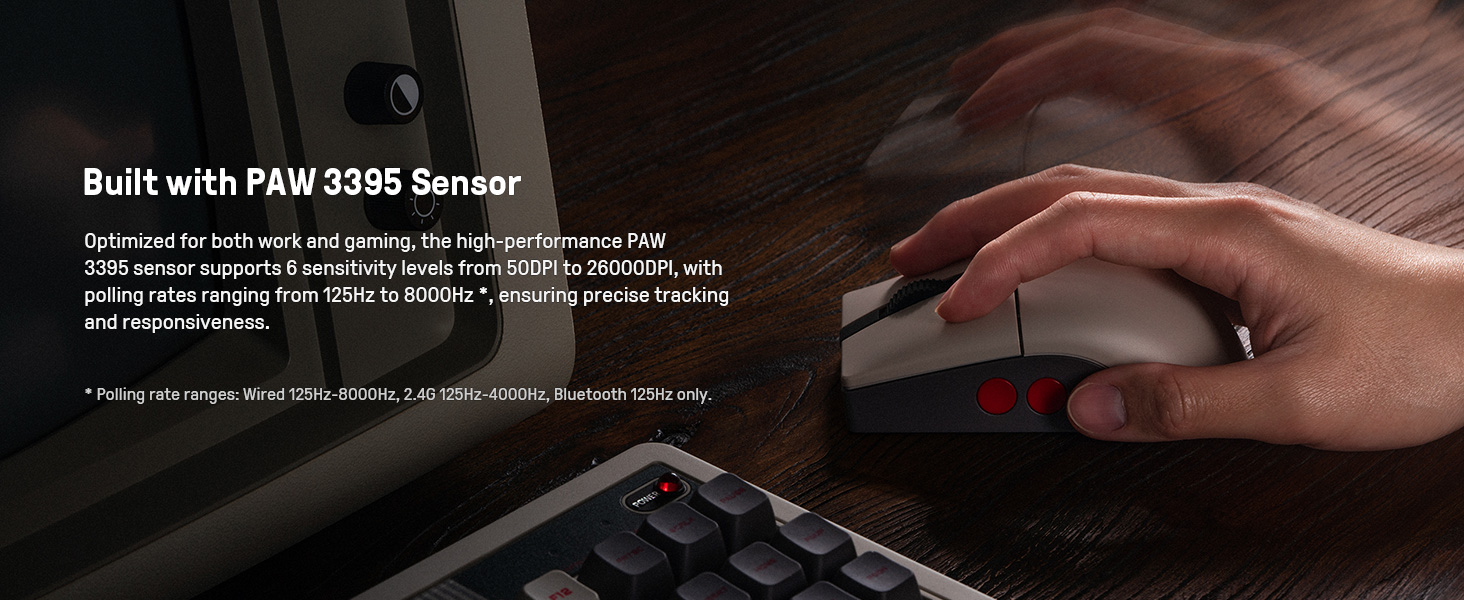
Image 3.1: The mouse highlighting its PAW 3395 sensor for precise tracking.
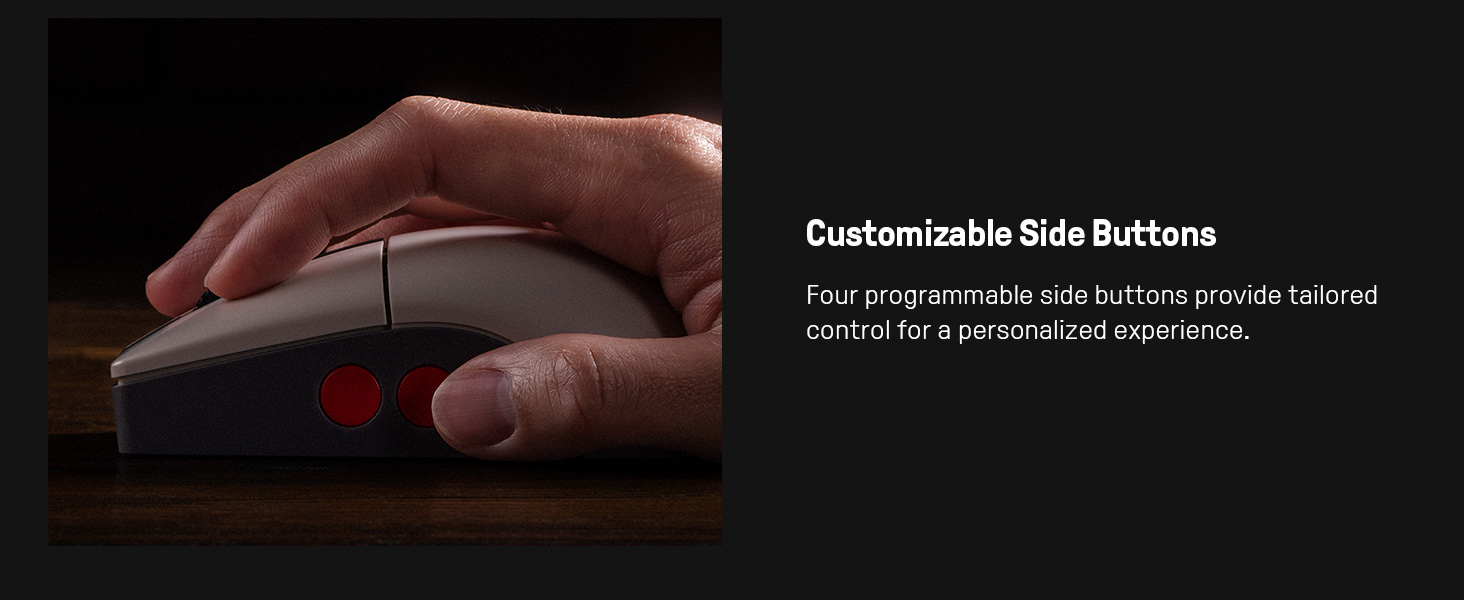
Image 3.2: Close-up of the mouse showing the customizable side buttons.
3.2 Charging Dock Features
- د چارج کولو فعالیت: Keeps the mouse powered.
- 2.4G Adapter Storage: Doubles as a storage compartment for the 2.4G wireless adapter.
- د سیګنال تمدید: Extends the wireless signal for robust connectivity.
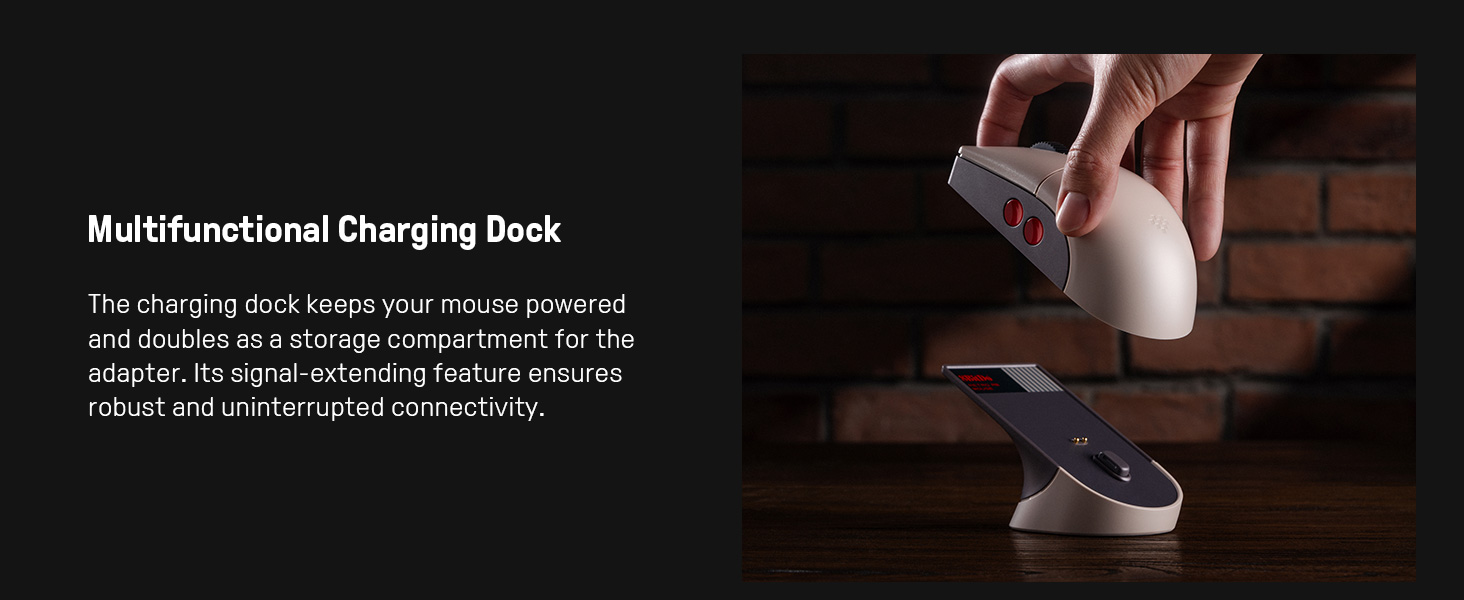
Image 3.3: The multifunctional charging dock, also serving as a signal extender and adapter storage.
4. ترتیب کول
۳.۱ د موږک چارج کول
- Connect the USB cable to the charging dock and a power source (e.g., computer USB port, USB wall adapter).
- Place the 8BitDo Retro R8 Mouse onto the charging dock. Ensure the charging contacts align. The mouse will begin charging.
۳.۲ د موږک سره نښلول
The mouse supports three connection modes: 2.4G Wireless, Bluetooth, and Wired USB-C.
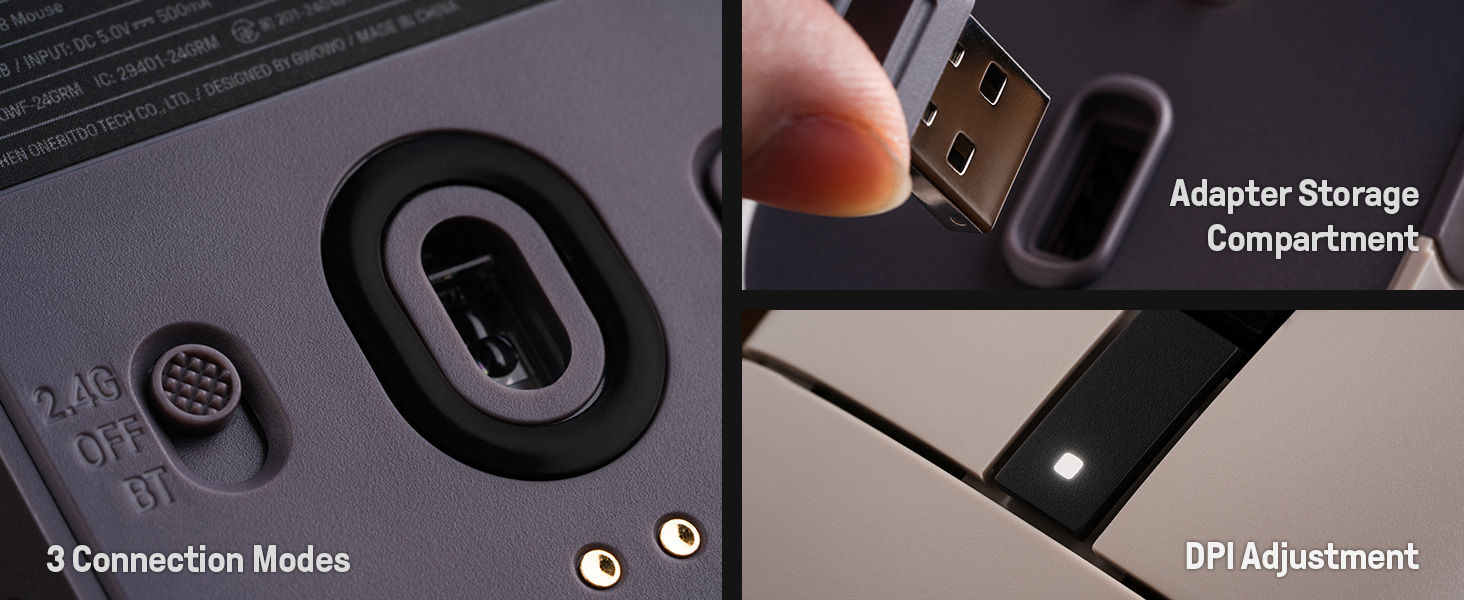
Image 4.1: The bottom of the mouse showing the connection mode switch and the adapter storage compartment.
۳.۲.۱ ۲.۴ جي بېسیم اتصال
- Locate the 2.4G wireless adapter, typically stored in the charging dock or the mouse's bottom compartment.
- Insert the 2.4G adapter into an available USB port on your computer.
- د موږک په ښکته برخه کې سویچ د "2.4G" موقعیت ته وغورځوئ.
- موږک باید په اتوماتيک ډول ستاسو کمپیوټر سره وصل شي.

Image 4.2: The 2.4G USB adapter being inserted into its storage slot on the charging dock.
4.2.2 د بلوتوث اتصال
- د موږک په ښکته برخه کې سویچ د "BT" موقعیت ته وغورځوئ.
- Press and hold the "PAIR" button on the bottom of the mouse for 3 seconds until the LED indicator starts blinking rapidly.
- په خپل کمپیوټر یا وسیله کې، د بلوتوث ترتیباتو ته لاړ شئ او د نویو وسایلو لټون وکړئ.
- Select "8BitDo Retro R8 Mouse" from the list of available devices to pair.
۴.۲.۳ د USB-C تار سره وصل
- د ورکړل شوي کیبل USB-C پای موږک ته او د USB-A پای خپل کمپیوټر ته وصل کړئ.
- موږک به په اتوماتيک ډول د تار حالت ته لاړ شي او د بیټرۍ چارج کولو ته اړتیا پرته به کار وکړي.
5. عملیاتي لارښوونې
5.1 د DPI تعدیل
The mouse supports 6 levels of DPI adjustment. You can cycle through these levels using the dedicated DPI button or through the 8BitDo Ultimate Software V2.
5.2 د پروګرام وړ بټن
The 8BitDo Retro R8 Mouse features programmable side buttons. These can be customized using the 8BitDo Ultimate Software V2 to assign specific functions or macros.
5.3 Left/Right-Hand Mode Switching
The mouse's symmetrical design allows for easy switching between left-hand and right-hand modes. This can be configured via the 8BitDo Ultimate Software V2.
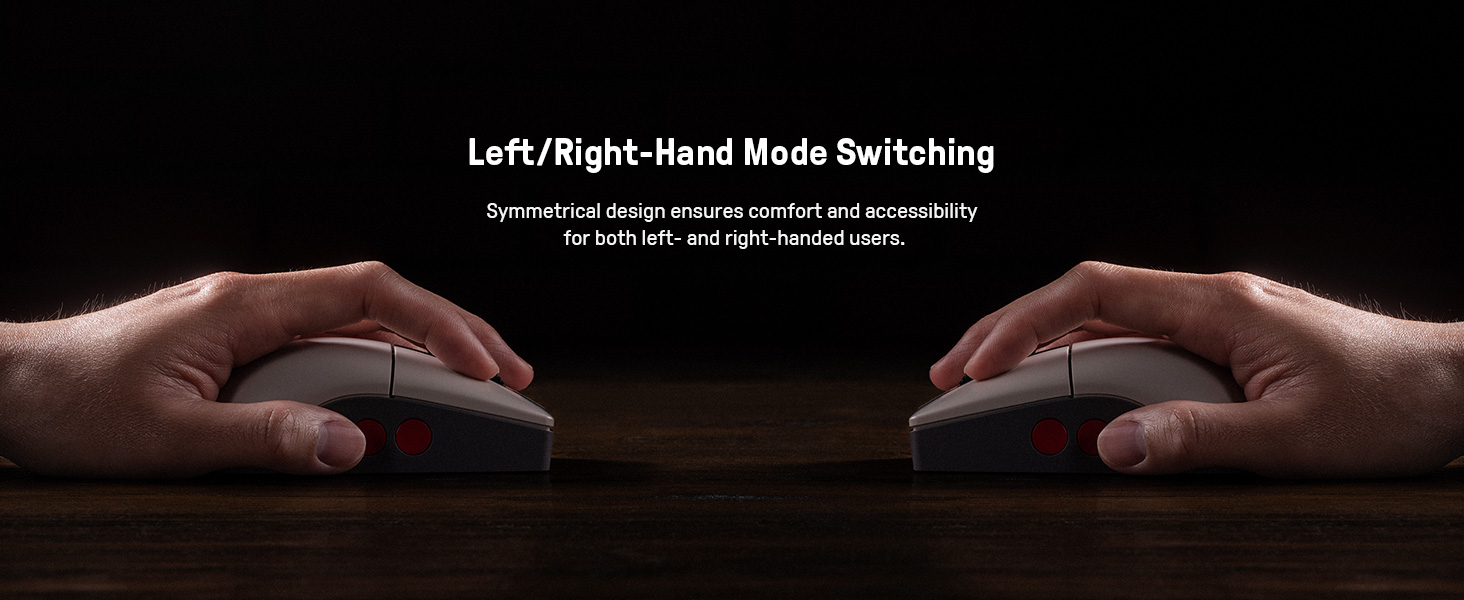
Image 5.1: Illustration of the mouse's symmetrical design for left/right-hand use.
۴.۳ ۸ بټ ډو الټیمیټ سافټویر V۲
For advanced customization, download and install the 8BitDo Ultimate Software V2 on your PC. This software allows you to:
- Map buttons to different functions.
- Create and assign macros.
- Adjust DPI sensitivity levels.
- Fine-tune polling rate, scroll direction, and lift-off distance.
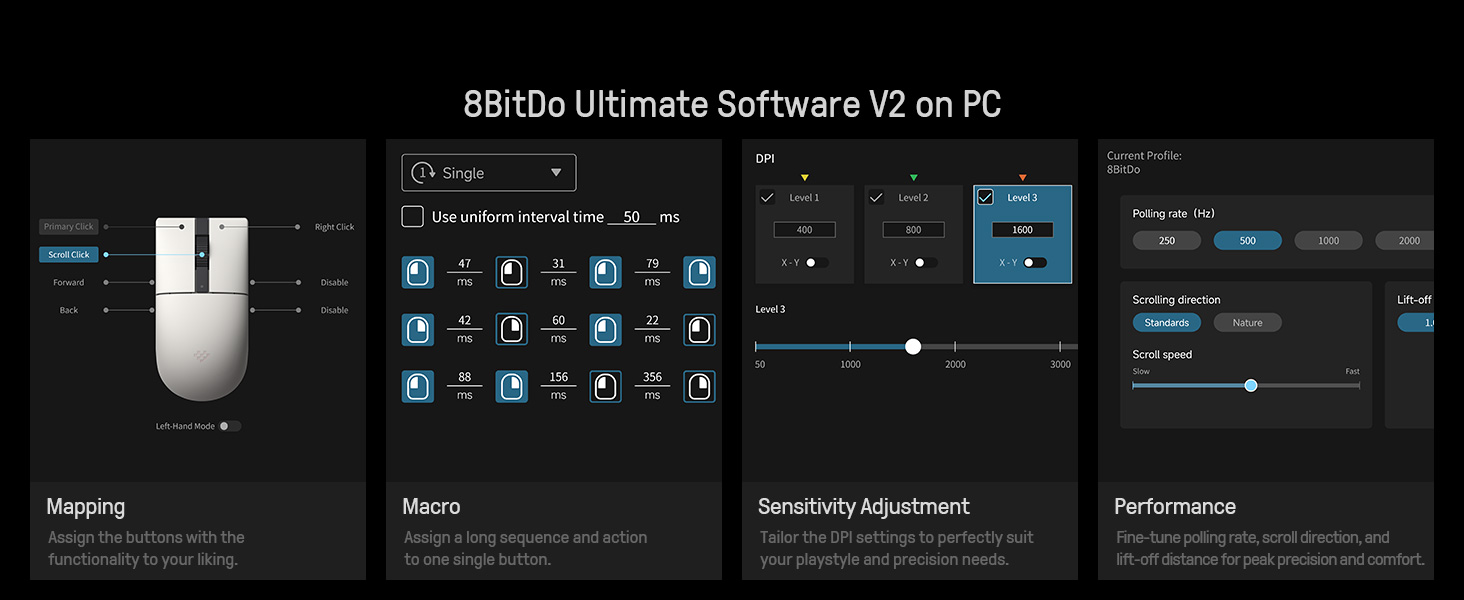
Image 5.2: The 8BitDo Ultimate Software V2 interface for advanced customization.
۵.۳ د رای ورکولو د کچې سمون
The polling rate can be adjusted via the Ultimate Software V2. Polling rate ranges are: Wired 250Hz-8000Hz, 2.4G 250Hz-4000Hz, Bluetooth 125Hz only.
6. ساتنه
- پاکول: Use a soft, dry cloth to clean the mouse and charging dock. Avoid using harsh chemicals or abrasive materials.
- ذخیره کول: Store the mouse and dock in a cool, dry place when not in use.
- د بیټرۍ پاملرنه: To prolong battery life, avoid fully discharging the mouse frequently. Charge it regularly.
7. ستونزه حل کول
- موږک ځواب نه ورکوي: Ensure the mouse is charged and the connection mode switch (2.4G, BT, OFF) is in the correct position. For 2.4G, verify the adapter is securely plugged in. For Bluetooth, ensure it's paired correctly. Try a wired connection to rule out wireless issues.
- ځنډ یا قطع کېدل: For wireless connections, ensure the mouse is within range of the adapter/device. Minimize interference from other wireless devices. The charging dock acts as a signal extension for 2.4G.
- د چارج کولو مسلې: Check the USB cable and power source. Ensure the mouse is correctly seated on the charging dock.
- سافټویر موږک نه کشفوي: Ensure the mouse is connected to the PC (preferably wired or 2.4G for initial setup) and the 8BitDo Ultimate Software V2 is up to date.
8. مشخصات
| فیچر | تفصیل |
|---|---|
| د ماډل شمیره | 6922621507093 |
| ارتباط | Bluetooth LE 5.3, Wireless 2.4G, Wired USB |
| سینسر | د PAW 3395 آپټیکل سینسر |
| د DPI حد | 50 - 26,000 DPI (6 levels) |
| مایکرو سویچونه | Kailh Sword GM X (100 million click lifespan) |
| د رايې ورکولو کچه (وایرډ) | 250Hz - 8000Hz |
| Polling Rate (2.4G) | 250Hz - 4000Hz |
| د رايې ورکولو کچه (بلوتوث) | 125Hz |
| د بریښنا سرچینه | د بیټرۍ چلول (1 لیتیم آیون بیټرۍ شامله ده) |
| د توکي وزن | ۲.۴۵ پونډه |
| د محصول ابعاد | 11.81 x 9.84 x 15.75 انچه |
۳.۳. د محصول رسمي ویډیو
ویډیو ۵.۲: یوه لنډه وړاندېview video demonstrating the features and usage of the 8BitDo Retro R8 Mouse, including its adapter storage and customizable buttons.
10. تضمین او ملاتړ
For warranty information and technical support, please refer to the official 8BitDo website or contact their customer service. Protection plans may also be available for purchase separately.
- د ساتنې څلور کلن پلان: د پیرودلو لپاره شتون لري.
- د ساتنې څلور کلن پلان: د پیرودلو لپاره شتون لري.
- بشپړ ساتنه: میاشتنی پلان چې د تیرو او راتلونکو پیرودونو وړ پوښښ لري.