1. پیژندنه او وروستهview
The SHARP KI-TX100-H is a high-performance humidifying air purifier equipped with Plasmacluster NEXT technology. It is designed to provide a clean and comfortable indoor environment by purifying air and maintaining optimal humidity levels. This manual provides essential information for the safe and effective use of your appliance.

Figure 1: Sharp KI-TX100-H Humidifying Air Purifier. This premium model features Plasmacluster NEXT technology, aiming for Class 8 cleanroom air quality. It displays key performance metrics such as recommended room size, maximum humidification, maximum airflow, and purification speed.
کلیدي ځانګړتیاوې:
- Plasmacluster NEXT (50000): High-density ion generation for superior air purification.
- AI AUTO Mode: Intelligent operation that adjusts purification based on detected particle levels, aiming for Class 8 cleanroom standards.
- AI Monitor: Visualizes indoor particle count and provides notifications for maintenance and water levels.
- Coanda Flow: Efficiently collects dust and particles from distant areas of the room.
- Large Capacity Humidification: Up to 1,100 mL/h for rapid and effective humidification.
- Automatic Humidifying Filter Cleaning: Simplifies maintenance by automatically cleaning the humidifying filter.
- COCORO AIR App: Wireless LAN connectivity for remote control, monitoring, and customized operation.
2. ترتیب کول
د بسته بندۍ او ځای پرځای کول:
- Carefully remove the air purifier from its packaging. Retain all packaging materials for future transport or storage.
- Place the unit on a flat, stable surface. Ensure there is adequate space around the unit for proper airflow (at least 30 cm from walls or furniture).
- The unit is equipped with casters for easy movement. Use the stoppers to secure the unit in place once positioned.
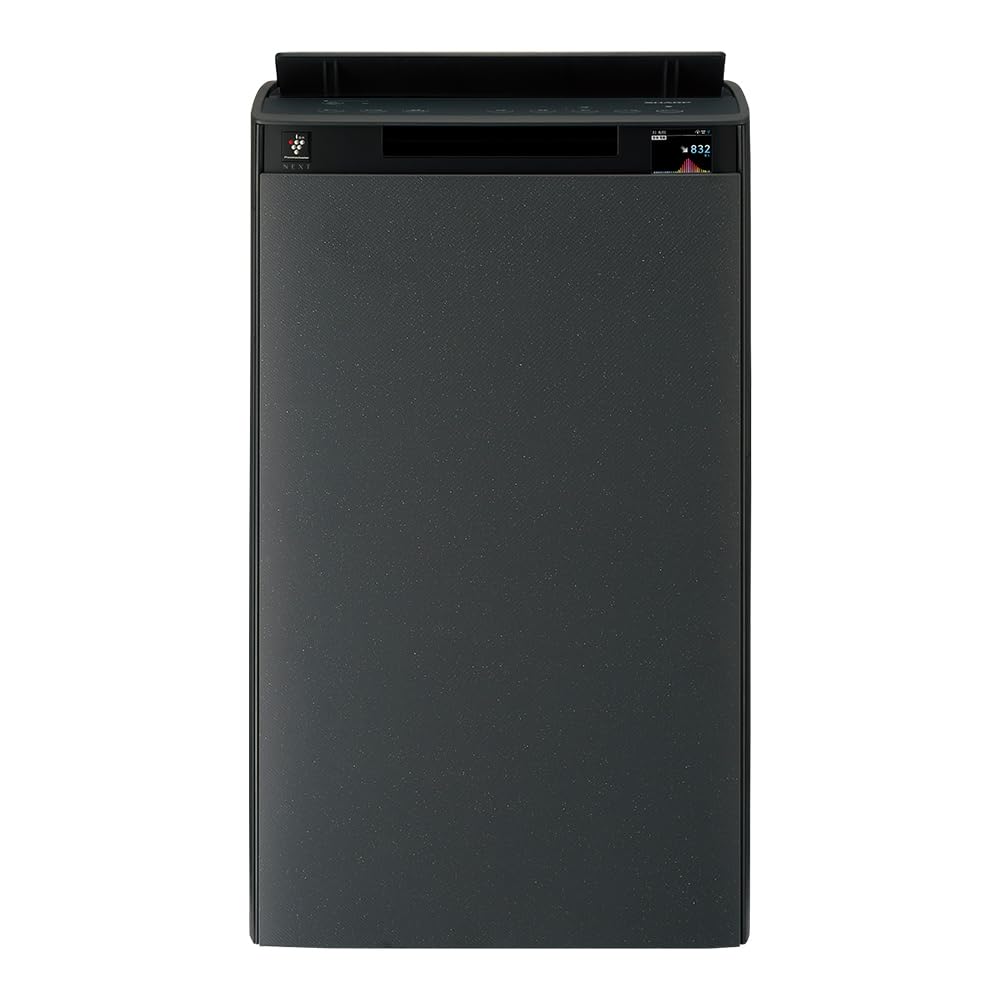
Figure 2: Product dimensions. Height: 700mm, Width: 427mm, Depth: 305mm. Ensure sufficient space for optimal performance.
د فلټر لګول:
The air purifier comes with pre-installed filters. Before first use, ensure all protective packaging is removed from the filters.
- Open the back panel of the unit.
- Remove the plastic bags from the pre-filter, deodorizing filter, and HEPA filter.
- Reinstall the filters in the correct order: pre-filter, deodorizing filter, then HEPA filter.
- Close the back panel securely.

Figure 3: Filter system diagram. The unit utilizes a multi-layer filtration system including an electrostatic HEPA filter, a deodorizing filter, and an antibacterial/anti-mold pre-filter to capture various airborne particles and odors.
Water Tank Filling (for Humidification):
- Pull out the water tank from the side of the unit.
- Open the water tank cap and fill with clean tap water. Do not use hot water or water with additives.
- Securely close the cap and reinsert the water tank into the unit until it clicks into place.
3. عملیاتي لارښوونې
پاور آن/بند:
د کنټرول پینل کې د بریښنا تڼۍ فشار ورکړئ ترڅو واحد فعال یا بند کړئ.
عملیاتي طریقې:
- AI AUTO Mode: This intelligent mode automatically adjusts fan speed and humidification based on detected air quality and humidity levels. It aims to maintain a clean room standard Class 8 level air environment.
- د هوا د پاکولو طریقه: Operates solely as an air purifier.
- د رطوبت حالت: Provides humidification. Can be used independently or in conjunction with air purification.
- Plasmacluster Spot Mode: Concentrates Plasmacluster ions in a specific area for intensive deodorization or sterilization.

Figure 4: AI AUTO Mode operation. This mode significantly reduces fine particle counts, demonstrating its effectiveness in achieving high air quality standards.
AI Monitor Display:
The AI Monitor on the unit's display provides real-time information about air quality, humidity, and operational status.
- Particle Count: Displays the current level of fine particles in the air.
- د حرارت درجه او رطوبت: Shows current room temperature and humidity.
- د ساتنې خبرتیاوې: Notifies when filters need cleaning or replacement, or when the water tank is empty.
- Estimated Electricity Cost: Provides an estimate of power consumption.

Figure 5: AI Monitor particle visualization. The display clearly indicates air quality, transitioning from 'dirty' to 'clean' as the unit purifies the air.

Figure 6: AI Monitor notifications. The display provides alerts for humidification status, maintenance schedules, low water levels, and estimated electricity usage. For detailed maintenance instructions, refer to the official support page: تیز ملاتړ.
COCORO AIR App (Wireless LAN):
Connect your air purifier to the COCORO AIR app via wireless LAN for enhanced control and monitoring.
- ریموټ کنټرول: Operate the unit from your smartphone.
- Customized Operation: Adjust settings based on your preferences or schedule.
- څارنه: View air quality history and receive alerts.
- د څارویو حالت: Special operating modes for households with pets.
- د غږ تخصیص: Change the unit's voice notifications.

Figure 7: COCORO AIR app interface. The app allows for remote control, customization, and monitoring of the air purifier's functions, including timer settings and maintenance alerts.
4. ساتنه
منظم ساتنه ستاسو د هوا پاکونکي غوره فعالیت او اوږد عمر تضمینوي.
د فلټر څخه مخکې پاکول:
Clean the pre-filter approximately once a month or when indicated by the AI Monitor.
- واحد بند کړئ او د بریښنا له سایټ څخه یې خلاص کړئ.
- Remove the back panel and carefully detach the pre-filter.
- Use a vacuum cleaner to remove dust from the pre-filter. For stubborn dirt, wash with water and mild detergent, then air dry completely before reinstalling.
Humidifying Filter Cleaning:
The unit features an automatic cleaning function for the humidifying filter. Perform this when prompted by the AI Monitor or approximately once a month.
- ډاډ ترلاسه کړئ چې د اوبو ټانک ډک شوی.
- Add a small amount of citric acid (not included) to the water tank.
- Press the 'Internal Humidification Cleaning' button on the control panel. The unit will perform an automatic cleaning cycle.

Figure 8: Automatic humidifying filter cleaning process. Add citric acid to the water tank and press the designated button for automated cleaning. A visual comparison shows the filter before and after cleaning.
Water Tank and Tray Cleaning:
Clean the water tank and humidifying tray regularly to prevent mold and bacteria growth.
- Remove the water tank and humidifying tray.
- Wash with water and a soft brush. For stubborn stains, use a mild detergent.
- ډاډ ترلاسه کړئ چې ټولې برخې د بیا راټولولو دمخه په ښه توګه مینځل شوي او وچ شوي دي.

Figure 9: Features for clean humidification. This includes an Ag+ ion cartridge for water tank hygiene, an antibacterial/anti-mold humidifying filter, and a flat tray design for simplified cleaning.
د فلټر بدلول:
The deodorizing filter and HEPA filter have a lifespan and should be replaced when indicated by the AI Monitor or after several years of use, depending on environmental conditions.
- Refer to the AI Monitor or the COCORO AIR app for filter replacement timing.
- Purchase genuine SHARP replacement filters.
- Follow the installation steps outlined in the 'Filter Installation' section.
5. ستونزه حل کول
If you encounter any issues with your air purifier, refer to the following common problems and solutions:
| ستونزه | احتمالي لامل | د حل لاره |
|---|---|---|
| واحد نه خلاصیږي | Power cord not properly connected; Power outage؛ د واحد خرابوالی | Check power cord connection; Check household circuit breaker; Contact customer support |
| د هوا د پاکولو اغیز نشته | Filters are dirty or clogged; Filters not installed correctly; Room size exceeds capacity | Clean or replace filters; Reinstall filters correctly; Ensure unit is suitable for room size |
| نه رطوبت | Water tank is empty; Humidifying filter is dirty; Humidifying unit not installed correctly | Fill water tank; Clean humidifying filter; Reinstall humidifying unit |
| غیر معمولي شور | Unit not on a flat surface; Obstruction in fan; Filters not installed correctly | Place on a flat surface; Check for obstructions; Reinstall filters correctly |
| AI Monitor displays an error code | Specific internal error | په بشپړ لارښود کې د غلطۍ کوډونو تفصيلي لیست ته مراجعه وکړئ یا د پیرودونکو ملاتړ سره اړیکه ونیسئ. |
که چیرې د دې حلونو له هڅه کولو وروسته هم ستونزه دوام ومومي، مهرباني وکړئ د SHARP پیرودونکو ملاتړ سره اړیکه ونیسئ.
6. مشخصات
Detailed technical specifications for the SHARP KI-TX100-H Humidifying Air Purifier:
| فیچر | مشخصات |
|---|---|
| د ماډل شمیره | KI-TX100-H |
| برانډ | SHARP |
| Recommended Room Size (Plasmacluster) | ~23 tatami (~38 m²) |
| Air Purification Application Area | ~46 tatami (~76 m²) |
| Maximum Humidification Capacity | 1,100 ملی لیتر/ه |
| Air Purification Time (8 tatami) | 6 دقيقو |
| د عملیاتي غږ کچه | 21~53dB |
| Noise Level (Rated) | 49 dB |
| د محصول ابعاد (د x څلویښتم x څلویښتم) | 30.5 cm x 42.7 cm x 70 cm |
| د توکي وزن | 14 کیلو ګرامه |
| د بریښنا سرچینه | د بریښنا تار شوی |
| رنګ | خړ |
7. تضمین او ملاتړ
د تضمین معلومات:
SHARP products are manufactured to the highest quality standards. This product comes with a standard manufacturer's warranty. Please refer to the warranty card included in the original packaging for specific terms, conditions, and duration of coverage. Keep your proof of purchase for warranty claims.
د پیرودونکي ملاتړ:
For technical assistance, troubleshooting, or inquiries regarding your SHARP KI-TX100-H Humidifying Air Purifier, please contact SHARP customer support.
- آنلاین ملاتړ: Visit the official SHARP Japan support website for FAQs, manuals, and service information.
- د تلیفون ملاتړ: Contact numbers can be found on the SHARP Japan webسایټ یا ستاسو د تضمین کارت.
- د خدماتو مرکزونه: Locate authorized service centers for repairs or maintenance.
When contacting support, please have your model number (KI-TX100-H) and purchase date available.


