1. پیژندنه
د پیرودلو لپاره مننهasing the IRRADIO IR-M5 Classic Portable Speaker. This manual provides essential information for the safe and efficient operation of your device. Please read it thoroughly before use and keep it for future reference.
2. د خوندیتوب معلومات
- سپیکر د اوږدې مودې لپاره د سختې تودوخې یا مستقیم لمر وړانګو ته مه ښکاره کوئ.
- د سپیکر قوي تاثیراتو ته د غورځولو یا تابع کولو څخه ډډه وکړئ.
- وسیله پخپله مه جلا کوئ، ترمیم یې کړئ یا یې بدل کړئ. د وړ خدماتو پرسونل ته مراجعه وکړئ.
- سپیکر د طبي وسایلو څخه لرې وساتئ، ځکه چې دا مقناطیس لري.
- د چارج کولو کیبل سره وصل کولو دمخه ډاډ ترلاسه کړئ چې د چارج کولو پورټ وچ دی.
- This device is IPX7 water-resistant, meaning it can be submerged in up to 1 meter of water for 30 minutes. Do not intentionally submerge it for longer periods or deeper than specified.
3. د بسته محتويات
مهرباني وکړئ د لاندې توکو لپاره په بسته کې وګورئ:
- IRRADIO IR-M5 Classic Portable Speaker
- د USB چارج کیبل
- د کارن لارښود
4. محصول ختم شوview
د سپیکر د برخو او کنټرولونو سره ځان بلد کړئ.

شکل 4.1: مخکی view of the IRRADIO IR-M5 Classic speaker, showing the speaker grille, IRRADIO logo, and RGB LED light bar.
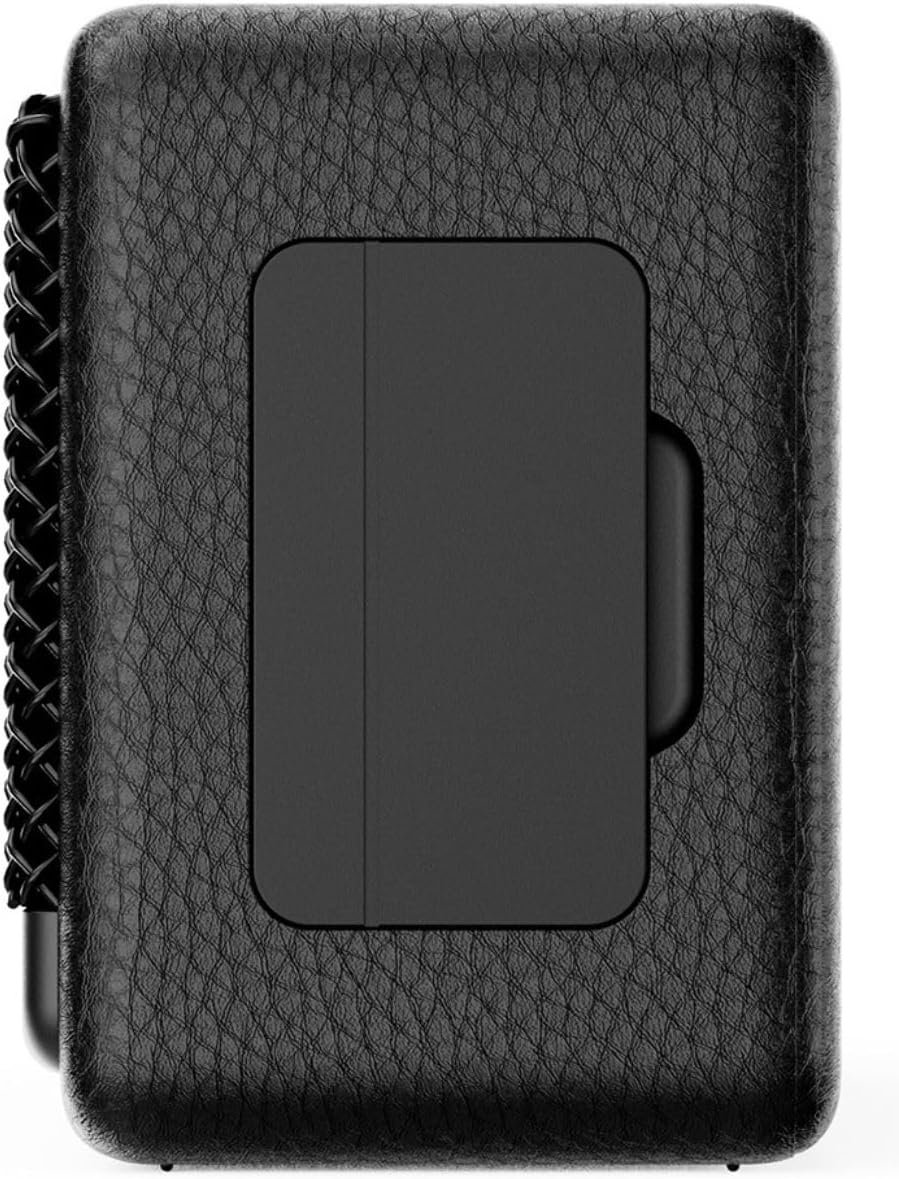
شکل 4.2: شاته view of the IRRADIO IR-M5 Classic speaker, highlighting the passive subwoofer panel.

شکل 4.3: اړخ view of the IRRADIO IR-M5 Classic speaker, showing the integrated strap for portability.
کنټرولونه او بندرونه:
- د بریښنا تڼۍ: د چالو / بندولو لپاره فشار ورکړئ او ونیسئ.
- حجم پورته/بل ټریک: د حجم لوړولو لپاره لنډ فشار، د راتلونکي ټریک لپاره اوږد فشار.
- حجم ښکته/مخکینی لار: د حجم کمولو لپاره لنډ فشار، د پخوانۍ ټریک لپاره اوږد فشار.
- د غږولو/بندولو/زنګ وهلو تڼۍ: Press to play/pause music or answer/end calls.
- د حالت تڼۍ (M): Press to switch between Bluetooth and USB playback modes.
- RGB LED Button: Press to cycle through RGB lighting modes or turn off the lights.
- د USB-C چارج کولو بندر: د سپیکر چارج کولو لپاره.
- USB-A پورټ: For external USB music playback.
- AUX Input (3.5mm Mini Jack): د تار لرونکي آډیو اتصال لپاره.
5. ترتیب کول
۳.۱ د سپیکر چارج کول
Before first use, fully charge the speaker. Connect the provided USB charging cable to the USB-C port on the speaker and the other end to a compatible USB power adapter (not included).
- د LED شاخص به د چارج حالت وښیې.
- بشپړ چارج شاوخوا 3.5 ساعته وخت نیسي.
۸ پاور آن/بند
- د بریښنا د فعالولو لپاره، د بریښنا تڼۍ فشار ورکړئ او ونیسئ تر هغه چې تاسو د اوریدلو وړ اشاره واورئ.
- د بریښنا بندولو لپاره، د بریښنا تڼۍ بیا فشار ورکړئ او ونیسئ تر هغه چې سپیکر بند نشي.
5.3 د بلوتوټ جوړه کول
- سپیکر چالان کړئ. دا به په اتوماتيک ډول د بلوتوث جوړه کولو حالت ته ننوځي، چې د چمکونکي LED لخوا ښودل کیږي.
- په خپل وسیله (سمارټ فون، ټابلیټ، لیپ ټاپ) کې، بلوتوث فعال کړئ او د شته وسایلو لټون وکړئ.
- Select "IR-M5 Classic" from the list of devices.
- Once paired, the LED indicator will stop flashing and remain solid. You are now ready to play music.
6. عملیاتي لارښوونې
6.1 د میوزیک غږ
- بلوتوث موډ: After successful pairing, play music from your connected device.
- USB پلیباک: Insert a USB drive with MP3/WAV files into the USB-A port. The speaker will automatically switch to USB mode and begin playback. Use the Mode button to switch if necessary.
- د اکس موډ: Connect an audio device using a 3.5mm AUX cable to the AUX input. The speaker will automatically switch to AUX mode.
6.2 د حجم کنټرول
- Press the Volume Up (+) button to increase volume.
- Press the Volume Down (-) button to decrease volume.
6.3 Track Navigation
- Long press the Volume Up (+) button for the next track.
- Long press the Volume Down (-) button for the previous track.
۶.۵ ریښتینی بې سیم سټیریو (TWS) فعالیت
To pair two IR-M5 Classic speakers for a stereo experience:
- ډاډ ترلاسه کړئ چې دواړه سپیکرې فعالې دي او د بلوتوث وسیلې سره وصل نه دي.
- On one speaker, double-press the Play/Pause button. It will enter TWS pairing mode.
- The speakers will automatically connect to each other. You will hear a confirmation sound.
- Once TWS paired, connect your device to one of the speakers via Bluetooth as described in section 5.3. Both speakers will now play in stereo.
6.5 RGB LED Lighting
Press the RGB LED button to cycle through different lighting modes or to turn the lights off.
7. ساتنه
- سپیکر په نرم او وچ ټوکر پاک کړئ. د کثافاتو پاکوونکي یا محلول مه کاروئ.
- سپیکر په یخ او وچ ځای کې وساتئ کله چې نه کارول کیږي.
- If the speaker will not be used for an extended period, charge it every 3 months to maintain battery health.
8. ستونزه حل کول
| ستونزه | احتمالي لامل | د حل لاره |
|---|---|---|
| سپیکر نه خلاصیږي. | ټیټ بیټرۍ. | سپیکر په بشپړه توګه چارج کړئ. |
| د بلوتوث له لارې جوړه نشي کیدی. | سپیکر د جوړې کولو حالت کې نه دی یا دمخه له بل وسیلې سره وصل دی. | Ensure speaker is in pairing mode. Disconnect from other devices. Restart speaker and device. |
| غږ نشته. | غږ ډېر ټیټ دی؛ د ننوتلو ناسم حالت؛ وسیله نه غږېږي. | Increase volume. Check input mode (Bluetooth/USB/AUX). Ensure source device is playing. |
| د TWS جوړه ناکامه شوه. | Speakers are already connected to a device or each other. | ډاډ ترلاسه کړئ چې دواړه سپیکرې د TWS جوړه کولو پیل کولو دمخه له ټولو وسیلو څخه منقطع شوي دي. |
9. مشخصات
| فیچر | تفصیل |
|---|---|
| د ماډل نوم | IR-M5 کلاسیک |
| برانډ | IRRADIO |
| د تولید بریښنا | 20W (Rated), 28W (Music) |
| چلوونکي | 2 x 50mm Full-Range, 1 x Passive Subwoofer |
| د تعدد ځواب | ۲۰ هرټز - ۴۰ کلو هرټز |
| بلوتوث نسخه | 5.4 |
| د بیسیم رینج | تر ۳۰ مترو پورې (بې خنډه) |
| د بیټرۍ ظرفیت | 2000mAh (3.7V, 7.4 Wh) |
| د پلې بیک وخت | نږدې 8 ساعته (په 50٪ حجم کې) |
| د چارج کولو وخت | نږدې 3.5 ساعته |
| د اوبو مقاومت | IPX7 |
| ابعاد (L x W x H) | 17.4 x 8 x 5.3 سانتي متره (6.8 x 3.15 x 2.1 انچه) |
| وزن | ۳۱۵ ګرامه (۰.۳۳ کیلوګرامه) |
| ملاتړ شوي آډیو فارمیټونه | MP3، WAV |
10. تضمین او ملاتړ
This product comes with a standard manufacturer's warranty. For detailed warranty terms and conditions, please refer to the warranty card included in your package or contact your local distributor. For technical support or service inquiries, please visit the official IRRADIO webسایټ یا د دوی پیرودونکي خدمت سره اړیکه ونیسئ.
یادونه: د محصول مشخصات او ډیزاین د ښه والي لپاره پرته له خبرتیا بدلون سره مخ دي.


