1. پیژندنه
This manual provides essential information for the safe and effective operation of your SOOMFON SK2 Mini Projector. Please read this manual thoroughly before using the product and retain it for future reference.
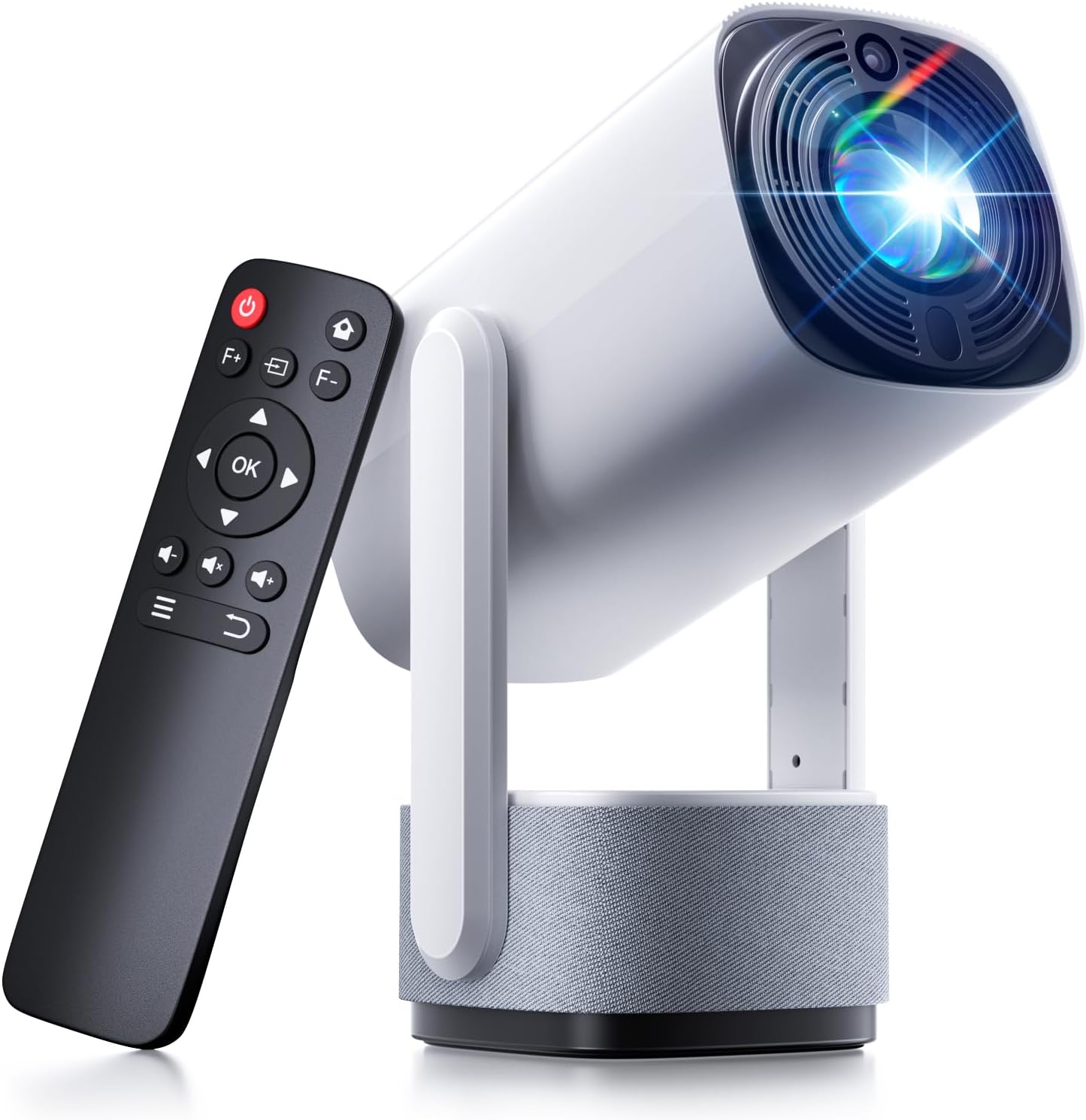
Image: The SOOMFON SK2 Mini Projector shown with its remote control.
2. د بسته محتويات
ډاډ ترلاسه کړئ چې لاندې ټول توکي ستاسو په بسته کې شامل دي:
- SOOMFON SK2 Projector
- HDMI کیبل (1.5m)
- د بریښنا تار (1.5m)
- د کارن لارښود
- ګړندي لارښود
- Remote Control (2x AAA batteries not included)

Image: Contents of the SOOMFON SK2 Mini Projector package.
3. محصول ختم شوview
The SOOMFON SK2 Mini Projector is designed for versatile media projection, featuring a compact form factor and multiple connectivity options.
کلیدي ځانګړتیاوې:
- د ښودلو ټیکنالوژي: Advanced LCD with uniform illumination.
- قرارداد: Native 720p (1280 x 720), supports 4K and 1080p input.
- روښانتیا: 260 ANSI Lumens.
- د پروجیکشن اندازه: تر ۲۱ انچو پورې.
- د لېږد وړتیا: Compact design (7.5 x 4 x 4 inches) and lightweight (1.3 lbs).
- گردش: 270° rotatable stand for flexible projection angles (wall-to-ceiling).
- آډیو: Integrated dual 3W high-fidelity speakers.
- ارتباط: HDMI, USB, Audio ports, Wi-Fi, Bluetooth (two-way for input/output).
- د سکرین عکس العمل: Supports Miracast and AirPlay for wireless screen sharing.
- د انځور سمون: د کیسټون اتوماتیک اصلاح.
- د سترګو ساتنه: Diffuse reflection imaging technology.
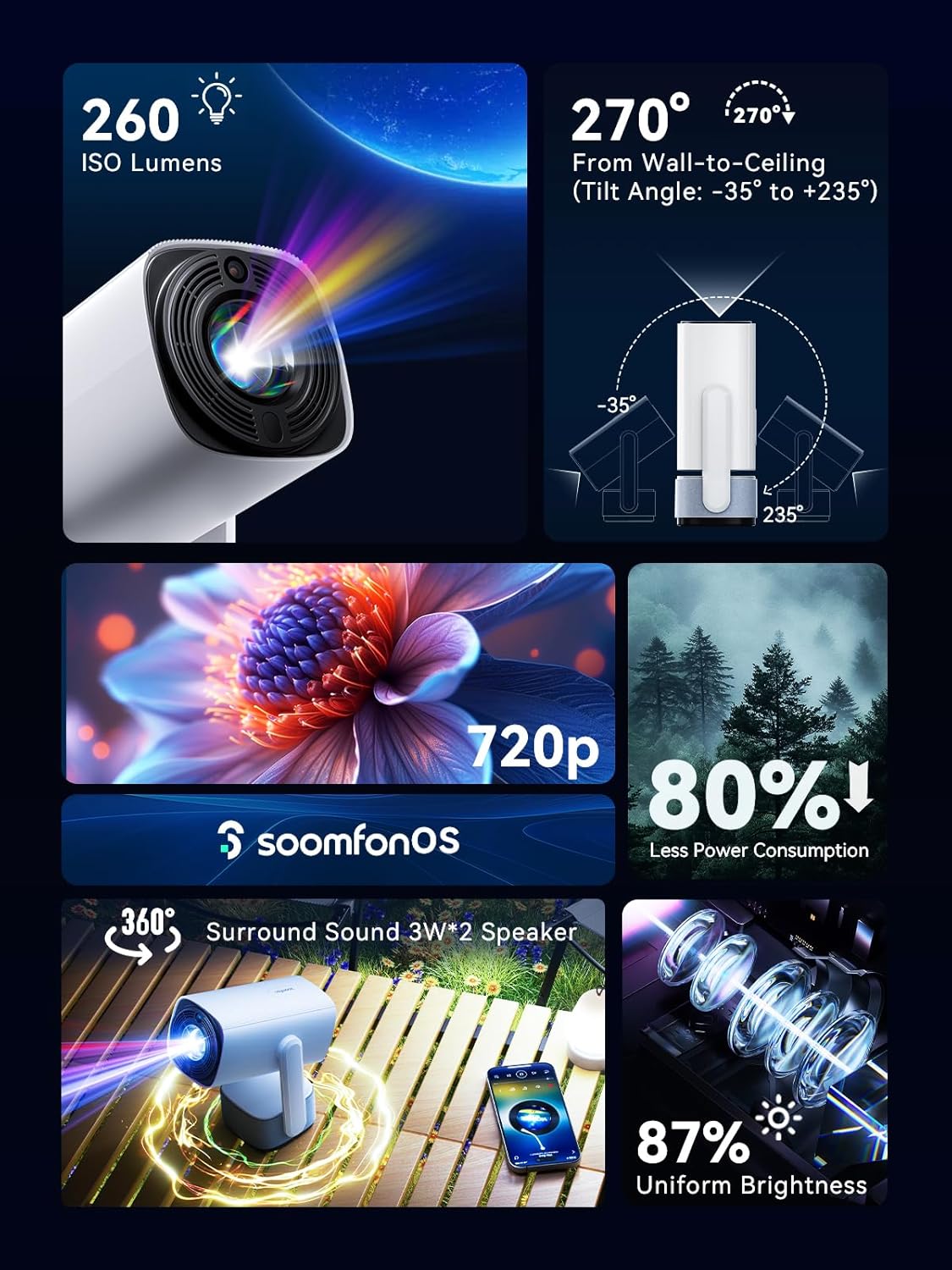
انځور: اوورview of the projector's main features.
4. ترتیب کول
4.1 د بریښنا نښلول
- Connect the provided power cord to the projector's power input.
- د بریښنا د تار بله پای په مناسب بریښنایی پلورنځي کې ولګوئ.
4.2 ځای پرځای کول
Position the projector on a stable, flat surface. The 270° rotatable stand allows for flexible projection angles, including wall and ceiling projection.

Image: Projector positioned for wall-to-ceiling projection.
4.3 ابتدايي پاور آن
- په پروجکټور یا ریموټ کنټرول کې د بریښنا تڼۍ فشار ورکړئ ترڅو وسیله چالان کړئ.
- The projector will boot up and display the main interface (SoomfonOS).
5. عملیاتي لارښوونې
5.1 د تمرکز تنظیم کول
Adjust the image clarity using the F+ and F- buttons on the remote control. This is a manual adjustment.
5.2 د کیسټون سمون
The projector features automatic keystone correction. It will automatically adjust the image to be rectangular even if the projector is placed at an angle. Manual adjustments may also be available in the settings menu if needed.

Image: Automatic keystone correction in action.
5.3 نښلول
5.3.1 HDMI اتصال
Connect an HDMI cable from your source device (e.g., laptop, game console, TV stick) to the HDMI port on the projector. Select the HDMI input source from the projector's menu.
5.3.2 د USB اتصال
Insert a USB flash drive into the USB port. The projector supports FAT32 formatted drives up to 32GB. Navigate to the USB section in the SoomfonOS to access media files.
5.3.3 Wi-Fi and Screen Mirroring
Connect the projector to your Wi-Fi network via the settings menu. Once connected, you can use Miracast (for Android) or AirPlay (for iOS) to wirelessly mirror your smartphone or tablet screen to the projector.

Image: Streaming content from a phone to the projector.
5.3.4 د بلوتوث اتصال
The projector supports two-way Bluetooth functionality:
- Bluetooth Input (Audio Mode): Connect your smartphone or other Bluetooth audio device to the projector to use it as a Bluetooth speaker. Access this mode from the homepage.
- د بلوتوټ محصول: Connect the projector to external Bluetooth speakers or headphones for enhanced audio. Access this in the settings menu.

Image: Two-way Bluetooth connectivity options.
5.4 SoomfonOS Navigation
The projector operates on SoomfonOS, a user-friendly interface. Use the remote control's directional buttons and OK button to navigate through menus and select options. The main screen provides access to input sources, settings, and media playback options.

Image: The SoomfonOS user interface.
6. ساتنه
6.1 پاکول
- لینز: د نظري لینزونو لپاره په ځانګړي ډول ډیزاین شوي نرم، لینټ نه پاک ټوکر وکاروئ. د کثافاتو پاکونکي یا محلولونه مه کاروئ.
- بهر: د پروجیکټر بهرنۍ برخه د نرم او وچ ټوکر سره پاک کړئ. د سختو نښو لپاره، یو څه damp ټوکر کارول کیدی شي، او بیا وچ ټوکر وکارول شي.
- وینټیلیشن: ډاډ ترلاسه کړئ چې د هوا د تویېدو د مخنیوي لپاره د هوا د تویېدو دروازې له دوړو او خنډونو څخه پاکې دي.
6.2 ذخیره کول
When not in use, store the projector in a cool, dry place away from direct sunlight and extreme temperatures. If possible, use the original packaging or a protective case to prevent dust accumulation and damage.
7. ستونزه حل کول
- انځور نشته/د انځور خراب کیفیت:
- ډاډ ترلاسه کړئ چې د بریښنا تار په خوندي ډول وصل دی او پروجیکټر فعال دی.
- Check the input source selection (HDMI, USB, etc.) matches your connected device.
- Adjust the focus using the F+ and F- buttons on the remote.
- Ensure the room is sufficiently dark for optimal viewing, especially for larger screen sizes.
- غږ نشته:
- په پروجیکټر او سرچینې وسیله دواړو کې د حجم کچه وګورئ.
- If using external speakers, ensure they are properly connected via Bluetooth or audio cable.
- For HDMI sources, verify the audio output settings on your source device.
- Cannot Stream from Netflix/Prime Video via Screen Mirroring:
- Due to HDCP (High-bandwidth Digital Content Protection) restrictions, direct screen mirroring of certain streaming services (like Netflix, Prime Video, Hulu) may not work or may only provide audio.
- حل لاره: Use an external streaming device (e.g., Amazon Fire Stick, Roku, Google TV) connected to the projector's HDMI port for these services.
- د وای فای اتصال مسلې:
- ډاډ ترلاسه کړئ چې د وای فای پټنوم په سمه توګه داخل شوی دی.
- If experiencing issues with long Wi-Fi passwords, check the SOOMFON official webد احتمالي فرم ویئر تازه معلوماتو لپاره سایټ.
- د فین شور:
- The projector's fan noise is noticeable during operation. This is normal for cooling the internal components.
- For a more immersive audio experience, consider connecting external Bluetooth speakers.
8. مشخصات
| فیچر | مشخصات |
|---|---|
| برانډ | سومفون |
| د ماډل شمیره | SK2 |
| د توکي وزن | ۲.۴۵ پونډه |
| د محصول ابعاد | 9.65 x 4.53 x 3.74 انچه |
| د اصلي نندارې ریزولوشن | 1280 x 720p |
| ملاتړ شوی ان پټ ریزولوشن | تر 4K پورې |
| روښانتیا | 260 د ANSI Lumens |
| د ارتباط ټیکنالوژي | HDMI, USB, Audio, Wi-Fi, Bluetooth |
| ځانګړي ځانګړتیاوې | Built-In Speaker, Built-In Wi-Fi, Portable, 270° Rotatable Stand, Automatic Keystone Correction |
| وړاندیز شوي استعمالونه | سوداګري، زده کړه، لوبې، کورنی سینما |
9. تضمین او ملاتړ
SOOMFON is committed to providing quality products and customer satisfaction.
9.1 تخنیکي ملاتړ
Lifetime technical support is available for your SOOMFON SK2 Mini Projector.
د اړیکې معلومات
- بریښنالیک: service@soomfon.com
- ژوندۍ خبرې اترې: Available on the official SOOMFON website, Monday-Friday, 9 AM - 5 PM (PST).


