1. پیژندنه
This user manual provides comprehensive instructions for the setup, operation, and maintenance of your Mortal Q8 Android 14 4K TV Stick. The Mortal Q8 transforms any television with an HDMI port into a smart entertainment system, offering access to a wide range of streaming services and applications in 4K Ultra HD resolution. Please read this manual carefully before using the device to ensure optimal performance and safety.
2. د بسته محتويات
ډاډ ترلاسه کړئ چې ټول توکي ستاسو په کڅوړه کې شتون لري:
- Mortal Q8 Android 14 4K TV Stick
- Remote Control with Voice Command
- د USB بریښنا کیبل
- د HDMI توسیع کیبل (که شامل وي)
- د کارونکي لارښود (دا لاسوند)
3. محصول ختم شوview
The Mortal Q8 TV Stick is a compact device designed for seamless streaming. It features an HDMI connector for direct plug-in to your TV and is controlled by an ergonomic remote with integrated voice command capabilities.

Figure 3.1: Mortal Q8 Android TV Stick and its accompanying remote control. The stick is black with a blue indicator light, and the remote is black with dedicated buttons for popular streaming services and a Google Assistant button.
3.1 کلیدي ځانګړتیاوې
- د انډرایډ ۱۳ عملیاتي سیسټم: Provides a fluid and modern user interface with access to the Google Play Store.
- 4K Ultra HD Streaming: Supports high-resolution video playback for a detailed viewتجربه
- WiFi 6 Connectivity: Offers faster speeds and improved network stability for uninterrupted streaming.
- مربوط Chromecast: Allows easy casting of content from mobile devices to your television.
- Voice Control Remote: Ergonomic remote with a dedicated voice command button for intuitive navigation and search.
- مخکې نصب شوي ایپسونه: Direct access to popular streaming platforms such as Netflix, Prime Video, and YouTube.

Figure 3.2: The Mortal Q8 TV Stick and remote, highlighting key features like Android 14, 4K video decoding, WiFi 6, and Bluetooth 5.0. Icons for Netflix, YouTube, Google Play, Prime Video, and TikTok are also shown.
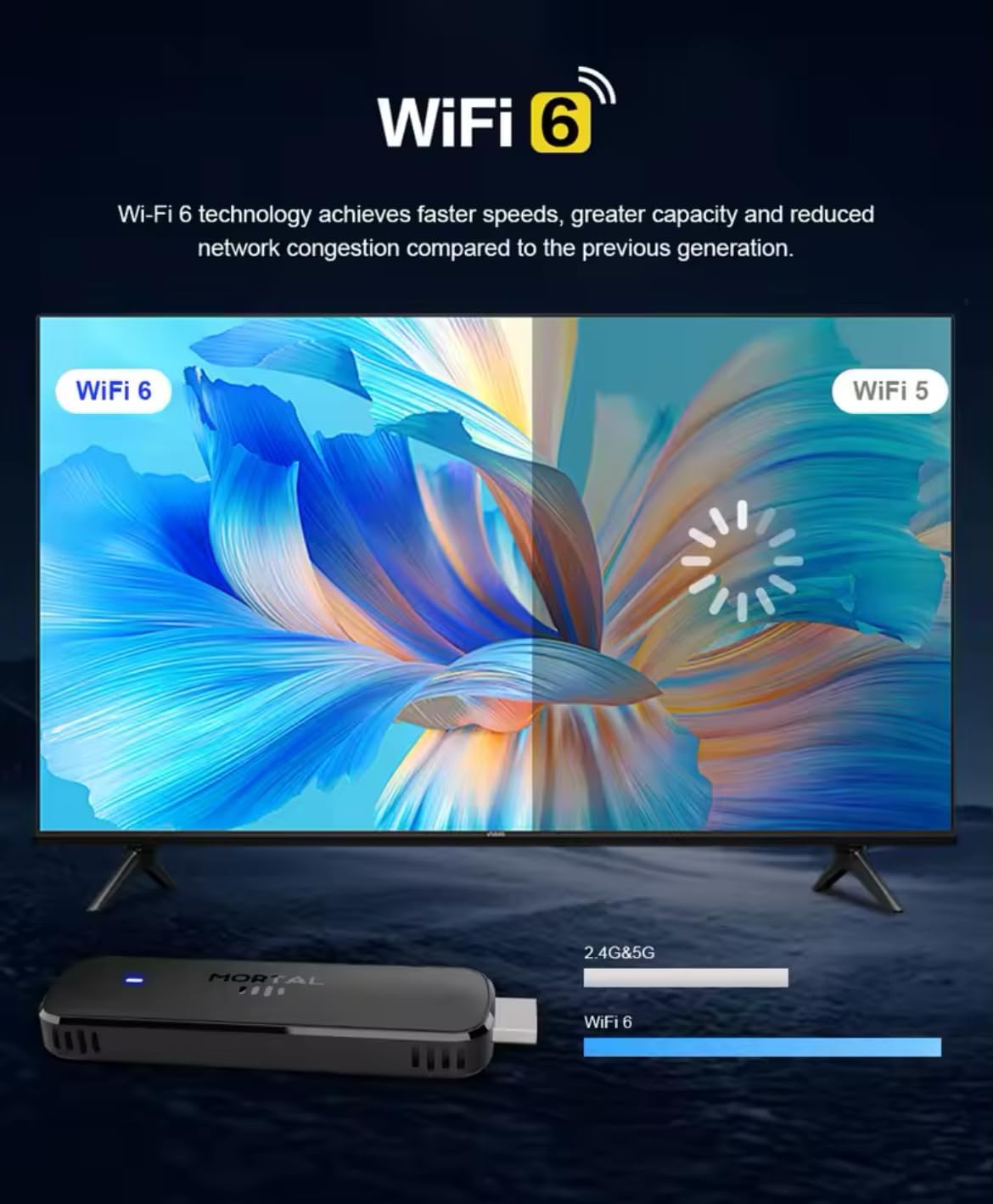
Figure 3.3: Illustration demonstrating the enhanced speed and stability of WiFi 6 technology compared to WiFi 5, with the Mortal Q8 TV Stick supporting dual-band 2.4G/5G connectivity.
4. د تنظیم کولو لارښود
Follow these steps to set up your Mortal Q8 TV Stick:
- د تلویزیون سټیک وصل کړئ: Plug the Mortal Q8 TV Stick directly into an available HDMI port on your television. If space is limited, use the HDMI extension cable (if provided).
- وسیله ځواکمنه کړئ: Connect the USB power cable to the TV Stick and then to a USB port on your TV or a wall adapter (not always included). Ensure the device receives sufficient power.
- د HDMI ان پټ غوره کړئ: Turn on your television and use your TV remote to select the correct HDMI input source where the Mortal Q8 is connected.
- د ریموټ کنټرول سره یوځای کول:
- Insert two AAA batteries (not included) into the remote control.
- Follow the on-screen instructions to pair the remote with your TV Stick. This usually involves holding down specific buttons on the remote until a pairing confirmation appears.
- د شبکې پیوستون:
- Once the device boots up, navigate to the Wi-Fi settings.
- Select your home Wi-Fi network from the list and enter the password. The Mortal Q8 supports WiFi 6 for optimal performance.
- د ګوګل حساب ننوتل: Sign in with your Google account to access the Google Play Store and synchronize your settings and applications.
- د سیسټم تازه معلومات: Check for and install any available system updates to ensure your device has the latest features and security patches.
5. عملیاتي لارښوونې
۴.۱ د انٹرفیس نیویګیټ کول
Use the directional pad and select button on your remote control to navigate through the Android TV interface. The home button will always return you to the main screen.

Figure 5.1: The Mortal Q8 TV Stick connected to a television, showing the Android TV home screen with various streaming applications like Kodi, HBO Go, Hulu, Netflix, Prime Video, and YouTube.
5.2 Using Voice Control (Google Assistant)
The remote control features a dedicated button for Google Assistant. Press this button and speak into the remote to:
- لټون movies, TV shows, or videos.
- Open applications (e.g., "Open YouTube").
- Control playback (e.g., "Pause," "Play," "Fast forward").
- Ask questions or get information.

Figure 5.2: An illustration of using the "Ok Google" voice command feature on the Mortal Q8 TV Stick remote to open applications like YouTube, with the response displayed on the TV screen.
۴.۲ د محتوا خپرول
Access your favorite streaming services directly from the home screen or by downloading new apps from the Google Play Store. The Mortal Q8 supports 4K Ultra HD resolution for compatible content.

Figure 5.3: The Mortal Q8 TV Stick and remote in front of a television displaying vibrant 4K Ultra HD content, emphasizing the device's capability to deliver high-resolution visuals.
5.4 Using Chromecast Built-in
The integrated Chromecast feature allows you to cast content from your compatible mobile devices (phones, tablets) or computers directly to your television screen. Look for the Cast icon ▶ in supported applications on your mobile device.

Figure 5.4: An image illustrating the Chromecast built-in feature of the Mortal Q8 TV Stick, showing content being streamed from a smartphone to the television screen.
6. ساتنه
- پاکول: Use a soft, dry cloth to clean the TV Stick and remote control. Do not use liquid cleaners or abrasive materials.
- ذخیره کول: کله چې د اوږدې مودې لپاره نه کارول کیږي، وسیله په یخ او وچ ځای کې د مستقیم لمر وړانګو او سختې تودوخې څخه لرې وساتئ.
- د سافټویر تازه معلومات: د غوره فعالیت او امنیت ډاډمن کولو لپاره په منظم ډول د سیسټم تازه معلومات وګورئ او نصب کړئ.
7. ستونزه حل کول
| ستونزه | احتمالي حل |
|---|---|
| بریښنا نشته / وسیله نه چالانیږي | Ensure the USB power cable is securely connected to both the TV Stick and a power source. Try a different USB port or wall adapter. |
| د تلویزیون په سکرین کې هیڅ سیګنال نشته | Verify the TV Stick is fully inserted into the HDMI port. Select the correct HDMI input source on your television. Try a different HDMI port. |
| ریموټ کنټرول ځواب نه ورکوي | Check the batteries and replace them if necessary. Ensure the remote is paired with the TV Stick (refer to setup instructions). Remove any obstructions between the remote and the device. |
| د وائی فای اتصال مسلې | Restart your Wi-Fi router. Re-enter the Wi-Fi password on the TV Stick. Ensure the device is within range of your router. |
| غوښتنلیکونه ورو یا خراب دي | Close unused applications. Clear the cache of the problematic app in settings. Restart the TV Stick. Ensure sufficient storage space is available. |
8. مشخصات
| فیچر | تفصیل |
|---|---|
| د ماډل نوم | Q8 |
| عملیاتي سیسټم | Android 14.0 |
| قرارداد | 4K الټرا HD |
| ارتباط | WiFi 6 (2.4G/5G Dual-band), Bluetooth 5.0, HDMI, USB |
| ځانګړي ځانګړتیاوې | Chromecast Built-in, Voice Control (Google Assistant) |
| ملاتړ شوي انټرنیټ خدمتونه | Google Play, HBO Go, Hulu, Kodi, Netflix, Prime Video, YouTube |
| د کنټرولر ډول | ریموټ کنټرول |
| د فارم فکتور | چپنه |
| رنګ | تور |
| مطابقت لرونکې وسیلې | Monitor, Projector, Television, HDMI Screen |

Figure 8.1: A visual summary of the Mortal Q8 TV Stick's specifications, including 2GB+8GB memory, 4K video decoding, Allwinner H313 Quadcore processor, Android 14, and 2.4G/5.8G Dual WiFi.
9. تضمین او ملاتړ
For warranty information and technical support, please refer to the documentation provided with your purchase or contact the retailer. Keep your proof of purchase for warranty claims.


