1. پیژندنه
This manual provides essential information for setting up, operating, maintaining, and troubleshooting your HP 15.6 inch FHD Touchscreen Laptop. Please read these instructions carefully to ensure proper use and longevity of your device.
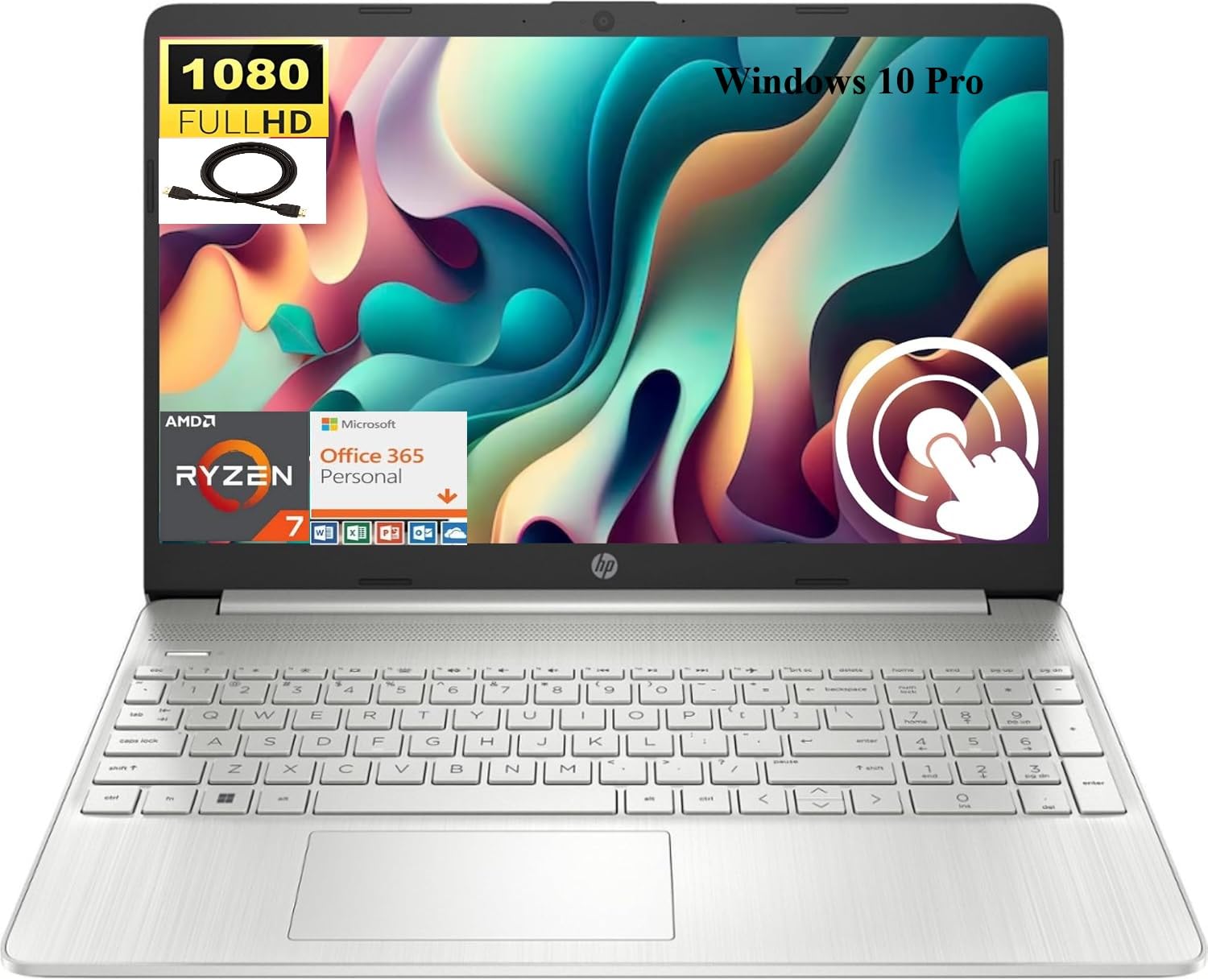
Image 1.1: HP 15.6 inch FHD Touchscreen Laptop, silver finish, open with screen displaying a scenic image.
2. ترتیب کول
۲.۱ د بکس خلاصول او لومړنۍ تفتیش
Carefully remove your laptop and all accessories from the packaging. Verify that all components are present and undamaged. Retain the packaging for future transport or service needs.
2.2 د نښلولو بریښنا
- د AC اډاپټر په خپل لیپ ټاپ کې د بریښنا نښلونکي سره وصل کړئ.
- د بریښنا کنډک په بریښنایی پلورنځی کې ولګوه.
- بیټرۍ ته اجازه ورکړئ چې لږترلږه د 30 دقیقو لپاره د لومړني کارونې دمخه چارج شي، یا تر هغه چې د بیټرۍ شاخص کافي چارج وښيي.
2.3 Initial Boot-up and Windows 10 Pro Setup
Press the power button to turn on your laptop. Follow the on-screen instructions to complete the Windows 10 Pro setup process. This includes selecting your region, language, creating a user account, and connecting to a Wi-Fi network.

Image 2.1: HP laptop shown with an HDMI cable, illustrating connectivity options.
3. عملیاتي لارښوونې
3.1 Touchscreen and Display
Your laptop features a 15.6 inch Full HD (1920 x 1080) IPS touchscreen display. Use touch gestures for navigation, zooming, and interaction with applications. The micro-edge design maximizes your viewساحه
۳.۳ کیبورډ او ټچ پیډ
The full-size, natural silver keyboard includes a numeric keypad for efficient data entry. The integrated touchpad supports multi-touch gestures for precise cursor control.

Image 3.1: HP laptop displaying the Windows Start Menu, showcasing the operating system interface.
۳.۲ بندرونه او نښلونه
ستاسو لیپ ټاپ د بهرنیو وسیلو د نښلولو لپاره په مختلفو پورټونو سمبال دی:
- 2 x SuperSpeed USB Type-A 5Gbps: د معیاري USB وسیلو لپاره.
- 1 x SuperSpeed USB Type-C 5Gbps: د عصري USB-C وسیلو لپاره.
- ۱ x HDMI ۱.۴b: د بهرنیو نندارتونونو یا پروجیکټرونو سره وصل شئ.
- 1 x AC smart pin: د بریښنا اډاپټر اتصال لپاره.
- 1 x Multi-format SD media card reader: د SD کارتونو لوستلو لپاره.
- 1 x Headphone/microphone combo: د آډیو ان پټ/آؤټ پټ لپاره.
Wireless connectivity includes Realtek RTL8821CE 802.11a/b/g/n/ac (1x1) Wi-Fi and Bluetooth 4.2 combo.

Image 3.2: Detailed diagram highlighting the location and type of ports on the HP laptop, including headphone/microphone combo, SD media card reader, SuperSpeed USB Type-C, SuperSpeed USB Type-A, and HDMI 1.4b.
3.4 Webکیمره او آډیو
The HP True Vision 720p HD camera with integrated dual array digital microphones allows for clear video conferencing. Enjoy HD Audio with stereo speakers for an enhanced listening experience.

Image 3.3: Visual representation of the HP True Vision HD Camera for video chat and HD Audio with stereo speakers for sound output.
4. ساتنه
۴.۱ د خپل لپ ټاپ پاکول
د نرم، لینټ پاک ټوکر څخه لږ څه کار واخلئampened with water or a screen cleaner specifically designed for electronics to clean the display and exterior surfaces. Avoid harsh chemicals or abrasive materials.
4.2 د بیټرۍ پاملرنه
To prolong battery life, avoid extreme temperatures and fully discharging the battery frequently. For optimal performance, keep the laptop connected to power when possible, but also allow occasional discharge cycles.
4.3 د سافټویر تازه معلومات
Regularly check for and install Windows updates and HP driver updates to ensure system stability, security, and optimal performance.
5. ستونزه حل کول
If you encounter issues with your HP laptop, consider the following basic troubleshooting steps:
- ځواک نشته: ډاډ ترلاسه کړئ چې د AC اډاپټر په خوندي ډول د لپ ټاپ او د کار کولو بریښنا سایټ دواړو سره وصل دی. د بریښنا شاخص څراغ وګورئ.
- د ښودلو مسلې: If the screen is blank, try connecting an external monitor via HDMI to check if the issue is with the laptop's display. Restart the laptop.
- د نښلولو ستونزې: For Wi-Fi or Bluetooth issues, ensure wireless is enabled. Try restarting your router or the laptop's wireless adapter.
- ورو فعالیت: غیر ضروري غوښتنلیکونه بند کړئ، د شالید پروسو لپاره وګورئ، او د کافي وړیا ذخیره کولو ځای ډاډمن کړئ.
د ډیرو پیچلو مسلو لپاره، د HP ملاتړ ته مراجعه وکړئ website or contact HP customer service for assistance.
6. مشخصات
Below are the detailed technical specifications for your HP 15.6 inch FHD Touchscreen Laptop (Model HP 15):
| برانډ | HP |
| د ماډل نوم | HP 15 |
| د سکرین اندازه | ۷۸۷ انچه |
| د ښودلو ریزولوشن | ۱۹۲۰x۱۰۸۰ پکسلز (FHD) |
| د ښودلو ډول | LED, Touch, IPS, Micro-edge, BrightView |
| پروسیسر | AMD Ryzen 7 4700U (8 کورونه، تر 4.1 GHz پورې) |
| ګرافیک | مدغم شوی AMD Radeon ګرافیک |
| د RAM حافظه | 8 GB DDR4 SDRAM |
| د هارډ ډیسک اندازه | ۵۱۲ جي بي ايس ايس ډي (PCIe NVMe M.2) |
| عملیاتي سیسټم | وینډوز 10 پرو |
| ارتباط | Wi-Fi (802.11a/b/g/n/ac), Bluetooth 4.2 |
| بندرونه | 2x USB-A 5Gbps, 1x USB-C 5Gbps, 1x HDMI 1.4b, 1x AC Smart Pin, 1x SD Card Reader, 1x Headphone/Mic Combo |
| کیمره | HP True Vision 720p HD Camera |
| آډیو | HD Audio, Dual Speakers |
| بیټرۍ | 3-حجره، 41 Wh Li-ion |
| ابعاد (L x W x H) | 14.11 x 9.53 x 0.78 انچه |
| د توکي وزن | 3.75 پونډه |

Image 6.1: Diagram illustrating the dimensions of the HP laptop: 14.11" W, 9.53" D, and 0.78" H.
7. تضمین او ملاتړ
ستاسو د HP لیپ ټاپ د معیاري جوړونکي تضمین سره راځي. د تضمین په اړه د تفصيلي معلوماتو لپاره، مهرباني وکړئ هغه اسناد وګورئ چې ستاسو د محصول سره شامل دي یا د HP رسمي ملاتړ ته مراجعه وکړئ. website. For technical assistance, driver downloads, and service inquiries, please visit support.hp.com.