1. پیژندنه
The BSIDE SH7 is an advanced thermal imager and digital multimeter integrated into a single handheld device. It features a high-resolution infrared camera for thermal analysis and a comprehensive multimeter for electrical measurements. This manual provides detailed instructions for the safe and effective operation, maintenance, and troubleshooting of your SH7 device.
2. د بسته محتويات
ډاډ ترلاسه کړئ چې ټول توکي په کڅوړه کې شتون لري:
- 1 x BSIDE SH7 Infrared Camera Multimeter
- 1 x د چارج کولو کیبل
- 1 x د بار وړلو قضیه
- 1 x د کارونکي لارښود
Note: The flexible AC current clamp is not included in the standard package.
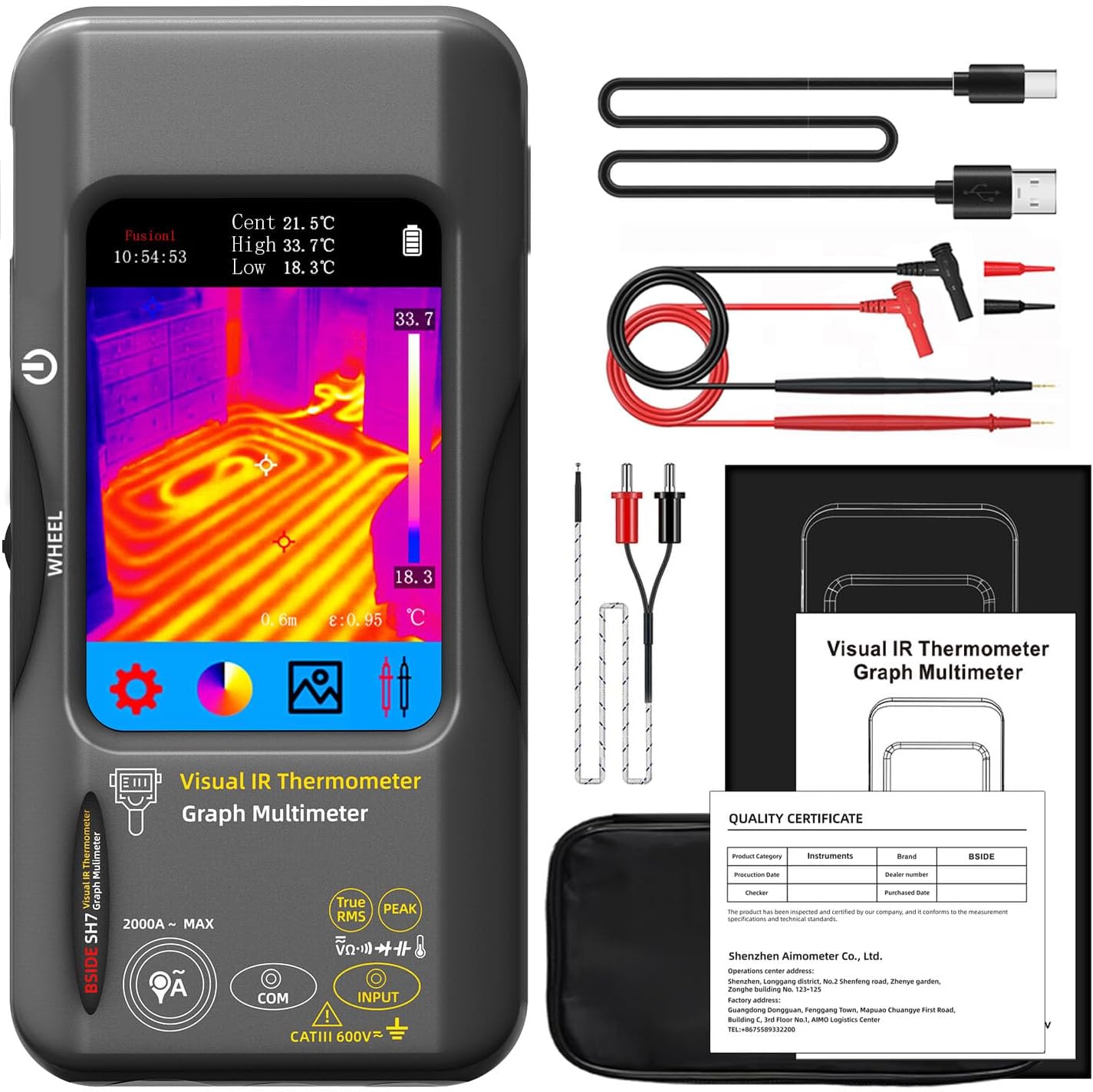
Figure 2.1: Contents of the BSIDE SH7 package, including the device, charging cable, carrying case, and user manual.
۱. تنظیم او لومړنی کارول
3.1 د وسیلې چارج کول
The SH7 comes with a built-in 2500mAh rechargeable battery. Before first use, or when the battery indicator shows low power, connect the device to a power source using the provided charging cable. The charging indicator will show the charging status.
3.2 بریښنا کول / بندول
To power on the device, press and hold the power button located on the side. The device will display a loading screen before entering the main interface. To power off, press and hold the power button again until the device shuts down.
Video 3.1: Demonstrates the unboxing and initial power-on sequence of the BSIDE SH7 Thermal Imager Multimeter, showing the device's startup and basic interface.
3.3 د ژبې ترتیبات
د ښودلو ژبه بدلولو لپاره:
- From the main screen, tap the ترتیبات آیکون (د ګیر سمبول).
- ته لاړشئ نور ترتیبات.
- وټاکئ ژبه.
- Choose your desired language from the list (e.g., English).
Video 3.2: Illustrates how to navigate the settings menu to change the language on the BSIDE SH7 device.
4. عملیاتي لارښوونې
4.1 Thermal Imaging Mode
The SH7 features a 320x320 IR resolution thermal imager, ideal for detecting heat signatures and identifying potential issues in various applications.

Figure 4.1: The SH7's thermal imaging display, highlighting its 320x320 infrared resolution for clear thermal analysis.
۵.۴ حرارتي تختې
The device offers 15 thermal palettes to visualize temperature differences. You can switch between these palettes to best suit your application and enhance contrast for specific thermal patterns.
- سپینه ګرمه
- تور ګرم
- فیوژن 1
- رینبو
- فیوژن 2
- Iron Red 1
- Iron Red 2
- تور نسواري
- رنګ 1
- رنګ 2
- یخ اور
- باران
- شنه ګرم
- سور ګرم
- تور نیلي

Figure 4.2: Visual representation of the 15 thermal palettes, allowing users to select the best display mode for their thermal imaging needs.
Video 4.1: Demonstrates how to cycle through and select different thermal palettes on the BSIDE SH7, showcasing the visual impact of each palette.
4.1.2 Touch LCD and 3-Spots Display
The 3.98-inch 320x480 color touch screen allows for intuitive navigation and clear display of thermal images. It can simultaneously display hot, cold, and central spot temperatures on the screen, aiding in quick analysis.
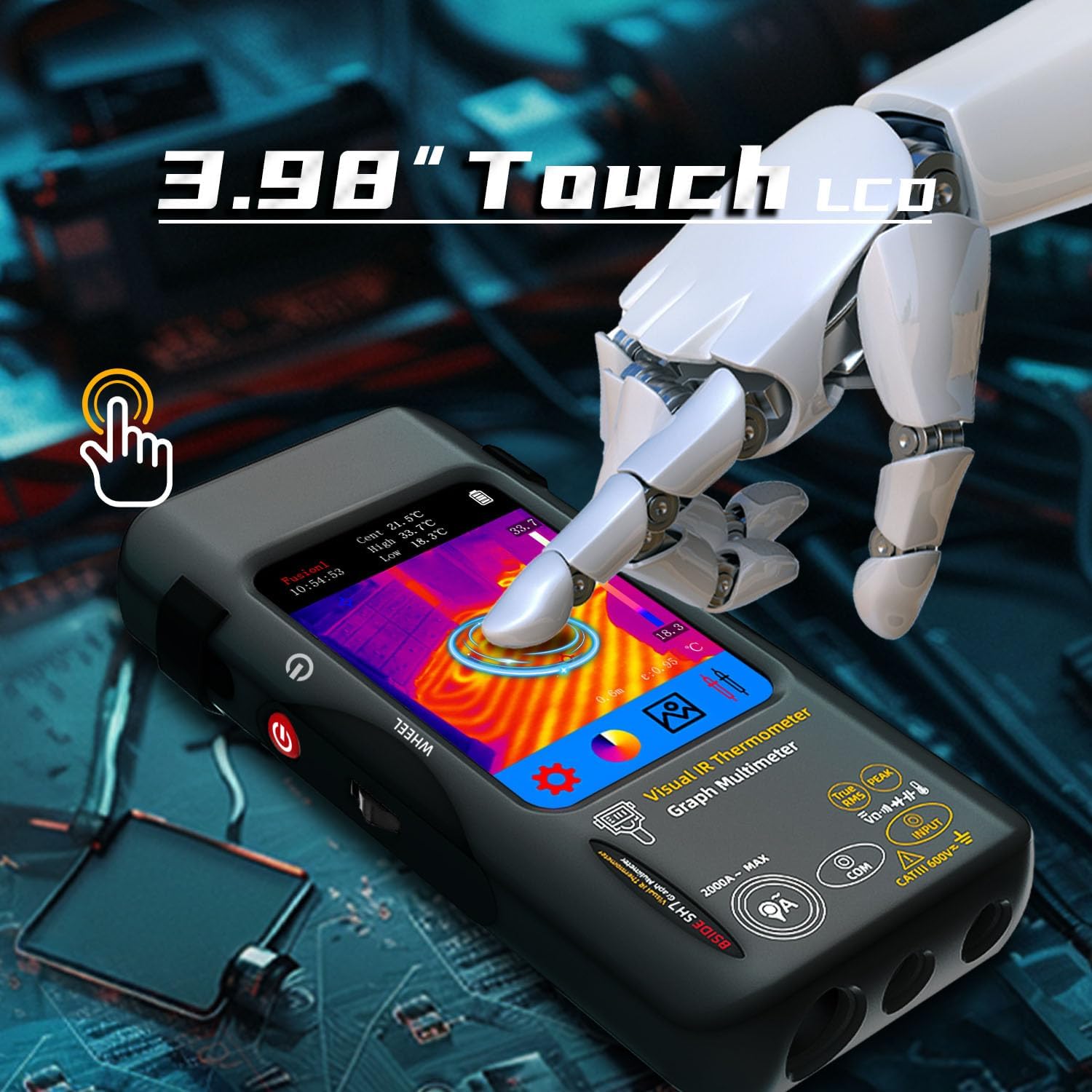
Figure 4.3: A hand demonstrating the touch screen functionality of the SH7, highlighting its ease of use.

Figure 4.4: The SH7's display showing the automatic identification and labeling of hot, cold, and central temperature spots within a thermal image.
4.1.3 Emissivity and Distance Settings
For accurate temperature readings, adjust the emissivity setting (0.01-1) based on the material being inspected. The device also allows for distance settings (0.3-3 m) to optimize thermal image clarity.
Video 4.2: Shows how to access and adjust emissivity and distance settings within the SH7's menu for improved thermal measurement accuracy.
4.1.4 High & Low Temperature Alarm
The SH7 includes high and low temperature alarm functions. When enabled, the device will alert you if the measured temperature exceeds or falls below your preset thresholds.
4.2 Digital Multimeter Mode
The integrated 20000-count digital multimeter provides comprehensive electrical measurement capabilities.

Figure 4.5: The SH7's multimeter display showing a measurement, emphasizing its 20000-count resolution.
۴.۲ د اندازه کولو دندې
The multimeter can measure the following parameters:
- AC او DC Voltage
- مقاومت
- دوام
- ظرفیت
- ډایډ
- د حرارت درجه
- د انعطاف وړ AC اوسنی Clamp (up to 2000A, clamp شامل نه دی)
Video 4.3: Demonstrates switching between various multimeter functions (DC voltage, resistance, capacitance, AC current) on the BSIDE SH7.

Figure 4.6: The SH7 in use for electronic maintenance, showcasing its capability to measure capacitance.
۴.۳ د معلوماتو ذخیره کول او صادرول
The SH7 can store over 19,000 images. You can connect the device to a computer via USB to export and analyze the captured thermal images and measurement data.

Figure 4.7: The SH7 connected to a computer, illustrating the process of real-time image export for further analysis and record-keeping.
5. ساتنه
5.1 پاکول
Wipe the device with a soft, dry cloth. For stubborn dirt, use a slightly damp cloth with mild soap, then dry thoroughly. Do not use abrasive cleaners or solvents.
5.2 ذخیره کول
Store the SH7 in its carrying case in a cool, dry place away from direct sunlight and extreme temperatures. Ensure the battery is partially charged before long-term storage.
5.3 د بیټرۍ پاملرنه
To prolong battery life, avoid fully discharging the battery frequently. Recharge the device regularly, even if not in active use, especially during long storage periods.
6. ستونزه حل کول
| ستونزه | احتمالي لامل | د حل لاره |
|---|---|---|
| وسیله فعاله نه ده. | د بیټرۍ چارج کم دی؛ د بریښنا تڼۍ د اوږدې مودې لپاره نه ده نیول شوې. | Charge the device; Press and hold the power button for at least 3 seconds. |
| د تودوخې ناسم لوستل. | Incorrect emissivity setting; Object too far or too close. | Adjust emissivity for the material; Ensure object is within 0.3-3m range. |
| Multimeter readings are unstable. | Poor probe connection; Interference. | Ensure probes are securely connected; Minimize electromagnetic interference. |
| Cannot export data to computer. | Faulty USB cable; Driver issue; Device not in data transfer mode. | Try a different USB cable; Check computer's device manager for drivers; Ensure device is recognized. |
7. مشخصات
7.1 Infrared Camera Specifications
- د ښودلو اندازه: 3.98 انچ TFT LCD
- د IR پریکړه: 320 x 320
- د سکرین ریزولوشن: 320 x 480
- زاویه View (FOV): 50.0°(H)x 50.0°(V)/72.1°(D)
- Spatial Resolution (IFOV): 8.89 mrad
- د حرارت درجه: -20℃-550℃ (-4℉-1022℉)
- حرارتي حساسیت/NETD: Less than 60mk
- د تازه کولو نرخ: 25Hz
- د واټن ترتیبات: 0.3-3 متر
- احساسات: 0.01-1 (د تعدیل وړ)
- Thermal Palettes: 15
- Number of storage images: 19000
7.2 Digital Multimeter Specifications
- MAX Display: 20000 شمېرې
- DC Voltage:
- 20mV/200mV: 0.001mV/0.01mV ±(0.1%+3)
- 2V/20V: 0.0001V/0.001V ±(0.05%+3)
- 200V/1000V: 0.01V/0.1V ±(0.5%+3)
- AC Voltage:
- 20mV/200mV: 0.001mV/0.01mV ±(0.1%+3)
- 2V/20V: 0.0001V/0.001V ±(0.05%+3)
- 200V/750V: 0.01V/0.1V ±(0.5%+3)
- Flexible AC Current: 200A/2000A: 0.1A/1A ±(1.0%+5)
- مقاومت:
- 200Ω: 0.01Ω ±(0.5%+3)
- 2kΩ/20KΩ/200KΩ: 0.0001KΩ/0.001KΩ/0.01KΩ ±(0.2%+3)
- 2MΩ/20MΩ: 0.0001MΩ/0.001MΩ ±(1%+3)
- 200MΩ: 0.01MΩ ±(5%+5)
- ظرفیت:
- 999.99nF: 0.01nF ±(5.0%+20)
- 9.999µF/999.9µF: 0.001µF/0.01µF ±(2%+5)
- 99.999mF: 0.001mF ±(5%+10)
- دحرارت درجه: -20℃~1300℃ / -4℉-2372℉: 1℃/1℉ ±(2%+5)
- ډیوډ: هو
- دوام: هو
7.3 عمومي مشخصات
- ځواک: 2500mAh rechargeable battery (built-in)
- اندازه: 169 x 81 x 26.8 ملي متره (6.61 x 3.19 x 1.02 انچه)
- وزن: 270 ګرامه (9.5 اونس)
- بهرنی مواد: پلاستیک
- د ښودلو ډول: LCD سکرین
- د ارتباط ټیکنالوژي: USB
- د کور دننه او بهر کارول: بهر
8. تضمین او ملاتړ
For warranty information and technical support, please refer to the documentation provided at the time of purchase or contact BSIDE customer service through their official webسایټ یا هغه پرچون پلورونکي چې تاسو یې محصول اخیستی دی. د تضمین ادعاوو لپاره د پیرود ثبوت په توګه د پیرود رسید وساتئ.


