1. پیژندنه
Welcome to your Karlsson Brisk Alarm Clock. This manual provides detailed instructions for the proper setup, operation, and maintenance of your new timepiece. Please read this manual thoroughly before use and retain it for future reference.
1.1 د بسته محتويات
- Karlsson Brisk Alarm Clock (Dark Grey)
- یوځای شوی موقف
- د کارونکي لارښود (دا لاسوند)

شکل 1: مخکی view of the Karlsson Brisk Alarm Clock, Dark Grey.
2. ترتیب کول
2.1 د بیټرۍ داخلول
The Karlsson Brisk Alarm Clock requires one AA battery (not included) for operation.
- د ساعت په شا کې د بیټرۍ کڅوړه ومومئ.
- Open the battery compartment cover by sliding or gently prying it open.
- Insert one AA battery, ensuring the correct polarity (+/-) as indicated inside the compartment.
- د بیټرۍ کمپارټ پوښ په خوندي ډول وتړئ.

شکل 2: شاته view of the clock, highlighting the battery compartment and control knobs.
2.2 د وخت ټاکل
Once the battery is inserted, set the current time:
- Locate the time setting knob (usually the rightmost knob) on the back of the clock (refer to Figure 2).
- Gently turn this knob clockwise or counter-clockwise to adjust the hour and minute hands to the current time.
۲. د الارم ساعت چلول
3.1 د الارم تنظیم کول
To set your desired alarm time:
- Locate the alarm setting knob (usually the leftmost knob) on the back of the clock (refer to Figure 2).
- Turn the alarm setting knob to move the small alarm hand to your desired alarm time.
- Ensure the alarm ON/OFF switch (located on the back, typically a slider) is in the "ON" position to activate the alarm.
3.2 Turning the Alarm On/Off
Use the ON/OFF switch on the back of the clock to activate or deactivate the alarm function.
- Slide the switch to "ON" to enable the alarm. The alarm will sound at the set time.
- Slide the switch to "OFF" to disable the alarm. The alarm will not sound.
4. ساتنه
4.1 پاکول
To clean the clock, gently wipe the surface with a soft, dry cloth. Do not use abrasive cleaners, chemical solvents, or excessive moisture, as these may damage the finish or internal components.
4.2 د بیټرۍ بدلول
Replace the AA battery when the clock hands slow down or stop moving, or if the alarm sound weakens. Follow the "Inserting the Battery" instructions in Section 2.1.
5. ستونزه حل کول
| ستونزه | احتمالي لامل | د حل لاره |
|---|---|---|
| ساعت کار نه کوي / لاسونه نه حرکت کوي | Battery incorrectly inserted or depleted. | د بیټرۍ قطبیت وګورئ. د نوي AA بیټرۍ سره بدل کړئ. |
| الارم نه غږیږي | Alarm switch is OFF, battery low, or alarm time incorrectly set. | Ensure alarm ON/OFF switch is in "ON" position. Replace battery. Verify alarm hand is set to the desired time. |
6. مشخصات
| فیچر | تفصیل |
|---|---|
| برانډ | کارلسن |
| ماډل | Brisk Alarm Clock |
| رنګ | تور خړ |
| مواد | اوسپنه |
| ابعاد (W x H x D) | 11 cm x 13.8 cm x 6.5 cm |
| وزن | 300 ګرامه |
| د بریښنا سرچینه | 1 x AA بیټرۍ (شامل نه ده) |
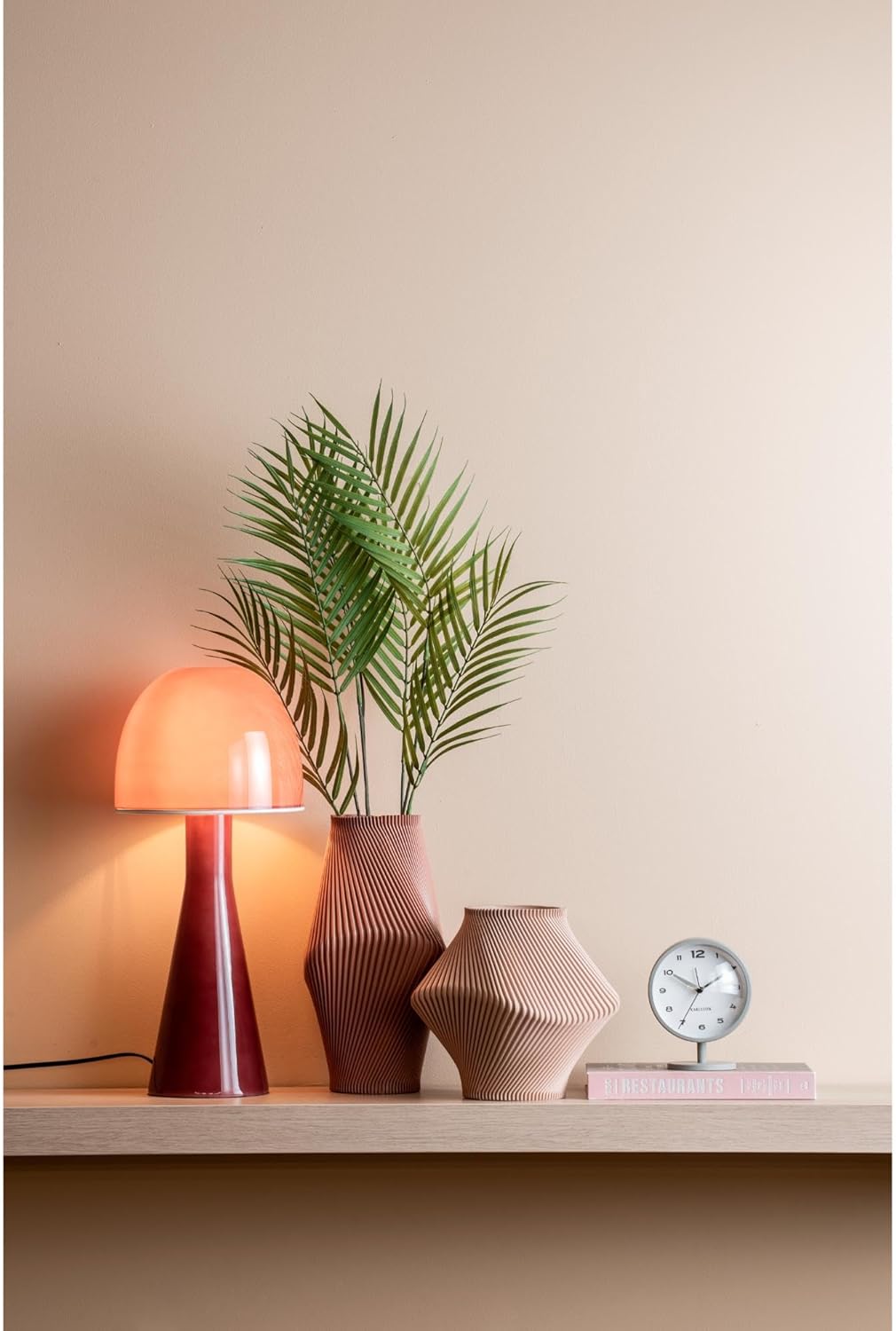
Figure 3: The Karlsson Brisk Alarm Clock displayed in a contemporary interior, illustrating its size and aesthetic.
7. تضمین او ملاتړ
For warranty information, technical support, or service inquiries, please refer to the retailer where the product was purchased. It is recommended to keep your proof of purchase for any warranty claims. You may also visit the official Karlsson webد اضافي ملاتړ سرچینو لپاره سایټ.


