1. پیژندنه
This manual provides essential information for setting up, operating, and maintaining your XIXIMENG M15 Retro Game Stick. Please read it thoroughly to ensure optimal performance and longevity of your device. The M15 Retro Game Stick is a compact gaming console designed to bring classic gaming experiences to your 4K Ultra HD TV, monitor, or projector.
2. د بسته محتويات
ډاډ ترلاسه کړئ چې لاندې ټول توکي ستاسو په بسته کې شامل دي:
- 1 x M15 Game Console (Game Stick)
- 2 x Wireless Gamepads
- 1 x HD Cable (HDMI Extension Cable)
- 1 x Power Cable (USB)
- 1 ایکس USB ترلاسه کوونکی
- 1 x TF Card (64GB, pre-installed in the game stick)
- 1 x د کارونکي لارښود

شکل ۲.۱: د بستې محتوياتview
This image displays the M15 Game console, two wireless gamepads, an HD cable, a power cable, and a USB receiver, which are all included in the product package.
۴. د تنظیم لارښوونې
Follow these steps to connect your M15 Retro Game Stick to your display device:
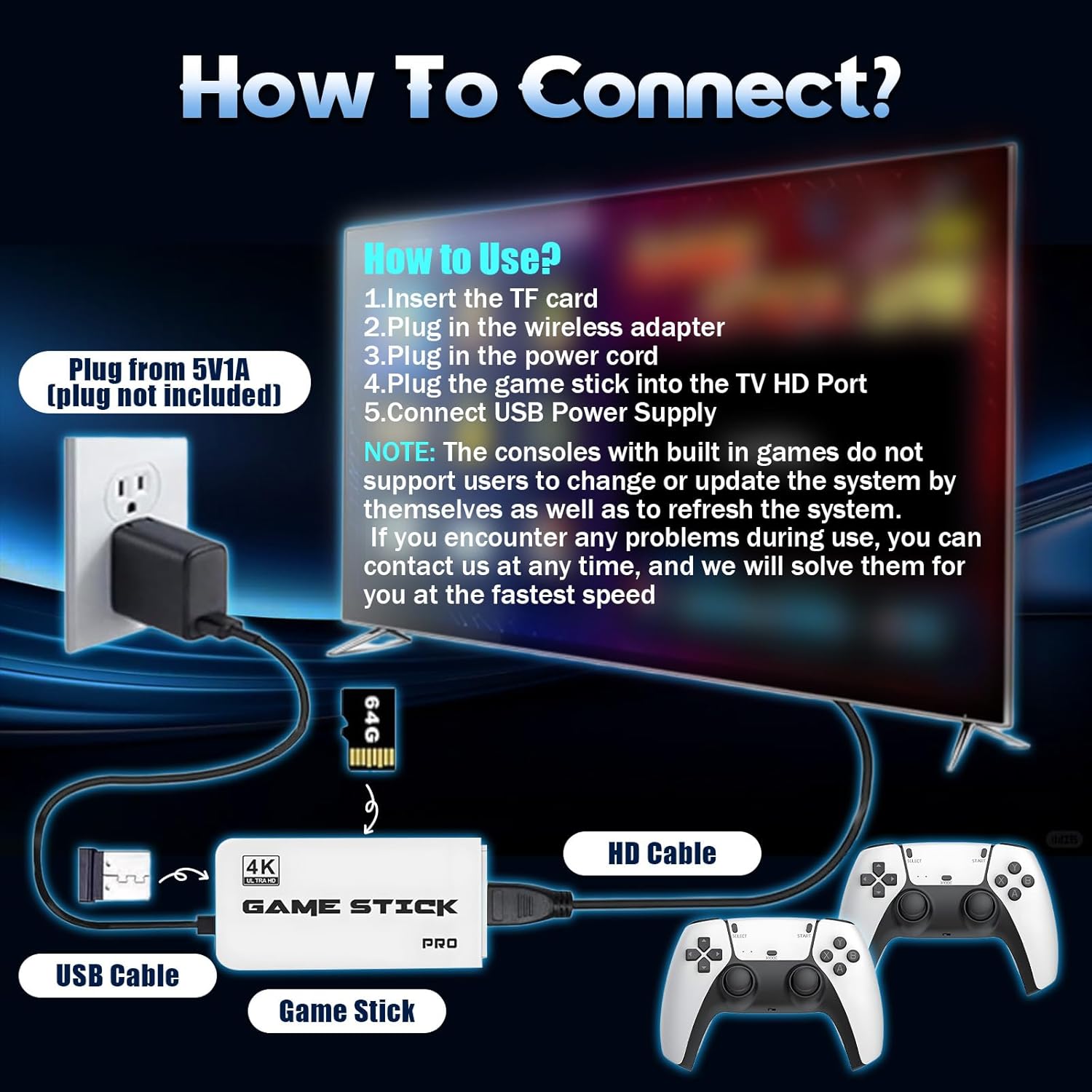
- د TF کارت دننه کړئ: Ensure the 64GB TF card is already installed in the card slot of the game stick. Do not remove or format the SD card, as it contains games and system files.
- د USB رسیدونکي سره وصل کړئ: Plug the 2.4GHz USB wireless receiver into the USB port on the game stick.
- د بریښنا کیبل وصل کړئ: Connect the USB power cable to the game stick. The power supply should be 5V/1A or above.
- Connect to TV/Monitor: Plug the game stick (via the extended HDMI cable if needed) into an available HDMI input port on your TV, monitor, or projector.
- پاور آن: Connect the USB power cable to a 5V/1A power source (e.g., a USB wall adapter, not included, or a TV USB port if it provides sufficient power).
- د ننوتلو سرچینه غوره کړئ: On your display device, switch the input source to the corresponding HDMI channel where the game stick is connected. The game list screen should appear.
- د کنټرولر بیټرۍ داخل کړئ: Insert 2 AAA batteries (not included) into each wireless gamepad.

شکل 3.1: د پیوستون ډیاګرام
This diagram illustrates the step-by-step process of connecting the game stick to a television, including the game stick, USB cable, HD cable, and wireless controllers.
Video 3.1: Retro Game Console Overview
دا ویډیو په لنډه توګه وړاندې کويview of the retro game console, demonstrating its components and basic functionality.
4. عملیاتي لارښوونې
۵.۱ په مینو کې نیویګیټ کول
Once connected and powered on, the main game selection menu will appear on your screen. Use the wireless controllers to navigate through the game list and emulator categories.
4.2 Selecting and Starting Games
Use the directional pad or left joystick on your controller to browse through the available games. Press the A button (or equivalent action button) to select a game and start playing.
4.3 Returning to the Main Menu
To exit a game and return to the main menu, simultaneously press the انتخاب او START buttons on your controller.
4.4 Game Collections and Favorites
The console supports game collections. You can use the START button for three seconds to add or remove your favorite games from a dedicated collection for quick access.
4.5 بې سیم کنټرولرونه
The M15 comes with two 2.4GHz wireless controllers, allowing for two-player gaming. The wireless control range is up to 8 meters, providing flexibility and comfort during gameplay. These controllers require 2 AAA batteries each (not included).
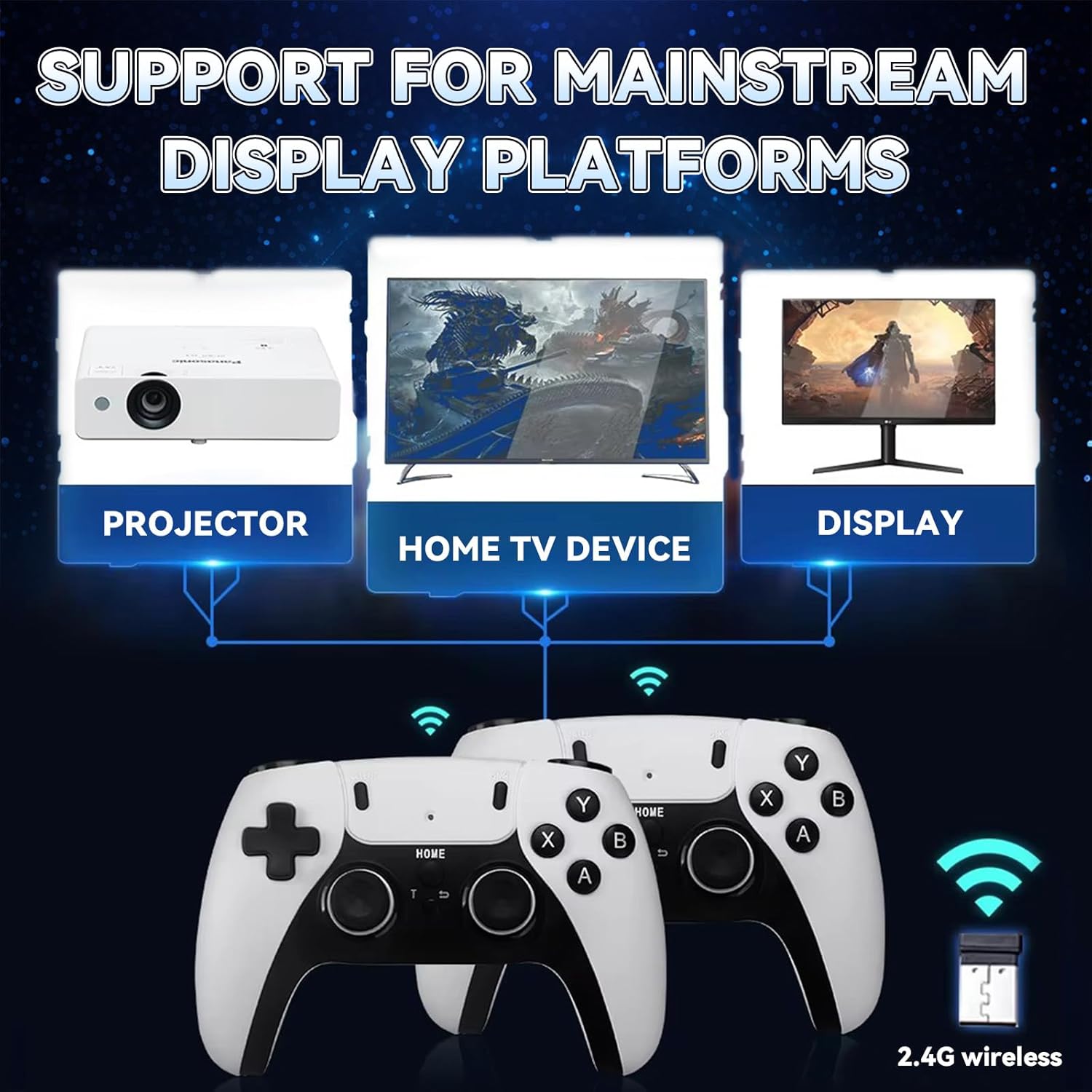
Figure 4.1: Wireless Game Controllers
This image shows the two wireless gamepads included with the M15 Retro Game Stick, highlighting their design and dual-player capability.
شکل 4.2: د کنټرول ځانګړتیاوې
This image details the ergonomic design, comprehensive key controls, and sensitive joysticks of the wireless gamepads.
۳.۳. ښودنه او نښلونه
The M15 Retro Game Stick supports 4K Ultra HD TV video output (1080p/720p), providing crisp and vibrant visuals. It is compatible with various devices that have an HDMI input port, including:
- تلویزیونونه
- څارونکي
- Computers (with HDMI input)
- پروجکټورونه
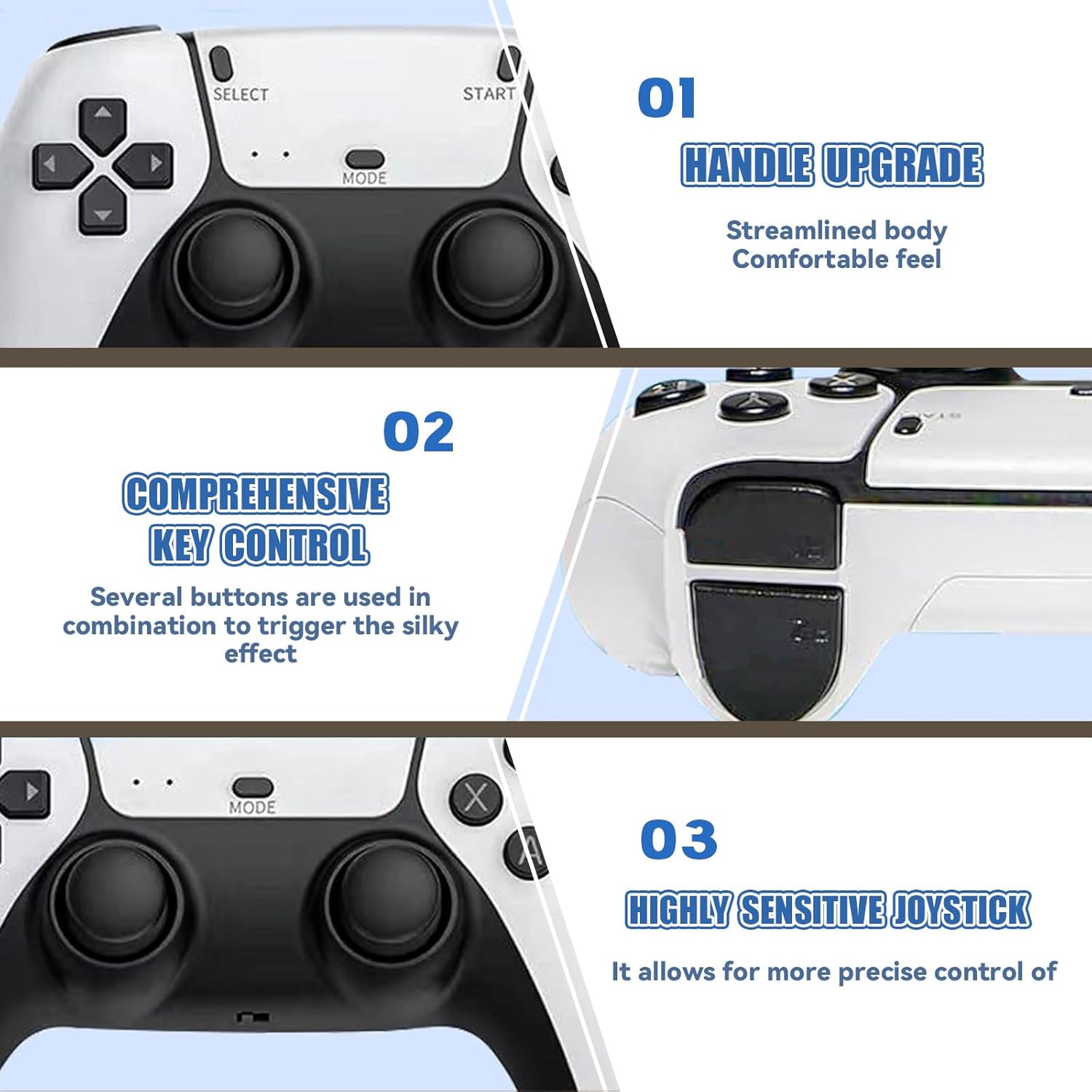
Figure 5.1: 4K HD TV Video Output
This image demonstrates the 4K HD video output capability of the game stick when connected to a television.

Figure 5.2: Support for Mainstream Display Platforms
This image highlights the game stick's compatibility with various display devices such as projectors, TVs, and monitors.
6. ساتنه
Proper care ensures the longevity of your M15 Retro Game Stick:
- TF Card Handling: Do not remove the TF card while the device is powered on. Avoid formatting the SD card, as it contains essential system files and games. If the card is damaged, the host may become unusable.
- پاکول: Keep the console clean by using a soft, dry cloth. Avoid using harsh chemicals that may damage the screen or body of the console.
- د چاپیریال شرایط: Avoid exposing the console to extreme temperatures or direct sunlight for long periods, as this can affect performance and lifespan.
- چارج کول: When charging, use the original USB Type-C cable or a high-quality compatible cable to ensure safe and efficient charging.
7. ستونزه حل کول
که تاسو له ستونزو سره مخ شئ، لاندې عامې ستونزې او حل لارې وګورئ:
- په تلویزیون کې نه ښودل کیږي:
- Ensure the game stick is securely plugged into the TV's HDMI port.
- Confirm the TV input source is set to the correct HDMI channel.
- Verify the USB power cable is connected to a 5V/1A power source. Insufficient power (e.g., from a TV USB port that doesn't provide enough current) can prevent display.
- Check if the TF card is properly inserted and not damaged.
- کنټرولر ځواب نه ورکوي:
- Ensure fresh AAA batteries are correctly installed in the controllers.
- Verify the USB receiver is securely plugged into the game stick.
- Try unplugging and re-plugging the USB receiver.
- If the controller fails to connect, try resetting the controller or refer to the manufacturer for specific operation video.
- Game Lag or Performance Issues:
- Ensure the game stick has adequate ventilation to prevent overheating.
- Some larger or more complex games may experience minor performance variations due to emulation.
If you encounter any problems during use, please contact customer support for assistance. We aim to respond and solve issues within 12 hours.
8. مشخصات
| فیچر | تفصیل |
|---|---|
| د ماډل شمیره | M15 |
| د ذخیره کولو ظرفیت | 64GB TF Card (pre-installed) |
| پری بار شوي لوبې | ۴۲+ |
| Emulators Supported | ۴ ډوله |
| د ویډیو تولید | 4K Ultra HD (1080p/720p) |
| ارتباط | HDMI |
| کنټرولونکي | Dual 2.4GHz Wireless Gamepads |
| د کنټرولر بیټرۍ | په هر کنټرولر کې دوه x AAA بیټرۍ (شامل نه دي) |
| د بیسیم رینج | تر 8 مترو پورې |
| د بریښنا انډول | 5V/1A USB |
| د محصول ابعاد | 6.5 x 4.7 x 4.3 انچه |
9. د خوندیتوب معلومات
مهرباني وکړئ د خوندیتوب لاندې لارښوونې تعقیب کړئ:
- Avoid exposing the console to extreme temperatures or direct sunlight for long periods, as this may affect the performance and lifespan of the device.
- When charging, use the original USB Type-C cable or a high-quality compatible cable to ensure safe and efficient charging.
- Keep the console clean by using a soft, dry cloth. Avoid using harsh chemicals that may damage the screen or body of the console.
- د کوچنیو ماشومانو له لاسرسي لرې وساتئ ترڅو د کوچنیو برخو ناڅاپي خوړلو مخه ونیسئ.
10. تضمین او ملاتړ
Your XIXIMENG M15 Retro Game Stick comes with a 1-month return service. If you are not satisfied, you may return the product for a refund within this period. Additionally, we offer a lifetime worry-free warranty. For any issues or support, please contact us. We are committed to responding and resolving problems within 12 hours.
Video 10.1: BELOPERA Retro Gamestick for Holiday (Preview)
This short video provides a quick look at the BELOPERA Retro Gamestick, showcasing its appearance and highlighting its suitability as a holiday gift.


