1. پیژندنه
This manual provides essential information for setting up, operating, maintaining, and troubleshooting your Sony BRAVIA 2M2 Series 4K Ultra HD Smart LED Google TV, model K-55S25BM2. Please read this manual thoroughly before using your television to ensure proper and safe operation.
The Sony BRAVIA 2M2 Series TV features a 4K Ultra HD display, Google TV operating system, and advanced audio technologies for an immersive viewتجربه
2. ترتیب کول
۲.۱ په بکس کې څه دي
ډاډ ترلاسه کړئ چې ټولې برخې په بسته بندۍ کې شتون لري:
- ۱ د LED تلویزیون واحد
- 1 د AC بریښنا کارډ
- 1 ریموٹ کنټرول
- دوه AAA بیټرۍ (د ریموټ کنټرول لپاره)
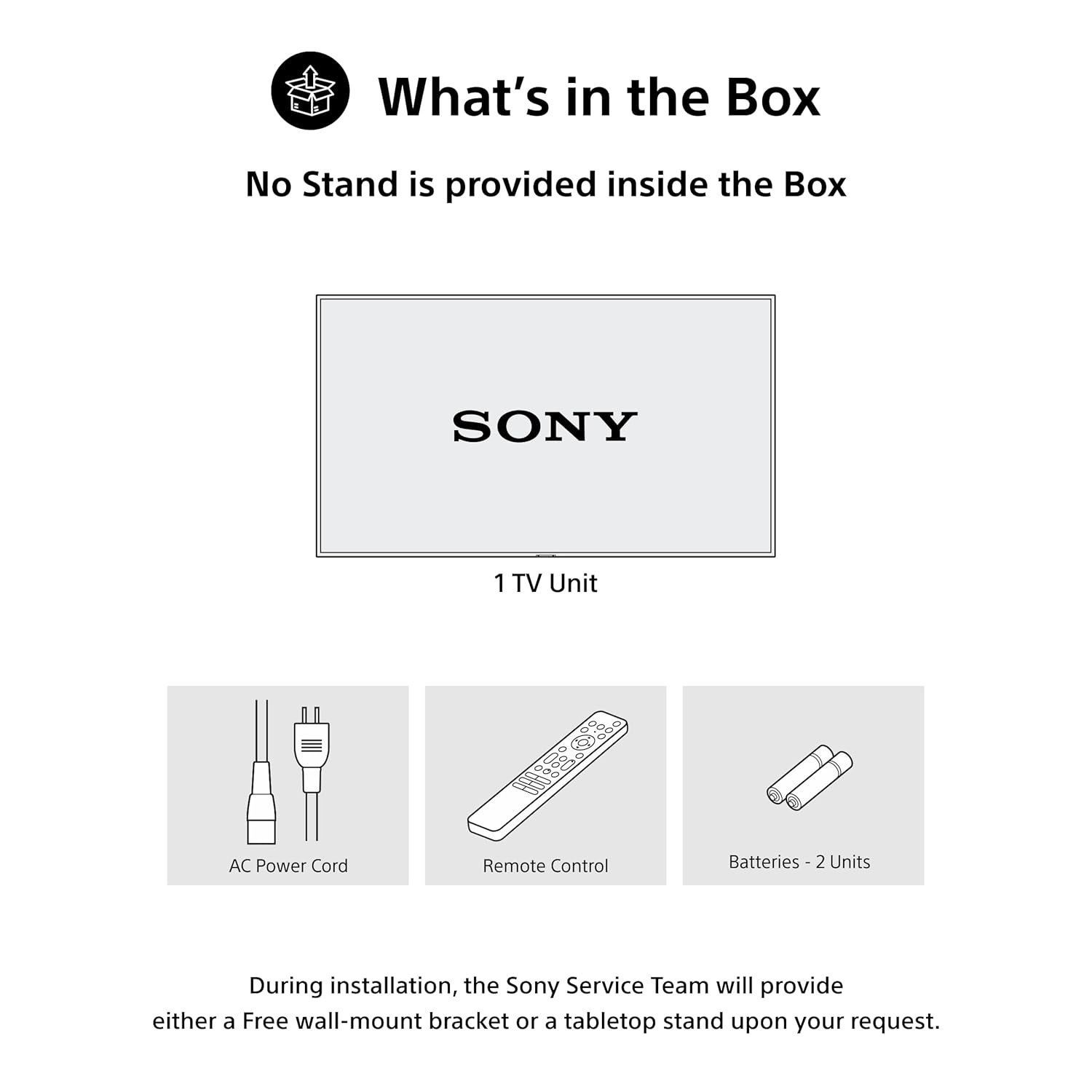
Figure 2.1: Included items in the product packaging. Note: A stand is not provided inside the box. During installation, the Sony Service Team will provide either a free wall-mount bracket or a tabletop stand upon your request.
2.2 فزیکي نصب کول
The television can be installed using a wall mount or a tabletop stand. Ensure the chosen location provides adequate ventilation and is away from direct sunlight or heat sources. Refer to the separate installation guide for detailed instructions on mounting the TV.
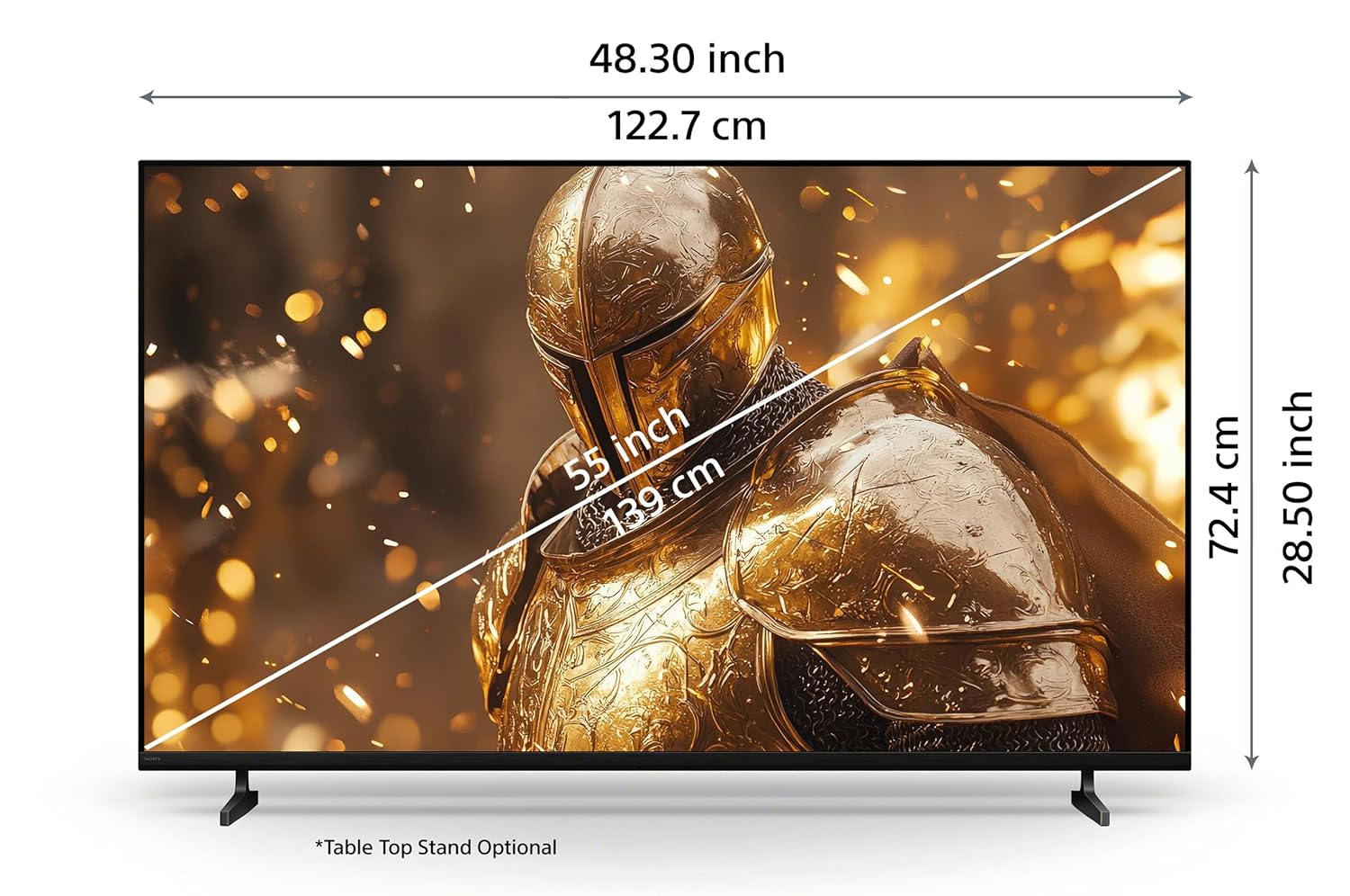
Figure 2.2: Product dimensions for the 55-inch model. Tabletop stand is optional.
2.3 د نښلولو وسایل
Connect your external devices such as set-top boxes, Blu-ray players, gaming consoles, and USB storage devices to the appropriate ports on the TV. Ensure the TV is powered off before making any connections.
- HDMI بندرونه: The TV features 4 HDMI ports for high-definition audio and video input. HDMI 3 supports eARC/ARC for enhanced audio return channel functionality.
- USB پورټونه: د هارډ ډرایو او نورو USB وسیلو د نښلولو لپاره دوه USB پورټونه شتون لري.
- LAN پورټ: د تار لرونکي انټرنیټ اتصال لپاره د LAN پورټ وکاروئ.

شکل 2.3: شاته view of the TV showing various connectivity ports.
3. عملیاتي لارښوونې
3.1 بریښنا کول / بندول
Press the power button on the remote control or on the TV to turn the television on or off. Ensure the power cord is securely connected to both the TV and a power outlet.
3.2 د ریموټ کنټرول فعالیتونه
The included remote control provides access to all TV functions. Insert the two AAA batteries into the remote control, observing the correct polarity.
- One Click Google Assistant: د غږیز امرونو لپاره وقف شوی تڼۍ وکاروئ.
- د چټک لاسرسي تڼۍ: Direct access to Sony Picture Core, YouTube, Netflix, Sony Liv, Prime Video, and Crunchyroll.

Figure 3.1: Remote control layout with key function buttons.
۵.۲ د ګوګل تلویزیون انٹرفیس
Navigate the Google TV interface to access apps, streaming services, and personalized content recommendations. Use the directional pad and select button on the remote to browse.

Figure 3.2: Google TV home screen displaying various applications and content.
3.4 غږ لټون
Utilize the built-in Google Assistant for voice commands. Press the Google Assistant button on your remote and speak clearly to search for content, control your TV, or get information.

Figure 3.3: Voice search functionality via the remote control.
3.5 بې سیم اتصال
The TV supports Wi-Fi, Bluetooth, Apple AirPlay 2, and Google Cast for seamless wireless connectivity.
- وای فای: د انټرنیټ لاسرسي او سمارټ تلویزیون ځانګړتیاو لپاره خپل کور شبکې سره وصل شئ.
- بلوتوث: Pair Bluetooth headphones or other compatible audio devices.
- Apple AirPlay 2 / Google Cast: Stream videos, photos, and music directly from your iOS or Android devices to the TV.

Figure 3.4: Streaming content from a smartphone to the TV.
۴.۳ د لوبو ځانګړتیاوې
دا تلویزیون ستاسو د لوبو تجربې د ښه کولو لپاره لاندې ځانګړتیاو سره سمبال دی:
- د لوبې مینو: Access gaming-specific settings and adjustments for optimal performance.
- ALLM/eARC (HDMI 2.1 Compatible): Auto Low Latency Mode (ALLM) reduces input lag, and enhanced Audio Return Channel (eARC) provides high-quality audio passthrough to compatible sound systems.
4. ساتنه
۴.۱ د تلویزیون پاکول
د سکرین پاکولو لپاره، په نرمۍ سره یې د نرم، وچ ټوکر سره پاک کړئ. د سختو نښو لپاره، یو څه لږampen the cloth with water. Do not use harsh chemicals or abrasive cleaners. For the TV frame and stand, use a soft, dry cloth.
4.2 Power Saving (Eco Dashboard)
The Eco Dashboard 2 provides real-time energy consumption insights and allows you to optimize settings for eco-friendly performance. This includes adjusting brightness based on ambient light and other power-saving options.

Figure 4.1: Eco Dashboard 2 for managing power consumption.
5. ستونزه حل کول
که تاسو په خپل تلویزیون کې ستونزې سره مخ شئ، لاندې عامې ستونزې او حل لارې وګورئ:
- ځواک نشته: Ensure the AC power cord is securely connected to the TV and a working power outlet. Check if the power outlet is functional.
- انځور/غږ نشته: Verify that the correct input source is selected. Check all cable connections (HDMI, antenna, etc.) for secure fit. Restart connected devices.
- ریموټ کنټرول ځواب نه ورکوي: په ریموټ کنټرول کې بیټرۍ وګورئ او که اړتیا وي نو بدل یې کړئ. ډاډ ترلاسه کړئ چې د ریموټ او د تلویزیون د IR سینسر ترمنځ هیڅ خنډ شتون نلري.
- د شبکې د اتصال ستونزې: For Wi-Fi, ensure your router is on and within range. For wired connections, check the LAN cable. Try restarting your router and modem.
- د انځور کیفیت مسایل: Adjust picture settings (brightness, contrast, sharpness) in the TV menu. Ensure you are watching high-quality content (e.g., 4K content for optimal 4K display).
For more detailed troubleshooting or persistent issues, please contact Sony customer support.
6. مشخصات
| فیچر | مشخصات |
|---|---|
| برانډ | سوني |
| ماډل | د K-55S25BM2 معرفي کول |
| د ماډل نوم | براویا |
| د سکرین اندازه | 55 انچونه (139 سانتي متره) |
| قرارداد | 4K الټرا ایچ ډي (3840 x 2160) |
| د تازه کولو نرخ | 60 هرټز |
| ټیکنالوژي ښکاره کول | LED |
| پروسیسر | 4K پروسیسر X1 |
| عملیاتي سیسټم | ګوګل تلویزیون |
| د غږ محصول | 20 Watts, 2ch, Open Baffle Speaker |
| د آډیو ځانګړتیاوې | DTS Digital Surround, DTS:X, Dolby Atmos, Dolby Audio |
| د HDMI بندرونه | 4 (ALLM/eARC compatible) |
| USB بندرونه | 2 |
| بې سیم ارتباط | وای فای، بلوتوث |
| د سمارټ تلویزیون ځانګړتیاوې | Google TV, Watchlist, Google Assistant, Google Cast, Game Menu, Apple Airplay 2, Apple Homekit, Alexa |
| د انرژي کچه | 2 ستوری |
| د محصول ابعاد (LxWxH) | 122.7 x 8.2 x 72.4 سانتي متره |
| د توکي وزن | 13.2 کیلو ګرامه |
7. تضمین او ملاتړ
7.1 د تضمین معلومات
Your Sony BRAVIA TV comes with a 1-year comprehensive warranty on the product from the date of purchase. This includes the remote control for technical issues. Please retain your purchase invoice to avail warranty services.
7.2 د پیرودونکي ملاتړ
For assistance, technical support, or service requests, please contact Sony customer care:
- د پیرودونکي پاملرنې شمیره: 080 6500 6500
- بریښنالیک: سوني انډیا.کیر@ap.sony.com
- Webسایټ: لیدنه سوني انډیا.کو.ان for product recycling information and further support.
Sony provides trained and verified experts for installation and support services.

Figure 7.1: Sony's customer support and installation services.


