1. پیژندنه
Thank you for choosing the ILEBYGO Mini Projector B0F83Q1HHT. This portable projector is designed to provide a versatile entertainment experience with its Android 13 operating system, WiFi 6, Bluetooth 5.0, 1080P Full HD resolution with 4K support, 320 ANSI lumens brightness, 270-degree rotation, auto keystone correction, and autofocus. This manual provides essential information for setting up, operating, and maintaining your projector.
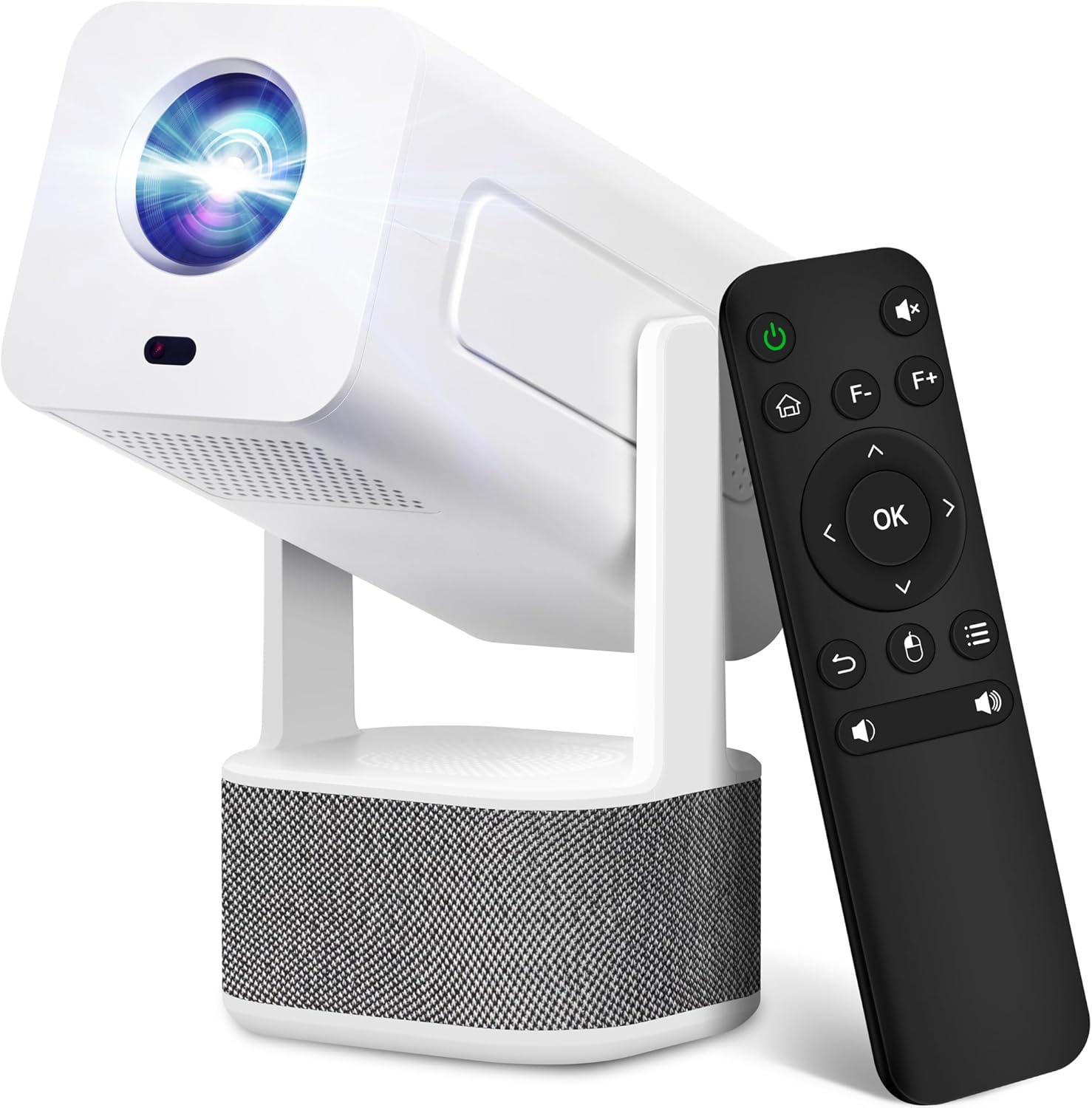
Image 1.1: ILEBYGO Mini Projector and Remote Control
The ILEBYGO Mini Projector B0F83Q1HHT offers a projection size ranging from 30 to 200 inches, making it suitable for various environments from small rooms to outdoor settings. Its dual 5W speakers deliver integrated audio, and multiple connectivity options ensure compatibility with a wide range of devices.
۲. په بکس کې څه دي؟
مهرباني وکړئ د خپل کڅوړې محتويات وګورئ. که کوم توکي ورک یا خراب وي، د پیرودونکو ملاتړ سره اړیکه ونیسئ.
- 1x ILEBYGO Mini Projector
- 1x د کارونکي لارښود
- 1x بریښنا اډاپټر
- 1x ریموټ کنټرول
3. د تنظیم کولو لارښود
3.1. په بریښنا چالانول
- د بریښنا اډاپټر په پروجیکټر کې د DC ان پټ پورټ سره وصل کړئ.
- د بریښنا اډاپټر په دیوال کې ولګوئ.
- په پروجکټور یا ریموټ کنټرول کې د بریښنا تڼۍ فشار ورکړئ ترڅو وسیله چالان کړئ.

Image 3.1: Projector Connectivity Ports (DC, HDMI, USB, Audio)
3.2. Initial Placement and Adjustment
The projector features a 270-degree rotatable design, allowing flexible placement.
- پروجیکټر په مستحکم سطح کې ځای په ځای کړئ.
- Adjust the projector's angle to direct the image onto your desired projection surface (wall, screen, ceiling).
- The projector will automatically perform keystone correction and autofocus to optimize the image clarity and shape.
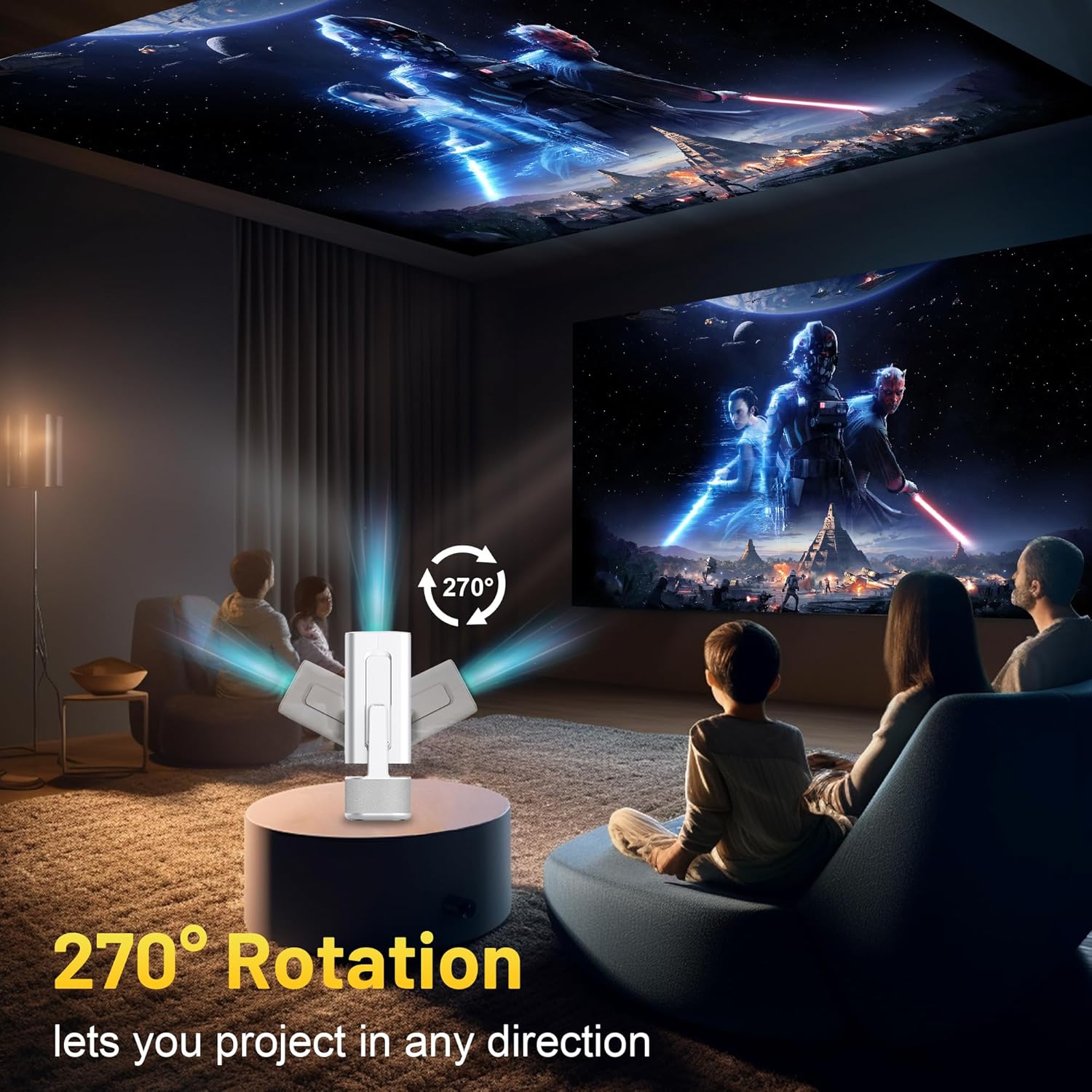
Image 3.2: 270-Degree Rotation Capability
۵.۴. د شبکې اتصال (وای فای)
To access online content and streaming services, connect the projector to a Wi-Fi network.
- From the home screen, navigate to 'Settings'.
- 'شبکه او انټرنیټ' غوره کړئ.
- وای فای چالان کړئ او له لیست څخه خپل مطلوب شبکه غوره کړئ.
- Enter the Wi-Fi password if prompted and connect.

Image 3.3: Dual Band WiFi 6 and Bluetooth 5.0
3.4. د بلوتوث جوړه کول
Pair Bluetooth devices like external speakers or headphones for enhanced audio.
- From the home screen, navigate to 'Settings'.
- Select 'Connected Devices' or 'Bluetooth'.
- بلوتوټ فعال کړئ.
- خپل بلوتوث وسیله جوړه جوړه حالت ته واچوئ.
- Select your device from the list of available devices on the projector screen to pair.
4. عملیاتي لارښوونې
4.1. نیویګیشن
Use the included remote control to navigate the projector's interface. The directional buttons, 'OK' button, 'Back' button, and 'Home' button are primary controls.
4.2. App Usage (Android 13)
The projector runs on Android 13 and comes with pre-installed streaming applications.
- From the home screen, select the desired application (e.g., Netflix, YouTube, Prime Video).
- که اړتیا وي، د خپل حساب اسنادو سره ننوتل.
- Browse and play content as you would on any Android smart device.
- Additional apps can be downloaded from the Google Play Store.

Image 4.1: Built-in Android 13 System with Apps
۵. د سکرین عکس العمل/کاسټینګ
Mirror content from your smartphone, tablet, or computer wirelessly.
- ډاډ ترلاسه کړئ چې پروجیکټر او ستاسو وسیله دواړه د ورته وای فای شبکې سره وصل دي.
- On the projector, select the screen mirroring/casting application (e.g., Miracast, AirPlay).
- On your mobile device, enable screen mirroring or casting and select the projector from the list of available devices.
4.4. External Device Connection (HDMI, USB)
Connect external devices such as laptops, gaming consoles, or USB drives.
- HDMI: Connect an HDMI cable from your device to the HDMI port on the projector. Select the HDMI input source from the projector's input menu.
- USB: Insert a USB drive into the USB port. The projector's file manager will typically open automatically, allowing you to browse and play media files.

Image 4.2: Multi-Device Compatibility
4.5. د انځور سمون
The projector features automatic adjustments for convenience.
- د اتومات کیسټون سمون: The projector automatically corrects vertical image distortion. If manual adjustment is needed, navigate to 'Settings' > 'Projection Settings' > 'Keystone Correction'.
- آٹوفوکس: The image will automatically focus when the projector is moved or powered on. Manual focus adjustment can be found in 'Settings' > 'Projection Settings' > 'Focus'.
- زوم: Adjust the projection size from 50% to 100% without moving the projector. This setting is typically found in 'Settings' > 'Projection Settings' > 'Zoom'.

Image 4.3: Auto Keystone Correction and Autofocus
5. ساتنه
5.1. پاکول
- لینز: د نظري لینزونو لپاره په ځانګړي ډول ډیزاین شوی نرم، لینټ نه لرونکی ټوکر وکاروئ. د کثافاتو موادو یا سخت کیمیاوي موادو څخه ډډه وکړئ.
- بهر: د پروجیکټر بهرنۍ برخه په نرم او وچ ټوکر سره پاک کړئ. په وسیله کې مستقیم مایع پاکوونکي مه کاروئ.
- وینټیلیشن: ډاډ ترلاسه کړئ چې د هوا د تویېدو د مخنیوي لپاره د هوا د تویېدو دروازې له دوړو او خنډونو څخه پاکې دي.
5.2. ذخیره کول
When not in use, store the projector in a cool, dry place away from direct sunlight and extreme temperatures. Use the original packaging or a protective case to prevent dust accumulation and physical damage.
6. ستونزه حل کول
د عامو ستونزو او د هغوی د حل لارو لپاره لاندې جدول ته مراجعه وکړئ.
| مسله | احتمالي لامل | د حل لاره |
|---|---|---|
| هیڅ ځواک نشته | Power cable not connected; Power outlet malfunction | ډاډ ترلاسه کړئ چې د برېښنا کیبل په خوندي ډول وصل دی. د برېښنا بل سوري هڅه وکړئ. |
| هیڅ انځور نشته | Incorrect input source; Device not connected; Projector in standby mode | Select correct input source (HDMI, USB). Ensure external device is powered on and connected. Press power button to wake projector. |
| خړ انځور | Out of focus; Keystone not corrected | Allow autofocus to adjust. Manually adjust focus in settings if needed. Check keystone correction settings. |
| نه غږ | Volume too low; Muted; External audio device not connected/paired | Increase volume. Unmute projector. Ensure Bluetooth audio device is paired and connected, or external speakers are properly connected via audio jack. |
| د وای فای اتصال مسلې | Incorrect password; Network interference; Router issues | د وای فای پټنوم تایید کړئ. پروجیکټر روټر ته نږدې کړئ. روټر بیا پیل کړئ. |
| د بلوتوث جوړه کولو ناکامي | Device not in pairing mode; Interference; Device too far | Ensure Bluetooth device is in pairing mode. Keep devices close. Turn off other Bluetooth devices to reduce interference. |
7. مشخصات
| فیچر | تفصیل |
|---|---|
| برانډ | ILEBYGO |
| ماډل | B0F83Q1HHT |
| د ښودلو ریزولوشن | 1920 x 1080 (Full HD), 4K Support |
| روښانتیا | 320 د ANSI Lumens |
| د ارتباط ټیکنالوژي | Bluetooth 5.0, HDMI, USB, Wi-Fi 6 (2.4G+5G) |
| عملیاتي سیسټم | Android 13 |
| ځانګړي ځانګړتیاوې | Auto Keystone Correction, Autofocus, 270° Rotation, Built-in Dual 5W Speakers |
| د پروجیکشن اندازه | ۸''-۱۰'' |
| د اړخ نسبت | ۴:۱/۸:۱ |
| د توکي وزن | ۲.۴۵ پونډه |
| د کڅوړې ابعاد | 13.54 x 5.39 x 5.2 انچه |
8. تضمین او ملاتړ
The ILEBYGO Mini Projector B0F83Q1HHT comes with a standard manufacturer's warranty. Please refer to the warranty card included in your package for specific terms and conditions.
For technical support, troubleshooting assistance, or warranty claims, please contact ILEBYGO customer service through the retailer's platform or the contact information provided in your product documentation.

