پیژندنه
This manual provides detailed instructions for the Kinglucky A8 Upgraded Clip-On Open-Ear Earbuds. Please read this manual thoroughly before using the product to ensure proper operation and to maintain optimal performance.
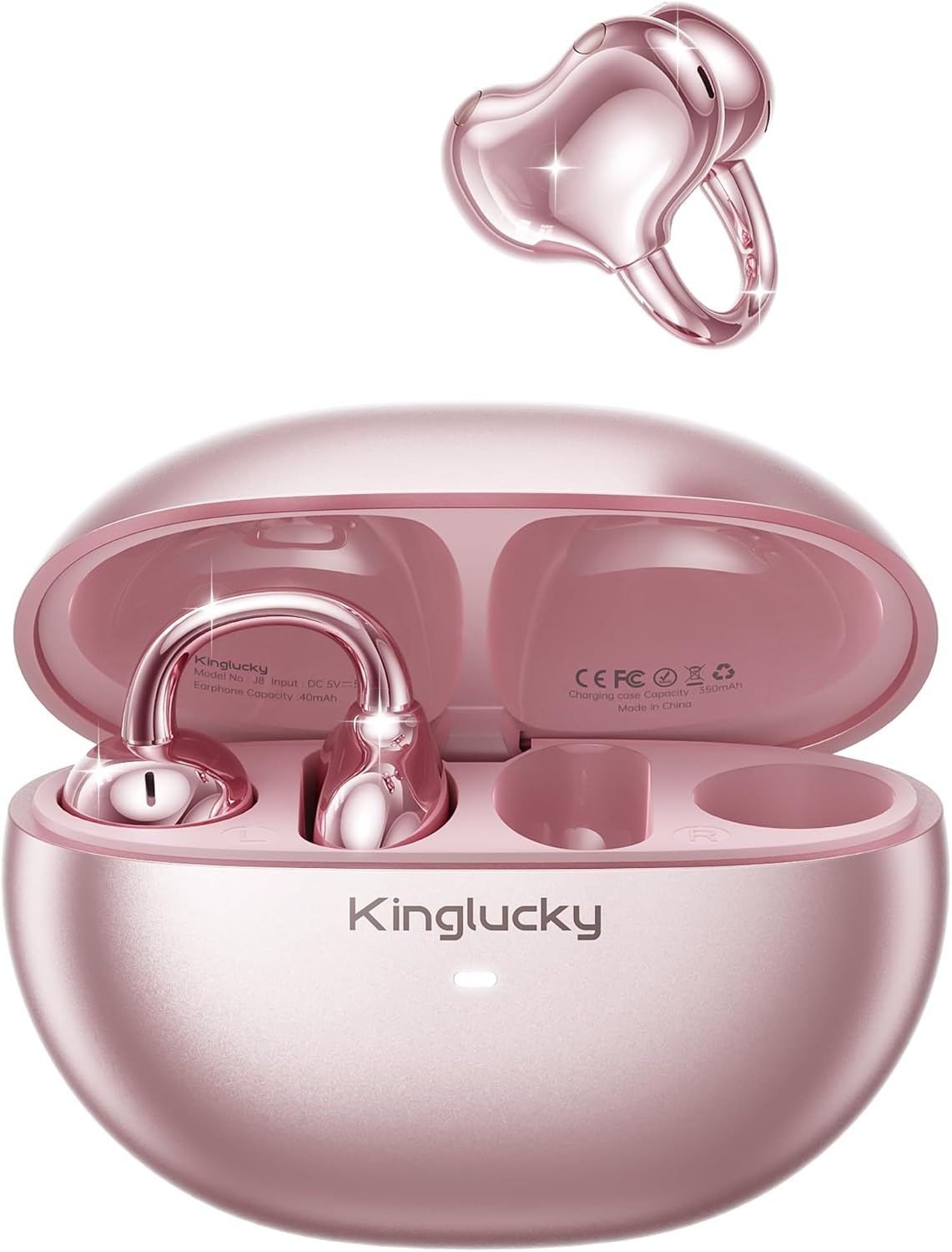
Image: Kinglucky A8 Clip-On Open-Ear Earbuds and their charging case. The earbuds are shown both inside and outside the case, highlighting their rose gold pink color and unique clip-on design.
په بکس کې څه دي
ډاډ ترلاسه کړئ چې ټول توکي په کڅوړه کې شتون لري:
- Kinglucky A8 ClipFree Earbuds
- د چارج کولو قضیه
- د USB-C چارج کیبل
- د کارونکي لارښود (دا لاسوند)

Image: A visual representation of the package contents, showing the gift wrapping box, the charging case, the ClipFree A8 earbuds, and a USB-C charging cable.
چمتو کول
۴.۱. د غوږۍ او کیس چارج کول
Before first use, fully charge the earbuds and the charging case. Place the earbuds into the charging case. Connect the USB-C charging cable to the charging port on the case and plug the other end into a USB power source. The indicator light on the case will show charging status.
- بشپړ چارج د غوږونو لپاره تر 6 ساعتونو پورې د لوبې وخت چمتو کوي.
- The charging case extends total playtime to approximately 50 hours.
۳. د غوږونو اییربډونه اغوستل
The Kinglucky A8 earbuds feature a flexible C-shaped clip design for comfortable and secure placement. Each earbud weighs approximately 4.0g.
- Gently clip the earbud onto the top edge of your ear.
- Adjust the earbud slightly up or down to find your most comfortable and secure fit. The open-ear design allows you to remain aware of your surroundings.

Image: A two-panel diagram illustrating the correct way to wear the clip-on earbuds. The first panel shows gently clipping the earbud onto the ear, and the second shows adjusting it for a perfect fit.
3. د بلوتوث جوړه کول
The earbuds utilize Bluetooth 5.4 for stable and efficient connection.
- د چارج کولو قضیه پرانیزئ. د غوږ بډونه به په اتوماتيک ډول د جوړې کولو حالت ته ننوځي.
- په خپل وسیله (سمارټ فون، ټابلیټ، او نور) کې، د بلوتوث ترتیباتو ته لاړ شئ.
- Select "Kinglucky A8" from the list of available devices.
- Once connected, you will hear an audio confirmation, and the indicator light on the earbuds will change.
عملیاتي لارښوونې
ټچ کنټرولونه
The Kinglucky A8 earbuds feature intuitive touch controls on each earbud for managing audio playback and calls.

Image: A visual guide to the touch controls. It shows icons for music and calls, detailing single taps for volume/answer, double taps for play/pause, and press-and-hold for rejecting calls.
| عمل | فعالیت |
|---|---|
| یو نل | Volume Up / Volume Down (depending on earbud) or Answer Call |
| دوه ځله نل | میوزیک غږول / ځنډول |
| فشار ورکړئ او ونیسئ (۴ ثانیې) | Reject Call / Activate Voice Assistant |
ملټي پواینټ جوړه کول
The Kinglucky A8 earbuds support MultiPoint Pairing, allowing simultaneous connection to two devices. This enables seamless switching between your phone, tablet, smartwatch, or computer without needing to manually disconnect and reconnect.

Image: A visual showing the Kinglucky A8 earbuds connected to both a smartphone and a laptop simultaneously, illustrating the MultiPoint Pairing feature.
ساتنه
پاکول
To maintain optimal performance and hygiene, regularly clean your earbuds and charging case. Use a soft, dry, lint-free cloth. Avoid using abrasive materials, alcohol, or chemical cleaners.
د اوبو مقاومت (IP56)
The Kinglucky A8 earbuds are rated IP56 for water resistance. This means they are protected against dust ingress and high-pressure water jets from any direction. They are suitable for use during workouts, light rain, and daily activities where sweat or splashes may occur. They are not designed for submersion in water.

Image: A graphic depicting the Kinglucky A8 earbuds with water droplets, emphasizing their IP56 water-resistant rating and suitability for active use.
د ستونزو حل کول
If you encounter issues with your Kinglucky A8 earbuds, refer to the following common solutions:
- د غوږونو نه جوړېږي:
- ډاډ ترلاسه کړئ چې دواړه غوږونه چارج شوي دي.
- د غوږ بډونه بیرته په کیس کې ځای په ځای کړئ، وتړئ، بیا یې بیا خلاص کړئ ترڅو د جوړې حالت ته بیا ننوځئ.
- د خپل وسیله بلوتوث بند او فعال کړئ.
- Forget "Kinglucky A8" from your device's Bluetooth list and try pairing again.
- بې غږه یا ټیټ غږ:
- Check the volume levels on both your device's and the earbuds.
- ډاډ ترلاسه کړئ چې اییربډونه ستاسو وسیله سره په سمه توګه وصل دي.
- د غوږونو د سپیکرو څخه هر ډول کثافات پاک کړئ.
- د چارج کولو مسلې:
- ډاډ ترلاسه کړئ چې د چارج کولو کیبل او اډاپټر په سمه توګه کار کوي.
- ډاډ ترلاسه کړئ چې د غوږونو او د قضیې دننه د چارج کولو تماسونه پاک او له خنډ څخه پاک دي.
- وقفې وقفې اړیکه:
- ډاډ ترلاسه کړئ چې ستاسو وسیله د بلوتوث اغیزمن حد (معمولا 10 متره/33 فوټ) دننه ده پرته له کوم مهم خنډ څخه.
- د قوي الکترومقناطیسي مداخلې څخه ډډه وکړئ.
If problems persist, please contact Kinglucky customer support for further assistance.
مشخصات
| فیچر | تفصیل |
|---|---|
| د ماډل نوم | A8 |
| د ارتباط ټیکنالوژي | بېسیم (بلوتوث ۵.۳) |
| د غوږ ځای پرځای کول | خلاص غوږ (کلیپ آن) |
| د فارم فکتور | ریښتیني بې سیم |
| د لوبې وخت (ایربډز) | په هر چارج کې تر 6 ساعتونو پورې |
| د لوبې ټول وخت (د چارج کولو کیس سره) | تر 50 ساعتونو پورې |
| د ایربود وزن | Approximately 4.0g each |
| د اوبو د مقاومت درجه | IP56 |
| مایکروفون | Dual beamforming with ENC noise cancelling |
| مواد | پلاستیک |
| خنډ | 32 اوم |
| مطابقت لرونکې وسیلې | Cellphones and other Bluetooth-enabled devices |
تضمین او ملاتړ
Kinglucky products are designed for reliability and performance. For warranty information or technical support, please refer to the official Kinglucky webسایټ ته مراجعه وکړئ یا مستقیم د دوی د پیرودونکو خدماتو سره اړیکه ونیسئ.
You can visit the Kinglucky store for more information: Kinglucky Official Store


