۱.۱. د خوندیتوب مهم معلومات
Please read this section carefully before using your Veidoo W40 tablet to ensure safe and proper operation. Keep this manual for future reference.
عمومي احتیاطي تدابیر
- ټابلیټ د سختې تودوخې، مستقیم لمر وړانګو، یا لوړې رطوبت سره مخ کیدو څخه ډډه وکړئ.
- Do not drop, bend, or puncture the tablet.
- Keep the tablet away from water and other liquids. If it gets wet, power it off immediately and allow it to dry completely before use.
- Use only accessories approved by Veidoo. Unauthorized accessories may damage the tablet or pose safety risks.
- Do not attempt to disassemble, repair, or modify the tablet yourself. Contact customer support for assistance.
د بیټرۍ خوندیتوب
- The tablet contains a non-removable lithium-ion battery. Do not attempt to replace it yourself.
- بیټرۍ د اور یا سخت تودوخې سره مه اخلئ.
- Dispose of the tablet and its battery responsibly, following local regulations.
د چارج کولو خوندیتوب
- Charge the tablet using the provided USB-C cable and a compatible power adapter.
- Do not charge the tablet in damp شرایط
- Unplug the charger when the tablet is fully charged or not in use.
2. محصول ختم شوview
The Veidoo W40 is an 11-inch Android tablet designed for versatile use, featuring an Octa-Core processor, ample storage, and modern connectivity options.
کلیدي ځانګړتیاوې
- ښکاره کول: 11-inch In-Cell HD Touch Screen with 1280x800 resolution.
- پروسیسر: 2.0 GHz Octa-Core processor for smooth performance.
- حافظه او ذخیره: 8GB RAM (4GB + 4GB expandable) and 128GB internal storage, expandable up to 1TB via MicroSD card.
- عملیاتي سیسټم: Android 14.
- کامرې: ۵.۰ میګاپکسله مخکینۍ کیمره او ۸.۰ میګاپکسله شاته کیمره.
- ارتباط: وای فای ۶ (۸۰۲.۱۱ اکس) او بلوتوث ۵.۲.
- بیټرۍ: 5000mAh ظرفیت.

Image: Veidoo W40 Tablet configuration summary, highlighting key features like Android 14, 11-inch In-Cell display, 1280x800 resolution, Octa-Core processor, 8GB RAM, 128GB ROM, 5000mAh battery, WiFi 6, Bluetooth 5.0, and dual cameras.
۲. په بکس کې څه دي؟
The standard package for your Veidoo W40 tablet typically includes the following items:
- Veidoo W40 11-inch Android Tablet
- د USB-C چارج کیبل
- د بریښنا اډاپټر
- د کارن لارښود
Note: Contents may vary slightly depending on region or retailer.
۳. پیل کول (تنظیم کول)
۴.۱ د ټابلیټ چارج کول
- د USB-C کیبل د ټابلیټ د چارج کولو پورټ سره وصل کړئ.
- Connect the other end of the USB-C cable to the power adapter.
- د بریښنا اډاپټر په دیوال کې ولګوئ.
- Allow the tablet to charge fully before first use. The battery indicator on the screen will show charging status.
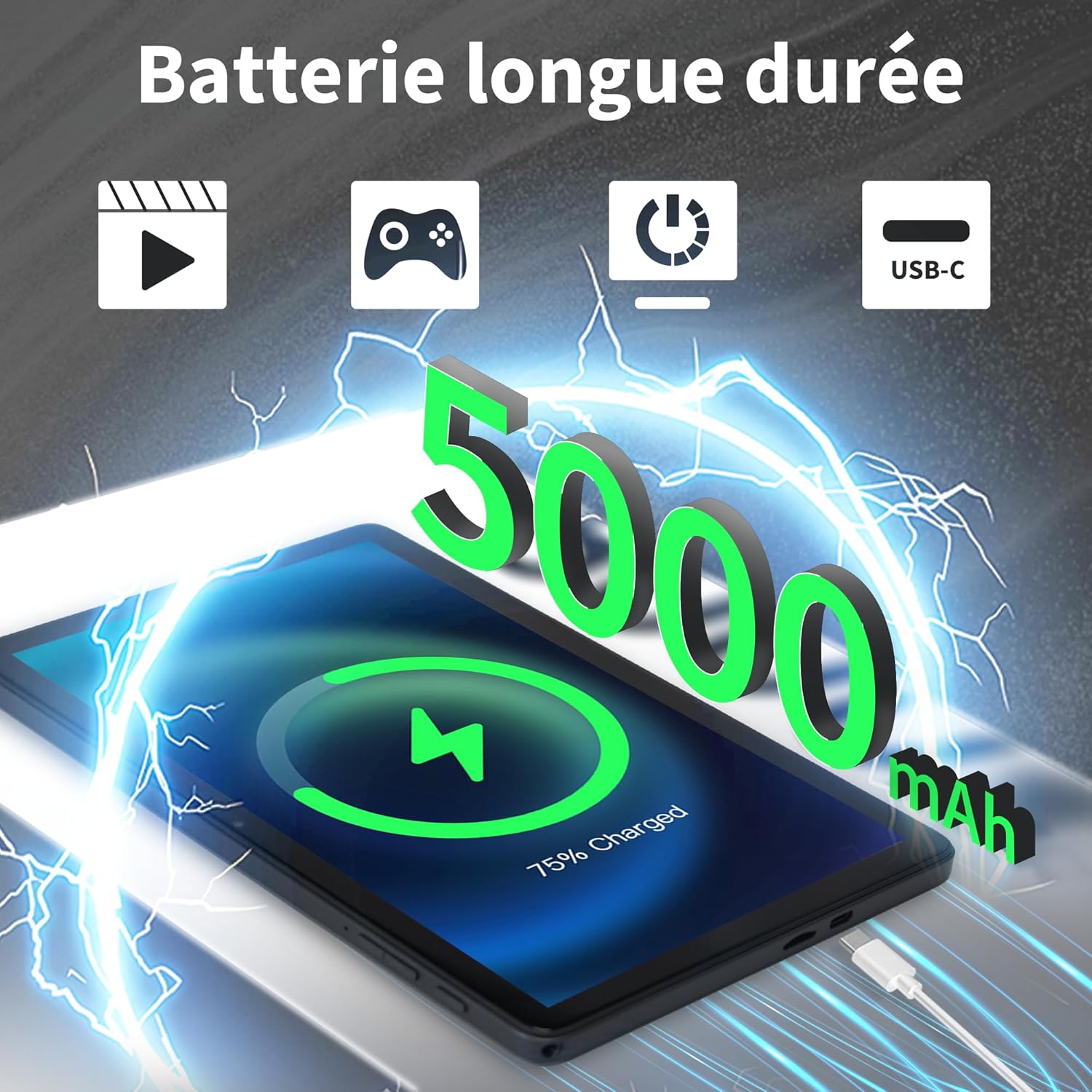
Image: Veidoo W40 Tablet connected to a USB-C charger, showing the battery icon and 5000mAh capacity.
4.2 بریښنا کول / بندول
- د فعالولو لپاره: Press and hold the Power button until the Veidoo logo appears on the screen.
- د بریښنا بندولو لپاره: د پاور تڼۍ فشار ورکړئ او ونیسئ تر هغه چې د پاور انتخابونو مینو څرګند شي. "پاور بند" غوره کړئ او تایید یې کړئ.
- د بیا پیلولو لپاره: د بریښنا اختیارونو مینو څخه، "بیا پیل کړئ" غوره کړئ او تایید یې کړئ.
۳.۴ د ابتدايي تنظیم وزرډ
د لومړي ځل لپاره د بریښنا په فعالولو سره، ټابلیټ به تاسو ته د لومړني تنظیم کولو پروسې له لارې لارښوونه وکړي:
- د خپلې خوښې ژبه وټاکئ.
- د Wi-Fi شبکې سره وصل شئ.
- شرایط او شرایط ومنی.
- د خپل ګوګل حساب سره لاسلیک وکړئ یا یو نوی حساب جوړ کړئ. دا د ګوګل پلی پلورنځي څخه د ایپسونو ډاونلوډ کولو لپاره اړین دی.
- Set up screen lock (PIN, pattern, or password) and other security features.
- Review and adjust other settings as prompted.
۵.۲ د مایکرو ایس ډی کارت داخلول
The tablet supports expandable storage up to 1TB using a MicroSD card.
- د ټابلیټ په اړخ کې د مایکرو ایس ډی کارت سلاټ ومومئ.
- په نرمۍ سره مایکرو ایس ډی کارت په سلاټ کې دننه کړئ او د سرو زرو اړیکې ښکته کړئ تر هغه چې دا په خپل ځای کې کلیک وکړي.
- The tablet will detect the card and may prompt you to format it for use as portable or internal storage. Follow the on-screen instructions.
5. بنسټیز عملیات
5.1 د لمس اشارو
- ټایپ: د یو توکي غوره کولو یا اپلیکیشن خلاصولو لپاره یو ځل سکرین ته لمس کړئ.
- لمس او نیول: Press and hold an item to access contextual menus or drag items.
- سوائپ: د پاڼو یا لیستونو له لارې سکرول کولو لپاره خپله ګوته د سکرین په اوږدو کې کش کړئ.
- چنه د عکسونو د زوم ان یا آوټ کولو لپاره دوه ګوتې وکاروئ او web پاڼې
5.2 د وای فای سره نښلول
- ورتګ ترتیبات > شبکه او انټرنیټ > وای فای.
- وای فای بدل کړئ On.
- له لیست څخه خپل مطلوب وای فای شبکه غوره کړئ.
- که غوښتل شي نو پټنوم دننه کړئ او کلیک وکړئ نښلول.
5.3 د بلوتوټ وسیلو سره نښلول
- ورتګ ترتیبات > وصل شوي وسایل > د ارتباط غوره توبونه > بلوتوث.
- بلوتوټ بدل کړئ On.
- ډاډ ترلاسه کړئ چې ستاسو د بلوتوث وسیله د جوړه کولو حالت کې ده.
- د شته وسیلو له لیست څخه وسیله غوره کړئ او د جوړې بشپړولو لپاره په سکرین کې هر ډول لارښوونې تعقیب کړئ.
5.4 د کیمرې کارول
دا ټابلیټ د مخکینۍ کیمره ۵ میګاپکسله او شاته کیمره ۱۳ میګاپکسله لري.
- خلاص کړئ کیمره اپلیکیشن
- د مخکینۍ او شا کیمرې ترمنځ د بدلولو لپاره د کیمرې آیکون باندې کلیک وکړئ.
- د عکس اخیستلو یا د ویډیو ثبت پیل/بندولو لپاره د شټر تڼۍ کلیک وکړئ.
- Access photos and videos in the Gallery app.

Image: Tablet cameras (2MP front, 5MP rear) with example photos, demonstrating its capability to capture moments.
۵.۲ د ذخیره کولو اداره کول
The tablet comes with 128GB of internal storage and supports up to 1TB expandable storage.
- ورتګ ترتیبات > ذخیره کول ته view د ذخیره کولو کارول.
- You can free up space by uninstalling unused apps, deleting old photos/videos, or moving fileد مایکرو ایس ډی کارت ته.

Image: Tablet storage illustration, showing how photos, videos, and music can be stored on the 128GB ROM and expanded with 8GB RAM.
5.6 Installing/Uninstalling Apps
- ایپس نصب کړئ: خلاص کړئ د ګوګل پلی پلورنځي اپلیکیشن، د خپلې خوښې اپلیکیشن لټون وکړئ، او ټایپ کړئ نصب کړئ.
- ایپس غیر نصب کړئ: Touch and hold the app icon on the home screen or app drawer, then drag it to "Uninstall" or select "App info" and tap "Uninstall". Alternatively, go to ترتیبات > ایپس > اپلیکیشن غوره کړئ > غیر نصب کړئ.

Image: Tablet in use for various activities such as watching movies, playing games, working, and video calls, demonstrating its versatility.
6. ساتنه او پالنه
۵.۱ د ټابلیټ پاکول
- د ټابلیټ سکرین او بدن پاکولو لپاره نرم، لینټ نه پاک ټوکر وکاروئ.
- د سختو داغونو لپاره، لږ څهampد اوبو سره ټوکر یا د سکرین کلینر چې د برقیاتو لپاره ډیزاین شوی.
- د سختو کیمیاوي موادو، خړوبونکو پاکوونکو، یا ایروسول سپرې کارولو څخه ډډه وکړئ.
۳.۳ د بیټرۍ اصلاح
To maximize battery life (5000mAh):
- د سکرین روښانتیا کمه کړئ.
- کله چې په استعمال کې نه وي، وای فای او بلوتوث بند کړئ.
- د شاليد ایپسونه بند کړئ.
- Enable battery saver mode in Settings.
- Avoid extreme temperatures during charging and use.
6.3 د سافټویر تازه معلومات
د غوره فعالیت او امنیت ډاډمن کولو لپاره په منظم ډول د سافټویر تازه معلومات وګورئ او نصب کړئ.
- ورتګ ترتیبات > سیسټم > د سیسټم تازه کول.
- د شته تازه معلوماتو د کتلو او نصبولو لپاره په سکرین کې لارښوونې تعقیب کړئ.
6.4 د فابریکې ری سیٹ
د فابریکې بیا تنظیم کول به ستاسو د ټابلیټ ټول معلومات له منځه یوسي او خپل اصلي فابریکې ترتیباتو ته به یې بیرته راولي. د پرمخ وړلو دمخه مهم معلومات بیک اپ کړئ.
- ورتګ ترتیبات > سیسټم > اختیارونه بیا تنظیم کړئ.
- وټاکئ ټول معلومات پاک کړئ (د فابریکې بیا تنظیم کول).
- خپله پریکړه تایید کړئ او که غوښتنه وشي نو خپل پن/نمونه/پاسورډ دننه کړئ.
7. ستونزه حل کول
If you encounter issues with your Veidoo W40 tablet, try the following solutions:
ټابلیټ نه چالانیږي
- Ensure the tablet is sufficiently charged. Connect it to a power source and wait a few minutes before attempting to power on.
- د بیا پیلولو لپاره د 10-15 ثانیو لپاره د بریښنا تڼۍ فشار ورکړئ او ونیسئ.
د وای فای اتصال مسلې
- ډاډ ترلاسه کړئ چې وای فای په ترتیباتو کې فعال شوی دی.
- خپل وای فای روټر بیا پیل کړئ.
- د ټابلیټ په ترتیباتو کې شبکه هیره کړئ او بیا وصل شئ.
- ډاډ ترلاسه کړئ چې تاسو د وای فای سیګنال په حد کې یاست.
Slow Performance or App Crashes
- نه کارول شوي شالید غوښتنلیکونه بند کړئ.
- Clear the cache of problematic apps (Settings > Apps > [App Name] > Storage & cache > Clear cache).
- ټابلیټ بیا پیل کړئ.
- ډاډ ترلاسه کړئ چې د ذخیره کولو کافي ځای شتون لري.
- Check for system and app updates.
سکرین ځواب نه ورکوي
- د پاور تڼۍ په نیولو سره ټابلیټ بیا پیل کړئ.
- ډاډ ترلاسه کړئ چې سکرین پاک او له کثافاتو څخه پاک دی.
8. مشخصات
Below are the technical specifications for the Veidoo W40 11-inch Android Tablet:
| فیچر | مشخصات |
|---|---|
| ماډل | W40 |
| د ښودلو اندازه | ۷۸۷ انچه |
| د سکرین ریزولوشن | 1280 x 800 pixels (In-Cell HD Touch Screen) |
| پروسیسر | 2.0 GHz Octa-Core (Allwinner) |
| RAM | ۶ جي بي (۲ جي بي + ۴ جي بي پراخه) |
| داخلي ذخیره (ROM) | 128GB |
| د پراخیدو وړ ذخیره | د مایکرو ایس ډی کارت له لارې تر ۱ ټی بی پورې |
| عملیاتي سیسټم | Android 14 |
| مخکینۍ کیمره | 2MP |
| شاته کیمره | 5MP |
| وای فای | وای فای ۶ (۸۰۲.۱۱ اکس) |
| بلوتوث | بلوتوث 5.0 |
| د بیټرۍ ظرفیت | 5000mAh |
| ابعاد (LxWxH) | 9.57 x 6.34 x 0.31 انچه |
| وزن | ۲.۴۵ پونډه |
| رنګ | خړ |

Image: Octa-Core processor illustration, highlighting the 2.0 GHz speed and performance benefits.
9. تضمین او ملاتړ
د تضمین معلومات
Your Veidoo W40 tablet is covered by a standard manufacturer's warranty. Please refer to the warranty card included in your package or visit the official Veidoo webد تضمین پوښښ، مودې، او د ادعاوو پروسې په اړه د مفصلو شرایطو او مقرراتو لپاره سایټ.
د پیرودونکي ملاتړ
If you require technical assistance, have questions about your product, or need to report an issue, please contact Veidoo customer support. For inquiries, you may consult via email. Contact details are typically available on the official Veidoo webسایټ یا ستاسو د پیرود پلیټ فارم له لارې.


