1. پیژندنه
This manual provides essential information for the proper use and maintenance of your Picun F5 Active Noise Cancelling Headphones. Please read it thoroughly before operating the device.
2. د بسته محتويات
ډاډ ترلاسه کړئ چې ټول توکي ستاسو په کڅوړه کې شتون لري:
- ۱ x پیکون ایف ۵ هیډفون
- 1 x 3.5mm آډیو کیبل
- 1 x د USB چارج کیبل
- 1 x د کارونکي لارښود

3. د محصول ب Featuresې
- د فعال شور لغوه کول (ANC): Advanced technology to reduce ambient noise for an immersive audio experience.
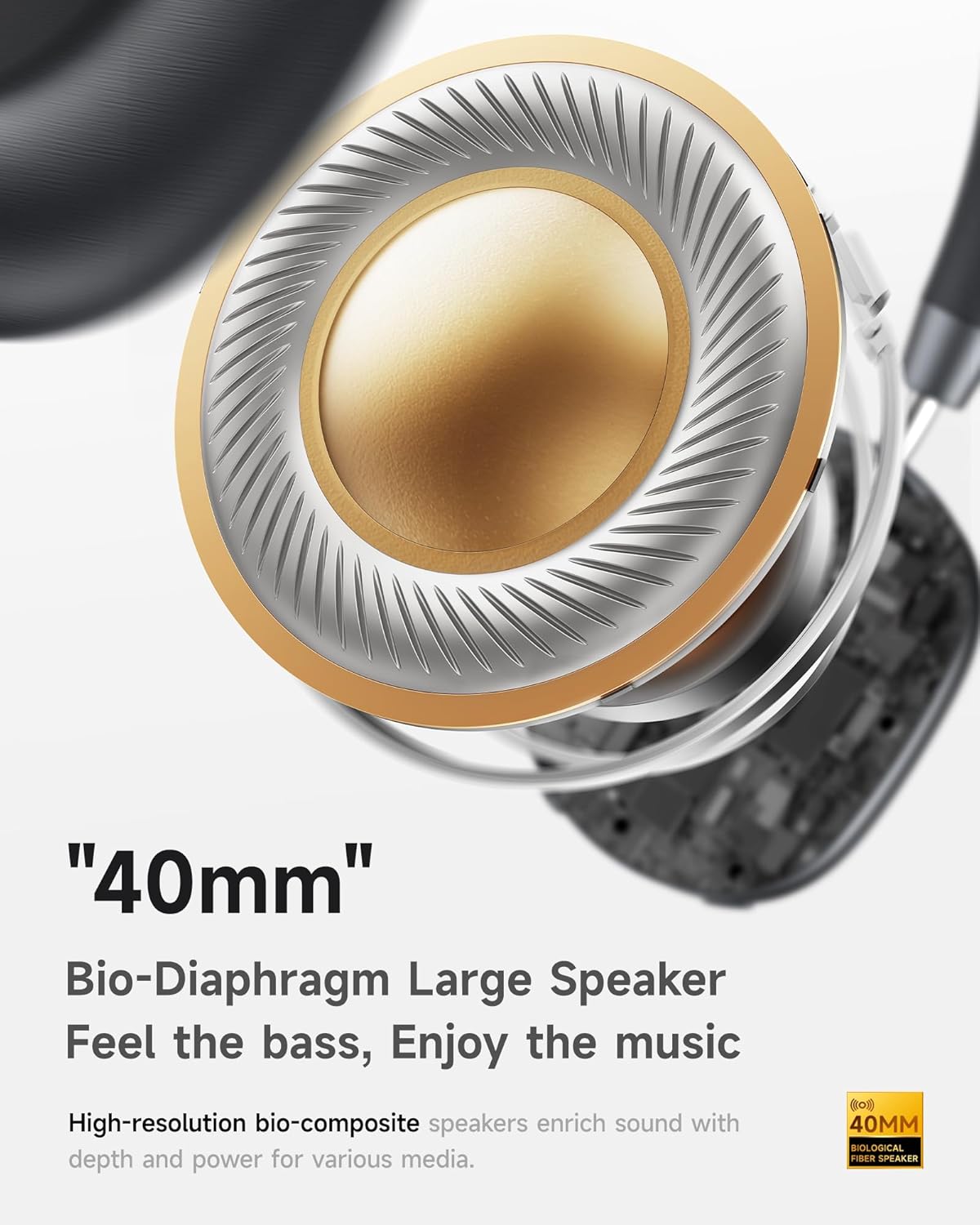
- Hi-Fi Audio with Deep Bass: Delivers clear sound with enhanced bass.
- App-Controlled EQ: Customize audio settings via a dedicated companion application.
- جوړ شوی مایکروفون: Ensures clear voice calls.
- څو ټکي پیوستون: Allows seamless switching between two connected Bluetooth devices.
- ارګونومیک ډیزاین: Lightweight build with soft memory-foam earcups for extended comfort.
- Long Playtime & Fast Charging: Up to 30 hours of playback on a single charge, with quick recharge capabilities.



4. ترتیب کول
۳.۱ د هیډفونونو چارج کول
Before first use, fully charge your Picun F5 headphones. Connect the provided USB charging cable to the headphone's charging port and a compatible USB power source. The charging indicator light will show the charging status.
4.2 د بلوتوټ جوړه کول
- ډاډ ترلاسه کړئ چې هیډفونونه بند دي.
- د بریښنا تڼۍ فشار ورکړئ او ونیسئ تر هغه چې د شاخص رڼا روښانه شي، د جوړه کولو حالت په ګوته کوي.
- په خپل وسیله (سمارټ فون، ټابلیټ، کمپیوټر) کې، بلوتوټ فعال کړئ او د شته وسایلو لټون وکړئ.
- Select "Picun F5" from the list of devices to connect.
- یوځل چې وصل شي، د شاخص څراغ به په ثابت نیلي بدل شي یا بند شي، د ماډل پورې اړه لري.
۶.۲ څو نقطې اتصال
The Picun F5 supports connecting to two Bluetooth devices simultaneously. After pairing with the first device, disable Bluetooth on that device. Pair the headphones with the second device. Then, re-enable Bluetooth on the first device. The headphones should now be connected to both devices, allowing seamless audio switching.

5. عملیات
5.1 بنسټیز کنټرولونه
هیډفونونه د آډیو او زنګونو اداره کولو لپاره رواني کنټرولونه لري:
- پاور آن/بند: د بریښنا تڼۍ فشار او ونیسئ.
- د حجم سمون: Use the dedicated volume knob/buttons on the earcup.
- پلی کول / ودرول: د ملټي فنکشن تڼۍ یو ځل فشار ورکړئ.
- بله لار: د ملټي فنکشن تڼۍ دوه ځله فشار ورکړئ.
- مخکینی لار د ملټي فنکشن تڼۍ درې ځله فشار ورکړئ.
- ځواب / پای کال: Single press the Multi-function button during an incoming call.
- زنګ رد کړئ: د راتلوونکي زنګ په جریان کې د ملټي فنکشن تڼۍ فشار ورکړئ او ونیسئ.
۵.۳ د فعال شور لغوه کولو (ANC) طریقې
The ANC feature can be toggled or adjusted using a dedicated button on the headphones. Refer to the specific button layout on your device for exact functionality. Some models may offer different ANC levels or transparency modes.
5.3 App Control and Custom EQ
Download the companion app for your Picun F5 headphones to unlock personalized features. The app allows you to:
- Customize Equalizer (EQ) settings to match your audio preferences.
- Adjust ANC levels or switch between different noise control modes.
- Access additional smart features and settings.


6. ساتنه
To ensure the longevity and optimal performance of your Picun F5 headphones, follow these maintenance guidelines:
- پاکول: د غوږونو کپونه او سر بند پاکولو لپاره نرم، وچ ټوکر وکاروئ. د سختو کیمیاوي موادو یا کثافاتو موادو کارولو څخه ډډه وکړئ.
- ذخیره کول: Store the headphones in a cool, dry place, away from direct sunlight and extreme temperatures. When not in use, consider storing them in a protective case.
- د رطوبت څخه ډډه وکړئ: هیډفونونه اوبو یا ډیر رطوبت ته مه ښکاره کوئ.
- په احتیاط سره سمبالول: د هیډفونونو د غورځولو یا قوي تاثیراتو سره مخ کیدو څخه ډډه وکړئ.

7. ستونزه حل کول
If you encounter issues with your Picun F5 headphones, refer to the following common solutions:
- ځواک نشته: ډاډ ترلاسه کړئ چې هیډفونونه په بشپړ ډول چارج شوي دي. دوی د بریښنا سرچینې سره وصل کړئ او د چارج کولو شاخص وګورئ.
- جوړه نشي کیدی: Make sure the headphones are in pairing mode (indicator flashing). Disable and re-enable Bluetooth on your device, then try pairing again. Ensure the headphones are not already connected to another device.
- غږ نشته: Check the volume levels on both the headphones and your connected device. Ensure the headphones are properly paired. If using a wired connection, ensure the 3.5mm audio cable is securely plugged in.
- ضعیف غږ کیفیت: Move closer to your connected device to avoid interference. Check for any obstructions between the headphones and the device. Ensure the audio source is of good quality.
- ANC کار نه کوي: Ensure the ANC feature is activated. Check for any physical obstructions around the microphones.
If the issue persists, try resetting the headphones (refer to the full user manual for specific reset instructions) or contact customer support.
8. مشخصات
| برانډ | پیکون |
| د ماډل نوم | F5 |
| د ارتباط ټیکنالوژي | بېسیم (بلوتوث ۵.۳) |
| د شور کنټرول | د غږ جلا کول (فعال شور لغوه کول) |
| د تعدد ځواب | 20 KHz |
| حساسیت | 42 dB |
| هیډفون جیک | 3.5 ملی جیک |
| د بیټرۍ ژوند | 30 ساعته |
| د آډیو ډرایور ډول | متحرک چلوونکی |
| د غوږ شکل | ګرد |
| خنډ | 32 اوم |
| د توکي وزن | 14 اونس (0.4 کیلوګرامه) |
| مواد | اکریلونایتریل بوټاډین سټیرین (ABS) |
9. تضمین او ملاتړ
Picun products are designed for reliability and performance. For warranty information, product support, or technical assistance, please refer to the warranty card included in your package or visit the official Picun webسایټ د تضمین ادعاګانو لپاره خپل د پیرود رسید وساتئ.


