1. پیژندنه
This manual provides essential instructions for the setup, operation, maintenance, and troubleshooting of your RCA 40-inch MultiTuner HD Google TV, Model R40M-F4G. Please read this manual thoroughly before using your television to ensure proper functionality and safety.
۱.۱. د خوندیتوب مهم معلومات
د دې محصول کارولو پرمهال تل د خوندیتوب لومړني احتیاطي تدابیر تعقیب کړئ ترڅو د اور، بریښنا شاک او ټپي کیدو خطر کم کړئ.
- تلویزیون باران یا رطوبت ته مه ښکاره کوئ.
- تلویزیون مه خلاصوه casinز؛ ټولې خدمتونه وړ پرسونل ته راجع کړئ.
- ډاډ ترلاسه کړئ چې د تلویزیون شاوخوا مناسب هوا ورکول.
- یوازې د تلویزیون سره ورکړل شوي بریښنا تار وکاروئ.
- تلویزیون د مستقیم لمر وړانګو او تودوخې سرچینو څخه لرې وساتئ.
۳. څه پکې شامل دي
ډاډ ترلاسه کړئ چې ټولې برخې په بسته بندۍ کې شتون لري:
- RCA 40-inch MultiTuner HD Google TV (Model R40M-F4G)
- ریموټ کنټرول (د بیټرۍ سره)
- د کارونکي لارښود (دا لاسوند)
- د بریښنا تار
- د تلویزیون سټینډونه (۲) او پیچونه

Image 1: RCA 40-inch Google TV with included remote control and stand components.
4. ترتیب کول
۳.۱ د تلویزیون سټینډونو نښلول
- د سکرین د زیان مخنیوي لپاره، تلویزیون په احتیاط سره په نرم او پاک سطح باندې کیږدئ.
- هر سټینډ د تلویزیون په ښکته برخه کې د اړوندو سکرو سوریو سره سم کړئ.
- د ورکړل شویو پیچونو په کارولو سره سټینډونه خوندي کړئ. ډیر مه ټینګوئ.
۴.۳ دیوال نصب کول (اختیاري)
If you plan to wall-mount your TV, refer to the instructions provided with your wall-mount bracket. Ensure the bracket is compatible with the TV's VESA mounting pattern (refer to specifications). Remove the TV stands before wall mounting.

انځور 2: شاته view of the TV, highlighting the VESA mounting points for wall installation.
4.3 د نښلولو وسایل
Connect your external devices (e.g., cable box, Blu-ray player, gaming console) to the appropriate ports on the TV.
- HDMI: د لوړ تعریف آډیو او ویډیو لپاره.
- USB: د USB ذخیره کولو وسیلو سره د نښلولو لپاره.

انځور ۵.۱: اړخ view of the TV, illustrating the location of HDMI and USB ports for device connectivity.
۱.۴ د بریښنا پیل او د ګوګل تلویزیون لومړنی تنظیم
- د برېښنا تار په تلویزیون کې ولګوئ او بیا د دیوال په یوه کړکۍ کې.
- په ریموټ کنټرول یا تلویزیون کې د بریښنا تڼۍ فشار ورکړئ.
- Follow the on-screen instructions to complete the initial setup, including:
- د ژبې انتخاب
- Network connection (Wi-Fi)
- د ګوګل حساب ننوتل
- د چینل سکین کول (که چیرې انتن کاروئ)
5. Operating Your RCA Google TV
۵.۲ د ګوګل تلویزیون انٹرفیس
The Google TV operating system provides a centralized hub for your streaming services, live TV, and apps. Navigate using the remote control's directional pad and select button.

Image 4: The Google TV home screen, showing recommended content and installed applications.
5.2 کلیدي ځانګړتیاوې
- د ګوګل معاون: Control your TV, search for content, or get information using voice commands. Press the Google Assistant button on your remote and speak into the microphone.

Image 5: Using Google Assistant with the remote control for voice commands.
- د Chromecast جوړ شوی: Cast content (videos, photos, music) from your compatible smartphone, tablet, or computer directly to the TV screen.
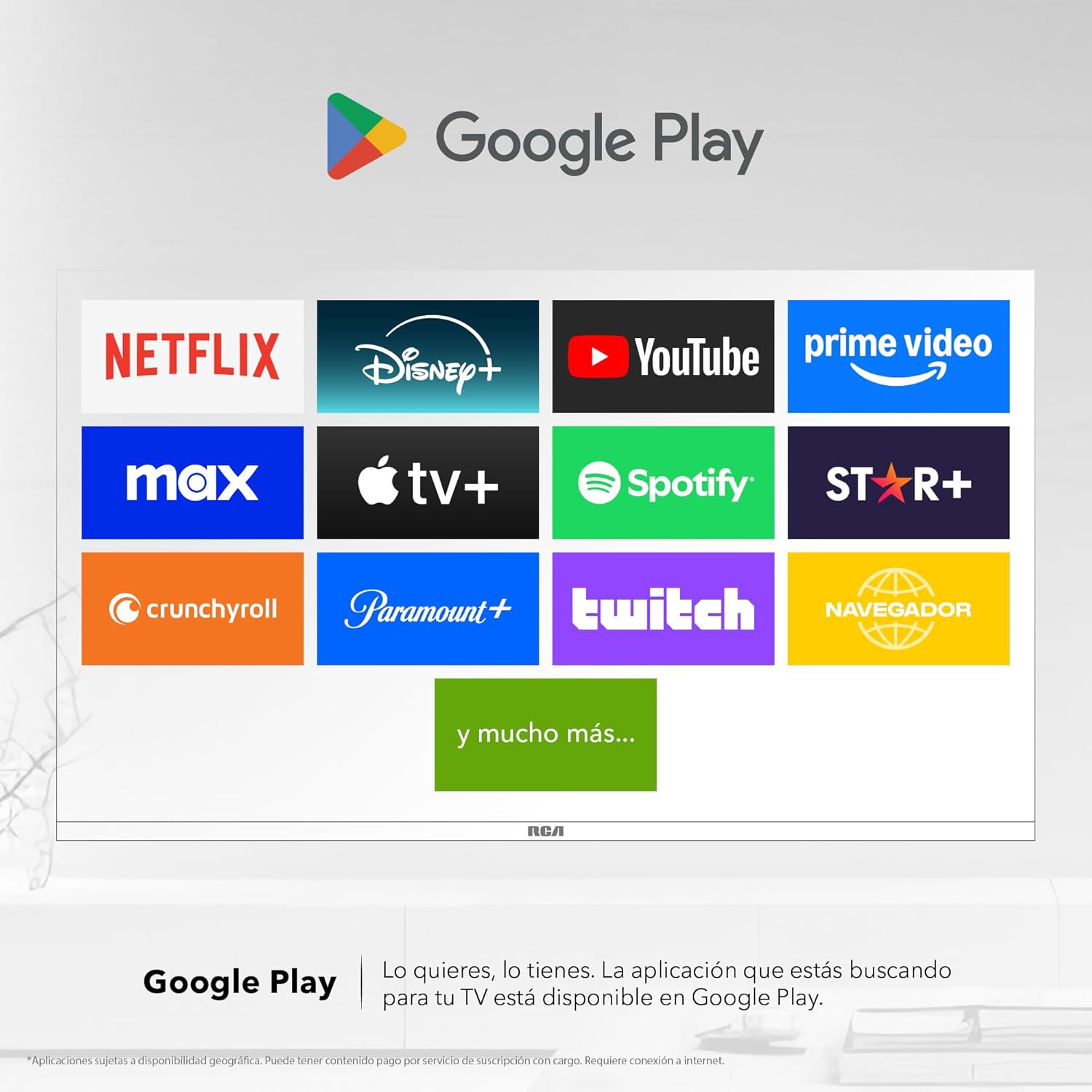
Image 6: Demonstrating content casting from a mobile device to the TV via Google Cast.
- د بلوتوټ ارتباط: Connect Bluetooth-enabled devices such as soundbars, headphones, or game controllers wirelessly to your TV.

Image 7: The TV connected to a soundbar via Bluetooth for enhanced audio.
- د ګوګل پلی پلورنځي: Download and install a wide variety of applications directly onto your TV.

Image 8: The Google Play Store displaying various applications available for download.
- د ماشومانو پروfile: Create a dedicated profile for children to manage accessible applications and content.

Image 9: The Kids Profile interface, designed for child-friendly content management.
- دولبي آډیو: Experience clear, rich, and detailed sound with Dolby Audio technology.
Image 10: The Dolby Audio feature enhancing the sound experience on the TV.
6. ساتنه
۵.۱ د پردې پاکول
- تلویزیون وتړئ او د بریښنا له سایټ څخه یې خلاص کړئ.
- په نرمۍ سره د نرم، لینټ پاک ټوکر سره سکرین پاک کړئ.
- د سختو نښو لپاره، په نرمۍ سرهampټوکر د اوبو یا ځانګړي سکرین کلینر سره ومینځئ (مستقیم په سکرین مه سپری کوئ).
- د سختو کیمیاوي موادو یا خړوبولو موادو کارولو څخه ډډه وکړئ.
6.2 عمومي پاملرنه
- Keep the TV in a well-ventilated area.
- Protect the TV from dust by regularly wiping the casing د نرم، وچ ټوکر سره.
- د تلویزیون په سر کې د درنو شیانو له ایښودلو څخه ډډه وکړئ.
7. ستونزه حل کول
| ستونزه | احتمالي لامل | د حل لاره |
|---|---|---|
| هیڅ ځواک نشته | د برېښنا تار پرې شوی؛ د برېښنا د رسولو ستونزه | ډاډ ترلاسه کړئ چې د بریښنا تار په خوندي ډول وصل دی. آوټ لیټ د بل وسیلې سره ازموینه وکړئ. |
| انځور نشته، خو غږ شته | د ننوتلو ناسمه سرچینه؛ غلط کیبل | Press the "Input" button on the remote to select the correct source. Check HDMI/AV cable connections. |
| غږ نشته، خو انځور شته | Volume too low; Mute activated; audio settings issue | Increase volume. Check if Mute is active. Verify audio output settings in the TV menu. |
| ریموټ کنټرول کار نه کوي | مړه بیټرۍ؛ خنډ؛ د جوړې کولو ستونزه | Replace batteries. Remove any obstructions between remote and TV. Re-pair Bluetooth remote if applicable. |
| د وائی فای اتصال مسلې | Router problem; incorrect password; signal interference | Restart your router. Re-enter Wi-Fi password. Move TV closer to router or reduce interference. |
8. مشخصات
| فیچر | تفصیل |
|---|---|
| برانډ | RCA |
| ماډل | R40M-F4G |
| د سکرین اندازه | 40 انچه |
| ټیکنالوژي ښکاره کول | LED |
| قرارداد | 1920 x 1080 (بشپړ HD) |
| د تازه کولو نرخ | 60 Hz |
| عملیاتي سیسټم | ګوګل تلویزیون |
| د آډیو کوډ کول | Dolby Atmos |
| هډوتري برسیر | HDMI، USB |
| ټول USB پورټونه | 2 |
| د بلوتوټ ملاتړ | هو |
| ځانګړي ځانګړتیاوې | Chromecast, Flat Screen |
| د نصب کولو ډول | دیوال د نصب وړ |
| د محصول ابعاد (WxHxD) | 97 x 56 x 11 سانتي متره |
| د محصول وزن | 7 کیلو ګرامه |
9. تضمین او ملاتړ
9.1 د تضمین معلومات
This product comes with a manufacturer's warranty. Please refer to the warranty card included in your packaging for specific terms and conditions. Extended warranty options may be available from your retailer.
9.2 د پیرودونکي ملاتړ
For technical assistance, troubleshooting beyond this manual, or warranty claims, please contact RCA customer support. Visit the official RCA webد اړیکو توضیحاتو او ملاتړ سرچینو لپاره سایټ.
د آر سي اې رسمي Webسایټ: www.rca.com


