پیژندنه
This manual provides comprehensive instructions for the setup, operation, and maintenance of your Lepro OE1 AI Smart RGBICW LED Corner Floor Lamp. Please read this manual thoroughly before use to ensure proper functionality and safety.
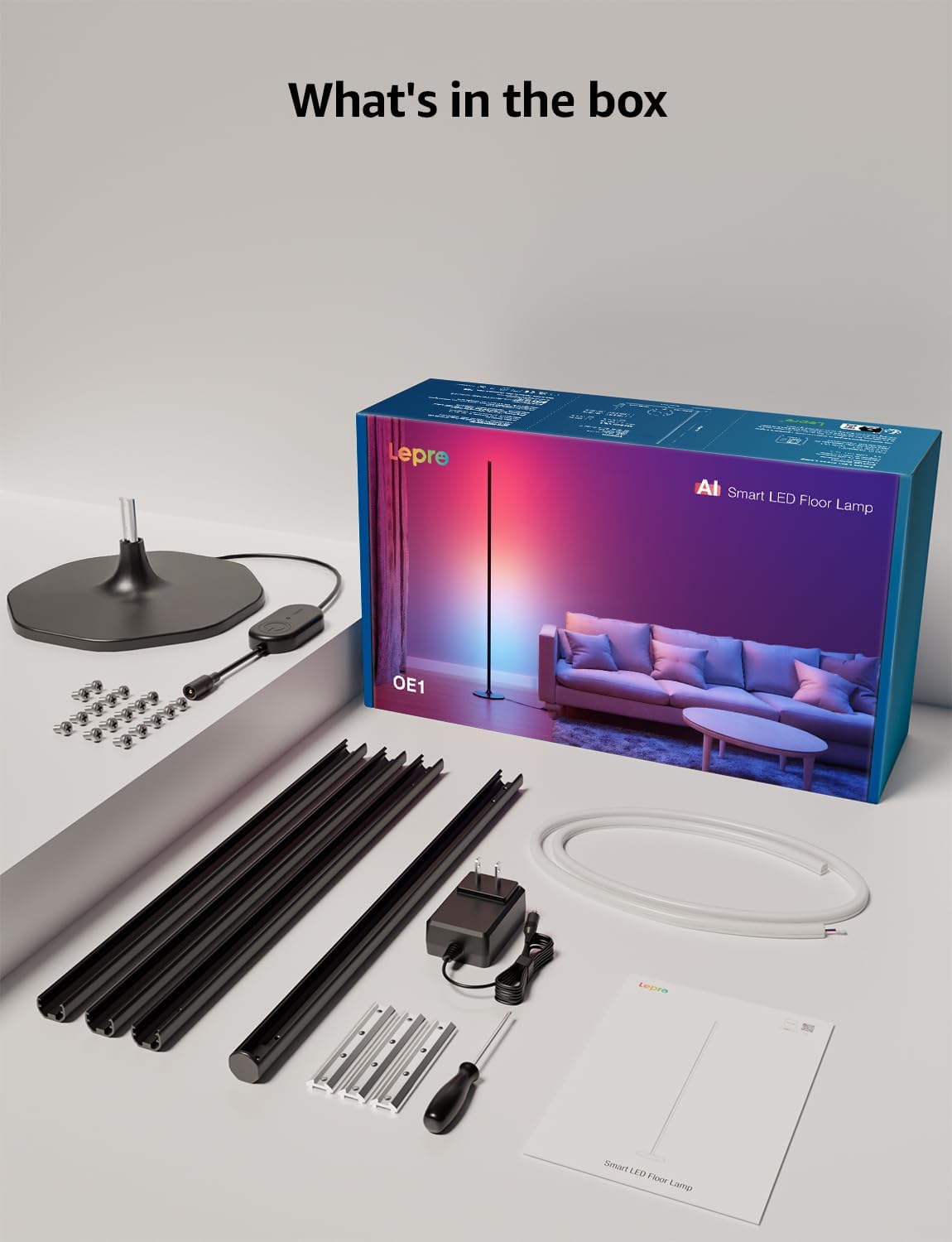
د بسته محتويات
ډاډ ترلاسه کړئ چې ټولې برخې په بسته کې شتون لري:
- Lamp بیس
- Metal Poles (multiple sections)
- Metal Connecting Pieces
- د LED پټې څراغونه
- سکرو او سکرو ډرایور
- د بریښنا اډاپټر
- د کارن لارښود
تنظیم او مجلس
Follow these steps to assemble and set up your Lepro OE1 floor lamp:
- Assemble the Metal Poles: Align the metal slots of the pole sections with the connecting pieces. Use the provided screws and screwdriver to tighten them securely. Continue this process until all pole sections are connected to form the main lamp بدن
- اساس سره وصل کړئ: Secure the assembled metal pole to the lamp base using the designated screws.
- Insert LED Strip: Carefully insert the LED strip light into the channel of the assembled metal pole. Ensure the strip's bottom connector aligns with the wire from the base.
- د تار نښلول: Connect the wire from the LED strip to the wire extending from the lamp اساس
- Position the LED Strip: Gently press and adjust the LED strip from the middle outwards to ensure it sits flush and evenly within the pole's channel. Do not cut the strip lights, as this will cause damage.
- د بریښنا پیوستون: د بریښنا اډاپټر l سره وصل کړئamp and then plug it into a standard electrical outlet.

اپلیکیشن ډاونلوډ او پیوستون
The Lepro OE1 lamp is controlled via the Lepro app. It is compatible with 2.4GHz WiFi networks only. Ensure your phone's Bluetooth is enabled during the pairing process.
- Download the "Lepro" app from your device's app store. (Note: Not compatible with "Lepro Lampux" or "Smart Life" apps).
- یو نوی حساب راجستر کړئ یا لاګ ان شئ.
- Ensure your phone's Bluetooth is on and connected to a 2.4GHz WiFi network.
- In the app, select "Add Device" and follow the on-screen instructions to pair your OE1 lamp.
Video 1: Step-by-step guide on how to assemble the Lepro OE1 AI floor lamp.
Video 2: Instructions on how to connect the OE1 AI floor lamp to the Lepro app.
عملیاتي لارښوونې
The Lepro OE1 lamp offers various control methods and lighting features:
1. Lepro App Control
The Lepro app provides full control over your lampدندې:
- LightGPM 4 - Personalized AI Lighting Designer: Use voice or text prompts to describe your desired mood or scene. The AI will generate lighting effects tailored to your preferences. The more you use it, the more it adapts.
- DIY Lighting: Customize your ambiance with over 16 million RGB colors and various effects. Adjust colors, brightness, and speed. Save your custom settings and explore community ideas within the app.
- د موسیقۍ ترکیب: The RGB+ICW color-changing floor lamp reacts to music beats, creating dynamic lighting effects.
- Photo-to-Vibe: Upload a photo of your room, a movie poster, or a game character, and LightGPM will generate a lighting design to match the image's theme.
- ګرم سپین رڼا: For daily use, the lamp provides 1000 lumens of warm white light at 2700K, adjustable from 1% to 100% brightness.
- لرې مدیریت: خپل l کنټرول کړئamp remotely via the Lepro App, even when away from home.
- مهالویش: Set automatic on/off timers for convenience.


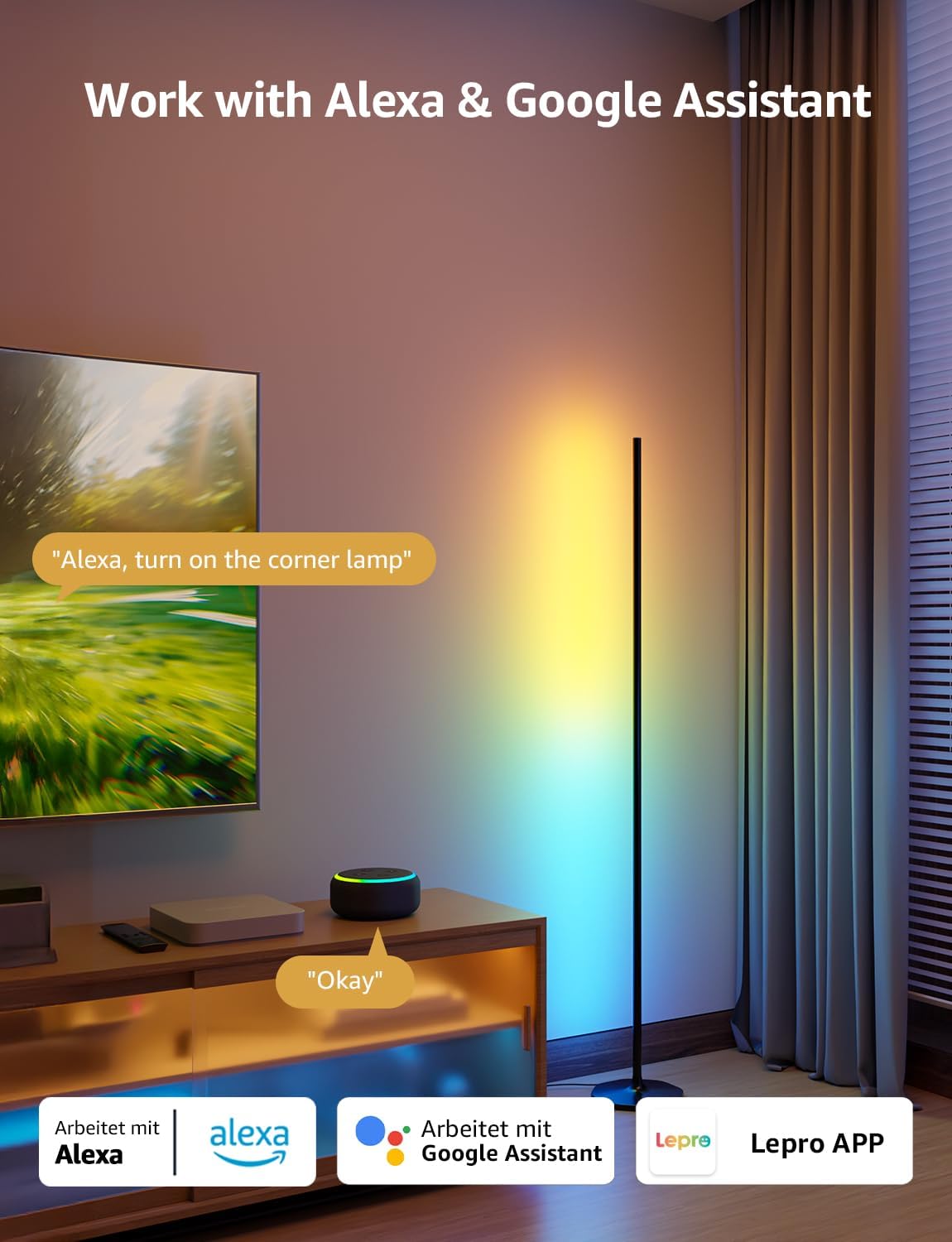
۵.۲. د غږ کنټرول (الیکسا او ګوګل اسسټنټ)
The OE1 lamp supports effortless voice control through Amazon Alexa and Google Assistant. Link your Lepro account with Alexa or Google Assistant in their respective apps to enable voice commands.
- Example commands: "Alexa, turn on the corner lamp," "Hey Google, set the floor lamp to blue," "Alexa, dim the floor lamp تر 50٪ پورې."
3. د ګروپ کنټرول
For multiple Lepro AI devices, simultaneous group control is supported through the Lepro app, allowing you to manage all your smart lights together.
ساتنه
To ensure the longevity and optimal performance of your Lepro OE1 floor lamp:
- پاکول: l مسح کړئamp with a soft, dry cloth. Avoid using abrasive cleaners or solvents that may damage the finish or LED strip.
- ځای په ځای کول: L ځای پر ځای کړئamp on a stable, flat surface. Avoid areas with excessive moisture or direct exposure to sunlight, which can affect the LED lifespan.
- ځواک: تل د پاکولو یا هر ډول ساتنې ترسره کولو دمخه د بریښنا اډاپټر قطع کړئ.
د ستونزو حل کول
If you encounter issues with your Lepro OE1 floor lamp، لاندې عام حلونو ته مراجعه وکړئ:
- Lamp نه چالانېدل:
- ډاډ ترلاسه کړئ چې د بریښنا اډاپټر په خوندي ډول په دواړو l کې نښلول شویamp او د کار کولو بریښنایی وسیله.
- د بل وسیلې په لګولو سره وګورئ چې ایا د بریښنا آوټ لیټ فعال دی.
- Unable to connect to the Lepro app:
- Verify your smartphone's Bluetooth is enabled.
- Confirm your WiFi network is 2.4GHz. The lamp does not support 5GHz WiFi.
- Ensure your phone is connected to the same 2.4GHz WiFi network as the lamp د لومړني تنظیم کولو پرمهال.
- د l بیا تنظیم کولو هڅه وکړئamp (see "Resetting the Lamp" below).
- د غږ کنټرول کار نه کوي:
- Ensure your Lepro account is correctly linked with your Alexa or Google Assistant app.
- Check your internet connection for both the lamp and your voice assistant device.
د ایل بیا تنظیم کولamp
If you experience persistent issues or need to re-pair your lamp, perform a factory reset:
- Locate the control button on the power cable.
- د 5 ثانیو لپاره تڼۍ فشار کړئ او ونیسئ.
- A flashing blue light on the lamp indicates a successful reset. The lamp is now ready for re-pairing with the Lepro app.
Video 3: Visual demonstration of how to reset the Lepro OE1 AI floor lamp.
مشخصات
| فیچر | تفصیل |
|---|---|
| برانډ | لیپرو |
| د ماډل شمیره | OE1 |
| د محصول ابعاد | ۱۶"د x ۲۶"وچ x ۴۷"ح |
| د توکي وزن | 2.86 پونډه |
| د رڼا سرچینې ډول | LED |
| روښانتیا | 1000 Lumens |
| د رنګ د حرارت درجه | 2700 کیلوین (ګرم سپین) |
| رڼا رنګ | RGB، ګرم سپین |
| واټtage | ۴۵ واټه |
| والیtage | 120 وولټ (AC) |
| د کنټرول طریقه | Voice, App (Lepro App) |
| ارتباط | Bluetooth, 2.4G WiFi (5GHz not supported) |
| اوسط ژوند | 20000 ساعته |
| مواد | المونیم |
| د پای ډول | مټ |
| د کور دننه / بهر کارول | دننه |
| مجلس ته اړتیا ده | هو |
| UPC | 810168791135 |
تضمین او ملاتړ
For warranty information or technical support, please refer to the official Lepro webسایټ ته لاړ شئ یا مستقیم د دوی د پیرودونکو خدماتو سره اړیکه ونیسئ. د هر ډول تضمین ادعا لپاره خپل د پیرود رسید وساتئ.
Optional protection plans may be available for purchase separately. Please check with your retailer for details.


