1. پیژندنه
دا لارښود ستاسو د تور رنګ تنظیمولو، چلولو، ساتلو او ستونزو حل کولو لپاره اړین معلومات چمتو کوي.view Shark 6 smartphone. Please read this guide thoroughly to ensure optimal performance and longevity of your device.
تورview Shark 6 is a 5G-enabled smartphone featuring a 6.88-inch 120Hz display, powered by an octa-core processor with 12GB RAM and 128GB internal storage, expandable up to 2TB. It runs on Android 15 with DokeOS 4.2 and includes a 5000mAh battery with 18W fast charging, a 16MP main camera, an 8MP front camera, and NFC functionality.
۲. په بکس کې څه دي؟
ډاډ ترلاسه کړئ چې ټول توکي ستاسو د محصول په بسته بندۍ کې شتون لري:
- تورview SHARK 6 Mobile Phone
- Power Adaptor (9V2A)
- Micro USB Cable (Type-C)
- محافظتي قضیه
- د تودوخې شیشې فلم
- د سیم Ejector پن
- د کارونکي لارښود (دا لاسوند)
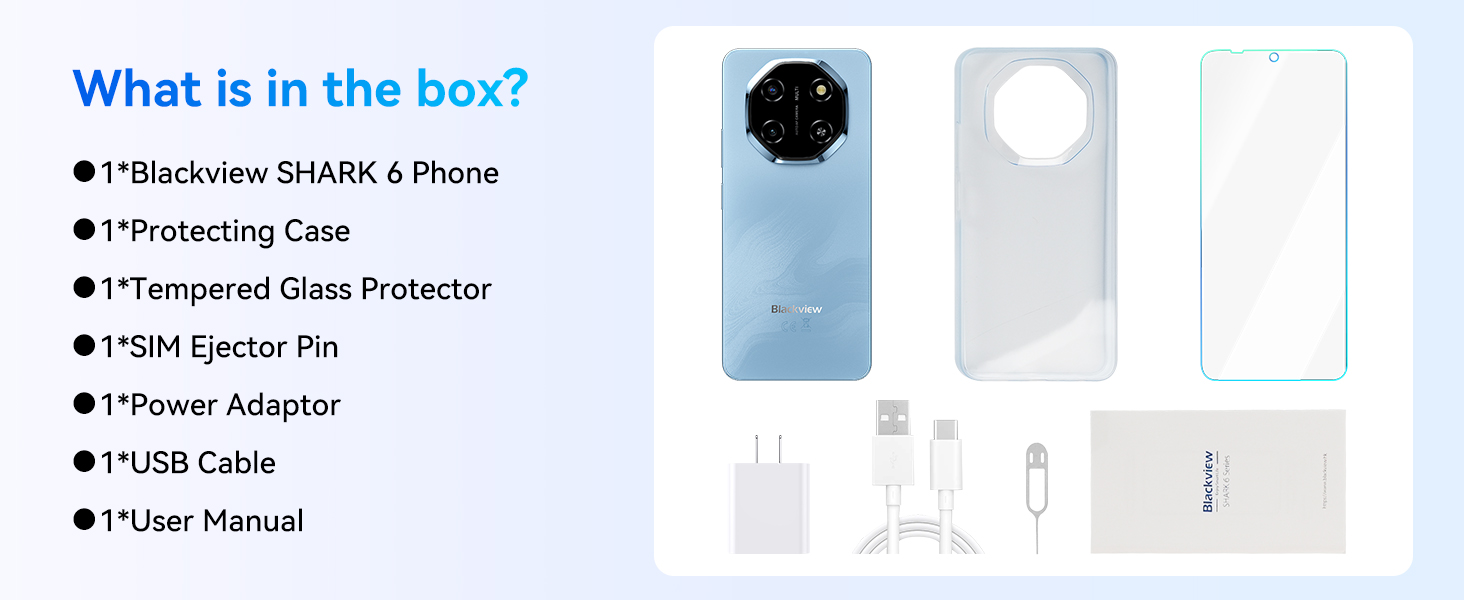
انځور: د تورې ټوټېview Shark 6 retail box.
3. وسیله ختمه شوهview
تورview Shark 6 features a sleek design with a large display and a distinctive camera module. Familiarize yourself with the physical components of your device.

انځور: مخ او شا view د تور پوستوview Shark 6.
- مخ: 6.88-inch display, 8MP front camera, earpiece.
- شاته: 16MP main camera, flash, Blackview برانډینګ.
- اړخونه: Power button (with integrated fingerprint sensor), volume buttons, SIM/microSD card tray, USB Type-C port, 3.5mm audio jack.

انځور: تورview Shark 6 design and dimensions (8.45mm thin, 210.5g weight).
4. ترتیب کول
۲.۲ د سیم کارتونو او مایکرو ایس ډی کارت داخلول
- د خپل تلیفون په څنګ کې د سیم کارت ټری ومومئ.
- Insert the SIM ejector pin into the small hole next to the tray and press gently until the tray pops out.
- خپل نانو سیم کارتونه (تر دوو پورې) او/یا یو مایکرو ایس ډی کارت په ټری کې ټاکل شوي سلاټونو کې ځای په ځای کړئ. ډاډ ترلاسه کړئ چې د سرو زرو اړیکې ښکته خوا ته دي.
- ټری په احتیاط سره بیرته تلیفون ته فشار ورکړئ تر هغه چې دا په خپل ځای کې راشي.
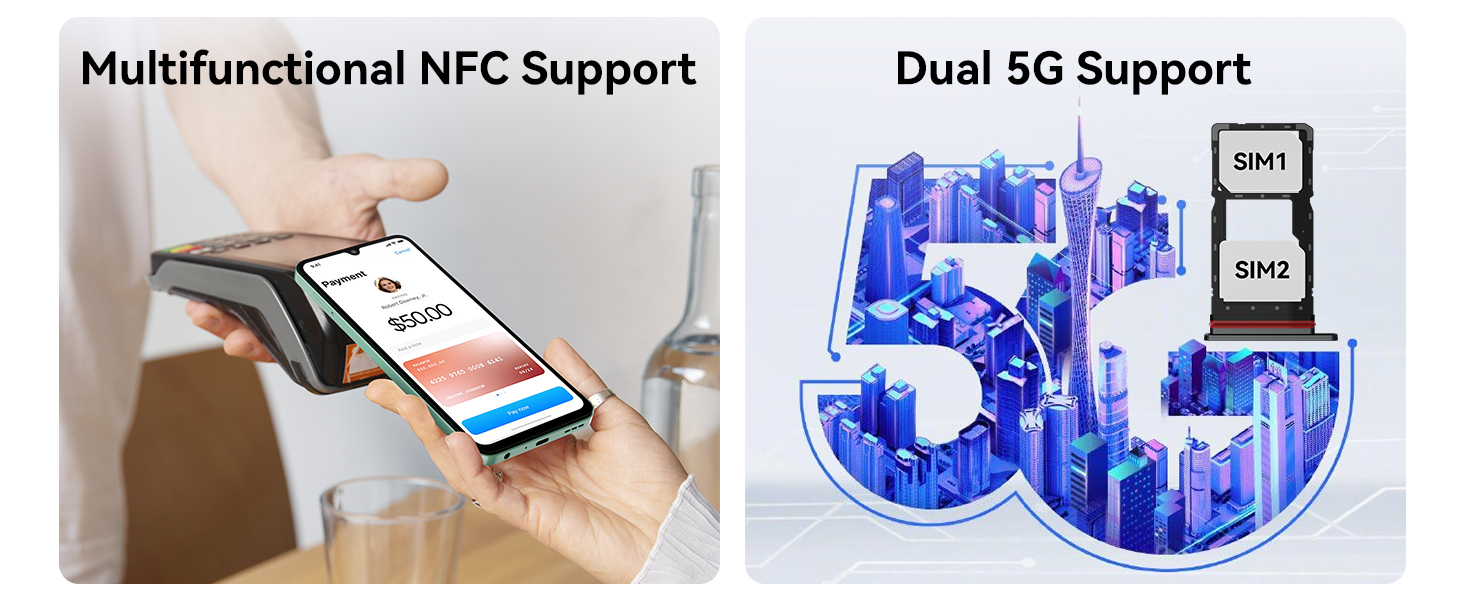
Image: Dual 5G SIM support and NFC functionality.
۲.۴ د بریښنا لومړنی فعالول او بنسټیز ترتیب
- د بریښنا تڼۍ فشار ورکړئ او ونیسئ تر هغه چې تور ويview لوګو ښکاري.
- د خپلې ژبې غوره کولو لپاره د سکرین پرامپټس تعقیب کړئ، د وای فای شبکې سره وصل شئ، او شرایط او مقررات ومنئ.
- د ګوګل خدماتو او پلی سټور ته د لاسرسي لپاره د خپل ګوګل حساب سره لاسلیک وکړئ یا یو نوی حساب جوړ کړئ.
- Set up screen lock methods such as PIN, pattern, or password.
4.3 Fingerprint and Face Unlock Setup
For enhanced security and convenience, configure fingerprint and face unlock:
- ته لاړشئ ترتیبات > امنیت > د ګوتو نښې خلاصول or د مخ خلاصول.
- Follow the on-screen instructions to register your fingerprints or face. Ensure good lighting for face recognition.
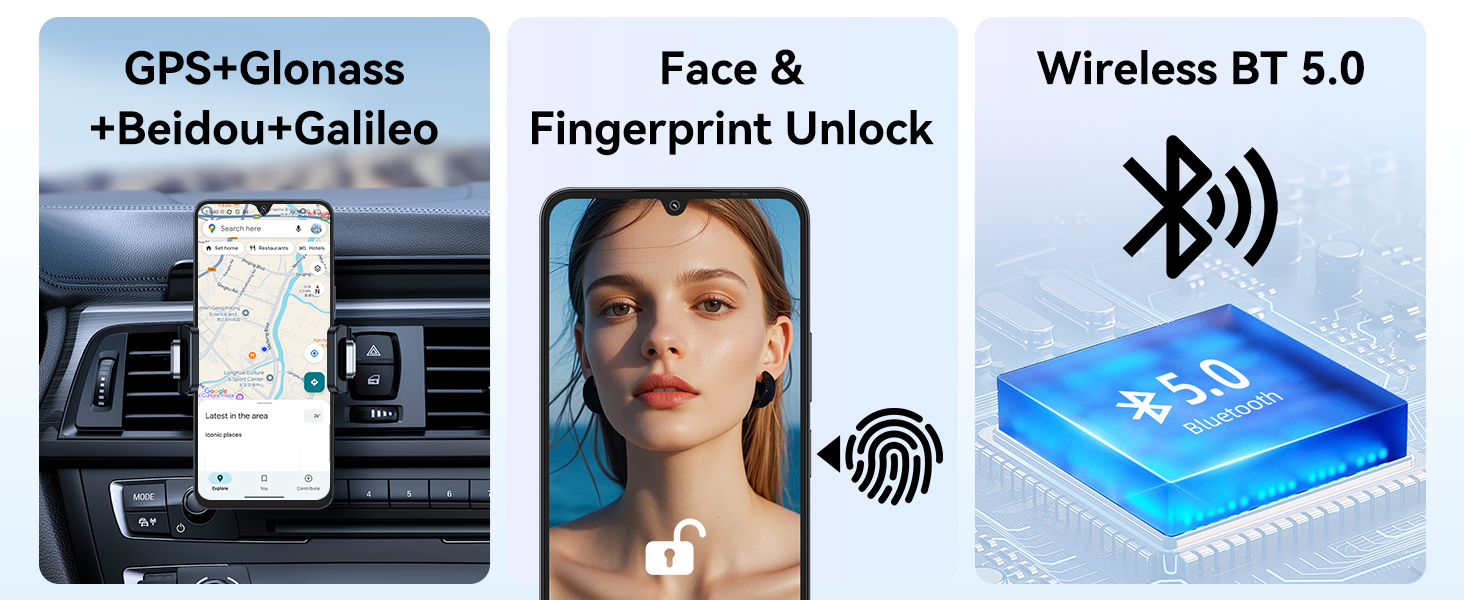
Image: GPS, Face & Fingerprint Unlock, and Wireless BT 5.0 features.
۳. ستاسو تور چلولview شارک ۰۸
5.1 Basic Navigation and Android 15 Features
ستاسو تورview Shark 6 runs on Android 15 with Blackview's DokeOS 4.2, offering a user-friendly interface and enhanced privacy features.
- کور سکرین: Swipe left/right to access app pages, swipe down for notifications and quick settings.
- د اپلیکیشن دراز: د کور سکرین څخه پورته ته پورته کړئ view ټول نصب شوي غوښتنلیکونه.
- څو دندې: پورته سوائپ کړئ او د سکرین له ښکته څخه یې ونیسئ (یا د مربع نیویګیشن تڼۍ ټایپ کړئ) ترڅو view وروستي اطلاقات.
- د محرمیت ډشبورډ: Monitor and manage app permissions under Settings > Privacy.

Image: DokeOS 4.2 features based on Android 15.
5.2 Display Settings and Eye Comfort
The 6.88-inch FHD+ display offers a 120Hz refresh rate for smooth visuals. Adjust display settings for optimal viewآرامتیا:
- د تازه کولو نرخ: Set to 120Hz for the smoothest experience, or use Smart AI Refresh Rate for adaptive power saving.
- د لوستلو حالت: Reduces blue light for comfortable reading.
- د شپې رڼا: Adjusts screen colors to warmer tones for evening use.
- تیاره حالت: Changes the system theme to dark colors, reducing eye strain in low light.

Image: 6.88-inch FHD+ Immersive Display with 120Hz refresh rate.
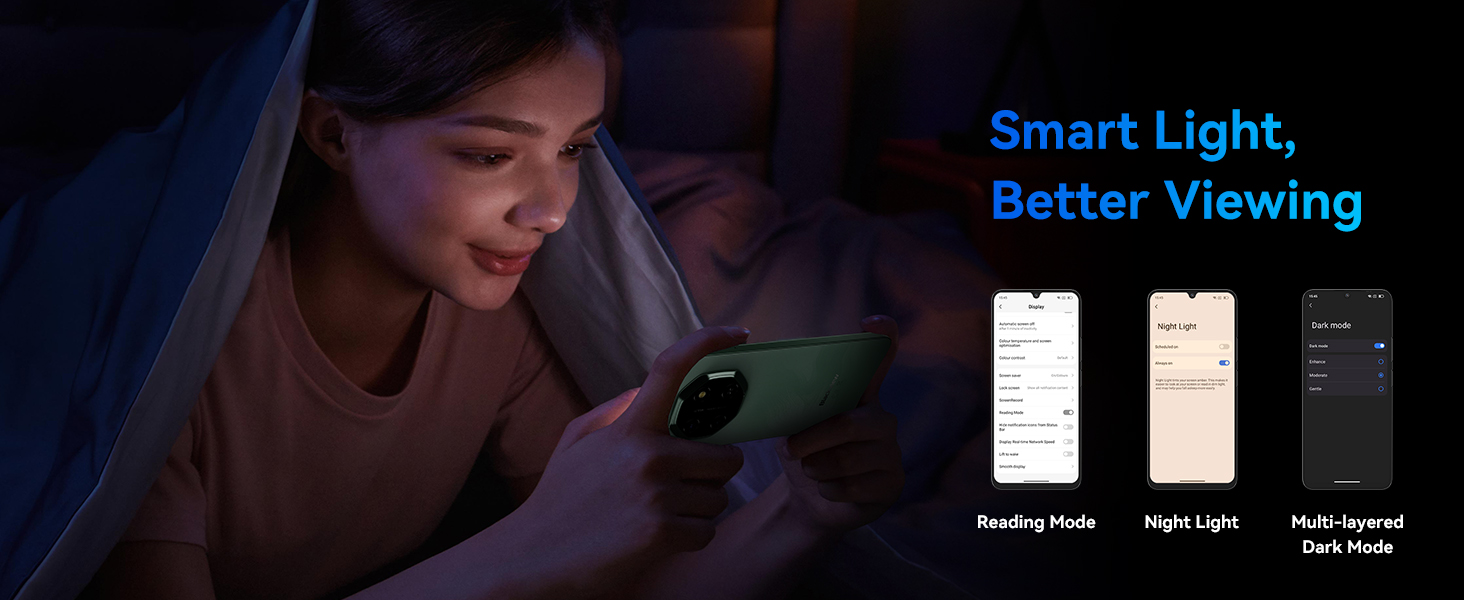
Image: Smart Light features for better viewراحت.
5.3 Camera Usage and AI Features
Capture moments with the 16MP rear camera and 8MP front camera. Utilize AI features for enhanced photography and creativity.
- شاته کیمره: 16MP with AI Scene Recognition, Portrait mode, Smile Shutter, and 4K Ultra-clear Video Recording.
- مخکینۍ کیمره: 8MP with Face Fill Light and HDR for clear selfies.
- د AI عکس ایډیټ کولو وسیلې: Includes Magic Eraser to remove unwanted objects, One-Tap Sky Replacement, and Portrait Blur.

Image: Magic AI Photo Editing Tools.
5.4 نښلول
تورview Shark 6 supports various connectivity options:
- د ۴ جي شبکه: Enjoy high-speed internet connectivity.
- وای فای: د انټرنیټ لاسرسي لپاره بېسیم شبکو سره وصل شئ.
- بلوتوث: د بېسیم هیډفونونو، سپیکرو او نورو وسیلو سره جوړه کړئ.
- NFC: Enable contactless payments and quick pairing with compatible devices.
- GPS: Integrated GPS, GLONASS, Beidou, and Galileo for accurate navigation.
5.5 AI Assistant and Smart Features
Leverage the integrated AI features for a smarter user experience:
- ډوک AI: Includes AI Smart Chat App, Magic AI Photo Editor, Smart AI Video Editor, and Smart AI Music Composer.
- د جیمني ادغام: Access Google Gemini for voice wake-up, voiceprint recognition, real-time voice interaction, and global smart control.

Image: Doke AI features for enhanced functionality.
5.6 Power Key Update Notice
To meet Google Gemini integration requirements, the power key functionality has been updated:
- Long press Power: Launches Gemini.
- Power + Volume Up: Accesses the Power menu (Power off, Restart, Emergency).
- Power + Volume Down: یو سکرین شاټ اخلي.
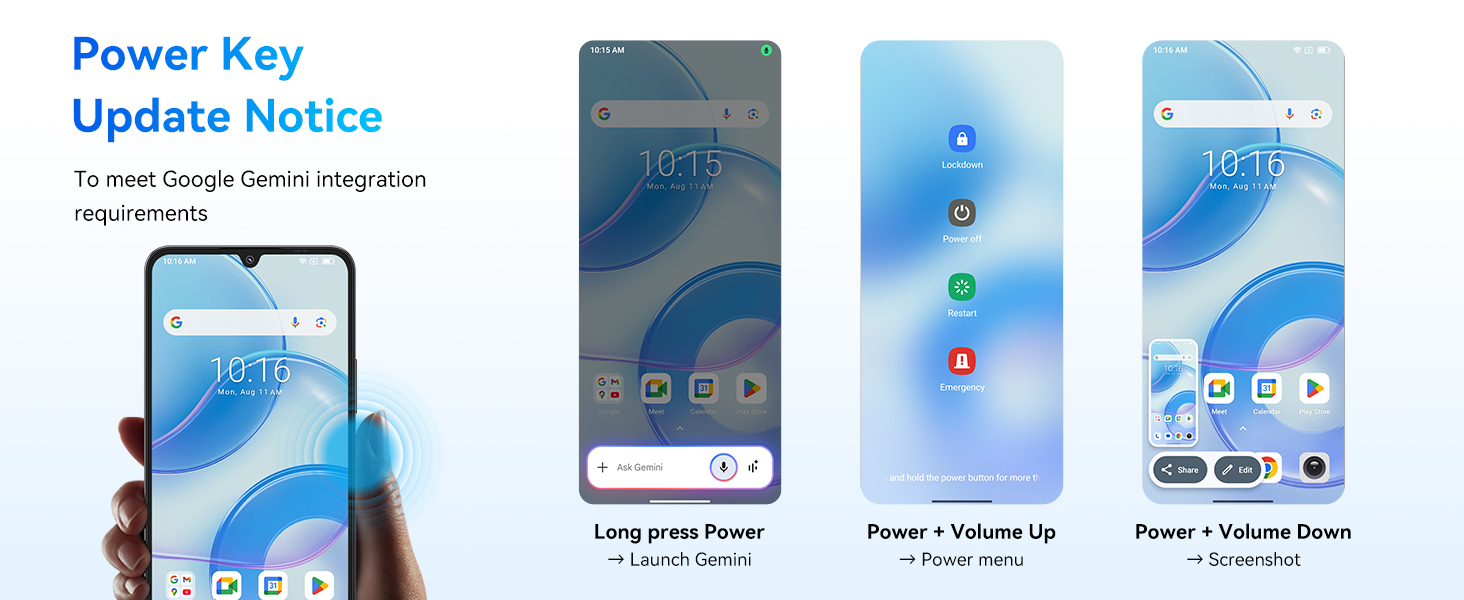
Image: Power Key Update Notice for Google Gemini integration.
6. ساتنه
6.1 د بیټرۍ ساتنه او چارج کول
تورview Shark 6 is equipped with a 5000mAh battery and supports 18W fast charging.
- Use the provided Power Adaptor (9V2A) and Micro USB Cable (Type-C) for optimal charging.
- Avoid extreme temperatures when charging or using the device.
- The phone retains approximately 80% battery capacity after over 800 charge cycles.
- د شپې د چارج کولو لپاره د مصنوعي ذهانت ساتنه: Helps prolong battery lifespan by optimizing charging patterns.
- د مصنوعي ذهانت د بریښنا سپمول: Intelligently manages background app activity to conserve battery.
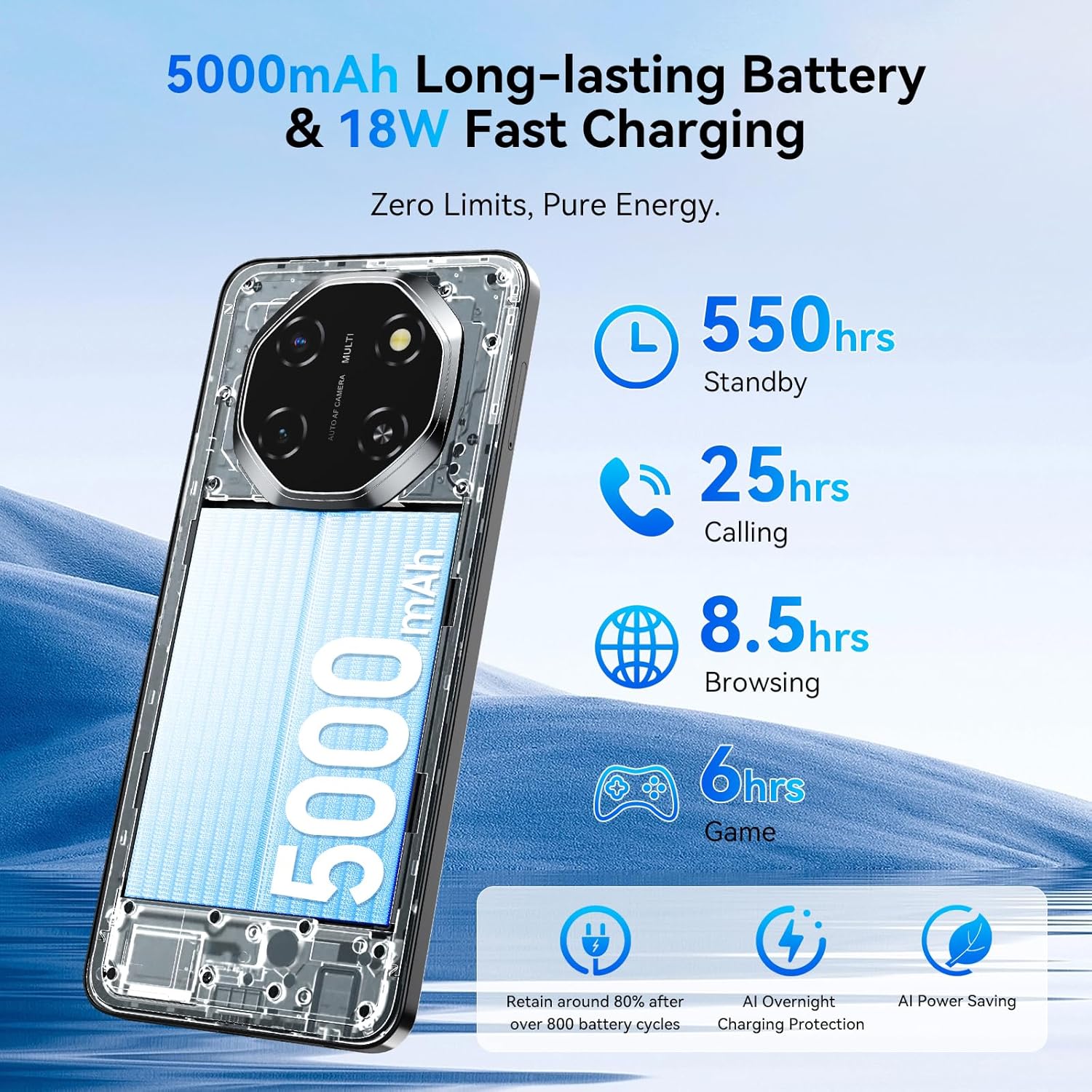
Image: 5000mAh Long-lasting Battery & 18W Fast Charging.
6.2 د سافټویر تازه معلومات
په منظم ډول د سافټویر تازه معلومات وګورئ او نصب کړئ ترڅو ډاډ ترلاسه کړئ چې ستاسو وسیله وروستي ځانګړتیاوې، امنیتي پیچونه، او د فعالیت ښه والی لري. تاسو معمولا دا اختیار په ترتیبات> سیسټم> سیسټم تازه کول.
۳.۲ ستاسو د آلې پاکول
د خپل تلیفون سکرین او بدن پاکولو لپاره د نرم، لینټ څخه پاک ټوکر وکاروئ. د سخت کیمیاوي موادو یا کثافاتو موادو کارولو څخه ډډه وکړئ چې کولی شي وسیله ته زیان ورسوي.
6.4 د ذخیرې مدیریت
Your device comes with 128GB of internal storage, expandable up to 2TB via a microSD card. Regularly manage your storage to maintain optimal performance:
- غیر ضروري حذف کړئ files، ایپسونه، او رسنۍ.
- لوی حرکت وکړئ files to the microSD card.
- د بیک اپ لپاره د کلاوډ ذخیره کولو خدماتو څخه کار واخلئ.

Image: Powerful Performance: Octa-Core Processor, 12GB RAM, 128GB ROM, and 2TB Expansion.
6.5 Advanced Integrated Cooling System
تورview Shark 6 incorporates an advanced cooling system to manage heat during intensive tasks, ensuring stable performance.
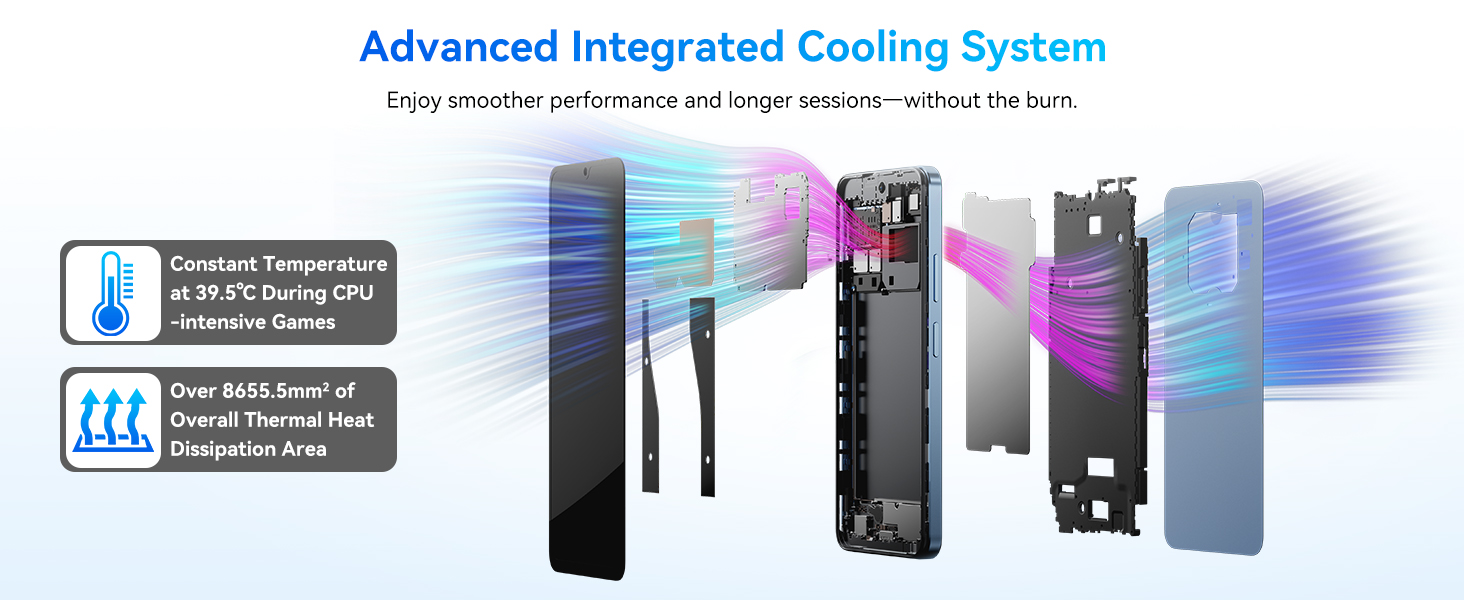
Image: Advanced Integrated Cooling System.
7. ستونزه حل کول
که تاسو د خپل تور سره ستونزې سره مخ شئview Shark 6, refer to the following common solutions:
- وسیله نه چلیږي: ډاډ ترلاسه کړئ چې بیټرۍ چارج شوې ده. تلیفون لږ تر لږه د 15 دقیقو لپاره چارجر سره وصل کړئ مخکې لدې چې بیا چالان کړئ.
- د اپلیکیشنونو خرابېدل یا کنګل کېدل: Close background apps, clear the app's cache (Settings > Apps > [App Name] > Storage > Clear Cache), or restart the device.
- د شبکې د اتصال ستونزې: Check if airplane mode is off. Restart the phone. Verify SIM card insertion. Contact your mobile carrier if the issue persists.
- ورو فعالیت: Free up storage space, close unused apps, or restart the device.
- د ګوتو نښې/د مخ خلاصول کار نه کوي: Ensure your fingers are clean and dry, or your face is well-lit and unobstructed. Re-register your biometrics if necessary.
For more complex issues, please refer to the support section or contact Blackview د پیرودونکو خدمت.
8. مشخصات
د تور لپاره تفصيلي تخنیکي مشخصاتview Shark 6:
| عملیاتي سیسټم | انډرایډ ۱۳ (DokeOS ۴.۰) |
| پروسیسر | Octa-Core (Unisoc T8100, 2.2 GHz CPU Speed) |
| RAM | ۲۴ جي بي (۸ جي بي فزيکي + ۱۶ جي بي مجازي) |
| داخلي ذخیره | 128 جي بي |
| د پراخیدو وړ ذخیره | د مایکرو ایس ډی کارت له لارې تر ۱ TB پورې |
| ښودل | 6.88 Inches, 720 x 1604 Resolution, 120 Hz Refresh Rate |
| شاته کیمره | 16 MP |
| مخکینۍ کیمره | 8 MP |
| د بیټرۍ ظرفیت | 5000 mAh |
| چارج کول | 18W چټک چارج کول |
| ارتباط | 5G, Wi-Fi, Bluetooth, NFC, GPS (Built-In GPS, GLONASS, Beidou, Galileo) |
| آډیو جیک | 3.5 ملي متره |
| ابعاد | ۷.۱۳ x ۳.۷ x ۲.۰۵ انچه (پیکج) |
| د توکي وزن | ۲.۴۵ پونډه |
| ځانګړي ځانګړتیاوې | Dual SIM, Expandable Memory, Fast Charging Support, Supports USB OTG |
9. تضمین او ملاتړ
تورview Shark 6 comes with a 2 کلن تضمین. تورview provides a responsive after-sales service team to assist with any product-related inquiries or issues.
د ملاتړ لپاره، مهرباني وکړئ رسمي بلیک ته مراجعه وکړئview website or contact their customer service through the details provided in your warranty card or on the Blackview store page.
تاسو کولی شئ نور معلومات او ملاتړ سرچینې په تورview په ایمیزون کې ذخیره کړئ.


