1. ابتدايي ترتیب
This section guides you through the initial steps to set up your TCL 65C69K Smart TV, from unpacking to the first power-on.
۲.۱ د تلویزیون خلاصول
Carefully remove the TV and all accessories from the packaging. Retain the packaging materials for future transport or service needs. Ensure all components listed in the packing list are present.
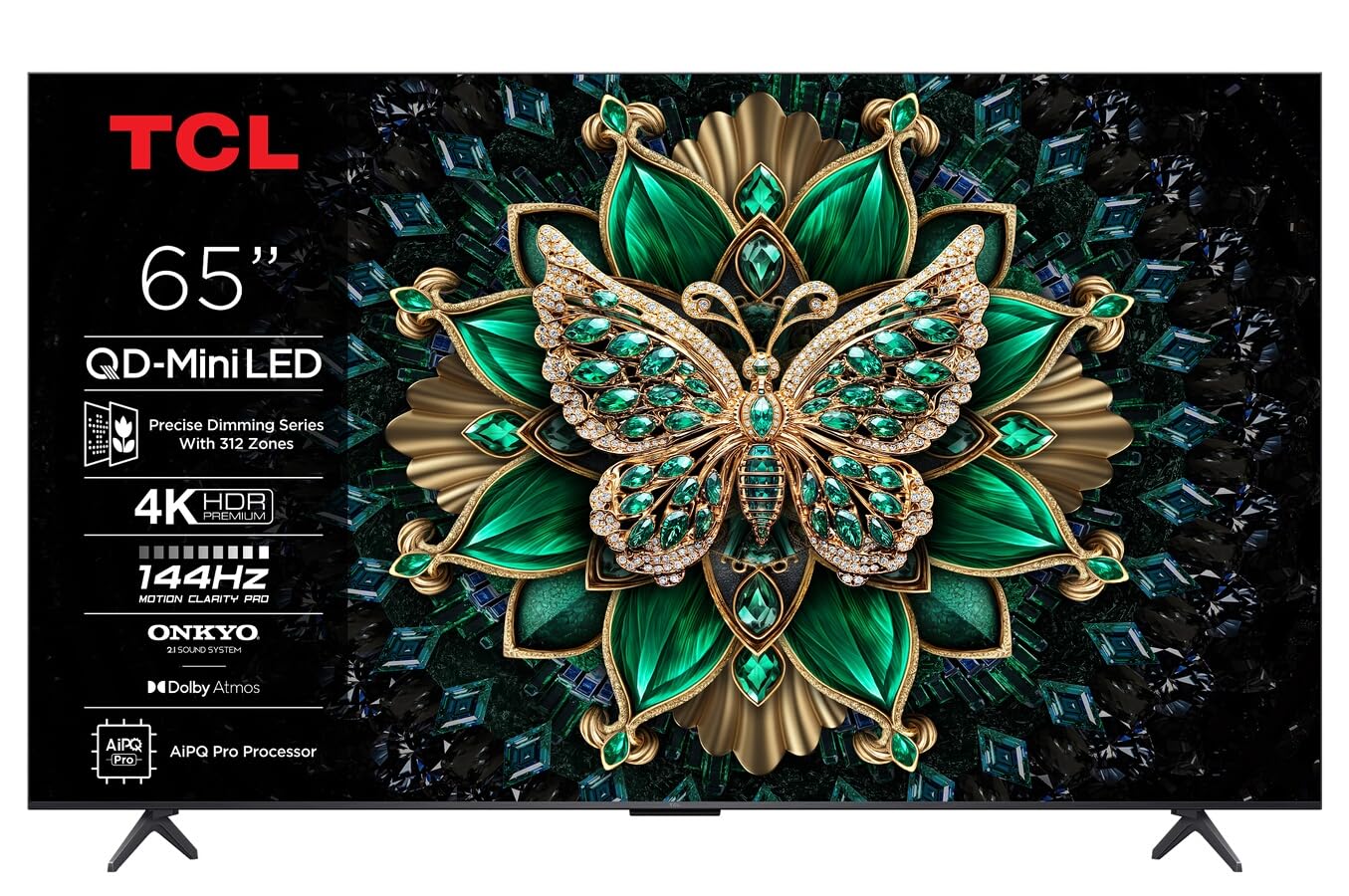
انځور: مخکینۍ برخه view of the TCL 65C69K QD-MiniLED 4K Smart TV. The TV features a slim bezel and a central stand, showcasinد هغې ښودنه او ډیزاین.
۳.۲ د سټینډ نصب کول یا دیوال نصب کول
د سټینډ نصبولو لپاره: Place the TV screen-down on a soft, flat surface. Align the stand with the designated slots on the bottom of the TV and secure it using the provided screws. Ensure the stand is firmly attached before placing the TV upright.
د دیوال نصبولو لپاره: Refer to the wall mount kit instructions (sold separately) for proper installation. Ensure the wall mount is compatible with VESA standards for your TV model. Always seek professional assistance for wall mounting to prevent damage or injury.
1.3 د پردیو سره نښلول
- د بریښنا کیبل: د برېښنا کیبل د تلویزیون د برېښنا ان پټ سره وصل کړئ او بیا د دیوال له لارې وصل کړئ.
- د HDMI وسایل: Connect external devices such as Blu-ray players, game consoles, or set-top boxes to the HDMI ports. This TV supports 4K resolution via HDMI.
- انتن/کیبل: Connect an antenna or cable TV coaxial cable to the "ANT/CABLE IN" port for broadcast television.
- د شبکې پیوستون: د انټرنیټ لاسرسي لپاره، د ایترنیټ کیبل د LAN پورټ سره وصل کړئ یا د جوړ شوي وای فای اتصال څخه کار واخلئ.
- غږیز وسایل: For external audio systems, use the optical digital audio output or HDMI ARC/eARC port. The TV features Onkyo 2.1 audio.
1.4 First Power On and Initial Configuration
After connecting all necessary cables, press the power button on the TV or remote control. The TV will guide you through the initial setup process, which includes:
- د ژبې انتخاب: خپله غوره ژبه غوره کړئ.
- د شبکې ترتیب: Connect to your Wi-Fi network or confirm the Ethernet connection.
- Google TV Account: Sign in with your Google account to access smart features, apps, and personalized recommendations.
- د چینل سکین: Scan for available broadcast channels if an antenna or cable is connected.
- د محرمیت ترتیبات: Review او د محرمیت ترتیبات لکه څنګه چې وغواړئ تنظیم کړئ.
۴. د تلویزیون چلول
This section details the basic operation of your TCL 65C69K Smart TV, including remote control functions and smart features.
2.1 ریموټ کنټرول اوورview
The remote control allows you to navigate the TV's interface, adjust settings, and access smart features. Familiarize yourself with buttons for power, volume, channel, input selection, home, back, and dedicated app buttons (if present).
2.2 اساسي دندې
- پاور آن/بند: فشار ورکړئ ځواک په ریموټ یا تلویزیون کې تڼۍ.
- د حجم سمون: د کارولو حجم پورته / ښکته تڼۍ
- د چینل انتخاب: د کارولو چینل پورته / ښکته buttons or the number pad.
- د ننوتلو انتخاب: فشار ورکړئ داخلول button to switch between connected devices (HDMI 1, HDMI 2, TV, etc.).
۵.۲ د سمارټ تلویزیون ځانګړتیاوې (ګوګل تلویزیون)
Your TCL 65C69K runs on Google TV, providing access to a vast library of apps and streaming services. Press the کور د ګوګل تلویزیون انٹرفیس ته د لاسرسي لپاره تڼۍ. له دې ځایه، تاسو کولی شئ:
- Browse and launch pre-installed apps like Netflix, Amazon Prime Video, and Hulu.
- Download new apps from the Google Play Store.
- Access personalized content recommendations.
- Use Google Assistant for voice commands (if supported by your remote).
۳.۳ د انځور او غږ ترتیبات
د تلویزیون د ترتیباتو مینو ته لاسرسی ومومئ ترڅو خپل دودیز کړئ viewing and listening experience. Navigate to Settings > Display & Sound.
- د انځور طریقې: Select from various picture modes (e.g., Standard, Movie, Game, Vivid) or customize settings like brightness, contrast, color, and sharpness. The QD-MiniLED panel and 4K resolution deliver exceptional clarity.
- د انځور پرمختللې ترتیبات: Adjust settings related to Dolby Vision IQ for optimized picture quality based on ambient light. The TV supports a 120Hz refresh rate for smooth motion.
- د غږ طریقې: Choose sound modes (e.g., Standard, Music, Movie) or adjust equalizer settings. The integrated Onkyo 2.1 audio system with Dolby Atmos provides immersive sound.
3. ساتنه
Proper maintenance ensures the longevity and optimal performance of your TCL 65C69K Smart TV.
۶.۱ د سکرین او چوکاټ پاکول
- تل د پاکولو دمخه تلویزیون خلاص کړئ.
- Use a soft, lint-free cloth (e.g., microfiber) to gently wipe the screen. For stubborn marks, lightly dampټوکر د اوبو یا ځانګړي سکرین کلینر سره ومینځئ. هیڅکله کلینر مستقیم په سکرین مه سپری کوئ.
- Wipe the TV frame and stand with a dry, soft cloth. Avoid abrasive cleaners or solvents.
3.2 د سافټویر تازه معلومات
Regular software updates provide new features, performance improvements, and security enhancements. To check for updates, navigate to ترتیبات > سیسټم > په اړه > د سیسټم تازه کول. Follow the on-screen prompts to download and install any available updates. Ensure your TV is connected to the internet during this process.
4. ستونزه حل کول
This section addresses common issues you might encounter with your TCL 65C69K Smart TV and provides solutions.
- ځواک نشته:
- ډاډ ترلاسه کړئ چې د بریښنا کیبل په خوندي ډول د تلویزیون او کاري دیوال آوټ لیټ دواړو سره وصل دی.
- د بل وسیلې په لګولو سره وګورئ چې ایا د دیوال آوټ لیټ کار کوي.
- هڅه وکړئ چې په تلویزیون کې د بریښنا تڼۍ فشار ورکړئ، نه یوازې د ریموټ کنټرول.
- انځور نشته، خو غږ شته:
- تایید کړئ چې سمه ان پټ سرچینه غوره شوې ده (د مثال په توګه، HDMI 1، تلویزیون).
- Check the HDMI cable connection to both the TV and the external device. Try a different HDMI port or cable.
- Restart the connected external device.
- غږ نشته، خو انځور شته:
- Increase the volume on the TV and ensure it is not muted.
- د تلویزیون مینو کې د آډیو آوټ پټ ترتیبات وګورئ (د بیلګې په توګه، داخلي سپیکرې، بهرنۍ آډیو سیسټم).
- که بهرني سپیکرونه کاروئ، ډاډ ترلاسه کړئ چې دوی فعال دي او په سمه توګه وصل دي.
- د شبکې د اتصال ستونزې:
- خپل وای فای روټر او موډیم بیا پیل کړئ.
- ورتګ ترتیبات> شبکه او انټرنیټ او اړیکه بیا جوړه کړئ.
- If using Wi-Fi, try moving the TV closer to the router or using an Ethernet cable for a more stable connection.
- ریموټ کنټرول ځواب نه ورکوي:
- بیټرۍ په ریموټ کنټرول کې ځای په ځای کړئ.
- ډاډ ترلاسه کړئ چې د ریموټ او د تلویزیون د IR سینسر ترمنځ هیڅ خنډ شتون نلري.
- If it's a Bluetooth remote, try re-pairing it with the TV (refer to the TV's on-screen help for pairing instructions).
If problems persist after trying these solutions, please contact TCL customer support for further assistance.
5. تخنیکي مشخصات
Below are the key technical specifications for the TCL 65C69K Smart TV.
| د ماډل نوم | 65C69K |
| برانډ | TCL |
| د سکرین اندازه | ۷۸۷ انچه |
| ټیکنالوژي ښکاره کول | مینی LED |
| قرارداد | 4K UHD (3840 x 2160) |
| د تازه کولو نرخ | ۱۴۴ هرټز (اصلي) |
| ځانګړي ځانګړتیاوې | Mini LED, 4K UHD, Premium Design, Smart Functions, Dolby Vision IQ |
| د ارتباط ټیکنالوژي | وای فای، HDMI، USB، ایترنیټ |
| د اړخ نسبت | 16:9 |
| ملاتړ شوي انټرنیټ خدمتونه | Netflix, Amazon Prime Video, Hulu, Google TV ecosystem |
| د آډیو سیسټم | Onkyo 2.1, Dolby Atmos |


