1. پیژندنه
The AOCHUAN Smart M3 is a versatile 3-in-1 device combining a selfie stick, desktop stand, and floor tripod, featuring advanced AI face tracking and remote control capabilities. Designed for content creators and everyday users, it offers hands-free video recording and photography without the need for a dedicated application. This manual provides comprehensive instructions for setting up, operating, and maintaining your Smart M3 tripod.
2. د خوندیتوب معلومات
- وسیله د اوږدې مودې لپاره د سختې تودوخې یا مستقیم لمر وړانګو ته مه ښکاره کوئ.
- وسیله د اوبو او نورو مایعاتو څخه لرې وساتئ.
- د قوي تاثیراتو سره د وسیله له مینځه وړلو یا تابع کولو څخه ډډه وکړئ.
- هڅه مه کوئ چې وسیله پخپله جلا کړئ یا ترمیم کړئ. د مرستې لپاره د پیرودونکي ملاتړ سره اړیکه ونیسئ.
- Ensure your smartphone is securely mounted in the holder before use.
3. د بسته محتويات
ډاډ ترلاسه کړئ چې ټول توکي ستاسو په بسته کې شامل دي:
- Smart M3 AI Face Tracking Tripod
- ریموټ کنټرول (x1)
- د USB-C چارج کیبل (x1)
- د محصول لارښود (x1)

4. محصول ختم شوview
The AOCHUAN Smart M3 features an integrated design with several key components:
- د تلیفون لرونکی: Securely holds smartphones from 1.8 to 3.8 inches in width.
- AI Tracking Camera: Located on the main unit, it detects and follows faces.
- د بریښنا تڼۍ: د وسیلې د فعالولو/بندولو لپاره.
- د USB-C چارج کولو بندر: د داخلي بیټرۍ د چارجولو لپاره.
- د ریموټ کنټرول سلاټ: Stores the detachable Bluetooth remote.
- Extendable Pole: Made from aluminum alloy, extends up to 57 inches.
- د تپې پښې: Four-legged design with anti-slip rubber pads for enhanced stability.


5. ترتیب کول
۴.۱ د ټریپوډ خلاصول
- Gently pull the bottom of the device to extend the tripod legs. Ensure they are fully spread for maximum stability.
- Extend the telescopic pole to your desired height. The pole can reach up to 57 inches.
۳.۱ ستاسو د سمارټ فون سره نښلول
- Open the phone holder by pulling the top clip upwards.
- Carefully place your smartphone into the holder, ensuring it is centered and securely gripped. The holder accommodates devices from 1.8 to 3.8 inches wide.
5.3 فعالول
Press and hold the power button on the main unit until the indicator light illuminates.
5.4 د ریموټ کنټرول جوړه کول
The remote control uses Bluetooth. To pair, ensure the remote is charged and the tripod is powered on. Activate Bluetooth on your smartphone and select the Smart M3 remote from the list of available devices. The remote is typically pre-paired or automatically connects upon activation.
6. عملیاتي لارښوونې
6.1 AI Face Tracking
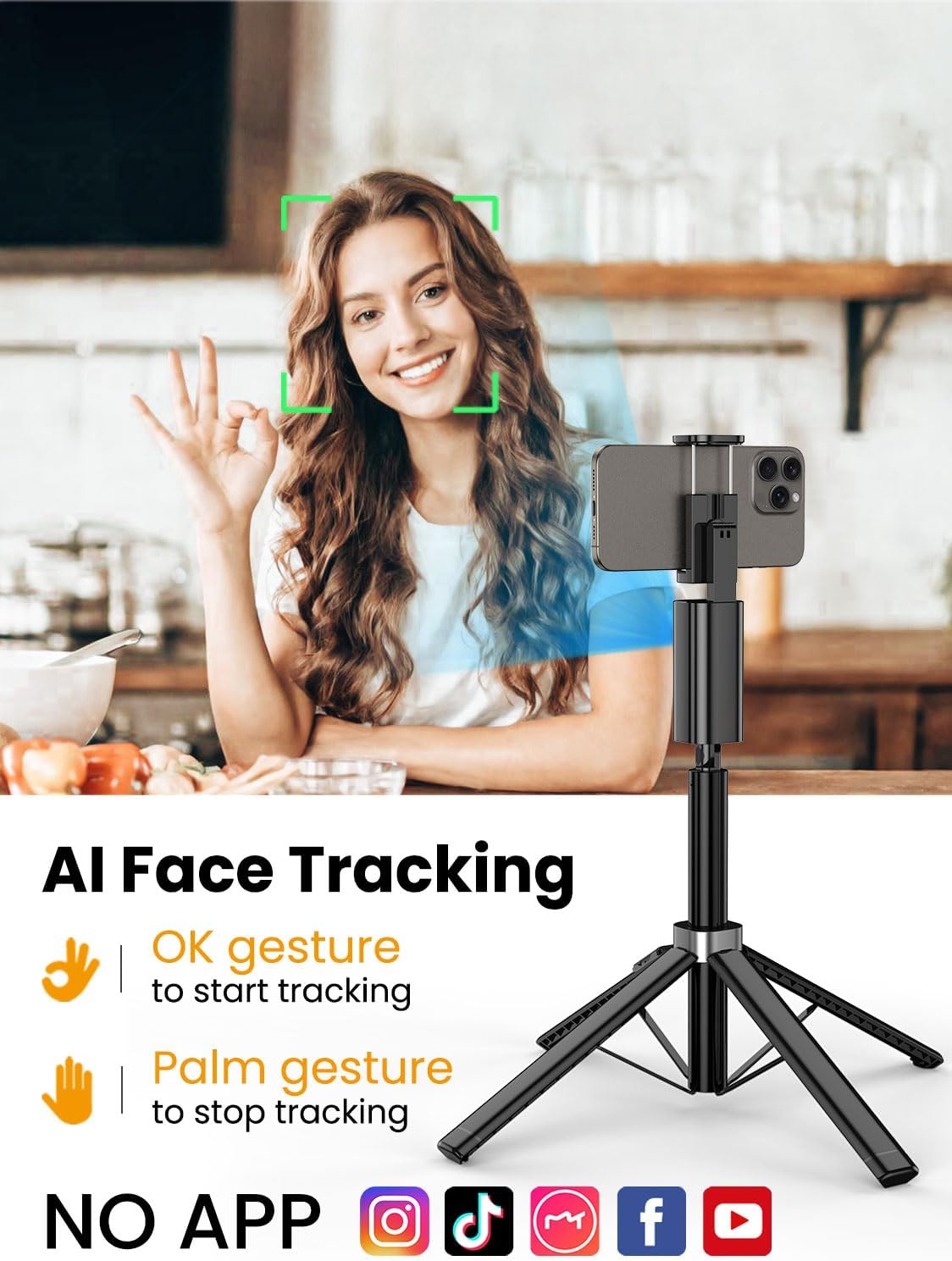
The Smart M3 features an integrated AI tracking camera that does not require an app. It automatically detects and follows faces.
- To Start Tracking: Make an "OK" gesture with your hand towards the AI tracking camera. The device will begin to rotate and follow your face.
- To Stop Tracking: Show your open palm to the AI tracking camera. The device will pause tracking.

6.2 د ریموټ کنټرول فعالیت
The detachable remote control allows you to operate your smartphone's camera from a distance of up to 10 meters (32 feet). Use it to trigger photos or start/stop video recording, ideal for group shots or solo content creation.

6.3 Extendable Pole
The built-in aluminum alloy extension pole can be adjusted to a maximum height of 57 inches, providing flexibility for various shooting scenarios and wider fields of view.

۴.۴ څو زاویه ډزې کول
The Smart M3 offers extensive adjustability for capturing unique perspectives:
- ۳۶۰ درجې څرخیدونکی سر: Allows for panoramic shots and seamless tracking.
- د ۱۸۰ درجې خښتو تنظیم: Adjust the vertical angle of your smartphone.
- 360° Balanced Handle: Provides additional rotational flexibility.

6.5 د کارونې طریقې
The Smart M3 can be used in three primary modes:
- د ډیسکټاپ سټینډ: Compact mode for stable placement on flat surfaces.
- Extended Selfie Mode: Use the extended pole for wider selfie shots.
- Floor Tripod Mode: Fully extend the pole and legs for stable, elevated recording.

7. ساتنه
- وسیله د نرم او وچ ټوکر سره پاکه کړئ. د کثافاتو پاکوونکي یا محلول مه کاروئ.
- Store the tripod in a cool, dry place when not in use.
- Ensure the remote control is securely stored in its slot to prevent loss.
8. ستونزه حل کول
- وسیله نه چلیږي: Ensure the device is fully charged using the provided USB-C cable.
- AI Face Tracking not working: Check for sufficient lighting. Ensure your face is clearly visible to the AI tracking camera. Avoid rapid movements that might cause the tracker to lose focus.
- Remote Control not connecting: Verify that the remote's battery is functional and that Bluetooth is enabled on your smartphone. Re-pair the remote if necessary.
- د ټریپډ بې ثباتي: Ensure the four legs are fully extended and placed on a flat, stable surface. Avoid using in strong winds.
9. مشخصات
| فیچر | مشخصات |
|---|---|
| د محصول ابعاد | 1.77 x 1.57 x 57 انچه |
| د توکي وزن | ۷.۹۶ پونډه (۳.۶۲ کیلوګرامه) |
| بیټرۍ | 1 لیتیم آئن بیټرۍ ته اړتیا ده (شامل ده) |
| جوړونکی | آوچان |
| برانډ | آوچان |
| رنګ | تور |
| مطابقت لرونکې وسیلې | سمارټ فون |
| مواد | المونیم |
| اعظمي لوړوالی | ۷۸۷ انچه |
| د ټریپډ سر ډول | د پین سرونه |
| د پښو د برخو شمېر | 4 |
| د فولاد اندازه | 12.41 انچه |
10. تضمین او ملاتړ
For warranty information and customer support, please refer to the contact details provided on the product packaging or visit the official AOCHUAN webسایټ د تضمین ادعاګانو لپاره خپل د پیرود رسید وساتئ.


