1. پیژندنه
The Amazon Echo Studio (2025 Model) is a smart speaker designed to deliver immersive spatial audio and Dolby Atmos sound. It features a compact design, a built-in smart home hub, and is powered by the AZ3 Pro chip for advanced performance. This device also includes early access to Alexa+, offering a smarter and more proactive AI assistant experience.

Image 1.1: The Amazon Echo Studio (2025 Model) in Glacier White, showcasing its compact, spherical design with control buttons on top.
۲. په بکس کې څه دي؟
مخکې له دې چې تاسو پیل کړئ، ډاډ ترلاسه کړئ چې ټول توکي په بسته بندۍ کې شتون لري:
- ایکو سټوډیو (۲۰۲۵ خپرونه)
- د بریښنا اډاپټر (50W)
- د چټک پیل لارښود
3. ترتیب کول
3.1 ابتدايي پاور آن
- Connect the provided power adapter to the Echo Studio and then to a wall outlet.
- The light ring on your Echo Studio will turn blue, then orange, indicating it is ready for setup.
3.2 Alexa App Installation and Connection
- په خپل موبایل کې د الیکسا ایپ ډاونلوډ کړئ (د فایر او ایس، انډرایډ او iOS سره مطابقت لري).
- د الیکسا ایپ خلاص کړئ او د خپل ایمیزون حساب سره لاسلیک وکړئ.
- Follow the on-screen instructions to add a new device. Select "Amazon Echo" then "Echo Studio".
3.3 د وای فای تنظیم کول
The Alexa app will guide you through connecting your Echo Studio to your Wi-Fi network. The device supports 1x1 Wi-Fi 6E (11a/b/g/n/ac/ax). Amazon Wi-Fi simple setup is available to streamline this process.
3.4 Room Adaptation
After initial setup, Echo Studio analyzes the acoustics of your room to fine-tune playback for optimal sound. This process occurs automatically.
3.5 Pairing for Enhanced Audio
- څو خونې موسیقي: Play music across multiple Echo devices by grouping them in the Alexa app.
- کور تیاتر: Pair your Echo Studio with compatible Fire TV devices for an immersive home theater experience. This can be done through the Fire TV settings.
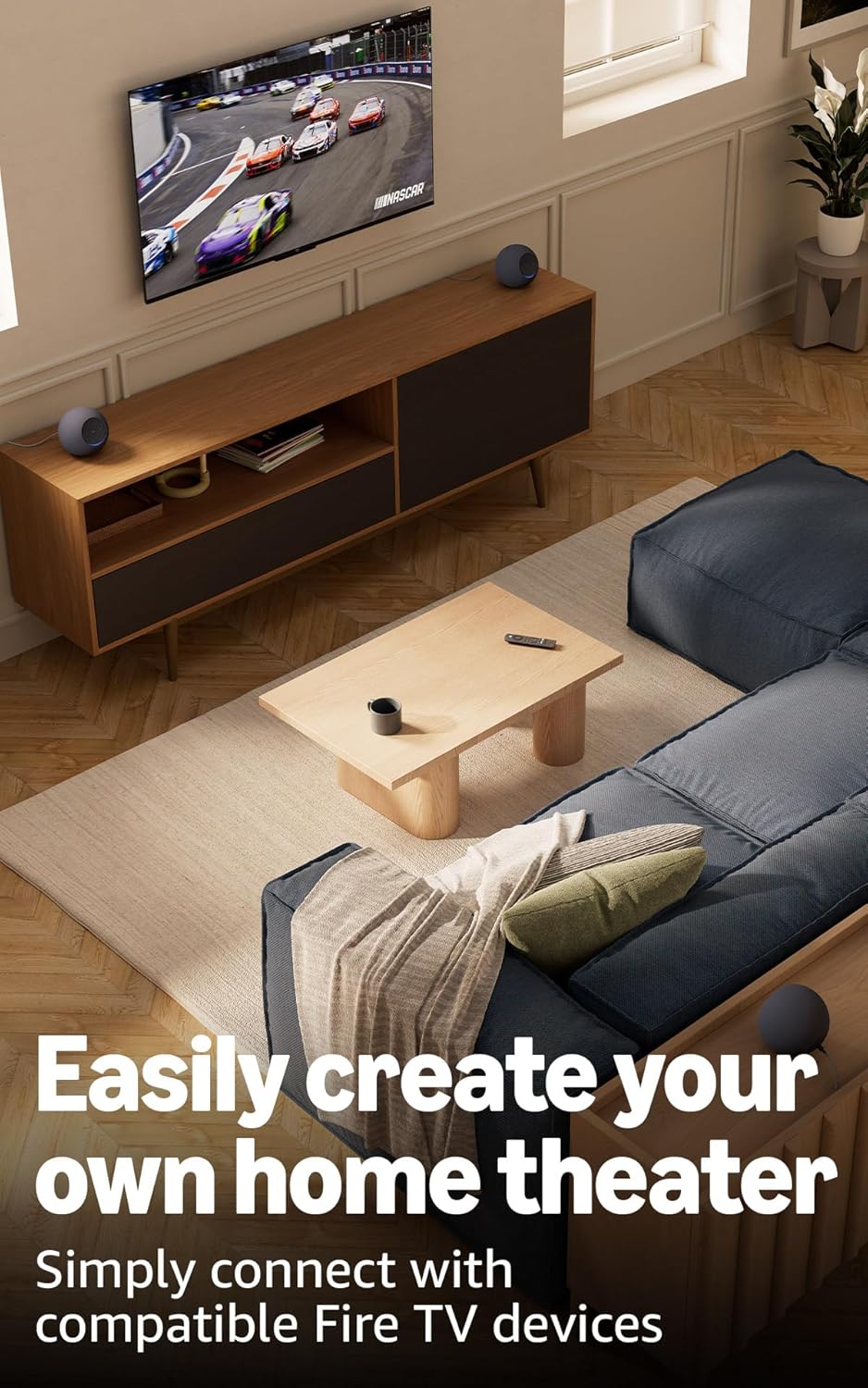
Image 3.1: Two Echo Studio devices positioned to create a home theater setup with a television, demonstrating multi-speaker audio.
4. Operating Your Echo Studio
۲.۳ د الیکسا سره د غږ کنټرول
Your Echo Studio is primarily controlled by voice commands using the wake word "Alexa". Speak clearly and directly to the device.

Image 4.1: A graphic introducing the updated Alexa+ assistant, highlighting its smarter and more proactive capabilities.
4.2 Alexa+ Early Access
This device provides early access to Alexa+. Upon setup, you can upgrade to this enhanced AI assistant for a more natural and conversational experience, capable of handling a wider range of tasks.
۴.۳ د سمارټ کور کنټرول
The Echo Studio includes a built-in smart home hub supporting Zigbee, Matter, and Thread Border Router protocols. This allows you to connect and control compatible smart lights, locks, and other devices directly without a separate hub.
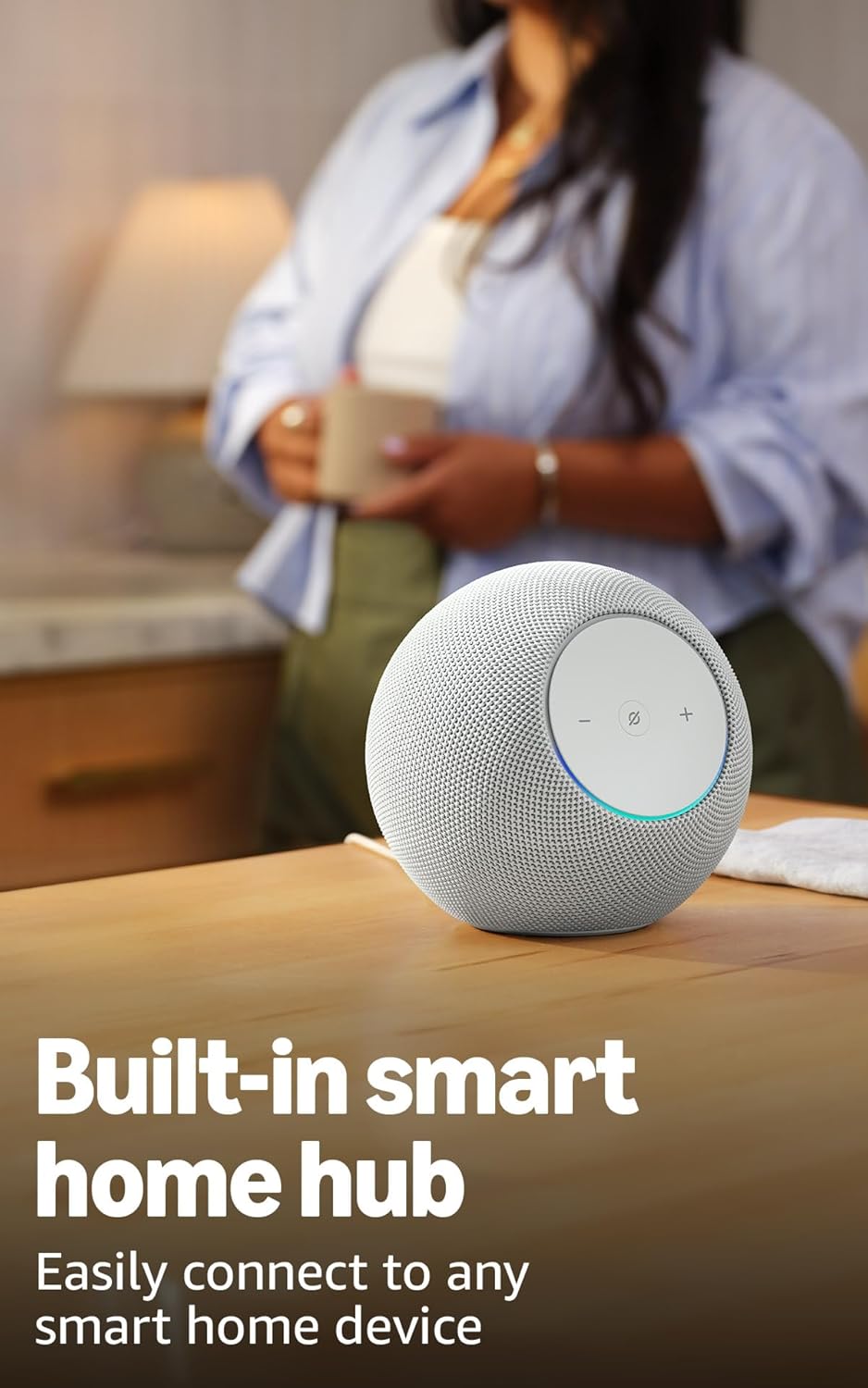
Image 4.2: The Echo Studio on a table, emphasizing its function as a built-in smart home hub for easy device connectivity.
4.4 د بلوتوت ارتباط
Echo Studio supports Bluetooth wireless technology/Bluetooth Low Energy 5.3. You can stream audio from your mobile device to Echo Studio (A2DP) or from Echo Studio to a Bluetooth speaker (A2DP). AVRCP is supported for voice control of connected mobile devices. Bluetooth speakers requiring PIN codes are not supported.
4.5 Omnisense Technology
Omnisense technology enables proactive and personalized experiences through features like presence detection, ambient temperature sensing, and accelerometer-based tap gestures. For example, you can activate routines based on temperature changes or detected presence.
4.6 eero Built-in
If you have a compatible eero router, your Echo Studio can extend Wi-Fi coverage. Link your eero and Amazon accounts and manage this feature through the eero mobile application. This feature supports up to 1,000 sq. ft. of additional coverage, speeds up to 100 Mbps, and 10 or fewer connected devices in the 5GHz band.
5. ساتنه
To ensure the longevity and optimal performance of your Echo Studio:
- Keep the device dry and away from direct sunlight or heat sources.
- Clean the exterior with a soft, dry, lint-free cloth. Do not use abrasive cleaners or solvents.
- ډاډ ترلاسه کړئ چې وسیله په یوه مستحکم سطحه کېښودل شوې ده ترڅو د ناڅاپي غورځیدو مخه ونیول شي.
6. ستونزه حل کول
If you encounter issues with your Echo Studio, consider the following steps:
- ځواک نشته: ډاډ ترلاسه کړئ چې د بریښنا اډاپټر په خوندي ډول د وسیلې او کاري دیوال آوټ لیټ دواړو سره وصل دی.
- د وای فای اتصال نشته: Check your router and internet connection. Verify that your Echo Studio is within range of your Wi-Fi network. Re-attempt Wi-Fi setup through the Alexa app.
- الیکسا ځواب نه ورکوي: Ensure the microphone is not muted (the light ring will be red if muted). Try saying the wake word more clearly or adjusting your proximity to the device.
- د غږ کیفیت مسلې: Confirm the device is placed optimally for room adaptation. Check audio settings in the Alexa app.
- عمومي مسایل: Try restarting your Echo Studio by unplugging it from the power outlet for a few seconds and then plugging it back in.
For further assistance, refer to the help section within the Alexa app or visit the Amazon support webسایټ
7. مشخصات
| فیچر | تفصیل |
|---|---|
| اندازه | ۶.۱” واټ x ۵.۶” ډ x ۵.۸” ه (۱۵۵ ملي متره واټ x ۱۴۲.۲ ملي متره ډ x ۱۴۷.۳ ملي متره ه) |
| وزن | 57.56 oz (1632 grams) 3.6 lbs |
| د آډیو بینډ ویت | 30 Hz - 18 kHz (volume 6) |
| Loudspeaker Drivers | 1x 3.75” high excursion woofer, 3x 2.25” full-range drivers |
| پلې بیک چینلونه | 3.1.1 (left, center, right, height, subwoofer) |
| د آډیو پروسس کول | Distortion reduction, Lossless High Definition, Automatic Room Adaptation, Amazon Spatial Audio, Dolby Atmos |
| د وائی فای ارتباط | ۱x۱ وای فای ۶E ۱۱a/b/g/n/ac/ax |
| د بلوتوټ ارتباط | Bluetooth wireless technology/Bluetooth Low Energy 5.3 (A2DP, AVRCP) |
| د سمارټ کور حب | زیګبي + ماده + د تار سرحد روټر |
| پروسیسر | د AI سرعت ورکوونکی سره AZ3 Pro |
| سینسرونه | Ambient temperature, Ambient light, Presence Detection, Accelerometer for Tap Gestures |
| اومنیسینس ټیکنالوژي | Custom technology for ambient AI, enabling proactive and personalized experiences |
| eero جوړ شوی | Extends Wi-Fi coverage with compatible eero routers (up to 1,000 sq. ft. additional coverage) |
| ژبه | الیکسا انګلیسي او هسپانوي خبرې کوي |
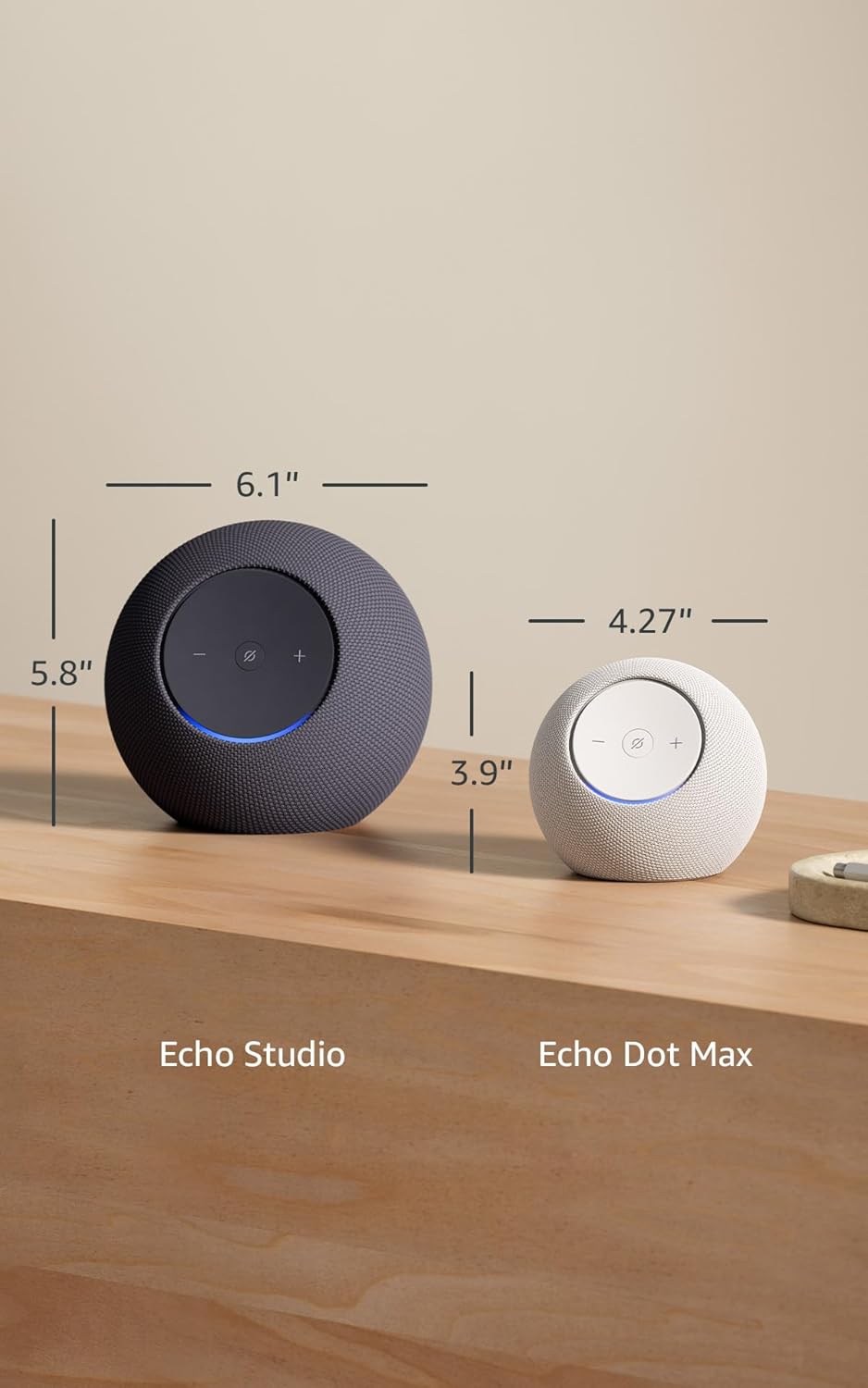
Image 7.1: A visual comparison showing the dimensions of the Echo Studio next to an Echo Dot Max.
8. خوندیتوب او اطاعت
۴.۴ د محرمیت ځانګړتیاوې
The Echo Studio is designed with multiple layers of privacy controls:
- د مایکروفون فعالول/غیر فعالول تڼۍ: A physical button allows you to electronically disconnect the microphones. When disabled, the light ring will turn red.
- د ویښتو کلمې ټیکنالوژي: وسیله یوازې د وییک کلمې (د مثال په توګه، "الیکسا") کشف کولو وروسته کلاوډ ته د آډیو ثبتول او لیږل پیل کوي.
- د غږ ثبتولو مدیریت: ته دا وړتیا لرې چې view او د الیکسا ایپ له لارې خپل غږیز ریکارډونه حذف کړئ.

انځور ۲: یوه نږدې انځور view of the Echo Studio's control panel, highlighting the microphone enable/disable button for privacy control.
۵.۴ د لاسرسي ځانګړتیاوې
Alexa offers various accessibility features to personalize your experience. These can be enabled in the Alexa App under Settings → Accessibility:
- تطبیقي اورېدل: د الیکسا ځواب ورکولو دمخه د خبرو پای ته رسولو لپاره ډیر وخت ورکوي.
- د خبرو کولو غوره کچه: کنټرول کړئ چې الیکسا څومره ګړندی یا ورو خبرې کوي (د مثال په توګه، "الیکسا، ورو خبرې وکړئ").
- د غږ غوښتنه: کله چې تاسو له الیکسا سره خبرې کوئ نو د اورېدو وړ غږ غږوي.
- کینډل په لوړ غږ لوستل: الیکسا ته ووایه چې خپل د کینډل کتابونه په لوړ غږ ولولي.
- کله چې نږدې وي خبر ورکړئ: کله چې تاسو د خپل ایکو وسیلې ته نږدې کشف شئ نو د خبرتیا غږونه غږوي.
9. تضمین او ملاتړ
Your Echo Studio comes with a 1-year limited warranty and service. Optional 1-year, 2-year, and 3-year extended warranties are available for U.S. customers, sold separately. For detailed warranty terms and conditions, please refer to the documentation provided with your device or visit the Amazon support webسایټ
For customer support, visit the Amazon Help & Customer Service pages or contact Amazon customer service directly.


