1. پیژندنه
The FreedConn KY PRO Hi-Res Motorcycle Helmet Bluetooth Headset is designed to provide clear and reliable communication for motorcyclists. Featuring advanced Bluetooth 5.1 technology, CVC noise cancellation, and support for up to 6 riders over a 1200m intercom range, this system enhances your riding experience with stereo music, dual device connectivity, and IP65 waterproof protection.
This manual provides detailed instructions for installation, operation, maintenance, and troubleshooting to ensure optimal performance and longevity of your device.
2. د بسته محتويات
ډاډ ترلاسه کړئ چې لاندې ټول توکي ستاسو په بسته کې شامل دي:
- FreedConn KY PRO Bluetooth Headset Unit (2 units for dual pack)
- D6 Hi-Res Headphones (speakers)
- Boom Microphone (for full-face helmets)
- Clip Microphone (for modular helmets)
- د USB ډول - سي چارج کیبل
- Hook Clip and Velcro Clip (for mounting)
- Headphone Velcro Pads
- د کارونکي لارښود (دا لاسوند)

Figure 2.1: FreedConn KY PRO Package Contents
3. محصول ختم شوview
The FreedConn KY PRO headset features an intuitive design with glove-friendly controls for ease of use while riding.

Figure 3.1: FreedConn KY PRO Headset Components
- Stereo Ear Speakers: Deliver high-resolution audio.
- On/Off/(Intercom) Button: Powers the unit on/off and initiates intercom functions.
- د جوګ ویل: Used for volume control, track navigation, and FM radio tuning.
- ملټي فنکشن بټن: Manages calls, music playback, and activates voice assistants (Siri/S Voice).
- د LED شاخص: Displays device status (power, pairing, charging).
- د شور لغوه کولو مایکروفون: Available as a boom mic for full-face helmets or a clip mic for modular helmets, both designed for clear voice transmission with CVC noise cancellation.
- Hard Cable/Slot Cable: Connects the microphone and speakers to the main unit.
4. نصب کول
Follow these steps to properly install the FreedConn KY PRO headset on your helmet:
- Mount the Headset Unit: Choose between the hook clip or velcro clip to securely attach the main headset unit to the side of your helmet. Ensure it is positioned for easy access to controls.
- سپیکرونه نصب کړئ: Place the stereo ear speakers inside the helmet's ear pockets using the provided velcro pads. Ensure they are aligned with your ears for optimal sound quality.
- مایکروفون ضمیمه کړئ: Select the appropriate microphone for your helmet type. For full-face helmets, use the boom mic, positioning it close to your mouth. For modular helmets, use the clip mic and adjust its position.
- د لارې کیبلونه: Carefully route all cables within the helmet lining to avoid interference and ensure a comfortable fit. Connect the speakers and microphone to the main headset unit.

Figure 4.1: Headset Installation Steps
5. بنسټیز عملیات
۸ پاور آن/بند
- پاور آن: Press and hold the On/Off button for approximately 3 seconds until the LED indicator lights up.
- بندول: Press and hold the On/Off button for approximately 3 seconds until the LED indicator turns off.
5.2 Bluetooth Pairing with Phone
The KY PRO supports dual device connection, allowing you to connect two smartphones simultaneously.
- ډاډ ترلاسه کړئ چې هیډسیټ بند دی.
- د ملټي فنکشن تڼۍ د نږدې 5-7 ثانیو لپاره فشار ورکړئ او ونیسئ تر هغه چې د LED شاخص په بدیل سره سور او نیلي روښانه شي، د جوړه کولو حالت په ګوته کوي.
- On your smartphone, enable Bluetooth and search for "FreedConn KY PRO".
- Select the device to pair. Once connected, the LED will flash blue slowly.
- To connect a second phone, repeat steps 1-4. The headset intelligently manages connections, prioritizing GPS navigation alerts and allowing call interruption.
5.3 د میوزیک غږ
- پلی کول / ودرول: یو ځل د ملټي فنکشن تڼۍ فشار ورکړئ.
- بله لار: Rotate the Jog Wheel forward.
- مخکینی لار Rotate the Jog Wheel backward.
- حجم پورته / ښکته: Rotate the Jog Wheel and hold to adjust volume.
- د موسیقۍ شریکول: The headset supports sharing Spotify playlists between two connected headsets. Refer to the intercom section for pairing instructions.

Figure 5.1: Music Sharing Feature
۶.۳ د زنګ وهلو مدیریت
- زنګ ووهئ: یو ځل د ملټي فنکشن تڼۍ فشار ورکړئ.
- ټلیفون پای: د زنګ وهلو په جریان کې یو ځل د ملټي فنکشن تڼۍ فشار ورکړئ.
- زنګ رد کړئ: د 2 ثانیو لپاره د ملټي فنکشن ت Pressۍ فشار او ونیسئ.
- Voice Assistant (Siri/S Voice): Double-press the Multi-function Button to activate your phone's voice assistant.
5.5 ایف ایم راډیو
The KY PRO features a built-in FM radio for entertainment during your ride.
- د ایف ایم راډیو فعال/بند کړئ: Press the On/Off button twice quickly.
- د سکین سټیشنونه: Rotate the Jog Wheel forward or backward to scan for available stations.

Figure 5.2: Built-in FM Radio
6. Intercom Functions
6.1 Pairing Intercom Units
To establish intercom communication between two KY PRO units:
- Ensure both headsets are powered off.
- On both units, press and hold the On/Off button for approximately 5 seconds until the LED indicators flash red and blue alternately.
- Press the On/Off button on one of the units once. The units will search for each other and automatically pair. Once paired, the LED indicators will flash blue slowly.
6.2 6-Rider Group Intercom
The KY PRO supports group intercom communication for up to 6 riders with a range of up to 1200 meters.
- Pair the first two units as described in Section 6.1.
- To add a third unit, put the third unit into pairing mode (red and blue flashing LED).
- On one of the already paired units, press the On/Off button once to search and connect to the third unit.
- Repeat the process for additional units, connecting each new unit to an already paired unit until all 6 riders are connected.
- Once connected, any rider can initiate communication by pressing their On/Off button.
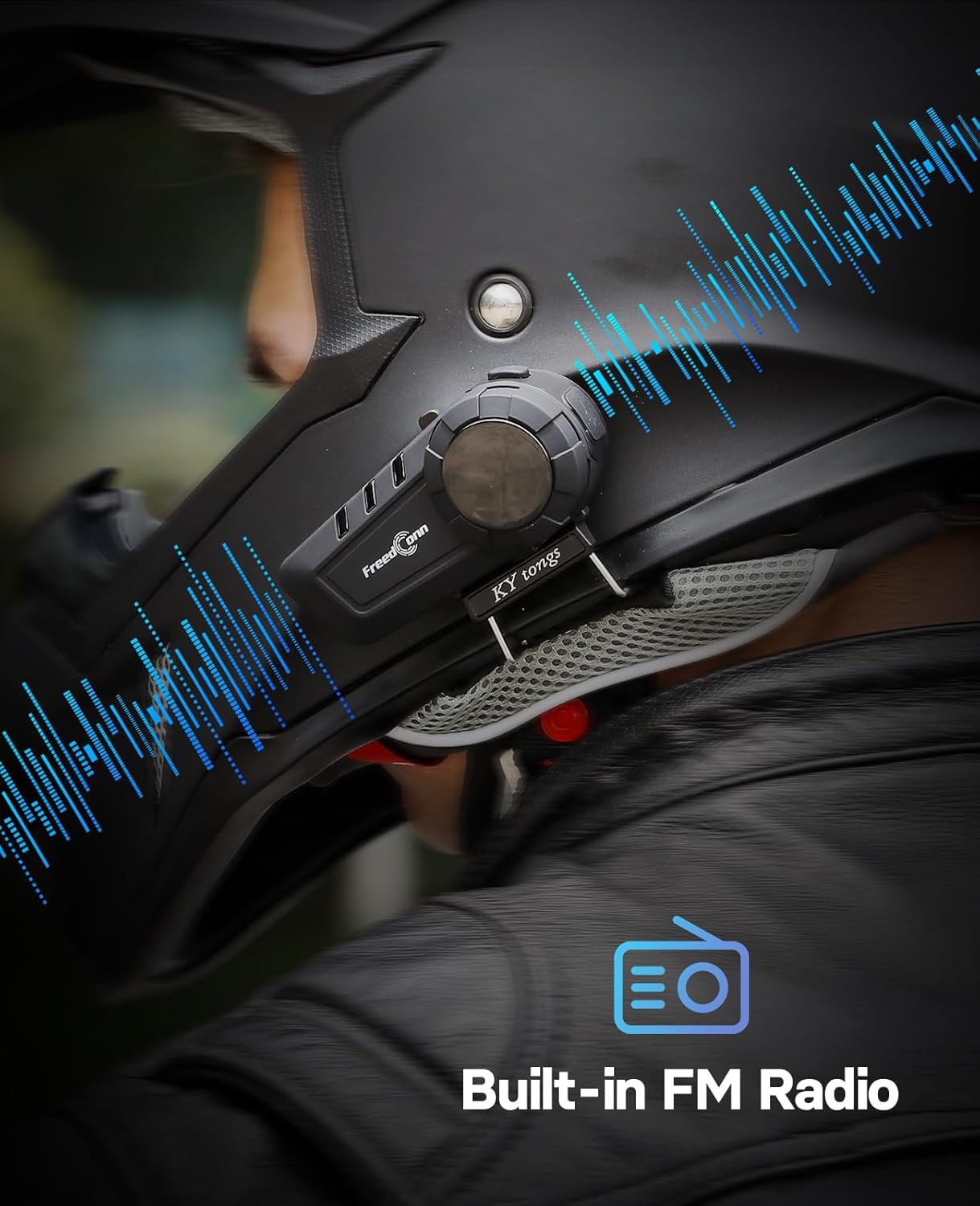
Figure 6.1: 6-Rider Group Intercom Communication
6.3 Intercom with Third-Party Headsets
The KY PRO is designed to support intercom communication with certain third-party headsets. Refer to the specific instructions for your third-party device for compatibility and pairing procedures.

Figure 6.2: Third-Party Intercom Compatibility
۷. چارج کول او بیټرۍ
The KY PRO headset is equipped with a rechargeable Lithium Polymer battery.
- چارج کول: Connect the headset to a power source using the provided USB Type-C charging cable. The LED indicator will show red during charging and turn off when fully charged.
- د بیټرۍ ژوند: A full charge provides approximately 15 hours of intercom talk time and 12 hours of music playback.
- د ټیټ بیټرۍ خبرداری: The headset will provide an audible alert when the battery level is low.

شکل ۶.۱: د ټایپ-سي چټک چارج کول
8. ساتنه او پالنه
To ensure the longevity and optimal performance of your FreedConn KY PRO headset, follow these maintenance guidelines:
- پاکول: یو نرم استعمال کړئ، دamp cloth to clean the headset unit. Avoid using harsh chemicals or abrasive cleaners.
- د اوبو مقاومت: The headset has an IP65 waterproof rating, protecting it from dust and low-pressure water jets. While it is resistant to heavy rain, avoid submerging the unit in water.
- ذخیره کول: هیډسیټ په یخ او وچ ځای کې وساتئ کله چې کارول نه وي. د ډیرې تودوخې څخه ډډه وکړئ.
- چارج کول: Charge the battery regularly, even if the device is not used for extended periods, to maintain battery health.

Figure 8.1: IP65 Waterproof and Dustproof
9. ستونزه حل کول
If you encounter issues with your FreedConn KY PRO headset, refer to the following common problems and solutions:
| ستونزه | احتمالي لامل | د حل لاره |
|---|---|---|
| هیڅ ځواک نشته | د بیټرۍ ټیټوالی؛ وسیله بنده ده | Charge the headset fully; Press and hold the On/Off button to power on. |
| د تلیفون سره جوړه نشي کیدی | Headset not in pairing mode; Bluetooth off on phone | Ensure headset is in pairing mode (red/blue flashing LED); Enable Bluetooth on your phone and search again. |
| د سپیکرو څخه هیڅ غږ نشته | Volume too low; Speakers not connected; Faulty speakers | Increase volume using the Jog Wheel; Check speaker connections; Contact support if speakers are faulty. |
| انټرکام نه وصل کېږي | Units not in intercom pairing mode; Out of range | Ensure both units are in intercom pairing mode; Move units closer together (within 1200m). |
| ضعیف غږ کیفیت | Microphone position; High wind noise; Interference | Adjust microphone closer to mouth; Ensure CVC noise cancellation is active; Move away from sources of interference. |
10. مشخصات
| فیچر | مشخصات |
|---|---|
| د ماډل نوم | KY PRO |
| بلوتوث نسخه | 5.1 |
| د انټرکام رینج | Up to 1200m (6 riders) |
| د شور کنټرول | Active Noise Cancellation (CVC) |
| د اوبو مقاومت | IP65 پنروک |
| د خبرو وخت | تر 15 ساعتونو پورې |
| د موسیقۍ وخت | تر 12 ساعتونو پورې |
| د چارج کولو بندر | د USB ډول-C |
| مطابقت لرونکې وسیلې | Cellphones, other Bluetooth intercoms |
| شاملې برخې | Headset, D6 Hi-Res Headphones, Microphones |
| د توکي وزن | 718 ګرامه (1.58 پونډه) |
| د محصول ابعاد | 5.91 x 4.53 x 2.56 انچه |
11. د خوندیتوب معلومات
- تل د سړک خوندیتوب ته لومړیتوب ورکړئ. وسیله په داسې طریقه مه چلوئ چې تاسو د موټر چلولو څخه ګډوډ کړي.
- Adjust volume to a safe level to ensure you can hear ambient traffic sounds.
- د وسیلې د جلا کولو یا بدلولو هڅه مه کوئ، ځکه چې دا ممکن تضمین باطل کړي او زیان ورسوي.
- وسیله د خلاصو اورونو او سختو تودوخې څخه لرې وساتئ.
- بیټرۍ او وسیله د ځایی مقرراتو سره سم له منځه یوسئ.
12. تضمین او ملاتړ
For warranty information and technical support, please refer to the official FreedConn webسایټ ته مراجعه وکړئ یا خپل پرچون پلورونکي سره اړیکه ونیسئ. د تضمین ادعاوو لپاره د پیرود رسید وساتئ.


