1. محصول ختم شوview
تورview Acebook 6 is a portable laptop designed for general computing tasks, featuring a 15.6-inch Full HD IPS display, an Intel N150 Quad-Core processor, 16GB DDR4 RAM, and a 512GB SSD. It operates on Windows 11 and supports 100W Type-C fast charging.

انځور: تورview Acebook 6 laptop displaying the Windows 11 operating system interface.
2. د بسته محتويات
ډاډ ترلاسه کړئ چې ټول توکي په کڅوړه کې شتون لري:
- تورview Acebook 6 Laptop
- Power Adapter (100W Type-C)
- بې سیم موږک
- د لپ ټاپ کڅوړه
- د کارونکي لارښود (دا لاسوند)
3. د تنظیم کولو لارښود
3.1 ابتدايي چارج کول
Before first use, fully charge the laptop. Connect the provided 100W Type-C power adapter to the laptop's Type-C port and a power outlet. The charging indicator light will illuminate.

Image: The laptop's Type-C port connected to the fast charging cable, illustrating the charging process.
3.2 بریښنا کول / بندول
- د فعالولو لپاره: Press and hold the power button located on the top right of the keyboard until the screen illuminates.
- د بریښنا بندولو لپاره: Click the Windows Start button, then select Power > Shut down. Alternatively, press and hold the power button for several seconds to force a shutdown (use only when necessary).
3.3 د پردیو سره نښلول
The Acebook 6 features various ports for connecting external devices:
- د USB 3.2 Gen 1 پورټونه (x2): د USB وسیلو سره د لوړ سرعت ډیټا لیږد لپاره.
- د USB 2.0 پورټ (x1): For standard USB devices like mice or keyboards.
- Full-featured Type-C Port (x1): Supports 5Gbps data transfer, fast charging, and DisplayPort 1.4 video output.
- د HDMI 2.0 پورټ (x1): Connect to external displays or projectors for up to 4K resolution at 60Hz.
- ۳.۵ ملي میتره آډیو جیک (x۱): د هیډفونونو یا بهرنیو سپیکرو لپاره.
- TF Card Slot (x1): For memory card expansion (Max 25MB/s data transfer).

انځور: تفصیلي view of the laptop's left and right sides, highlighting the USB, Type-C, HDMI, audio, and TF card ports.
4. عملیاتي لارښوونې
4.1 ځانګړتیاوې ښکاره کول
The 15.6-inch Full HD (1920x1080) IPS display offers clear visuals. It features TÜV Rheinland Low Blue Light Certification to reduce eye strain during extended use.

Image: The laptop screen showcasing its TÜV SÜD Low Blue Light Certification for eye comfort.
۲.۳ فعالیت او ذخیره کول
The laptop is equipped with an Intel N150 Quad-Core processor, 16GB DDR4 RAM, and a 512GB M.2 SSD for efficient performance and ample storage. The SSD can be expanded up to 2TB.

Image: The laptop screen showing various applications running, emphasizing the 16GB RAM and 512GB SSD with 2TB expansion capability.
4.3 د بیټرۍ مدیریت
The Acebook 6 features a 45Wh battery. You can select from different power modes to optimize battery life or performance:
- د بریښنا خوندي کولو حالت: Limits background activities to extend battery life.
- متوازن حالت: Optimizes performance and battery life for everyday tasks.
- د فعالیت حالت: Prioritizes maximum performance for demanding tasks.

Image: An illustration detailing the laptop's battery capacity and the three available power management modes.
4.4 بې سیم اتصال
- وای فای: Supports dual-band 5G Wi-Fi for stable and fast internet connections.
- بلوتوث: د بېسیم وسایلو لکه هیډفونونو، موږکانو او کیبورډونو سره د نښلولو لپاره.
4.5 عددي کیپډ
The integrated independent numeric keypad allows for efficient data entry, useful for financial reports or detailed document creation.

Image: A close-up of the laptop's keyboard, highlighting the independent numeric keypad for enhanced productivity.
5. ساتنه
5.1 پاکول
- د سکرین او بهرنۍ برخې پاکولو لپاره نرم، لینټ نه لرونکی ټوکر وکاروئ.
- د سختو کیمیاوي موادو یا خړوبولو موادو کارولو څخه ډډه وکړئ.
- د سختو داغونو لپاره، په نرمۍ سرهampټوکر د اوبو یا د سکرین پاکولو محلول سره ومینځئ.
5.2 د تودوخې مدیریت
The Acebook 6 features an expansive cooling area with a gaming-grade shark fin fan, operating at up to 4500 RPM, and thickened copper pipes to maintain optimal operating temperatures and quiet performance.

انځور: یو داخلي view of the laptop's heat dissipation system, showing the fan and copper pipes.
5.3 د سافټویر تازه معلومات
د غوره فعالیت او امنیت ډاډمن کولو لپاره په منظم ډول د عملیاتي سیسټم او ډرایور تازه معلومات وګورئ او نصب کړئ. دا تازه معلومات معمولا د وینډوز تازه معلوماتو له لارې اداره کیږي.
6. ستونزه حل کول
6.1 عام مسایل او حلونه
- لیپ ټاپ نه چالانېږي: Ensure the laptop is charged or connected to the power adapter. Try a hard reset by holding the power button for 10-15 seconds.
- پرده خالي ده: Check if the laptop is powered on. Connect an external monitor via HDMI to verify if the issue is with the laptop's display.
- د وای فای اتصال ستونزې: ډاډ ترلاسه کړئ چې د وینډوز ترتیباتو کې وای فای فعال شوی دی. خپل روټر او لیپ ټاپ بیا پیل کړئ.
- ورو فعالیت: Close unnecessary applications. Check for available system updates. Ensure sufficient free storage space on the SSD.
For persistent issues, refer to the support section or contact Blackview د پیرودونکو خدمت.
7. مشخصات
| فیچر | مشخصات |
|---|---|
| د ماډل نوم | ACEBOOK 6 |
| پروسیسر | Intel N150 Quad-Core (Up to 3.6GHz) |
| RAM | 16GB DDR4 SDRAM |
| ذخیره کول | ۲۵۶ جي بي ايم ۲ ايس ايس ډي (تر ۲ ټي بي پورې د پراخېدو وړ) |
| ښودل | 15.6 Inches FHD IPS (1920x1080 Pixels) |
| د ګرافیک کاپروسیسر | د انټل ګرافیک (مدغم) |
| عملیاتي سیسټم | وینډوز ۱۱ |
| بې سیم ډول | Dual-band 5G Wi-Fi, Bluetooth |
| بندرونه | 2x USB 3.2 Gen 1, 1x USB 2.0, 1x Full-featured Type-C, 1x HDMI 2.0, 1x 3.5mm Audio, 1x TF Card Slot |
| بیټرۍ | 45Wh لیتیم ایون |
| د توکي وزن | ۶ پونډه (۳ کیلو ګرامه) |
| د محصول ابعاد | 14.1 x 0.7 x 9 انچه (35.8 x 1.8 x 22.8 سانتي متره) |
| ځانګړی ځانګړنه | Numeric Keypad, TÜV Rheinland Eye Care |
8. تضمین او ملاتړ
8.1 د تضمین معلومات
تورview Acebook 6 laptop comes with a ۱-کلن تضمین. This warranty covers manufacturing defects and hardware malfunctions under normal use conditions.
8.2 تخنیکي ملاتړ
تورview برابروي د ژوند تخنیکي ملاتړ for the Acebook 6. For assistance with any issues, you can:
- Refer to the troubleshooting section in this manual.
- Visit the official Blackview ملاتړ webد FAQs او اضافي سرچینو لپاره سایټ.
- له تور سره اړیکه ونیسئview customer service directly.
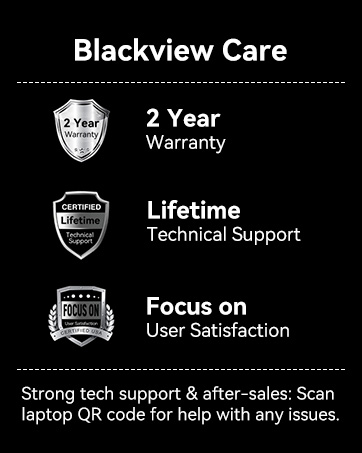
انځور: تورview Care details, including 2-year warranty and lifetime technical support commitment.


