1. پیژندنه
تور ته ښه راغلاستview Acebook6 Laptop User Manual. This guide provides essential information for setting up, operating, maintaining, and troubleshooting your new laptop. Please read this manual thoroughly to ensure optimal performance and longevity of your device.
2. محصول ختم شوview
تورview Acebook6 is a versatile laptop designed for business, student, and everyday use. It features a powerful Intel N150 processor, ample memory and storage, and a comfortable display with eye-care technology.
کلیدي ځانګړتیاوې:
- پروسیسر: Intel N150 Quad-Core (up to 3.6GHz) for efficient performance.
- حافظه او ذخیره: 16GB DDR4 RAM and 256GB M.2 SSD, expandable up to 32GB RAM and 2TB SSD.
- ښکاره کول: 15.6-inch Full HD IPS screen (1920x1080) with TÜV Rheinland Eye Care certification.
- بیټرۍ او چارج کول: 5000mAh (38Whr) battery with 45W Type-C fast charging (supports 100W).
- ارتباط: Type-C (PD 3.0), 2x USB 3.2 Gen1, 1x USB 2.0, HDMI 2.0, 3.5mm audio jack, TF card slot, Dual-band Wi-Fi, Bluetooth 5.0.
- عملیاتي سیسټم: Pre-installed Windows 11 Home.
- ډیزاین: سلم ۸ ملي میتر پروfile, 1.7kg lightweight build, 180° lay-flat hinge.

انځور: تورview Acebook6 laptop displaying the Windows 11 operating system interface.
3. ابتدايي ترتیب
3.1 پیک کول او تفتیش کول
- په احتیاط سره لپ ټاپ او ټول لوازم له بسته بندۍ څخه لرې کړئ.
- Verify that all items listed in the "What's in the Box" section are present: Laptop, Type-C charging cable, Adapter, User Manual.
- Inspect the laptop for any signs of physical damage. If damage is found, contact customer support immediately.
۲.۲ د بریښنا اډاپټر سره نښلول
Before first use, ensure the laptop is fully charged. Connect the Type-C charging cable to the laptop's Type-C port and the adapter to a power outlet.

انځور: تورview Acebook6 laptop with a Type-C charging cable connected to its port, illustrating the fast charging capability.
۲.۳ د وینډوز لومړنی بوټ اپ او تنظیم
- Press the power button located on the top right of the keyboard to turn on the laptop.
- Follow the on-screen instructions to complete the Windows 11 initial setup. This includes selecting your region, language, connecting to a Wi-Fi network, and creating a user account.
- سپارښتنه کیږي چې د وروستي تازه معلوماتو ډاونلوډ کولو لپاره د تنظیم کولو پرمهال انټرنیټ سره وصل شئ.
۳. ستاسو د لپ ټاپ چلول
۳.۳ کیبورډ او ټچ پیډ
The laptop features a full-sized keyboard with an independent numeric keypad for efficient data entry. The touchpad supports multi-touch gestures for navigation.
- د ټچ پیډ اشارې: د ټچ پیډ اشارو تنظیم کولو لپاره د وینډوز 11 ترتیباتو ته مراجعه وکړئ (د مثال په توګه، د دوه ګوتو سکرول، د زوم کولو لپاره پنچ کول).
- د فعالیت کلیدونه: د کارولو Fn key in combination with the F1-F12 keys for quick access to functions like screen brightness, volume control, and Wi-Fi toggle.

انځور: یو مفصل view of the laptop's keyboard, emphasizing the integrated numeric keypad for enhanced productivity.
۲.۳ د بهرنیو وسایلو نښلول
The Acebook6 offers various ports for connecting peripherals:
- USB پورټونه: Connect USB drives, external keyboards, mice, or other USB devices to the USB 3.2 Gen1 or USB 2.0 ports.
- د ډول - سي پورټ: Use for charging, data transfer, or connecting compatible USB-C accessories.
- د HDMI پورټ: Connect to an external monitor or TV for extended display or presentations. Supports 4K output.
- 3.5mm آډیو جیک: د هیډفونونو یا بهرني ویناوو سره وصل شئ.
- د TF کارت سلاټ: Insert a TF (microSD) card for additional storage or data transfer.

انځور: د اړخ پروfile د تور پوستوview Acebook6 laptop, highlighting the arrangement and types of available ports for connectivity.
4.3 د بیټرۍ مدیریت
The laptop is equipped with a 5000mAh battery. To optimize battery life:
- د سکرین روښانتیا آرامۍ کچې ته تنظیم کړئ.
- نه کارول شوي غوښتنلیکونه او د براوزر ټبونه بند کړئ.
- Utilize Windows power-saving modes (Power-saving, Balanced, Performance) accessible via the battery icon in the taskbar.
- د سخت تودوخې څخه ډډه وکړئ.

Image: An illustration detailing the laptop's battery capacity and the three available power modes: Power-saving, Balanced, and Performance.
5. ساتنه او پالنه
۶.۱ د لپ ټاپ پاکول
- تل د لپ ټاپ بریښنا بنده کړئ او د پاکولو دمخه د بریښنا اډاپټر جلا کړئ.
- د نرم، لینټ پاک ټوکر څخه لږ څه کار واخلئampened with water or a screen cleaner to wipe the display. Avoid harsh chemicals.
- For the keyboard and chassis, use a soft cloth. A can of compressed air can help remove dust from between keys and vents.
5.2 ذخیره کول او سمبالول
- لیپ ټاپ په یخ او وچ ځای کې وساتئ چې د مستقیم لمر وړانګو او سختې تودوخې څخه لرې وي.
- په لپ ټاپ کې د درنو شیانو له ایښودلو څخه ډډه وکړئ.
- Transport the laptop in a protective sleeve or bag to prevent scratches and impacts.
5.3 د سافټویر تازه معلومات
په منظم ډول د وینډوز تازه معلومات وګورئ او نصب کړئ ترڅو ډاډ ترلاسه کړئ چې ستاسو سیسټم وروستي امنیتي پیچونه او د فعالیت ښه والی لري. لاړ شئ ترتیبات> د وینډوز تازه معلومات.
6. ستونزه حل کول
دا برخه هغه عامې ستونزې په ګوته کوي چې تاسو یې د خپل تور رنګ سره مخ کیدی شئview Acebook6 laptop.
| ستونزه | احتمالي لامل | د حل لاره |
|---|---|---|
| لیپ ټاپ نه چالانېږي. | Low battery, power adapter issue. | Connect the power adapter and allow the laptop to charge for at least 30 minutes. Ensure the power outlet is functional. |
| سکرین خالي یا تور دی. | د خوب حالت، د ښودلو ترتیبات، د هارډویر ستونزه. | Press any key or move the mouse to wake the laptop. Check if an external monitor is connected and configured as the primary display. Restart the laptop. |
| د وای فای اتصال ستونزې. | Wi-Fi adapter off, incorrect password, router issue. | ډاډ ترلاسه کړئ چې د وینډوز ترتیباتو کې وای فای فعال شوی دی. د وای فای پټنوم تایید کړئ. خپل روټر او لیپ ټاپ بیا پیل کړئ. |
| ورو فعالیت. | Too many applications running, low storage, outdated drivers. | Close unnecessary programs. Free up disk space. Update Windows and device drivers. Consider upgrading RAM or SSD if performance remains an issue (supports up to 32GB RAM + 2TB SSD). |
| بیټرۍ چارج نه کوي. | Faulty charger, port issue, battery issue. | Ensure the Type-C cable and adapter are securely connected. Try a different compatible Type-C charger if available. Contact support if the issue persists. |
7. تخنیکي مشخصات
لاندې د تور لپاره تفصيلي تخنیکي مشخصات ديview Acebook6 Laptop:
| فیچر | مشخصات |
|---|---|
| د ماډل نوم | Acebook6 |
| پروسیسر | Intel N150 Quad-Core (up to 3.6GHz, 6MB Cache) |
| عملیاتي سیسټم | د وینډوز 11 کور |
| RAM | ۱۶ جي بي ډي ډي آر ۴ (۳۲۰۰ مېګاهرټز)، چې تر ۶۴ جي بي پورې غځېدلی شي |
| ذخیره کول | 256GB M.2 SSD, expandable to 2TB |
| ښودل | 15.6-inch Full HD (1920x1080) IPS, 220 nits, 45% NTSC, TÜV Rheinland Eye Care |
| ګرافیک | Intel UHD Graphics (supports 4K output via HDMI) |
| بیټرۍ | 5000mAh (38Whr) |
| چارج کول | 45W Type-C Fast Charging (PD 3.0 compliant, supports 100W) |
| بندرونه | 1x Type-C (PD 3.0), 2x USB 3.2 Gen1, 1x USB 2.0, 1x HDMI 2.0, 1x 3.5mm Audio Jack, 1x TF Card Slot |
| بې سیم ارتباط | Dual-band Wi-Fi, Bluetooth 5.0 |
| ابعاد (LxWxH) | 14.07 x 9 x 0.66 انچه (35.74 x 22.86 x 1.68 سانتي متره) |
| وزن | ۶ پونډه (۳ کیلو ګرامه) |
| رنګ | فضا خړ |
8. تضمین او ملاتړ
تورview is committed to providing reliable products and comprehensive customer support.
8.1 د تضمین معلومات
- ستاسو تورview Acebook6 laptop comes with a 24-month repair warranty د تولید کونکي نیمګړتیاو لپاره.
- دا تضمین د عادي کارونې الندې د موادو او کارموندنې نیمګړتیاوې پوښي.
- For detailed warranty terms and conditions, please refer to the warranty card included with your product or visit the official Blackview webسایټ
8.2 تخنیکي ملاتړ
تورview offers lifetime technical support for your laptop. If you encounter any issues or have questions:
- آنلاین ملاتړ: Visit the official Blackview ملاتړ webد FAQs، ډرایورانو، او سافټویر ډاونلوډونو لپاره سایټ.
- د بریښنالیک ملاتړ: Contact our support team via email for assistance. Responses are typically provided within 24 hours (Mon-Sat).
- Offline Stores: Dedicated Blackview service centers are available in various locations, including the U.S., for in-person assistance.
- د QR کوډ: Scan the QR code provided with your laptop for quick access to support resources.
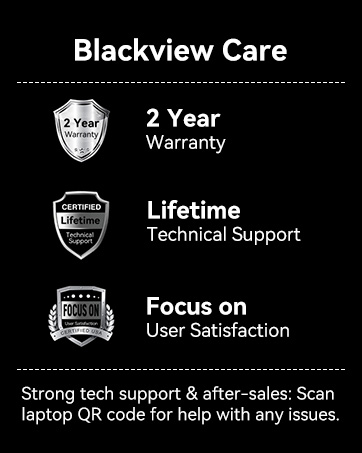
Image: An infographic detailing Blackview's customer care, including a 2-year warranty and lifetime technical support.


