پیژندنه
Thank you for choosing the GOBOULT Crown Smart Watch. This manual provides essential information for the proper setup, operation, and maintenance of your device. Please read it thoroughly to ensure optimal performance and longevity of your smartwatch.
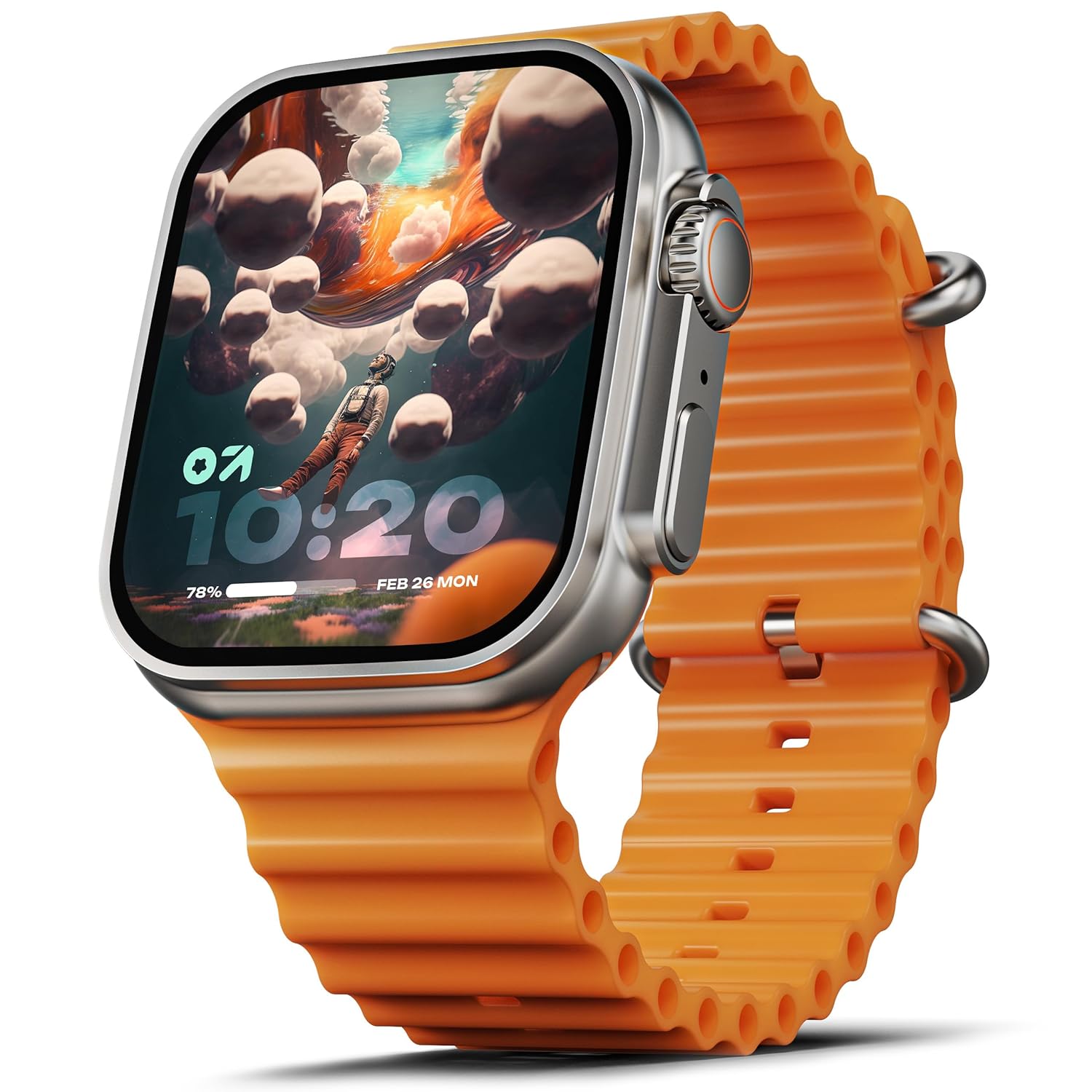
Image: The GOBOULT Crown Smart Watch, featuring a large display and an orange silicone strap.
په بکس کې څه دي
د بکس خلاصولو پر مهال، مهرباني وکړئ تصدیق کړئ چې لاندې ټول توکي پکې شامل دي:
- GOBOULT Crown Smart Watch
- د چارج کیبل
- د کارن لارښود
- د تضمین کارت
پیل کول
۱. د سمارټ واچ چارج کول
Before initial use, fully charge your GOBOULT Crown Smart Watch. Connect the provided charging cable to the charging port on the back of the watch and to a standard USB power adapter. The watch display will indicate charging status.
2. بریښنا کول/بندول
To power on, press and hold the side button until the GOBOULT logo appears. To power off, navigate to the settings menu on the watch, select 'Power Off', and confirm.
۳.۳. ستاسو د سمارټ فون سره جوړه کول
- Download the official GOBOULT companion app from your smartphone's app store (available for Android and iOS).
- ډاډ ترلاسه کړئ چې ستاسو په سمارټ فون کې بلوتوټ فعال دی.
- Open the GOBOULT app and follow the on-screen instructions to search for and pair with your Crown Smart Watch.
- په خپل تلیفون او ساعت دواړو کې د جوړه کولو غوښتنه تایید کړئ.
عملیاتي لارښوونې
ښودنه او نیویګیشن

Image: Close-up of the smartwatch display, highlighting its 1.95-inch size and 900 Nits brightness for clear visibility.
- ۱۰.۱ انچه ایچ ډي ډسپلې: The large, high-definition screen provides clear visuals and responsive touch interaction.
- ۵۰۰ نټونه روښانتیا: Ensures excellent visibility even in bright outdoor conditions.
- Working Rotating Crown: Use the functional rotating crown on the side of the watch to scroll through menus, zoom in/out, and switch watch faces.
انځور: یوه چاودنه شوې view illustrating the internal mechanism of the working rotating crown, used for navigation and control.
بلوتوث زنګ وهل

Image: The smartwatch screen showing an incoming call, alongside diagrams explaining Bluetooth 5.2 calling features like call answer/reject, dial pad, and contact sync.
The GOBOULT Crown Smart Watch supports Bluetooth Calling 5.2, allowing you to make and receive calls directly from your wrist. It features a built-in speaker and microphone for clear communication.
- زنګونو ته ځواب ورکول/ ردول: Tap the green icon to answer or the red icon to reject an incoming call.
- د ډایل پیډ: Access the dial pad on the watch to make outgoing calls.
- Sync Contacts: Sync your phone's contacts to the watch via the companion app.
د روغتیا څارنه
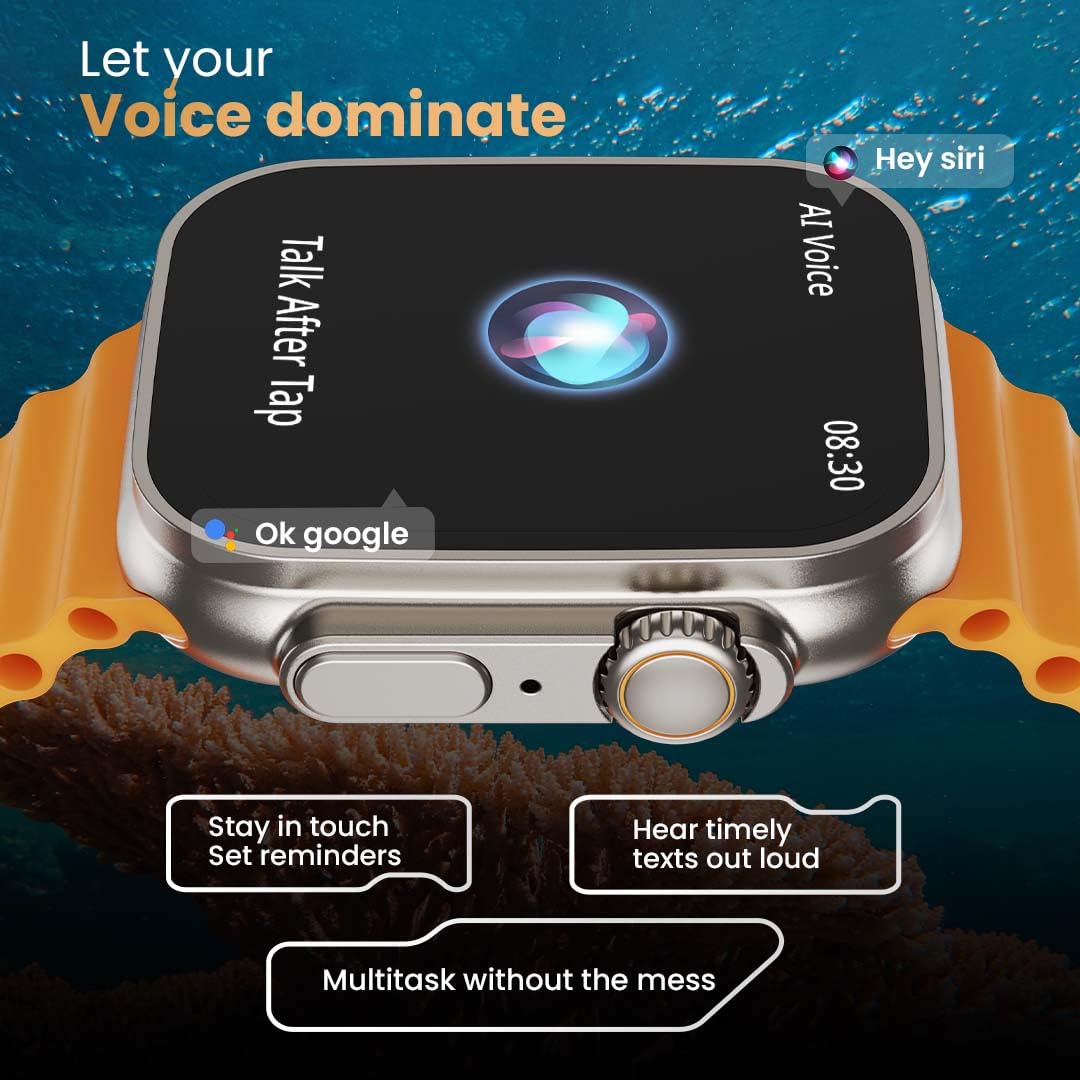
Image: The rear of the smartwatch showing its health sensors, accompanied by a list of health metrics it tracks, including heart rate, SpO2, and sleep.
The watch is equipped with an advanced health suite to help you monitor your well-being:
- 24/7 Heart Rate Monitor: په دوامداره توګه ستاسو د زړه ضربان د ورځې په اوږدو کې تعقیبوي.
- د SpO2 د وینې اکسیجن سنتریت مانیټر: ستاسو د وینې اکسیجن کچه اندازه کوي.
- د خوب څارنه: ستاسو د خوب نمونې او کیفیت تحلیل کوي.
- د فعالیت تعقیبونکی: ګامونه، واټن، او سوځیدلي کالوري ثبتوي.
- Female Menstrual Cycle Tracking: د میاشتني دورې لپاره بصیرت او وړاندوینې وړاندې کوي.
- د تنفس روزنه: د آرامۍ لپاره د تنفس لارښود تمرینونه.
د سپورت طریقې
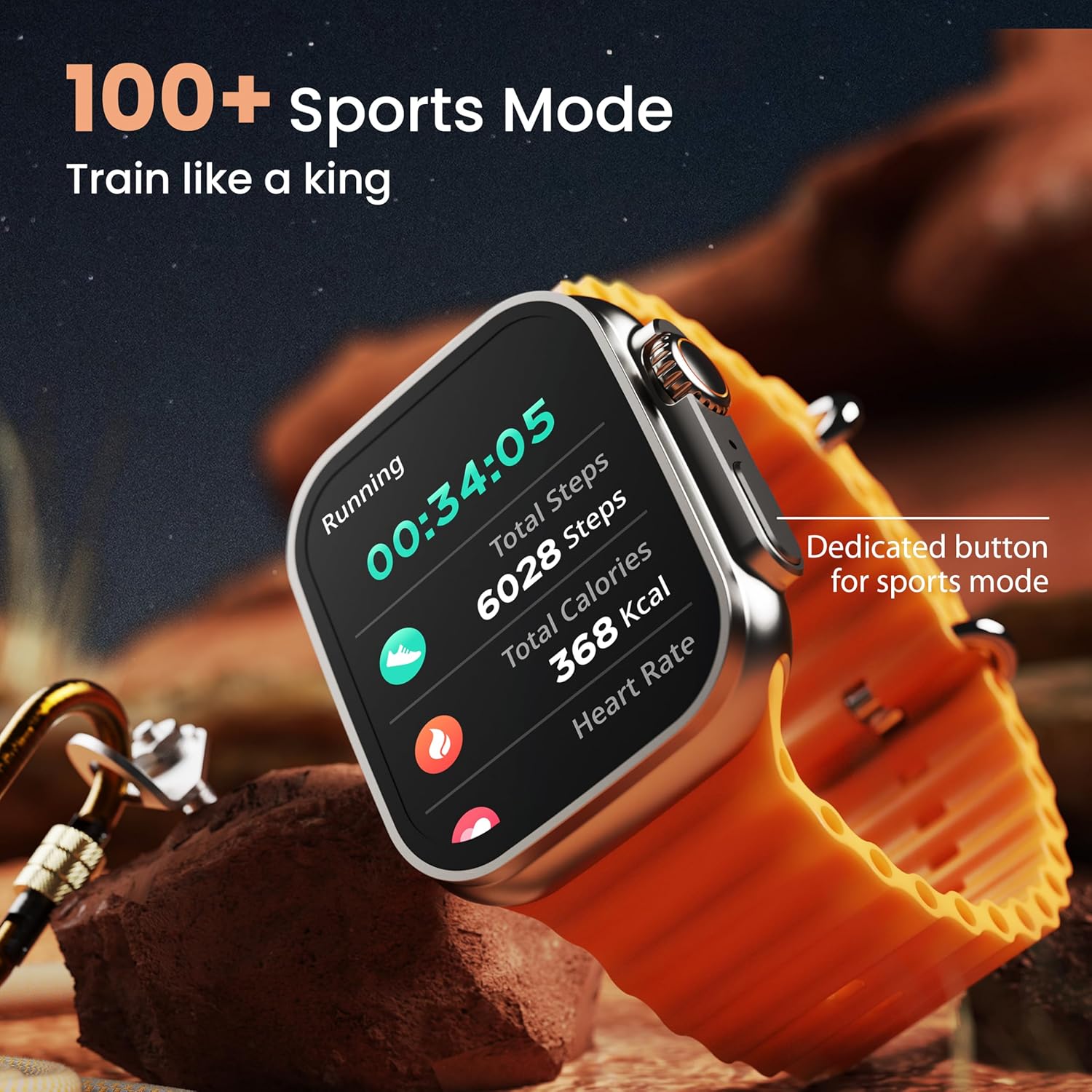
Image: The smartwatch screen showing a 'Running' sports mode with real-time metrics like duration, total steps, calories, and heart rate. A dedicated button for sports mode is also visible.
With over 120 sports modes, the GOBOULT Crown Smart Watch can track a wide range of physical activities. Select your desired sport from the watch menu to record real-time metrics, performance insights, and track your progress.
اصلاح کول

انځور: د کولاژ نندارتونasing various watch faces, including custom and animated options, along with different UI styles available for personalization on the smartwatch.
د خپل سمارټ واچ تجربه شخصي کړئ:
- 100+ Cloud-Based Watch Faces: Choose from a wide selection of watch faces available through the companion app.
- د اصلاح کولو اختیارونه: Customize your screen with widgets, backgrounds, and layouts to match your style.
- 8 UI Styles: Select from different user interface styles for menu navigation.
اضافي دندې
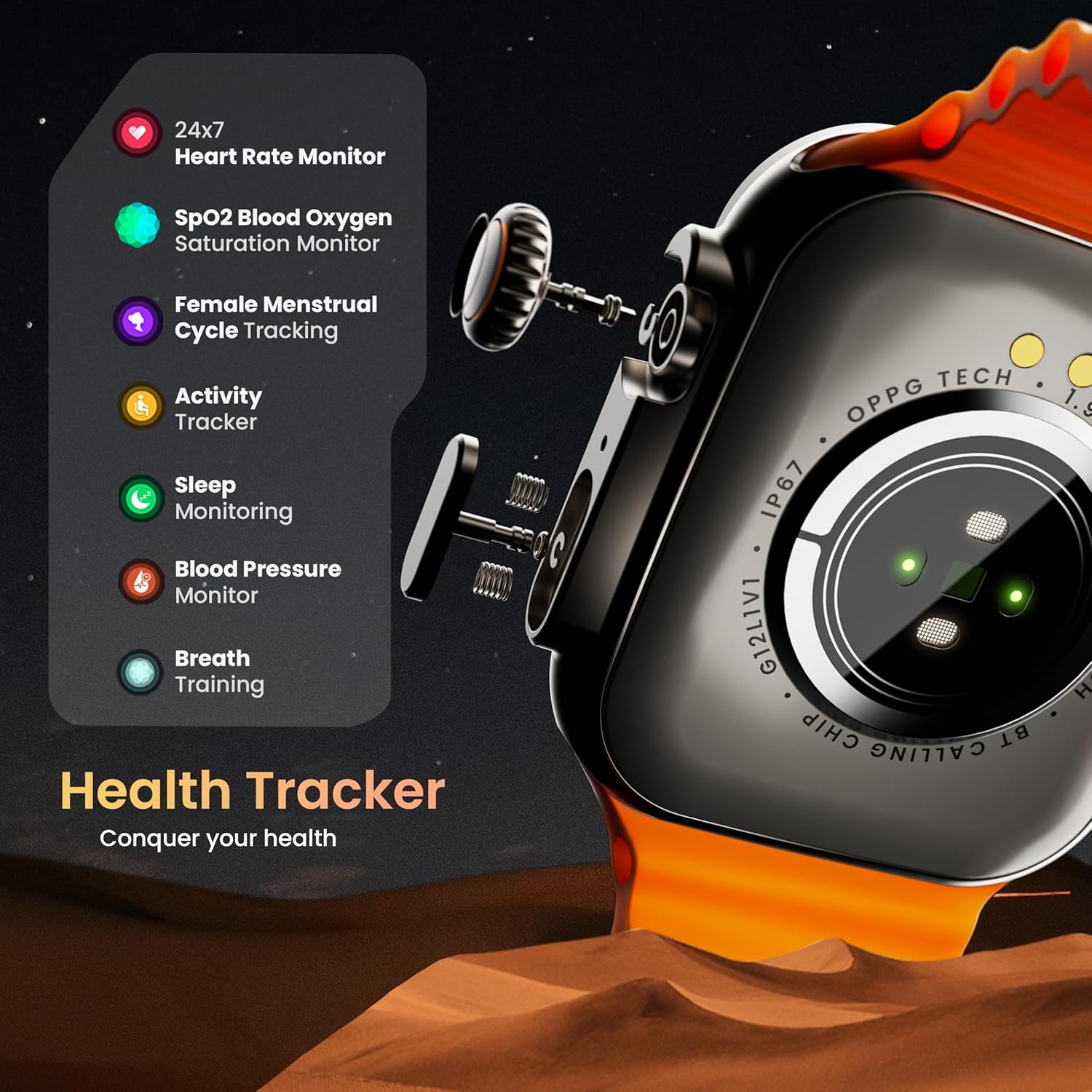
- د مصنوعي ذهانت غږ مرستیال: Interact with your watch using voice commands (e.g., "Hey Siri" or "Ok Google") for tasks like setting reminders or hearing texts aloud.
- زما تلیفون ومومئ: If your paired phone is misplaced, use this feature on your watch to make it ring/vibrate.
- مینی لوبې: Enjoy pre-installed mini-games directly on your watch.
- خبرتیاوې او یادونې: Receive SMS, WhatsApp, social media, and mail notifications. Set goal achievement reminders.
- محاسب: په ساعت کې د محاسبې یو اساسي فعالیت شتون لري.
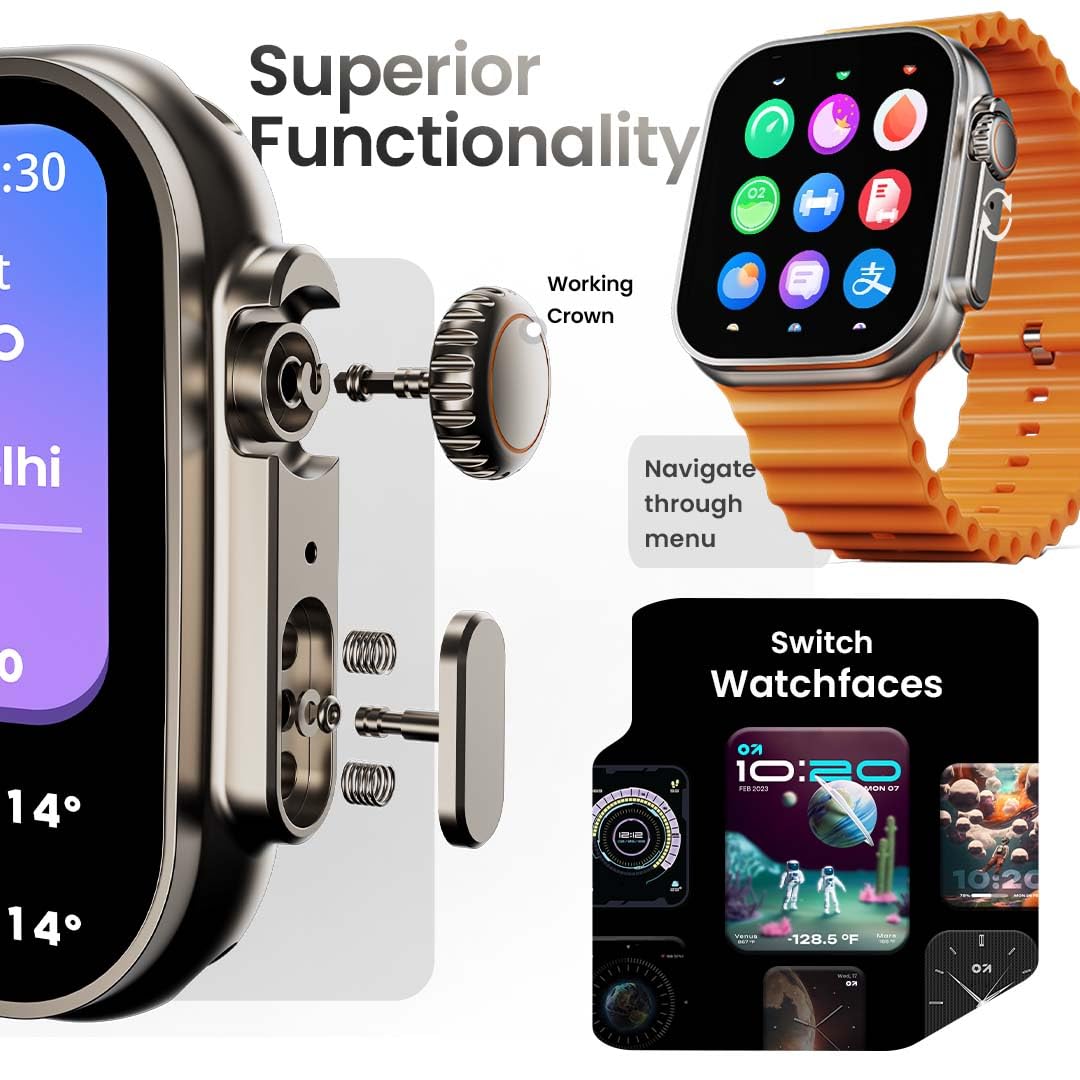
Image: The smartwatch screen showing the AI Voice Assistant interface, indicating support for voice commands like "Hey Siri" and "Ok Google".
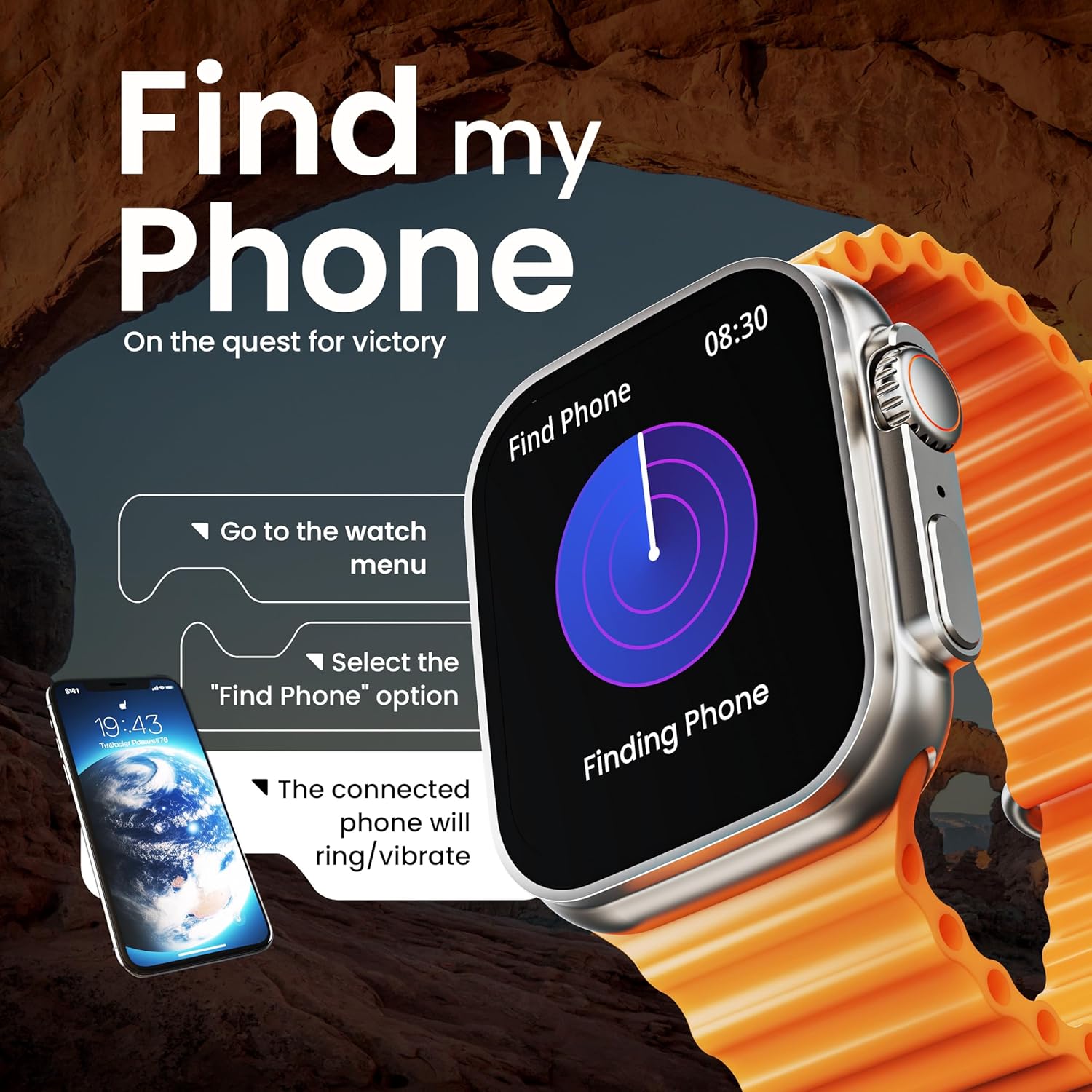
Image: The smartwatch screen illustrating the 'Find Phone' feature, with instructions on how to activate it to locate a connected smartphone.
انځور: د سمارټ واچ سکرین ښودنهasing a selection of mini-games available on the device, such as 'Young Bird', 'Hamster', and 'Battleships'.

Image: The smartwatch screen showing a calculator interface, along with a pop-up notification and a list of reliable and robust features like sync notifications and reminders.
ساتنه
پاکول
Regularly clean your smartwatch and strap to prevent skin irritation and maintain device hygiene. Use a soft, lint-free cloth. If necessary, slightly dampټوکر د اوبو سره. د سختو کیمیاوي موادو یا خړوبونکو موادو څخه ډډه وکړئ.
د اوبو مقاومت
The GOBOULT Crown Smart Watch is IP67 water resistant. This means it is protected against dust and can withstand immersion in water up to 1 meter for up to 30 minutes. It is suitable for daily use and light splashes but not recommended for swimming, showering, or diving.
د پټو پاملرنه
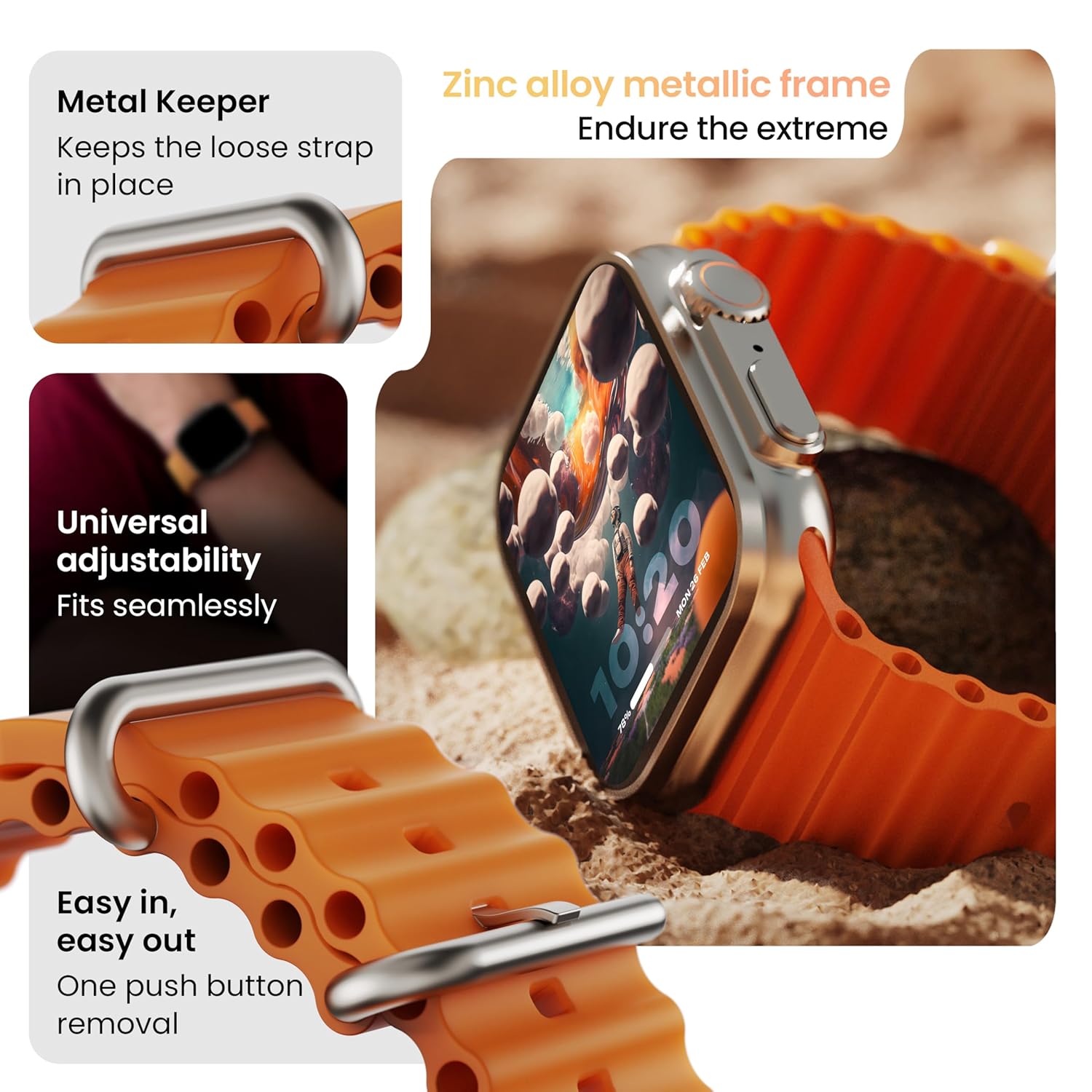
انځور: تفصیلي view of the smartwatch strap, highlighting features such as the metal keeper for securing the loose end, universal adjustability for a seamless fit, and a push-button mechanism for easy removal.
The skin-friendly silicone strap is designed for comfort. Ensure it is not too tight or too loose for accurate health tracking. Clean the strap regularly, especially after workouts, to remove sweat and dirt.
د ستونزو حل کول
ساعت نه چالانېږي
- ډاډ ترلاسه کړئ چې ساعت په بشپړه توګه چارج شوی دی. لږترلږه د 30 دقیقو لپاره یې چارجر سره وصل کړئ.
- د جبري بیا پیلولو هڅه کولو لپاره د اړخ تڼۍ د 10-15 ثانیو لپاره فشار ورکړئ او ونیسئ.
د جوړې مسلې
- ډاډ ترلاسه کړئ چې ستاسو په تلیفون او ساعت کې بلوتوټ فعال دی.
- Ensure the watch is within the Bluetooth range (approximately 10 meters).
- خپل تلیفون او ساعت دواړه بیا پیل کړئ.
- Clear the Bluetooth cache on your phone or forget the device and try pairing again.
د روغتیا ناسم معلومات
- ډاډ ترلاسه کړئ چې ساعت ستاسو په لاس کې په کلکه تړل شوی دی، مګر ډیر تنګ نه دی.
- د ساعت په شا کې سینسرونه پاک کړئ.
- Avoid excessive movement during measurements for better accuracy.
خبرتیاوې نه ښکاري
- وګورئ چې ساعت ستاسو د تلیفون سره د بلوتوث له لارې په سمه توګه وصل دی.
- Verify notification permissions for the GOBOULT app in your phone's settings.
- ډاډ ترلاسه کړئ چې 'Do Not Disturb' موډ ستاسو په تلیفون یا ساعت کې فعال نه دی.
مشخصات
| فیچر | تفصیل |
|---|---|
| برانډ | ګوبولټ |
| ماډل | د کراؤن سمارټ واچ |
| د ښودلو اندازه | ۷۸۷ انچه |
| روښانتیا ښکاره کړئ | 900 نټونه |
| ارتباط | بلوتوث 5.2 |
| عملیاتي سیسټم | Android Wear 1.0, iOS compatible |
| د بیټرۍ ژوند (اوسط) | 7 ورځې |
| د بیټرۍ چارج وخت | 150 دقیقې |
| د بیټرۍ ظرفیت | 300 ملیونهamp ساعتونه |
| د اوبو مقاومت | IP67 |
| د توکي وزن | 40 ګرامه |
| شاملې برخې | Smartwatch, Charging Cable, User Manual, Warranty Card |
تضمین او ملاتړ
Your GOBOULT Crown Smart Watch comes with a Warranty Card included in the box. Please refer to this card for detailed information regarding warranty coverage and terms. For technical support or further assistance, please contact GOBOULT customer service through the contact information provided on the warranty card or the official GOBOULT webسایټ


