1. پیژندنه
The TACTACAM Reveal Ultra Cellular Trail Camera is designed for remote monitoring and surveillance, capturing high-quality photos and videos. This manual provides essential instructions for setting up, operating, and maintaining your camera to ensure optimal performance.
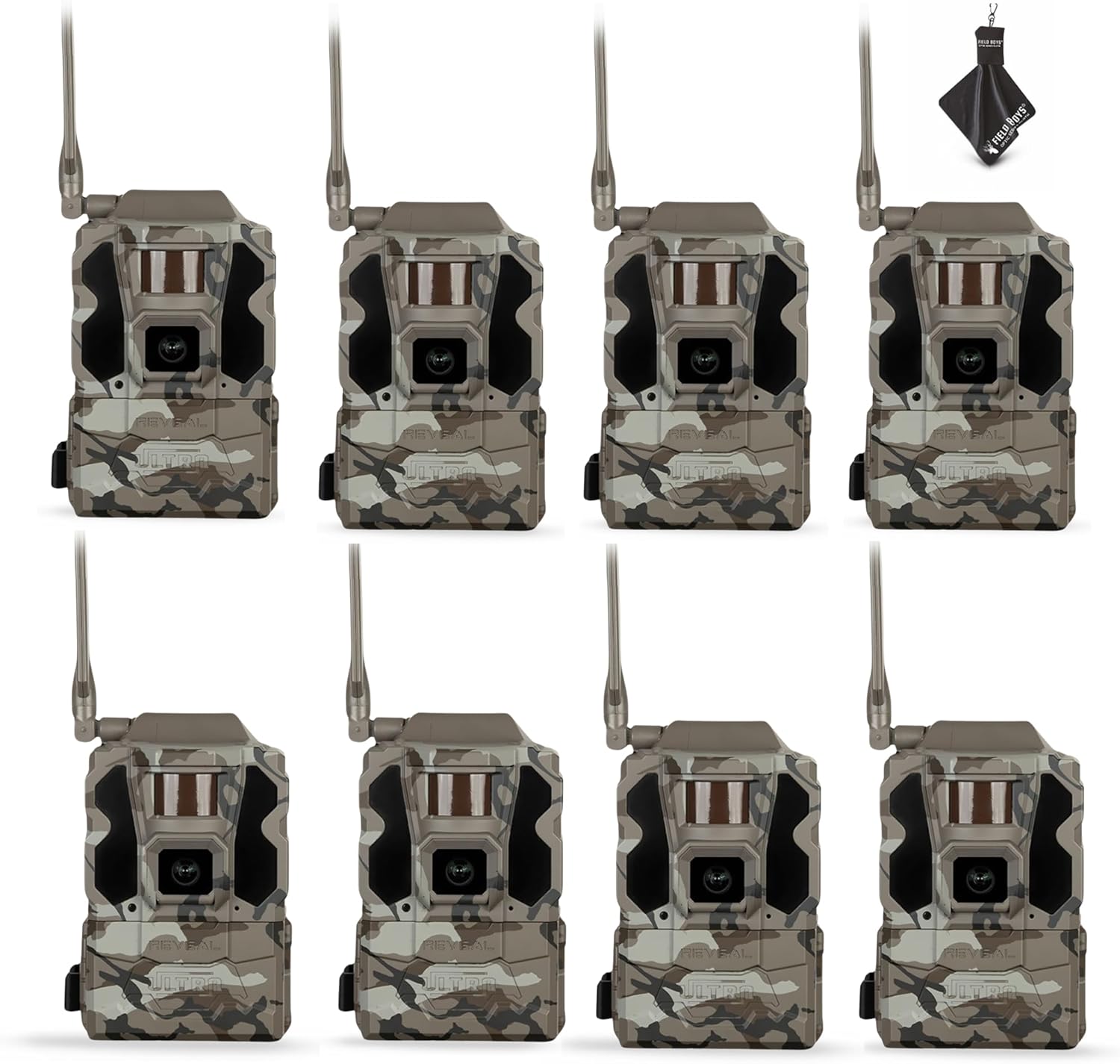
Figure 1: TACTACAM Reveal Ultra Cellular Trail Cameras.
2. ترتیب کول
2.1. ان باکسینګ او ابتدايي معاینه
Carefully remove all components from the packaging. Verify that all items are present: TACTACAM Reveal Ultra camera, and any included accessories such as SD cards and a cleaning cloth.
2.2. د بیټرۍ نصب کول
The Reveal Ultra camera is powered by batteries. Open the battery compartment, typically located on the side or bottom of the unit. Insert the required number of batteries, ensuring correct polarity (+/-). For extended operation, consider using external power sources like solar panels (sold separately).
2.3. د SD کارت نصب کول
Locate the SD card slot. Insert a compatible SD card (up to 32GB recommended) into the slot until it clicks into place. Ensure the card is formatted correctly before first use (refer to the camera's on-screen menu for formatting options).

Figure 2: Camera with side panel open, showing LCD and card slot.
2.4. Cellular Network Activation
The Reveal Ultra utilizes LTE connectivity. Download the TACTACAM Reveal app on your smartphone. Follow the in-app instructions to activate your camera and select a cellular plan. This process typically involves scanning a QR code on the camera or entering its serial number.
2.5. د کیمرې نصب کول
The camera is designed for tree mounting. Use the included strap or a compatible mounting accessory to secure the camera to a tree or post. Position the camera to achieve the desired field of view, ensuring it is stable and level.

Figure 3: Camera mounted on a tree with a solar panel.

Figure 4: Camera mounted on a tree with an external battery pack.
3. عملیات
3.1. بریښنا کول/بندول
To power on the camera, locate the power button (often labeled 'ON/OFF' or 'POWER') and press it. The 2-inch LCD screen will illuminate. To power off, press and hold the power button until the screen shuts down.
3.2. Navigating the LCD Screen
The 2-inch LCD screen allows for on-site viewing and configuration. Use the navigation buttons (up, down, left, right, OK/Enter) to browse menus, adjust settings, and review نیول شوې رسنۍ.
3.3. د عکسونو او ویډیوګانو اخیستل
The camera supports Ultra-HD 4K photos and 1080P video recording. Settings for resolution, burst mode, video length, and trigger delay can be adjusted through the camera's menu or the TACTACAM Reveal app.
3.4. Live Video Streaming
With an active subscription, the Reveal Ultra supports live video streaming directly to your smartphone via the TACTACAM Reveal app. This feature allows real-time monitoring of the camera's surroundings.
3.5. Active GPS Tracking
The integrated GPS tracking feature provides the camera's exact location, even when powered off. This can be accessed and monitored through the TACTACAM Reveal app.
3.6. Infrared Flash Settings
The camera features a switchable Low-Glow / No-Glow infrared flash. Select 'Low-Glow' for extended flash range with minimal visible light, or 'No-Glow' for complete stealth, ideal for sensitive wildlife or security applications. This setting can be adjusted in the camera's menu.
4. ساتنه
4.1. پاکول
Regularly clean the camera lens and housing using the provided microfiber cleaning cloth. Avoid abrasive materials or harsh chemicals. Ensure the camera is dry before closing any compartments.
4.2. د بیټرۍ مدیریت
Monitor battery levels through the camera's LCD screen or the TACTACAM Reveal app. Replace or recharge batteries as needed to prevent interruption of service. For optimal performance in cold weather, use high-quality lithium batteries.
4.3. د SD کارت مدیریت
Periodically check the SD card capacity. Transfer important files to a computer and format the SD card regularly to maintain performance and prevent data corruption. Always power off the camera before inserting or removing the SD card.
5. ستونزه حل کول
۶.۱. کیمره نه چالانېږي
- Check battery installation and ensure batteries are fully charged or new.
- د بیټرۍ قطبیت تایید کړئ.
- If using an external power source, ensure it is properly connected and functional.
5.2. No Photos/Videos Captured
- Ensure an SD card is properly inserted and has sufficient free space.
- Check motion sensor settings and sensitivity.
- Verify that the camera is in an active capture mode.
5.3. Cellular Connectivity Issues
- Confirm an active cellular plan through the TACTACAM Reveal app.
- Check cellular signal strength in the camera's location.
- Ensure the camera's antenna is securely attached.
- Restart the camera and check the app for status updates.
۴. د انځور/ویډیو خراب کیفیت
- Clean the camera lens with a microfiber cloth.
- Adjust resolution settings in the camera menu or app.
- ډاډ ترلاسه کړئ چې کیمره مستحکمه ده او د وایبریشنونو تابع نه ده.
6. مشخصات
| فیچر | تفصیل |
|---|---|
| د ماډل نوم | Reveal Ultra |
| د توکي ماډل شمیره | RV-TC-ULTRA3 |
| برانډ | ښوونه |
| د کور دننه / بهر کارول | بهر |
| د بریښنا سرچینه | د بیټرۍ چلول |
| د ارتباط پروتوکول | سیلولر |
| د ارتباط ټیکنالوژي | بېسیم |
| د کنټرولر ډول | تڼۍ فشار کړئ |
| د نصب کولو ډول | د ونې غره |
| د ویډیو نیول حل | 1080p |
| د ویډیو نیول بڼه | MPEG-4 |
| ځانګړي ځانګړتیاوې | 2” LCD screen, Easy to Install, Portable, Switchable low-glow/no-glow flash, Live video streaming |
| د محصول ابعاد (L x W x H) | 3.75 x 4.1 x 11.9 انچه |
| شاملې برخې | SD کارتونه |
7. تضمین او ملاتړ
7.1. د تضمین معلومات
The TACTACAM Reveal Ultra comes with a one-year comprehensive warranty. This warranty covers manufacturing defects and ensures your investment is protected. Please retain your proof of purchase for warranty claims.
7.2. د پیرودونکي خدمت
For technical assistance, troubleshooting, or warranty inquiries, please contact TACTACAM customer service. Visit the official TACTACAM webد اړیکو د جزئیاتو او ملاتړ سرچینو لپاره سایټ: www.tactacam.com/support


