1. پیژندنه
The KERUI A6504-1 is a 4-channel H.265+ security camera DVR system designed for comprehensive surveillance. This system includes a DVR recorder and four 2MP surveillance cameras, featuring human detection, mobile app and PC remote access, and smart playback capabilities. A 500GB hard drive is pre-installed for immediate recording. This manual provides detailed instructions for setting up, operating, and maintaining your security system.
2. محصول ختم شوview
2.1. اجزاء
- 1 x 4-Channel H.265+ DVR Recorder
- 4 x 2MP Surveillance Cameras
- 1 x Pre-installed 500GB Hard Drive
- Power adapters for DVR and cameras
- USB ماؤس
- Mounting screws and cables
2.2. کلیدي ځانګړتیاوې
- د ۱۶ چینل ظرفیت: Connects up to four cameras simultaneously.
- 6-in-1 Camera Compatibility: Supports AHD, TVI, CVI, CVBS, XVI, and IP cameras.
- 1080P HD Video Quality: روښانه او مفصل انځورونه نیسي.
- H.265+ ویډیو کمپریشن: Efficiently saves storage space and improves streaming.
- IP66 د هوا ضد کیمرې: Suitable for indoor and outdoor use, resistant to harsh weather.
- IR-CUT Night Vision: Automatic switching for clear day and night surveillance.
- د انسان کشف: Advanced motion detection to reduce false alarms.
- لرې لاسرسی: View ژوندی او ثبت شوی footage via mobile app (XMEye, Icsee) or PC software (VMS).
- سمارټ پلې بیک: Easily search and review ثبت شوي پیښې.
- Intelligent Alarm System: Sends push notifications and email alerts upon detection.
3. د تنظیم کولو لارښود
This section guides you through the initial installation and configuration of your KERUI A6504-1 security system.
3.1. خلاصول او معاینه کول
- په احتیاط سره ټولې برخې خلاص کړئ.
- Verify that all items listed in the "Product Overview" are present and undamaged.
- Keep packaging for future transport or returns.
۳.۲. د DVR نښلول
- کیمرې وصل کړئ: Connect the BNC cables from your surveillance cameras to the "VIDEO IN" ports on the back of the DVR. Ensure power is supplied to each camera.
- مانیټر وصل کړئ: Connect a monitor to the DVR using either an HDMI cable (for high-definition display) or a VGA cable. The HDMI port is labeled "HDMI Output" and the VGA port is labeled "VGA Output".
- موږک وصل کړئ: شامل شوی USB موږک د DVR په یو USB پورټ کې ولګوئ.
- Connect Network (Optional but Recommended): For remote access and updates, connect an Ethernet cable from your router to the "LAN" port on the DVR.
- پاور آن: Connect the DVR's power adapter to the "DC 12V" input and then plug it into a power outlet. The system will start automatically.

This image illustrates the various input and output ports on the DVR, including video input for cameras, HDMI and VGA outputs for monitors, audio input/output, network port, and USB ports.
3.3. ابتدايي ترتیب
- Upon first startup, the DVR will guide you through a setup wizard.
- د ژبې انتخاب: خپله غوره ژبه غوره کړئ.
- د پټنوم جوړول: د مدیر حساب لپاره یو قوي پټنوم جوړ کړئ. دا د امنیت لپاره خورا مهم دی.
- د شبکې ترتیبات: Configure network settings. If connected via Ethernet, DHCP is usually sufficient.
- د هارډ ډرایو پیل کول: The pre-installed 500GB HDD may need to be formatted or initialized. Follow on-screen prompts.
- وخت او نېټه: سم وخت زون، نیټه او وخت تنظیم کړئ.
4. عملیاتي لارښوونې
This section covers the daily use and advanced features of your KERUI A6504-1 system.
4.1. ژوندی View
- After logging in, the system will display the live view of all connected cameras.
- Use the mouse to navigate the interface. Double-click a camera view د دې د پراخولو لپاره.
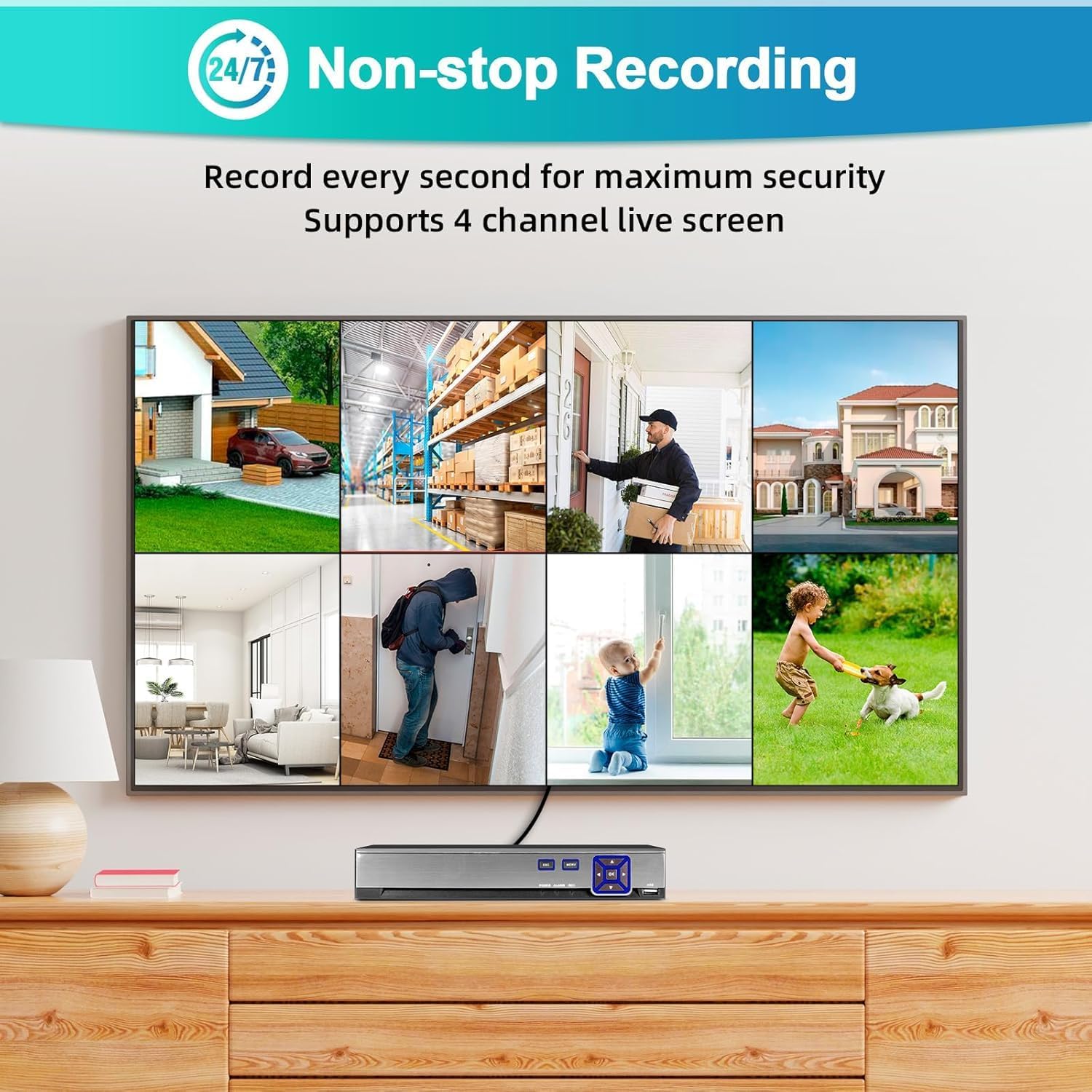
دا انځور د څو چینلونو ژوندۍ خپرونه ښیي view interface, demonstrating simultaneous monitoring of up to 4 cameras.
4.2. ثبتول
- The system is pre-configured for 24/7 continuous recording to the 500GB hard drive.
- د ثبت کولو طریقې: You can configure different recording modes via the DVR menu:
- دوامداره ثبت کول: په دوامداره توګه ثبتوي.
- د حرکت موندنې ثبتول: یوازې هغه وخت ثبت کیږي کله چې حرکت کشف شي.
- مهال ویش ثبتول: د ځانګړو وختونو په اوږدو کې ریکارډونه.
- Access recording settings through the main menu: Record > Record Schedule.
4.3. پلې بیک
- ته view ثبت شوی footage, go to the main menu and select پلې بیک.
- Choose the camera channel and the date/time range you wish to review.
- The timeline will show recorded events. Use the playback controls (play, pause, fast forward, rewind) to navigate.
4.4. Remote Access (Mobile App & PC)
- د موبایل اپلیکیشن:
- Download the "XMEye" or "Icsee" app from the Apple App Store or Google Play Store.
- یو حساب راجستر کړئ.
- Add your DVR by scanning the QR code (usually found in the DVR's network settings) or manually entering the device ID.
- Ensure your DVR is connected to the internet.
- د کمپیوټر سافټویر:
- Download the "VMS" software from the manufacturer's webسایټ
- Install and configure the software to add your DVR using its IP address or device ID.

This image illustrates the remote access capabilities, allowing users to monitor their property from anywhere using a smartphone or computer.
4.5. Motion Detection & Alarms
- The system features human detection to minimize false alarms.
- ترتیب: لاسرسی الارم > د حرکت کشف in the DVR menu.
- Enable motion detection for desired channels.
- Adjust sensitivity and detection areas.
- Configure alarm actions: push notifications to the mobile app, email alerts, or local buzzer.
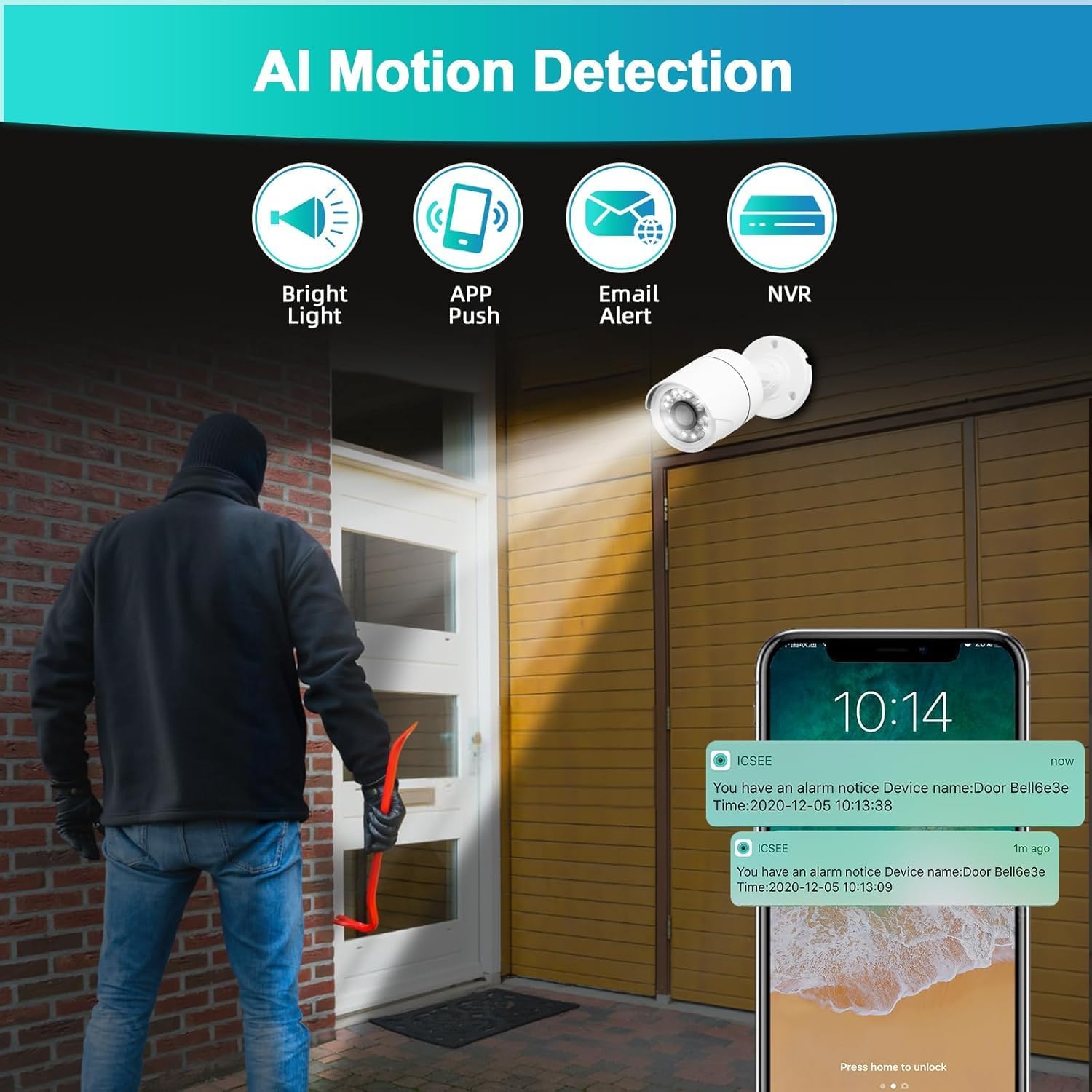
This image demonstrates the AI motion detection feature, showing an alert being sent to a mobile phone when suspicious activity is detected.
5. ساتنه
منظم ساتنه ستاسو د امنیتي سیسټم غوره فعالیت او اوږد عمر تضمینوي.
۵.۱. د هارډ ډرایو مدیریت
- The 500GB hard drive will automatically overwrite the oldest footage کله چې ډک وي.
- Periodically check the hard drive status in the DVR menu (HDD > General) to ensure it is functioning correctly.
۶.۱. د کیمرې پاکول
- Gently clean camera lenses with a soft, damp cloth to remove dust, dirt, or smudges that may affect image quality.
- سخت کیمیکلونه مه کاروئ.
5.3. د فرم ویئر تازه معلومات
- جوړونکي وګورئ webسایټ وخت په وخت د فرم ویئر تازه معلوماتو لپاره.
- Firmware updates can improve system stability, add new features, or fix bugs. Follow the provided instructions carefully when performing updates.
6. ستونزه حل کول
دا برخه هغه عامې ستونزې په ګوته کوي چې تاسو ورسره مخ کیدی شئ.
- په مانیټر کې د ویډیو آوټ پټ نشته:
- Ensure the monitor is powered on and correctly connected to the DVR via HDMI or VGA.
- Verify the monitor's input source is set to the correct HDMI/VGA port.
- Check if the DVR's power adapter is securely connected and the DVR is powered on.
- د کیمرې انځور نشته:
- Check if the camera is properly connected to the DVR's video input port.
- Ensure the camera is receiving power. Check power adapters and cables.
- Verify the camera type is compatible with the DVR (AHD/TVI/CVI/CVBS/IP).
- نه ثبتول:
- Check the hard drive status in the DVR menu (HDD > General). Ensure it is initialized and has free space.
- Verify recording schedules are correctly configured (Record > Record Schedule).
- Ensure motion detection is enabled and configured if using motion-triggered recording.
- ریموټ لاسرسی کار نه کوي:
- Ensure the DVR is connected to the internet via an Ethernet cable.
- Check network settings on the DVR (Network > TCP/IP) ترڅو ډاډ ترلاسه شي چې دا یو باوري IP پته لري.
- Verify your mobile device or PC has an active internet connection.
- Ensure the correct device ID or IP address is entered in the app/software.
- Check firewall settings on your router if you are experiencing connection issues.
- د حرکت کشف غلط الارمونه:
- Adjust the sensitivity settings for motion detection in the DVR menu (الارم > د حرکت کشف).
- Refine the detection area to exclude irrelevant zones (e.g., moving trees, busy roads).
7. مشخصات
| فیچر | تفصیل |
|---|---|
| د ماډل شمیره | A6504-1 |
| چینلونه | 4 چینلونه |
| د ویډیو داخلول | XVI, AHD, TVI, CVBS, CVI, IP |
| د ویډیو تولید | HDMI ، VGA |
| آډیو ان پټ | مایکروفون |
| USB بندرونه | 2 |
| د هارډ ډرایو ظرفیت | 500GB (Pre-installed) |
| د ویډیو کمپریشن | H.265 + |
| د کیمرې ریزولوشن | 2MP (1920x1080P) |
| د کیمرې د هوا ضد درجه بندي | IP66 |
| ځانګړي ځانګړتیاوې | App Control, Human Detection, Night Vision, Motion Sensor, Smart Playback, Two-Way Audio, Video Recording |
| د عملیاتي حرارت درجه | -10 ℃ تر 60 ℃ |
8. تضمین او ملاتړ
8.1. د تضمین معلومات
This product comes with a standard manufacturer's warranty. Please refer to the warranty card included in your package or contact customer support for specific details regarding coverage and duration.
8.2. د پیرودونکي ملاتړ
For technical assistance, troubleshooting, or warranty claims, please contact KERUI customer support. (Specific contact details are not provided in the product data. Please refer to the product packaging or manufacturer's website for contact information.)