پیژندنه
This manual provides detailed instructions for the setup, operation, and maintenance of your MoKo Ergonomic Foldable Bluetooth Keyboard DF047. Please read this manual thoroughly before using the product to ensure optimal performance and longevity.
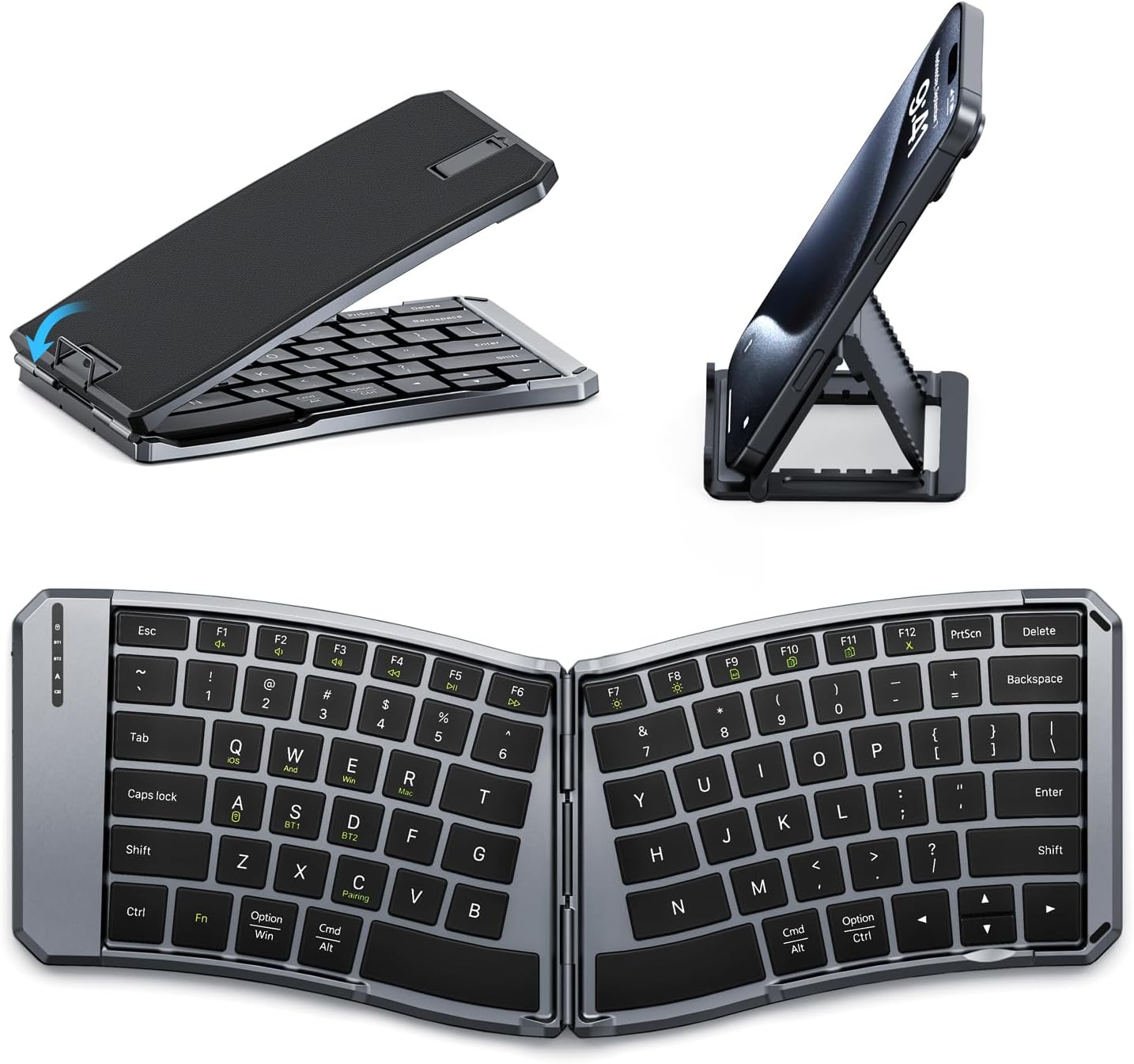
Image: The MoKo Ergonomic Foldable Bluetooth Keyboard shown in its compact folded form, alongside a phone stand, and fully unfolded, highlighting its ergonomic design.
د محصول ځانګړتیاوې
- Ergonomic design for comfortable typing.
- Foldable and portable for easy travel.
- Dual connection modes: Bluetooth and 2.4G wireless.
- Connects up to 3 Bluetooth devices simultaneously.
- Wide compatibility with iOS, Android, Windows, and Mac OS.
- Built-in 140mAh rechargeable battery (USB-C).
- Auto-sleep function for extended battery life.
- Back locking clasp for stability during use.
- PU leather non-slip pad on base.
- Scissor mechanism keys for quiet typing.
چمتو کول
1. ان باکسینګ او ابتدايي معاینه
Carefully remove the keyboard and all accessories from the packaging. Inspect for any signs of damage.
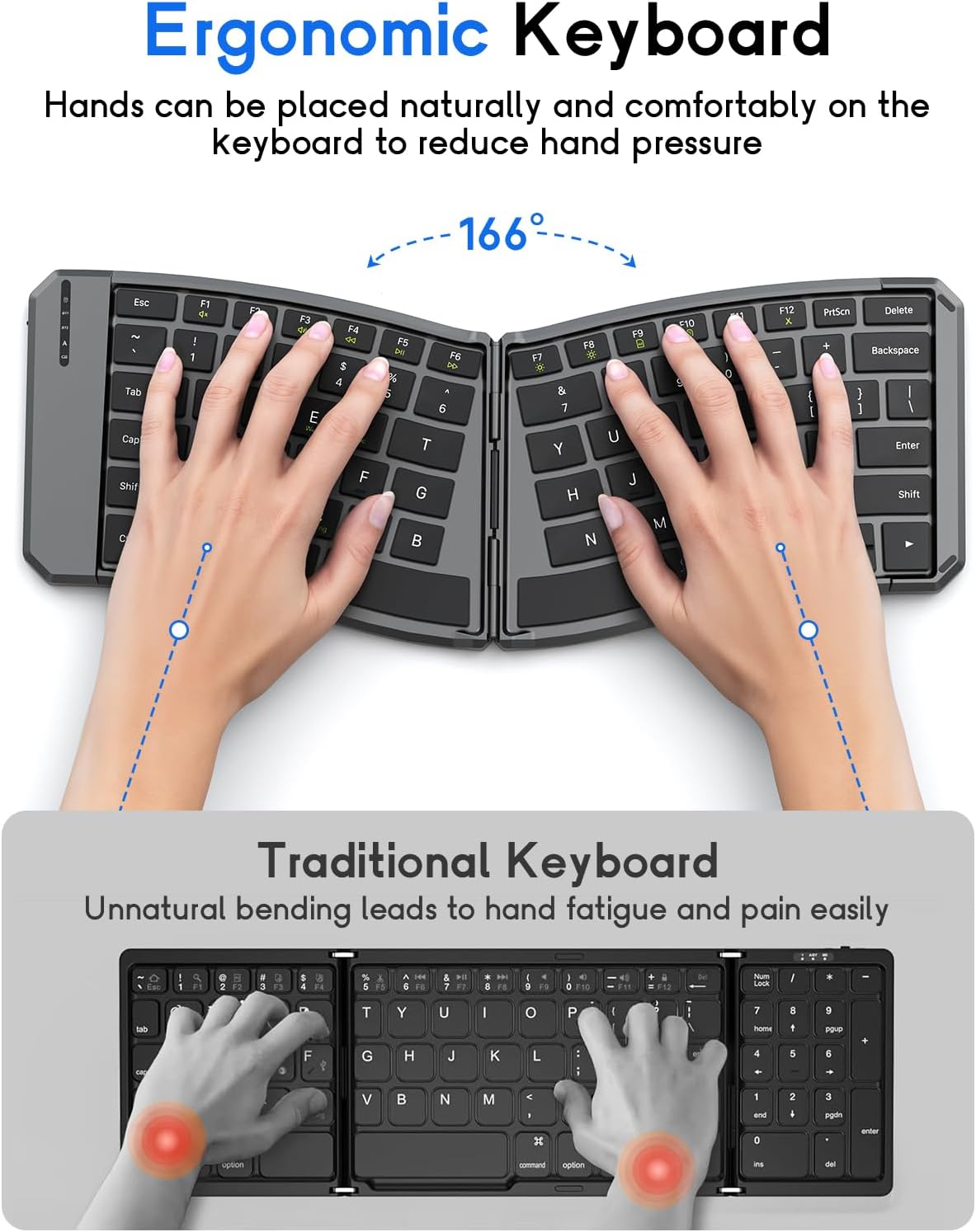
Image: The MoKo Ergonomic Foldable Bluetooth Keyboard in its compact, folded form, ready for transport.
2. د کیبورډ چارج کول
- د کیبورډ په اړخ کې د USB-C چارج کولو پورټ ومومئ.
- ورکړل شوی USB-C کیبل د کیبورډ او د بریښنا سرچینې سره وصل کړئ (د مثال په توګه، د کمپیوټر USB پورټ، د USB دیوال اډاپټر).
- The charging indicator light will illuminate. A full charge typically takes about 2 hours.
- Once fully charged, the indicator light will change or turn off.

انځور: نږدې انځور view of the keyboard's USB-C charging port, illustrating where to connect the charging cable.
3. Unfolding the Keyboard
Gently unfold the keyboard until it lies flat. Ensure the back locking clasp is engaged for stability, especially when using on a lap.

Image: The MoKo Ergonomic Foldable Bluetooth Keyboard fully opened, showcasing its split ergonomic layout.

انځور: یو مفصل view of the back locking clasp, which secures the keyboard in its unfolded position for stable typing.
عملیاتي لارښوونې
1. بریښنا فعال/بند
Slide the power switch located on the side of the keyboard to the "ON" position to turn it on. Slide it to "OFF" to power down.
2. د بلوتوث له لارې نښلول
- کیبورډ چالان کړئ.
- فشار ورکړئ Fn + Q (for iOS), Fn + W (for Android), or Fn + E (for Windows) keys to select the appropriate operating system mode.
- مطبوعاتي Fn + C to enter pairing mode. The Bluetooth indicator light will flash.
- On your device (smartphone, tablet, PC), go to Bluetooth settings and search for "Bluetooth Keyboard" or a similar name.
- Select the keyboard to pair. The indicator light will stop flashing once connected.
- To switch between paired Bluetooth devices (up to 3), press Fn + BT1, Fn + BT2، یا Fn + BT3.
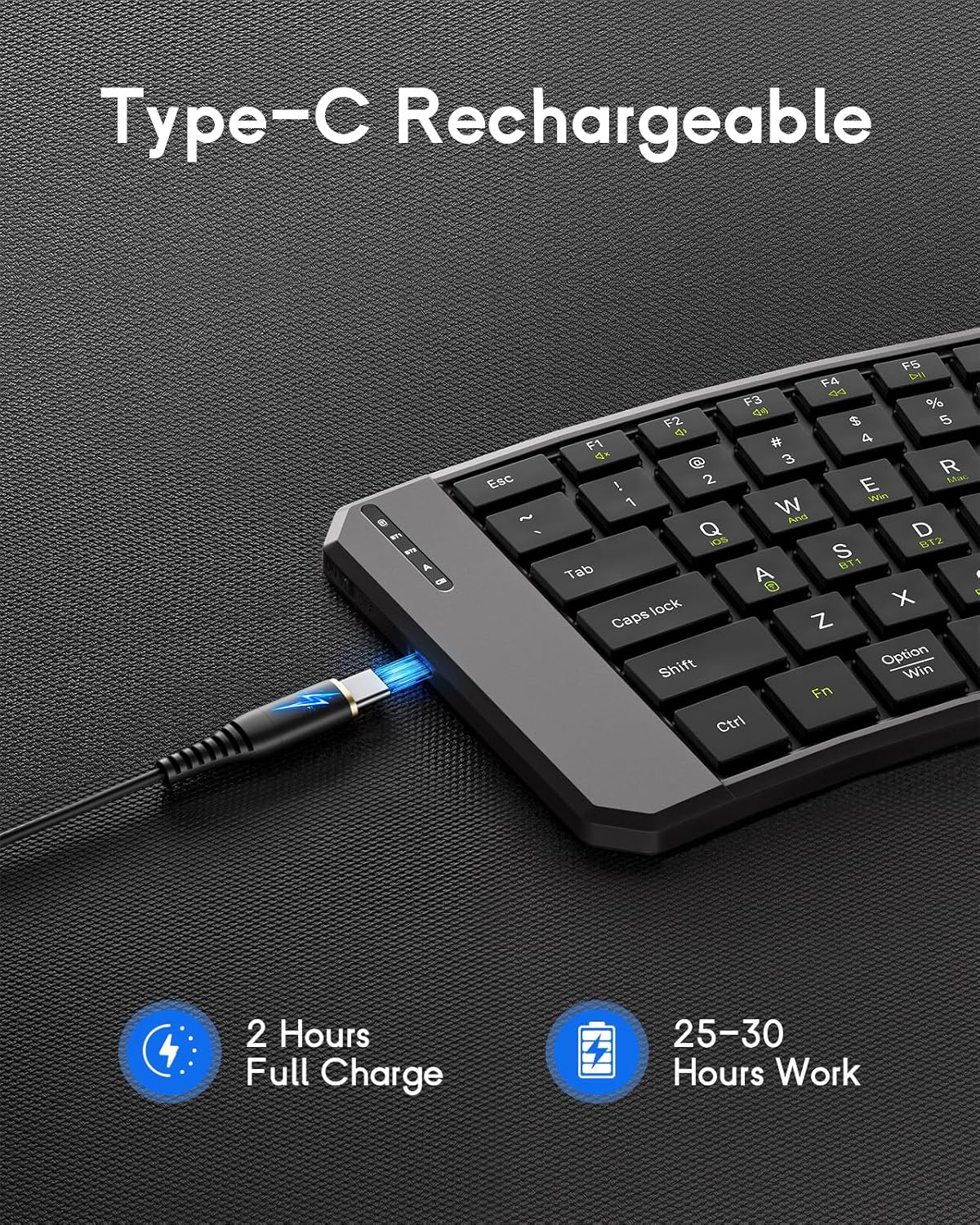
Image: The keyboard demonstrating its ability to connect to a smartphone, tablet, and laptop simultaneously using Bluetooth and 2.4G wireless connections.
3. Connecting via 2.4G Wireless (USB Receiver)
- کیبورډ چالان کړئ.
- د 2.4G USB ریسیور ومومئ (معمولا د کیبورډ په یوه کمپارټمینټ کې ساتل کیږي).
- د USB ریسیور په خپل کمپیوټر یا وسیله کې موجود USB پورټ کې ولګوئ.
- کیبورډ باید په اتوماتيک ډول وصل شي.
4. System Compatibility Selection
- Fn + Q: iOS
- Fn + W: اندروید
- Fn + E: وینډوز
- Fn + R: ماک OS

Image: A visual guide illustrating the Fn key combinations required to switch between iOS, Android, Windows, and Mac OS modes for optimal compatibility.
۴.۲. ملټي میډیا کیلي
The keyboard features dedicated multimedia keys for quick access to functions like volume control, playback, etc. Refer to the key legends for specific functions.

Image: The keyboard layout emphasizing the independent multimedia keys for efficient task processing.
ساتنه
- Keep the keyboard clean by wiping it with a soft, dry cloth.
- Avoid exposing the keyboard to extreme temperatures, moisture, or direct sunlight.
- سخت کیمیاوي توکي او کثافات پاکونکي مه کاروئ.
- Store the keyboard in its folded position when not in use to protect the keys and conserve space.
د ستونزو حل کول
کیبورډ نه نښلي:
- ډاډ ترلاسه کړئ چې کیبورډ فعال دی او په بشپړ ډول چارج شوی دی.
- ډاډ ترلاسه کړئ چې بلوتوټ ستاسو په وسیله فعال شوی.
- Make sure the correct operating system mode is selected (د فاینل + Q/W/E/R).
- Re-enter pairing mode (Fn + C) and try connecting again.
- If using 2.4G, ensure the USB receiver is properly plugged in.
- هڅه وکړئ چې کیبورډ او خپل وسیله دواړه بیا پیل کړئ.
هغه کیلي چې ځواب نه ورکوي:
- د بیټرۍ کچه وګورئ او که اړتیا وي نو چارج کړئ.
- ډاډ ترلاسه کړئ چې کیبورډ ستاسو وسیله سره په سمه توګه وصل دی.
- د کیلي شاوخوا هر ډول کثافات پاک کړئ.
ځنډ یا قطع کېدل:
- د مداخلې کمولو لپاره خپل وسیله ته نږدې شئ.
- ډاډ ترلاسه کړئ چې نور وسایل د بلوتوث مداخلې لامل نه کیږي.
- کیبورډ له خپل وسیله سره بیا جوړه کړئ.
مشخصات
| فیچر | تفصیل |
|---|---|
| ماډل | DF047 |
| د محصول ابعاد (تړل شوی) | 7.09 × 4.92 × 1.5 انچه (18 × 12.5 × 3.8 سانتي) |
| د محصول ابعاد (پراخ شوی) | 14.09 × 4.92 × 0.75 انچه (35.8 × 12.5 × 1.9 سانتي) |
| د توکي وزن | 13.4 اونس |
| د ارتباط ټیکنالوژي | بلوتوث، ۲.۴ جي بېسیم |
| د بیټرۍ ظرفیت | 140mAh |
| د چارج کولو بندر | USB-C |
| د چارج کولو وخت | نږدې 2 ساعته |
| د کار وخت | ۳-۴ ساعته (په بشپړه توګه چارج شوی) |
| مطابقت | iOS، Android، وینډوز، Mac OS |
| د کیبورډ ترتیب | QWERTY |
| ځانګړي ځانګړتیاوې | Ergonomic, Foldable, Lightweight, Portable, Auto-sleep, Back Locking Clasp, Non-slip Pad, Scissor-switch keys |
د محصول رسمي ویډیو
Video: An official product video demonstrating the features and functionality of the MoKo Ergonomic Foldable Bluetooth Keyboard, including its ergonomic design, portability, and connectivity options.
تضمین او ملاتړ
For warranty information and customer support, please refer to the contact details provided in your product packaging or visit the official MoKo webسایټ د تضمین ادعاګانو لپاره خپل د پیرود رسید وساتئ.
Manufacturer: MoKo
ASIN: B0FD9K7DKS


