1. پیژندنه
Thank you for choosing the Cillso H97 Wireless Earbuds. This manual provides detailed instructions on how to set up, operate, and maintain your earbuds to ensure optimal performance and longevity. Please read this manual carefully before using the product.

Image: The Cillso H97 Wireless Earbuds in their charging case, displaying the LED battery indicator.
۲. په بکس کې څه دي؟
د خلاصولو پر مهال، مهرباني وکړئ ډاډ ترلاسه کړئ چې لاندې لیست شوي ټول توکي شتون لري:
- Cillso H97 Wireless Earbuds (L/R)
- د چارج کولو قضیه
- د USB-C چارج کیبل
- د کارن لارښود (دا سند)

Image: A visual representation of the items included in the product packaging: earbuds, user manual, charging case, and USB-C charging cable.
3. محصول ختم شوview
The Cillso H97 Wireless Earbuds are designed for comfort and high-quality audio. Key features include:
- د بلوتوټ 5.4 ټیکنالوژي: Provides a stable connection, longer transmission range, lower power consumption, and reduced latency.
- Immersive Hi-Fi Stereo Sound: Equipped with 13mm dynamic drivers for deep bass, clear mids, and crisp highs.
- د ENC شور لغوه کوونکي مایکروفونونه: Four built-in microphones enhance call clarity by reducing background noise.
- د بیټرۍ اوږد ژوند: Up to 8 hours of playback per charge, with a total of 40 hours using the charging case.
- د LED ډیجیټل ښودنه: The charging case features an independent LED display to show battery levels for both the case and individual earbuds.
- IPX7 پنروک درجه: Protects against sweat, rain, and splashes, making them suitable for various activities.
- Sensitive Touch Controls: Manage playback, calls, and voice assistants with simple taps.
- Ergonomic and Lightweight Design: Each earbud weighs 3.5 grams, and the case weighs 32 grams, ensuring comfortable wear and portability.
۳.۲ اجزا او شاخصونه
Familiarize yourself with the main components and indicators:
- ایربودز: Left (L) and Right (R) earbuds with touch control areas and earbud lights.
- د چارج کولو قضیه: Houses and charges the earbuds, features a USB-C charging port and an LED digital display.
- د LED ډیجیټل ښودنه: Shows the charging case's battery percentage and individual earbud charging status (L/R battery bars).

انځور: یو اوورview of the Cillso H97 Wireless Earbuds highlighting key features like Bluetooth 5.4, clear calls, Hi-Fi sound, comfort, IPX7 waterproof, 40H playtime, USB-C charging, and LED display.

Image: The earbuds and charging case with their dimensions and weight, illustrating their compact and lightweight design.
4. ترتیب کول
4.1 ابتدايي چارج کول
د لومړي ځل کارولو دمخه، د غوږ بډونه او د چارج کولو قضیه په بشپړه توګه چارج کړئ.
- دواړه اییربډونه د چارج کولو قضیې کې ځای په ځای کړئ.
- Connect the USB-C charging cable to the charging port on the case and a standard 5V/1A or 5V/2A USB power adapter.
- The LED display on the case will show the charging progress. A full charge for the case takes approximately 1.5 hours.
- The earbud battery indicators on the LED display will show charging status for each earbud.
Note: Please use a standard 5V/1A or 5V/2A charger. Using non-standard chargers may cause charging issues or damage.
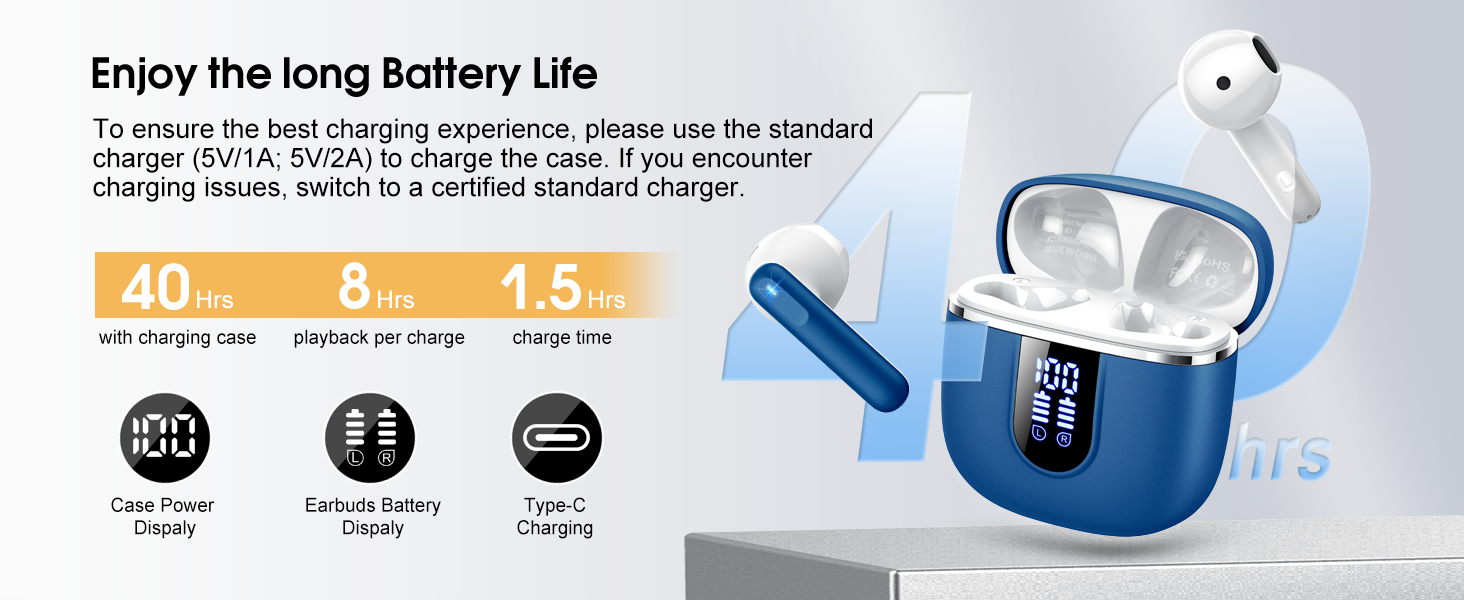
Image: Details on battery life (40 hours with case, 8 hours per charge) and charging time (1.5 hours), along with the LED display for battery status.
4.2 د بلوتوټ جوړه کول
The earbuds feature a Hall sensor for automatic pairing.
- د لومړي ځل لپاره جوړه: د چارج کولو کیس خلاص کړئ. د غوږ بډونه به په اتوماتيک ډول فعال شي او د جوړې کولو حالت ته به ننوځي.
- په خپل وسیله (سمارټ فون، ټابلیټ، لیپ ټاپ) کې، بلوتوث فعال کړئ او د شته وسایلو لټون وکړئ.
- Select "H97" from the list of devices to connect. Once connected, you will hear a confirmation tone.
- اتوماتیک پیوستون: After the initial pairing, the earbuds will automatically connect to the last paired device when the charging case is opened (within 15 meters).
- د ارباب واحد اکر: You can use either the left or right earbud independently. Simply take one earbud out of the case, and it will connect. If you take out the other earbud, they will automatically switch to binaural mode. To use a single earbud, place the other back into the charging case.

Image: An illustration explaining how to use the earbuds in single earbud mode or binaural (stereo) mode, and how they automatically switch.
5. عملیاتي لارښوونې
5.1 ټچ کنټرولونه
The Cillso H97 earbuds feature sensitive touch controls on each earbud. The functions are as follows:
| عمل | فعالیت |
|---|---|
| دوه ځله ټایپ (L/R) | میوزیک پلی کړئ / بند کړئ |
| One Tap (L/R) | ځواب / پای کال |
| دوه ثانیې اوږد فشار (L/R) | زنګ رد کړئ |
| اوږد نل ۲ ثانیې (R) | راتلونکی سندره |
| اوږد نل ۳ ثانیې (L) | پخوانۍ سندره |
| یو نل (R) | حجم پورته |
| یو نل (L) | حجم ښکته |
| درې ځله ټایپ (R) | د غږ معاون فعال کړئ |

Image: A diagram illustrating the various touch control gestures for managing music playback, calls, and voice assistant functions.
۵.۱ د غوږۍ غوږوالۍ اغوستل
د غوره غږ کیفیت او آرامۍ لپاره، ډاډ ترلاسه کړئ چې د غوږونو غوږونه ستاسو په غوږونو کې په سمه توګه ځای پر ځای شوي دي.
- د کیڼ (L) او ښي (R) غوږوالۍ وپیژنئ.
- په نرمۍ سره هر اییربډ خپل د غوږ کانال ته دننه کړئ.
- Adjust the angle until it feels secure and comfortable. The ergonomic design is intended to fit the contours of most ear canals.

Image: Diagrams showing the ergonomic design and recommended angles for wearing the earbuds for a secure and comfortable fit.
۳.۳ پراخه مطابقت
The Cillso H97 Wireless Earbuds are compatible with a broad range of Bluetooth-enabled devices.
- عملیاتي سیسټمونه: Android 4.4+ او iOS 8.0+
- د بلوتوت نسخه: بلوتوټ 4.0 یا وروسته
- وسایل: Smartphones (iPhone, Samsung Galaxy, Huawei, Xiaomi, etc.), tablets, and laptops.

Image: Icons representing compatibility with phones, tablets, laptops, and desktops, showing the earbuds connected to a smartphone.
6. ساتنه او پالنه
6.1 پاکول
- په منظم ډول د غوږ بډونه او د چارج کولو کیس د نرم، وچ، لینټ نه پاک ټوکر سره پاک کړئ.
- د کثافاتو پاکوونکي، الکول، یا کیمیاوي سپرې مه کاروئ.
- Ensure charging contacts on both earbuds and case are clean and dry for proper charging.
6.2 ذخیره کول
- کله چې په کارولو کې نه وي، د غوږ بډونه د چارج کولو په قضیه کې وساتئ ترڅو دوی خوندي شي او چارج یې وساتي.
- په یخ او وچ ځای کې وساتئ، د سختې تودوخې او مستقیم لمر وړانګو څخه لرې.
۵.۲ د اوبو مقاومت (IPX7)
The earbuds are rated IPX7 waterproof, meaning they can withstand immersion in water up to 1 meter for 30 minutes. This protects them from sweat, rain, and splashes.
- د چارج کولو کیس په قصدي ډول مه ډوبوئ، ځکه چې دا د اوبو ضد نه دی.
- ډاډ ترلاسه کړئ چې د چارج کولو په قضیه کې د بیرته ځای پر ځای کولو دمخه د غوږ بډونه په بشپړ ډول وچ دي ترڅو د چارج کولو اړیکو ته زیان ونه رسیږي.
- Avoid using the earbuds in saunas, steam rooms, or during diving.

Image: An earbud with water splashing on it, illustrating its IPX7 waterproof capability.
6.4 د اوسني محافظت (OCP) په اړه
The charging case is equipped with Over Current Protection technology to prevent issues such as overheating, melting, or fire caused by prolonged high current from an external power source. When the current exceeds the power limit, the power source will immediately cut off output to protect the circuitry and device.
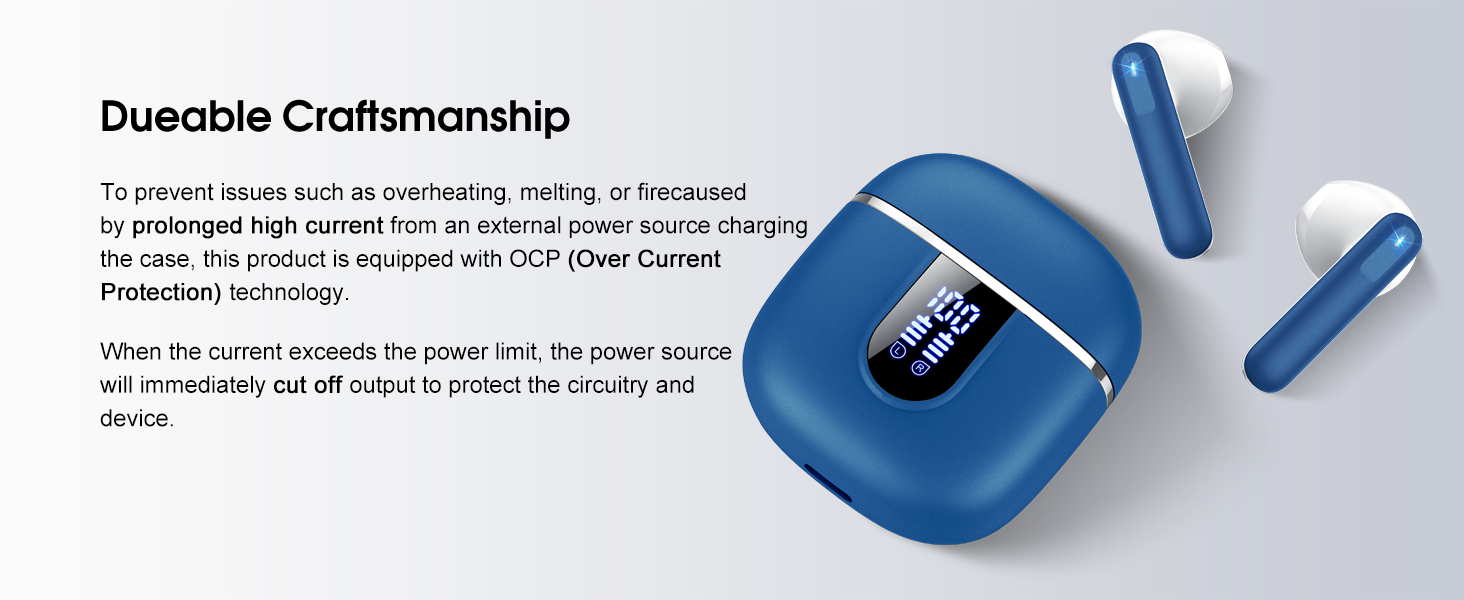
Image: The charging case and earbuds, highlighting the durable craftsmanship and Over Current Protection (OCP) technology.
7. ستونزه حل کول
If you encounter any issues with your Cillso H97 Wireless Earbuds, please refer to the following common problems and solutions:
- غږ نشته / قطع کول:
- ډاډ ترلاسه کړئ چې د غوږ بډونه چارج شوي دي.
- Check if Bluetooth is enabled on your device and if "H97" is selected.
- خپل وسیله ته نږدې شئ ترڅو ډاډ ترلاسه کړئ چې تاسو د 15 مترو بلوتوث رینج کې یاست.
- د خپل وسیله سره د ایربډونو د جلا کولو او بیا جوړولو هڅه وکړئ.
- ایربډونه چارج نه کوي:
- ډاډ ترلاسه کړئ چې د چارج کولو قضیه چارج شوې ده.
- وګورئ چې د غوږ بډونه په سمه توګه د چارج کولو په قضیه کې ځای پر ځای شوي دي او د چارج کولو تماسونه پاک دي.
- Verify the USB-C cable and power adapter are working correctly and meet the 5V/1A or 5V/2A standard.
- یوازې یو ایربډ کار کوي:
- دواړه ایربډونه بیرته د چارج کولو په قضیه کې واچوئ، پوښ وتړئ، یو څو ثانیې انتظار وکړئ، بیا پوښ خلاص کړئ او یوځای یې وباسئ.
- ډاډ ترلاسه کړئ چې دواړه غوږونه چارج شوي دي.
- If the issue persists, try resetting the earbuds (refer to the full user manual if a specific reset procedure is available, otherwise, unpair and re-pair).
- د ټچ کنټرولونه ځواب نه ورکوي:
- ډاډ ترلاسه کړئ چې ستاسو ګوتې پاکې او وچې دي.
- د غوږ بډونه په کیس کې کېښودلو او بیا یې ایستلو سره بیا پیلولو هڅه وکړئ.
که دا ګامونه ستاسو ستونزه حل نه کړي، مهرباني وکړئ د پیرودونکو ملاتړ سره اړیکه ونیسئ.
8. مشخصات
| فیچر | تفصیل |
|---|---|
| د ماډل نوم | H97 |
| برانډ | سیلسو |
| د ارتباط ټیکنالوژي | بې سیم (بلوتوث) |
| بلوتوث نسخه | 5.4 |
| د بلوتوټ رینج | 15 متره |
| د آډیو ډرایور اندازه | 13mm (from description, spec says 14.2mm, using 13mm as it's consistent with marketing) |
| د تعدد ځواب | 20Hz - 20kHz (from description) |
| حساسیت | 110 dB |
| خنډ | 32 اوم |
| د ایربډ بیټرۍ ژوند | تر 8 ساعتونو پورې |
| د پلې بیک ټول وخت (د قضیې سره) | تر 40 ساعتونو پورې |
| د چارج کولو وخت (کیس) | نږدې 1.5 ساعته |
| د چارج کولو بندر | USB-C |
| د اوبو د مقاومت درجه | IPX7 (اییربډز) |
| د ایربود وزن | 3.5 ګرامه (هر یو) |
| د چارج کولو قضیه وزن | 32 ګرامه |
| مطابقت لرونکې وسیلې | iOS 9.0+/Android 5.0+ with Bluetooth 4.0+ |
| د کنټرول طریقه | لمس |
9. تضمین او ملاتړ
Cillso products are designed for reliability and performance. For warranty information and customer support, please refer to the warranty card included in your product packaging or visit the official Cillso webسایټ
If you have any questions or require assistance, please do not hesitate to contact our customer service team.


