1. پیژندنه
This manual provides detailed instructions for the operation and maintenance of your KEPLUG MX9 Sunrise Alarm Clock. This device combines a digital alarm clock, a sunrise simulation wake-up light, a dimmable bedside night light, and a white noise machine with 30 soothing sounds. Please read this manual thoroughly before use to ensure proper functionality and safety.
2. د خوندیتوب معلومات
- ډاډ ترلاسه کړئ چې وسیله په مستحکم، فلیټ سطح کې کیښودل شوې.
- وسیله د اوبو یا ډیر رطوبت سره مه مخ کوئ.
- یوازې چمتو شوي بریښنا اډاپټر او کیبل وکاروئ.
- د ماشومانو او څارویو د لاسرسي څخه لرې وساتئ.
- د وسیلې د جلا کولو یا ترمیم کولو هڅه مه کوئ. د خدماتو لپاره وړ پرسونل سره اړیکه ونیسئ.
- وسیله د بریښنایی طوفانونو په جریان کې یا کله چې د اوږدې مودې لپاره نه کارول کیږي خلاص کړئ.
3. د بسته محتويات
ډاډ ترلاسه کړئ چې ټول توکي په کڅوړه کې شتون لري:
- KEPLUG MX9 Sunrise Alarm Clock
- د بریښنا اډاپټر
- د بریښنا کیبل
- د کارونکي لارښود (دا لاسوند)
4. محصول ختم شوview
Familiarize yourself with the main components and control buttons of your KEPLUG MX9 Sunrise Alarm Clock.

انځور 1: مخکی view of the KEPLUG MX9 Sunrise Alarm Clock, showing the main light dome, digital time display, and control buttons at the base.
The device features a large light dome, a digital time display, and several touch-sensitive buttons for control:
- د الارم تtonۍ: Used to set and activate alarms.
- د وخت تڼۍ: Used to set the current time and 12/24-hour format.
- سنوز/رڼا بټن: Activates snooze during an alarm, or turns on/off and adjusts the night light.
- جمع (+) تڼۍ: Increases values (time, volume, brightness) or navigates options.
- منفي (-) تڼۍ: Decreases values (time, volume, brightness) or navigates options.
- د موسیقۍ یادښت تڼۍ: Selects soothing sounds or white noise.
5. ترتیب کول
5.1 د بریښنا نښلول
- Connect the power cable to the DC input port on the back of the alarm clock.
- د بریښنا اډاپټر په معیاري بریښنایی پلورنځي کې ولګوئ.
- The digital display will illuminate, indicating the device is powered on.
۶.۱ د اوسني وخت ټاکل
- فشار ورکړئ او ونیسئ د وخت تڼۍ for 3 seconds to enter time setting mode. The hour digits will flash.
- د کارولو جمع (+) or Minus (-) Buttons د ساعت تنظیم کولو لپاره.
- فشار ورکړئ د وخت تڼۍ بیا د ساعت تاییدولو لپاره او د دقیقې ترتیب ته لاړ شئ. د دقیقو شمیرې به روښانه شي.
- د کارولو جمع (+) or Minus (-) Buttons دقیقې تنظیم کولو لپاره.
- فشار ورکړئ د وخت تڼۍ a third time to confirm the minutes and select 12-hour or 24-hour format.
- د کارولو جمع (+) or Minus (-) Buttons د خپل غوره وخت بڼه غوره کولو لپاره.
- فشار ورکړئ د وخت تڼۍ one last time to exit time setting mode.
6. عملیاتي لارښوونې
6.1 Setting an Alarm (Sunrise Simulation & Sound)
The KEPLUG MX9 allows you to set multiple alarms with customizable sunrise simulation and sound options.

Image 2: Illustration of the sunrise simulation feature, where the light gradually brightens over a set period, mimicking a natural sunrise.
- فشار ورکړئ د الارم تtonۍ to select an alarm slot (e.g., Alarm 1, Alarm 2).
- فشار ورکړئ او ونیسئ د الارم تtonۍ for 3 seconds to enter alarm setting mode. The alarm hour digits will flash.
- د کارولو جمع (+) or Minus (-) Buttons د مطلوب الارم ساعت تنظیم کولو لپاره.
- فشار ورکړئ د الارم تtonۍ to confirm the hour and set the minutes.
- د کارولو جمع (+) or Minus (-) Buttons د مطلوب الارم دقیقې تنظیم کولو لپاره.
- فشار ورکړئ د الارم تtonۍ to confirm minutes and set the sunrise duration (15-120 minutes). This is the time before the alarm sound when the light will gradually brighten.
- د کارولو جمع (+) or Minus (-) Buttons to select the sunrise duration.
- فشار ورکړئ د الارم تtonۍ to confirm duration and select the wake-up sound.
- د کارولو جمع (+) or Minus (-) Buttons to cycle through the available wake-up sounds (e.g., nature sounds, melodies).
- فشار ورکړئ د الارم تtonۍ to confirm the sound and set the alarm volume.
- د کارولو جمع (+) or Minus (-) Buttons to adjust the alarm volume (7 levels).
- فشار ورکړئ د الارم تtonۍ one last time to save the alarm settings and activate the alarm. An alarm icon will appear on the display.
6.2 د سنوز فعالیت
کله چې الارم غږیږي، فشار ورکړئ سنوز/رڼا تڼۍ to activate the snooze function. The alarm will pause for 9 minutes and then sound again. You can snooze multiple times.
6.3 Turning Off an Alarm
To turn off a sounding alarm, press any button other than the سنوز/رڼا تڼۍ. To deactivate an alarm completely, press the د الارم تtonۍ until the alarm icon disappears from the display.
6.4 Night Light / Bedside Lamp فعالیت
The device can function as a dimmable night light with various colors.

Image 3: The alarm clock used as a bedside lamp, displaying various solid colors and mood lighting options.
- فشار ورکړئ سنوز/رڼا تڼۍ once to turn on the light.
- فشار ورکړئ سنوز/رڼا تڼۍ repeatedly to cycle through different solid colors (8 options) and RGB mood lights (4 options).
- To adjust the brightness of the selected light, press and hold the سنوز/رڼا تڼۍ، بیا یې وکاروئ جمع (+) or Minus (-) Buttons to increase or decrease brightness. Release the سنوز/رڼا تڼۍ کله چې ترسره شي.
- فشار ورکړئ او ونیسئ سنوز/رڼا تڼۍ بیا د رڼا د بندولو لپاره.
6.5 White Noise Machine & Soothing Sounds
The device offers 30 soothing sounds for relaxation or sleep aid.

Image 4: Visual representation of the 30 smooth sounds for sleep, including white noise, nature sounds, and lullabies.
- فشار ورکړئ د موسیقۍ یادښت تڼۍ to turn on the sound machine. It will start playing the last selected sound.
- فشار ورکړئ د موسیقۍ یادښت تڼۍ repeatedly to cycle through the 30 available sounds.
- د کارولو جمع (+) or Minus (-) Buttons د غږ حجم تنظیمولو لپاره.
- To set a timer for the sound playback, press and hold the د موسیقۍ یادښت تڼۍ. The timer options (e.g., 15 min, 30 min, 60 min, continuous) will appear. Use the جمع (+) or Minus (-) Buttons to select a duration. The sound will automatically turn off after the selected time.
- فشار ورکړئ او ونیسئ د موسیقۍ یادښت تڼۍ بیا د غږ ماشین بندولو لپاره.
6.6 Sunset Simulation (Sleep Aid)
The sunset simulation feature gradually dims the light and can play soothing sounds to help you fall asleep.
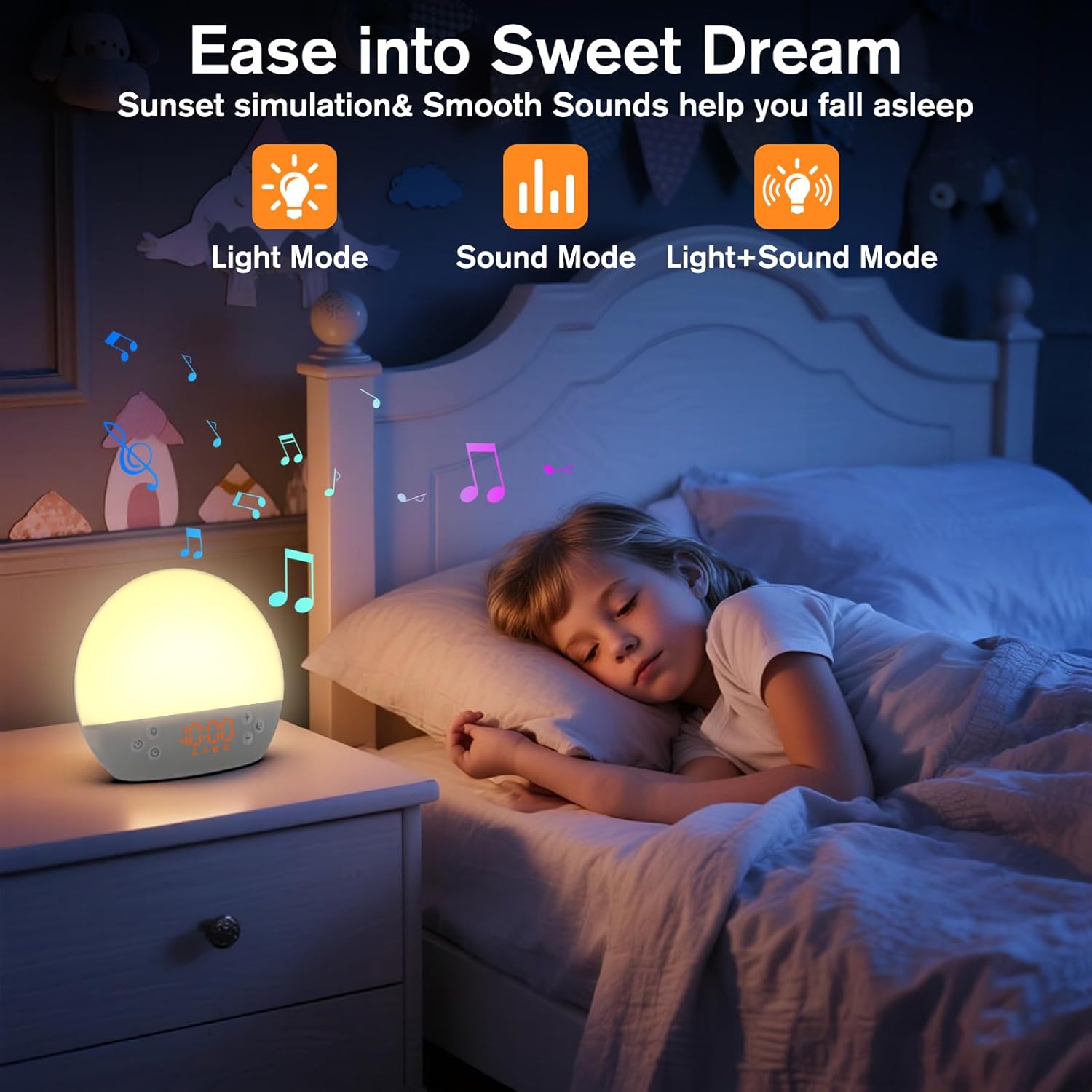
Image 5: The alarm clock in sunset simulation mode, providing a calming light and sound environment to aid sleep.
- To activate sunset simulation, press and hold the د وخت تڼۍ until the sunset icon appears.
- د کارولو جمع (+) or Minus (-) Buttons to set the duration of the sunset simulation (e.g., 15, 30, 60 minutes).
- فشار ورکړئ د وخت تڼۍ to confirm the duration. You can then choose to have light only, sound only, or both light and sound.
- د کارولو جمع (+) or Minus (-) Buttons to select the desired mode (Light Mode, Sound Mode, Light+Sound Mode).
- If Light+Sound Mode is selected, you can choose a specific soothing sound and adjust its volume.
- فشار ورکړئ د وخت تڼۍ again to start the sunset simulation. The light will gradually dim, and sounds will fade out over the set duration.
6.7 د روښانتیا تنظیم کول
The brightness of the digital time display can be adjusted to your preference.
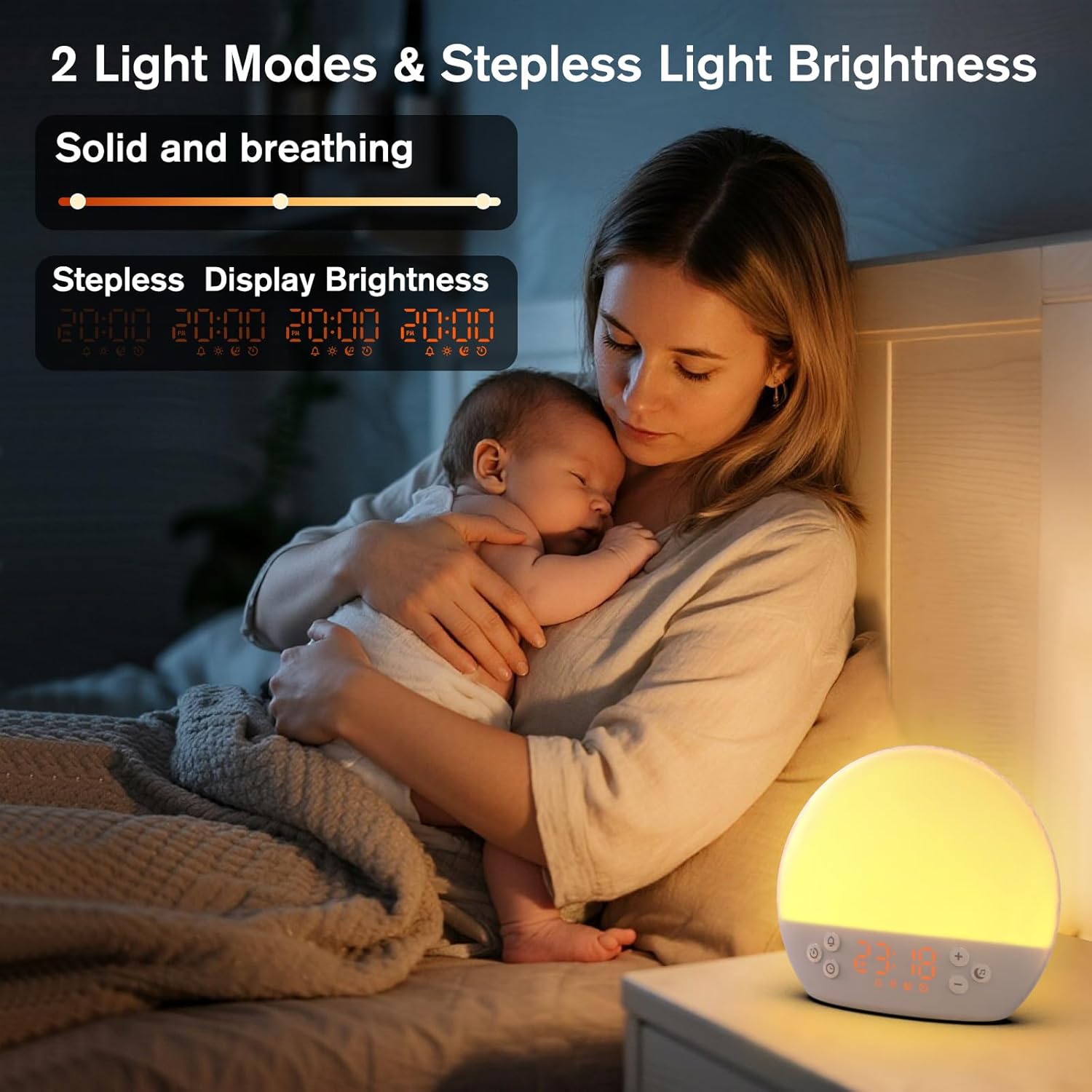
Image 6: The alarm clock demonstrating stepless display brightness adjustment, from very dim to bright.
د ښودنې روښانتیا تنظیم کولو لپاره ، په لنډ ډول فشار ورکړئ د وخت تڼۍ (do not hold). Each press will cycle through different brightness levels (e.g., bright, medium, dim, off). Select the level that suits your environment.
7. ساتنه
- پاکول: د پاکولو دمخه وسیله خلاص کړئ. د سطحې د پاکولو لپاره نرم، وچ ټوکر وکاروئ. د کثافاتو پاکوونکي یا محلولونه مه کاروئ.
- ذخیره کول: که چیرې د اوږدې مودې لپاره په کارولو کې نه وي، وسیله خلاصه کړئ او په یخ او وچ ځای کې یې وساتئ.
8. ستونزه حل کول
| ستونزه | احتمالي لامل | د حل لاره |
|---|---|---|
| وسیله فعاله نه ده. | Power cable not connected properly or power outlet is faulty. | د برېښنا کیبل اتصال وګورئ. د برېښنا بل سوري هڅه وکړئ. |
| الارم نه غږېږي. | Alarm not activated or volume is too low. | Ensure the alarm icon is visible on the display. Increase alarm volume during setup. |
| ر Lightا نه ځي. | Light function is off or brightness is set to minimum. | فشار ورکړئ سنوز/رڼا تڼۍ to turn on. Adjust brightness using جمع (+) or Minus (-) Buttons while holding the سنوز/رڼا تڼۍ. |
| Sounds are not playing. | Sound machine is off or volume is too low. | فشار ورکړئ د موسیقۍ یادښت تڼۍ to turn on. Increase volume using جمع (+) تڼۍ. |
| د وخت ښودنه ډېره روښانه/کمه ده. | د ښودنې د روښانتیا تنظیم تنظیم ته اړتیا لري. | په لنډه توګه فشار ورکړئ د وخت تڼۍ to cycle through display brightness levels. |
9. مشخصات
| فیچر | تفصیل |
|---|---|
| د ماډل نوم | MX9 |
| برانډ | KEPLUG |
| مواد | پلاستیک |
| رنګ | سپین |
| د بریښنا سرچینه | د بریښنا تار شوی |
| د توکي وزن | 258 ګرامه (9.1 اونس) |
| د محصول ابعاد | 2.36 x 5.59 x 6.3 انچه (6 x 14.2 x 16 سانتي متره) |
| د رڼا سرچینو شمیر | 2 |
| ځانګړی ځانګړنه | د حجم وړ حجم |
| د لمر خاته سمولیشن موده | 15-120 دقیقې |
| ارامه غږونه | 30 اختیارونه |
| د الارم حجم کچه | 7 کچه |
10. تضمین او ملاتړ
Your KEPLUG MX9 Sunrise Alarm Clock is covered by a standard manufacturer's warranty. For specific warranty details, please refer to the product packaging or contact KEPLUG customer support. If you encounter any issues not covered in the troubleshooting section, or require further assistance, please reach out to our customer service team through the retailer where you purchased the product or visit the official KEPLUG webد ملاتړ اړیکو معلوماتو لپاره سایټ.


