1. پیژندنه
This manual provides comprehensive instructions for the Inateck Nomad N0158 Foldable Keyboard and Mouse Set. It covers product features, setup procedures, operational guidelines, maintenance tips, and troubleshooting information to ensure optimal performance and user experience. This set is designed for multi-device connectivity, supporting up to three devices simultaneously across various operating systems including Windows, macOS, Android, and iOS.
2. د بسته محتويات
ډاډ ترلاسه کړئ چې لاندې ټول توکي ستاسو په بسته کې شامل دي:
- Inateck Nomad N0158 Foldable Keyboard
- بې سیم موږک
- Accessory Bag (600D two-tone splash-proof RPET recycled material)
- Folding Stand (suitable for 4-13 inch iPads, smartphones, and tablets)
- د USB-C چارج کیبل
- د کارن لارښود
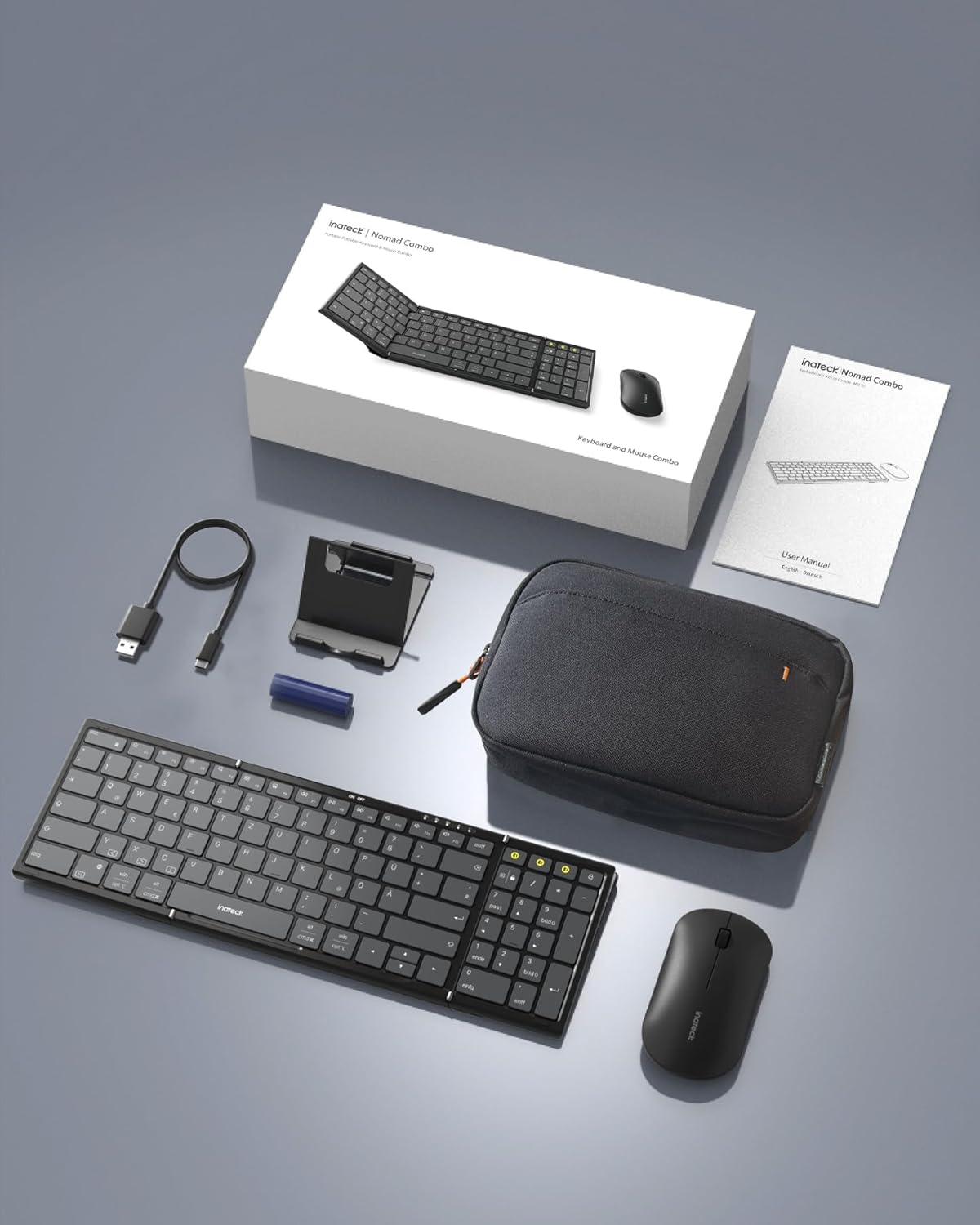
Image: All components included in the Inateck Nomad N0158 package: the foldable keyboard, wireless mouse, accessory bag, folding stand, and USB-C charging cable.
3. محصول ختم شوview
۳.۲ د کیبورډ ځانګړتیاوې
- پوښي ډیزاین: Compact for portability.
- د بشپړ اندازې ترتیب: 99 keys with a separate numeric keypad for efficient data entry and document editing.
- د څو وسیلو اتصال: Connects to up to 3 devices via 2.4G, Bluetooth 1 (BT1), and Bluetooth 2 (BT2).
- د بیټرۍ اوږد ژوند: Over 90 hours of continuous use, up to 180 days standby. Rechargeable via Type-C port.
- Stable Hinge: Features a seamless metal hinge with magnetic locking for stability when unfolded.

Image: The Inateck Nomad N0158 keyboard unfolded, showcasing its full-size layout with six rows of main keys and a dedicated numeric keypad.

انځور: یو مفصل view of the keyboard's seamless metal hinge and magnetic locking system, designed for stability when the keyboard is open.
۳.۳ د موږک ځانګړتیاوې
- د بیسیم اتصال: Connects via 2.4G USB dongle and two Bluetooth channels (BT1, BT2).
- د بیټرۍ اوږد ژوند: Over 50 hours of continuous operation, with extended standby time.
4. د تنظیم کولو لارښود
۳.۱ د کیبورډ چارج کول
- په کیبورډ کې د USB-C چارج کولو پورټ ومومئ.
- ورکړل شوی USB-C کیبل د کیبورډ او د بریښنا سرچینې سره وصل کړئ (د مثال په توګه، د کمپیوټر USB پورټ، د USB دیوال اډاپټر).
- د چارج کولو شاخص څراغ به روښانه شي. کله چې په بشپړ ډول چارج شي، څراغ به بدل شي یا بند شي.
The mouse typically uses a replaceable battery (often pre-installed with a pull tab) or may be rechargeable. Refer to the mouse's specific instructions for charging or battery installation.
4.2 Pairing the Keyboard and Mouse
The keyboard and mouse support multiple connection methods: 2.4G wireless (for mouse only, via USB dongle) and Bluetooth (BT1, BT2 for both keyboard and mouse).
4.2.1 2.4G Wireless Connection (Mouse Only)
- Locate the 2.4G USB dongle, usually stored within the mouse or accessory bag.
- د USB ډونګل په خپل کمپیوټر کې موجود USB پورټ کې دننه کړئ.
- Turn on the mouse. It should automatically connect to the dongle.
4.2.2 Bluetooth Connection (Keyboard and Mouse)
The keyboard and mouse each have two Bluetooth channels (BT1 and BT2) for connecting to different devices.
- وسیله چالان کړئ: ډاډ ترلاسه کړئ چې کیبورډ او موږک فعال دي.
- د بلوتوث چینل غوره کړئ:
- For the keyboard, press the dedicated BT1 or BT2 button.
- For the mouse, switch to the desired Bluetooth mode (BT1 or BT2) using its mode switch.
- د جوړه کولو حالت فعال کړئ:
- For the keyboard, اوږد فشار the selected BT1 or BT2 button until the indicator light flashes, indicating pairing mode.
- For the mouse, long press its Bluetooth pairing button (refer to mouse-specific instructions if not obvious) until its indicator light flashes.
- په خپل وسیله کې بلوتوث فعال کړئ: On your computer, tablet, or smartphone, go to Bluetooth settings.
- لټون وسایل: ستاسو وسیله به د شته بلوتوث وسیلو لپاره سکین وکړي.
- وټاکئ او وصل شئ: Choose "Inateck Keyboard" and/or "Inateck Mouse" from the list of found devices. Follow any on-screen prompts to complete the pairing.

Image: Illustration of the keyboard and mouse connected to multiple devices (laptop, tablet, smartphone) via 2.4G, BT1, and BT2 channels. Short press to switch channels, long press to activate pairing mode.
5. عملیاتي لارښوونې
۴.۱ د وصل شویو وسیلو ترمنځ بدلول
Once paired with multiple devices, you can easily switch between them:
- کیبورډ: Short press the BT1 or BT2 button to switch to the corresponding paired device.
- موږک: Use the mode switch on the mouse to select between 2.4G, BT1, or BT2.
5.2 Using the Folding Stand
The included folding stand is designed to hold 4-13 inch iPads, smartphones, and tablets, providing an ergonomic viewing angle while using the keyboard. Ensure the stand is placed on a stable, flat surface.
5.3 Keyboard Usage Notes
- باثباته سطحه: Always place the keyboard on a flat, stable surface. The folding hinge is not designed to lock, and typing on uneven surfaces may cause instability.
- کي بورډ هډونه: The keyboard features a QWERTZ layout. Ensure your device's operating system is configured to match this layout for correct character input.
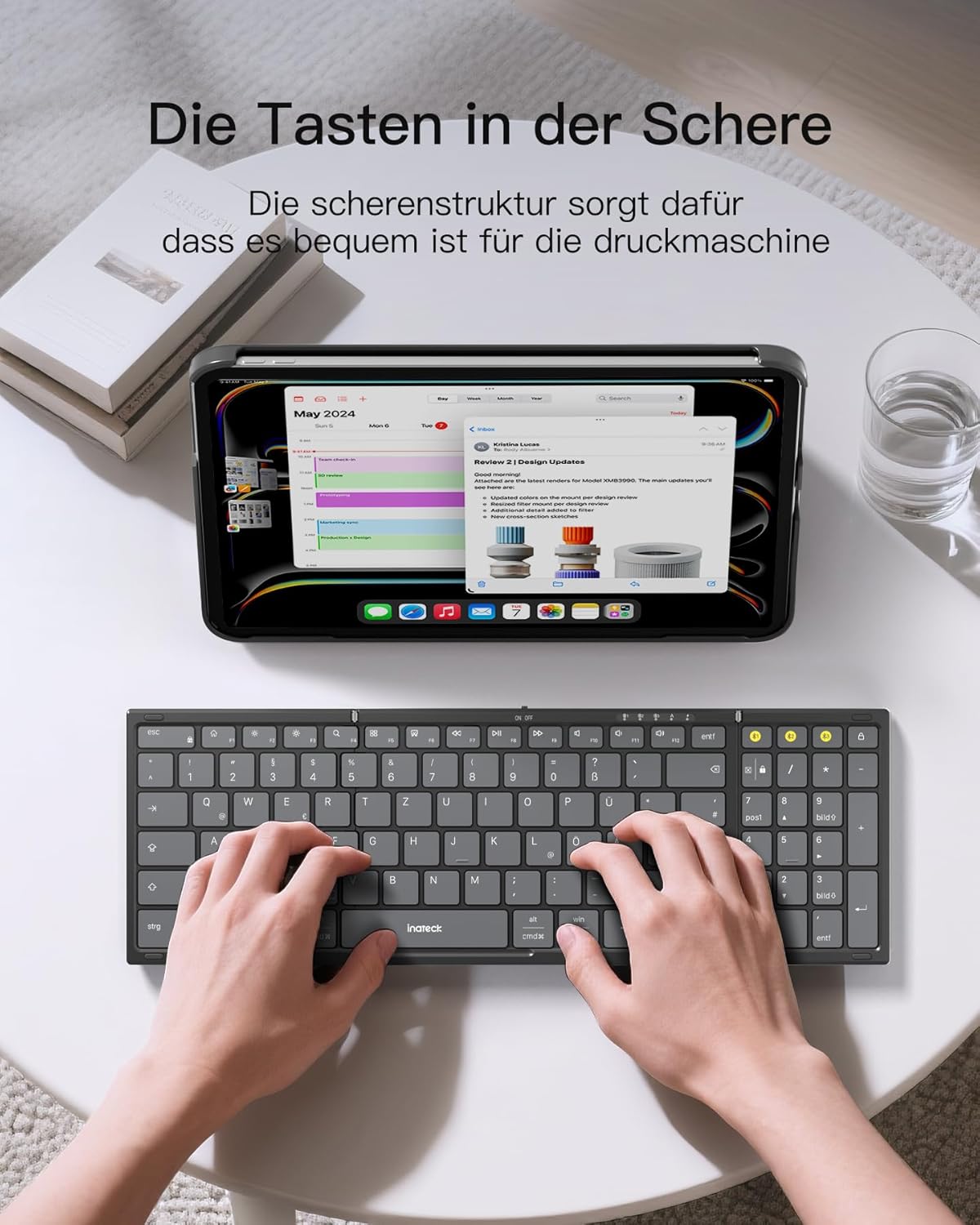
Image: A user demonstrating typing on the Inateck Nomad N0158 foldable keyboard, with a tablet positioned on the included stand for an optimal workspace setup.
6. ساتنه
6.1 پاکول
- Use a soft, dry, lint-free cloth to clean the keyboard and mouse surfaces.
- د سختې خاورې لپاره، لږ څهampټوکر د اوبو یا یو نرم، غیر خارښونکي پاکونکي سره ومینځئ. د ډیر رطوبت څخه ډډه وکړئ.
- Do not use harsh chemicals, solvents, or abrasive materials, as these can damage the product finish.
6.2 ذخیره کول
- When not in use, fold the keyboard and store it along with the mouse and stand in the provided accessory bag.
- محصول په یخ ، وچ ځای کې د مستقیم لمر وړانګو او خورا تودوخې څخه لرې وساتئ.
- The accessory bag is made from splash-proof material, offering protection during travel.
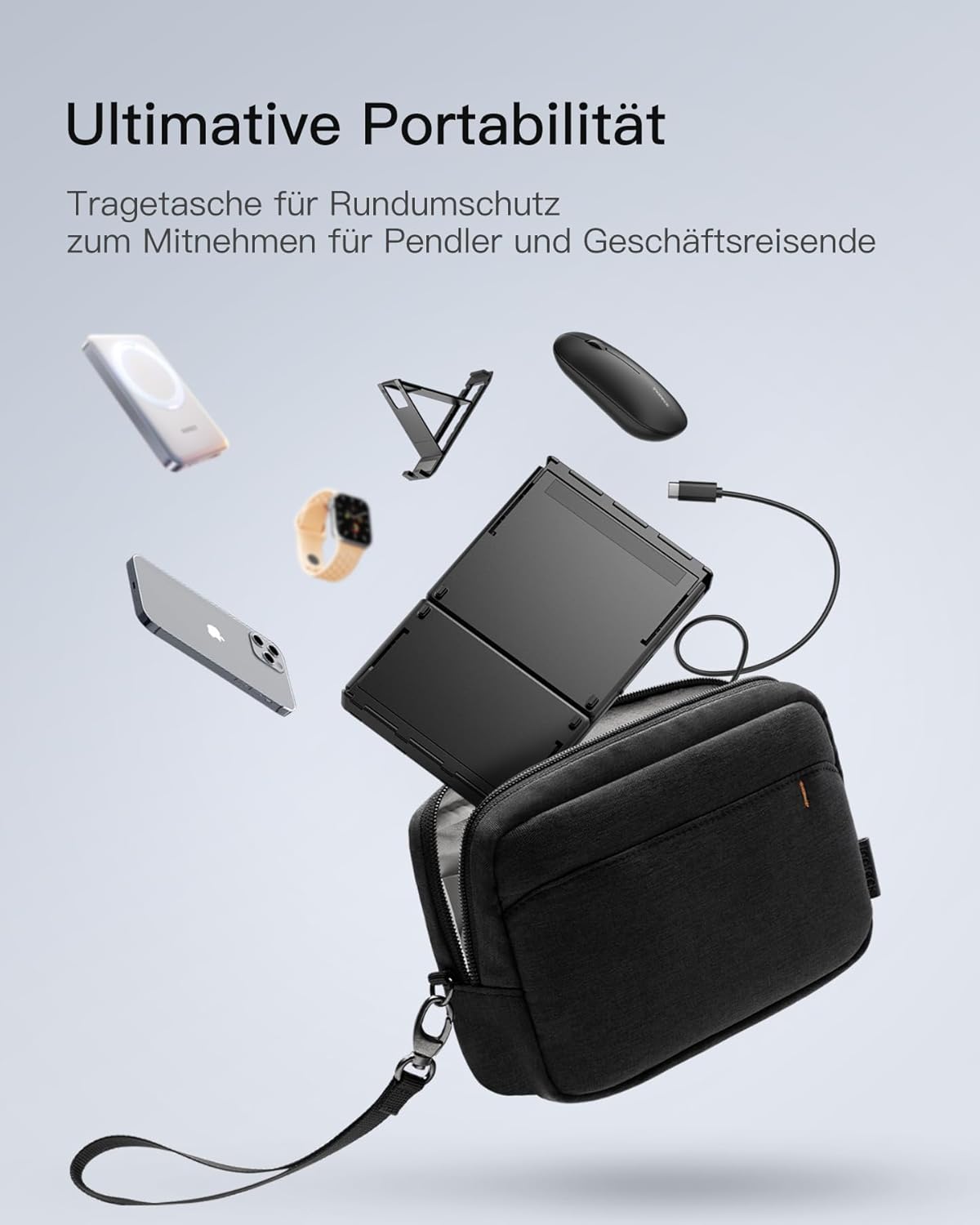
Image: The Inateck Nomad N0158 accessory bag, designed for ultimate portability and protection of the keyboard, mouse, and folding stand during transport.
6.3 د بیټرۍ پاملرنه
- Recharge the keyboard regularly to maintain battery health, even if not used frequently.
- د اوږدې مودې لپاره د بیټرۍ په بشپړه توګه چارج کولو څخه ډډه وکړئ.
- If the mouse uses replaceable batteries, ensure they are inserted correctly and replace them when power is low.
7. ستونزه حل کول
۵.۳ د اتصال مسلې
- وسیله نه نښلي:
- ډاډ ترلاسه کړئ چې کیبورډ/ماوس چارج شوی او فعال دی.
- Verify that the correct Bluetooth channel (BT1/BT2) is selected and in pairing mode (flashing indicator).
- په خپل وسیله کې، بلوتوث بند کړئ او بیا یې چالان کړئ.
- Remove any previous pairings for the keyboard/mouse from your device's Bluetooth settings and attempt to pair again.
- For 2.4G mouse connection, ensure the USB dongle is securely inserted and the mouse is in 2.4G mode.
- موقتي اړیکه:
- Ensure there are no obstructions between the keyboard/mouse and your device.
- د رینج مسلو د له منځه وړلو لپاره خپل وسیله ته نږدې شئ.
- د نورو بې سیم وسیلو څخه د مداخلې لپاره وګورئ.
7.2 Incorrect Keyboard Output (e.g., 'Y' appears instead of 'Z')
This issue typically occurs when the device's operating system keyboard layout does not match the physical QWERTZ layout of the Inateck keyboard. To resolve this, adjust your device's keyboard language settings:
For Windows/Android/macOS/iOS:
- Go to your device's ترتیبات.
- ته لاړشئ ژبه او معلومات or similar (e.g., "Other settings > Language and input methods" on Android).
- موندل فزیکي کیبورډ or د هارډویر کیبورډ ترتیبات.
- Select the "Nomad" or "Inateck Keyboard" entry.
- Set the keyboard layout to German (QWERTZ).
7.3 Keyboard Instability
The keyboard's folding hinge does not lock. For stable typing, always ensure the keyboard is placed on a completely flat and firm surface. Avoid using it on uneven surfaces like a lap, bed, or soft cushions, as this can cause the keyboard to fold unexpectedly.
8. مشخصات
| برانډ | اناتیک |
| ماډل | N0158 |
| د ارتباط ټیکنالوژي | Bluetooth, 2.4G Wireless (Mouse) |
| ځانګړي ځانګړتیاوې | 3 Bluetooth Channels, Ergonomic (design) |
| مطابقت لرونکې وسیلې | Laptop, Personal Computer, Smartphone (iPad, iPhone, Mac, Android, Windows) |
| د کیبورډ توضیحات | Foldable keyboard mouse set wireless |
| د محصول وړاندیز شوي استعمالونه | دفتر، سفر |
| د کیبورډ ترتیب | کوارټز |
| د بریښنا سرچینه | Battery Powered (Rechargeable via USB-C for keyboard) |
| د کیبورډ بیټرۍ ژوند | 90+ hours continuous use, 180 days standby |
| د موږک د بیټرۍ ژوند | 50+ hours continuous use, extended standby |
| د محصول ابعاد (ناڅرګنده) | 40.54 x 11.49 x 3 سانتي متره |
| د محصول وزن | 756 ګرامه |

Image: Visual representation of the Inateck Nomad N0158 keyboard's dimensions when folded (18.4 cm) and unfolded (34.2 cm x 11.5 cm), alongside a tablet (27.9 cm) and smartphone (14.6 cm) for scale.
9. تضمین او ملاتړ
Inateck products are designed for reliability and performance. For warranty information, technical support, or customer service inquiries, please refer to the official Inateck webسایټ ته لاړ شئ یا مستقیم د دوی د پیرودونکي ملاتړ سره اړیکه ونیسئ. د تضمین ادعاوو لپاره خپل د پیرود رسید وساتئ.
رسمي Webسایټ: www.inateck.com


