1. پیژندنه
The Brother HL-L1242W is a compact monochrome laser printer designed for efficient printing in home or small office environments. This manual provides essential information for setting up, operating, and maintaining your printer to ensure optimal performance.
کلیدي ځانګړتیاوې عبارت دي له:
- Compact design for small spaces.
- Print speeds up to 20 pages per minute.
- Versatile connectivity with Wi-Fi (5 GHz) and USB.
- Support for printing from PCs and mobile applications.
- 150-sheet paper input tray.
- Includes a starter toner cartridge for up to 450 pages.
2. ابتدايي ترتیب
۱.۱ د پرنټر خلاصول
پرنټر په احتیاط سره د هغې له بسته بندۍ څخه لرې کړئ. ډاډ ترلاسه کړئ چې ټول محافظتي ټیپونه او د بسته بندۍ مواد د پرنټر له بهرنۍ او داخلي برخې څخه لرې شوي دي.
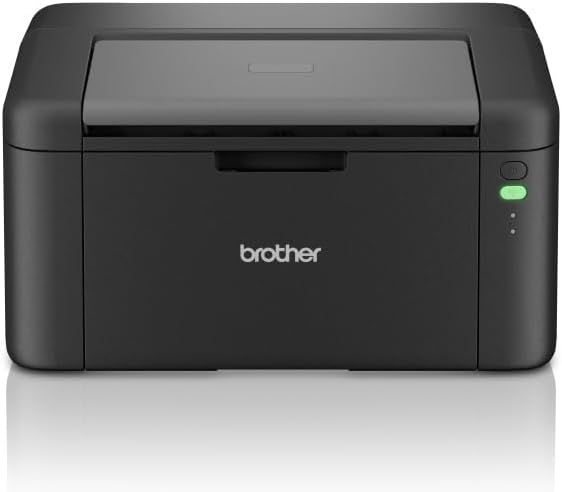
شکل 1: مخکی view of the Brother HL-L1242W printer, showing its compact design and control panel on the right side.
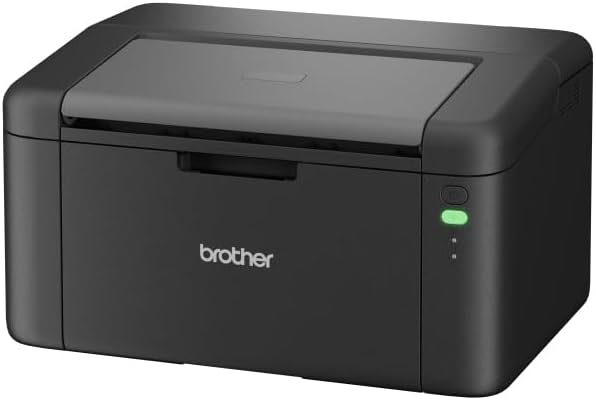
شکل ۲: زاویه لرونکی مخ view of the Brother HL-L1242W printer, highlighting its sleek, black finish and output tray.
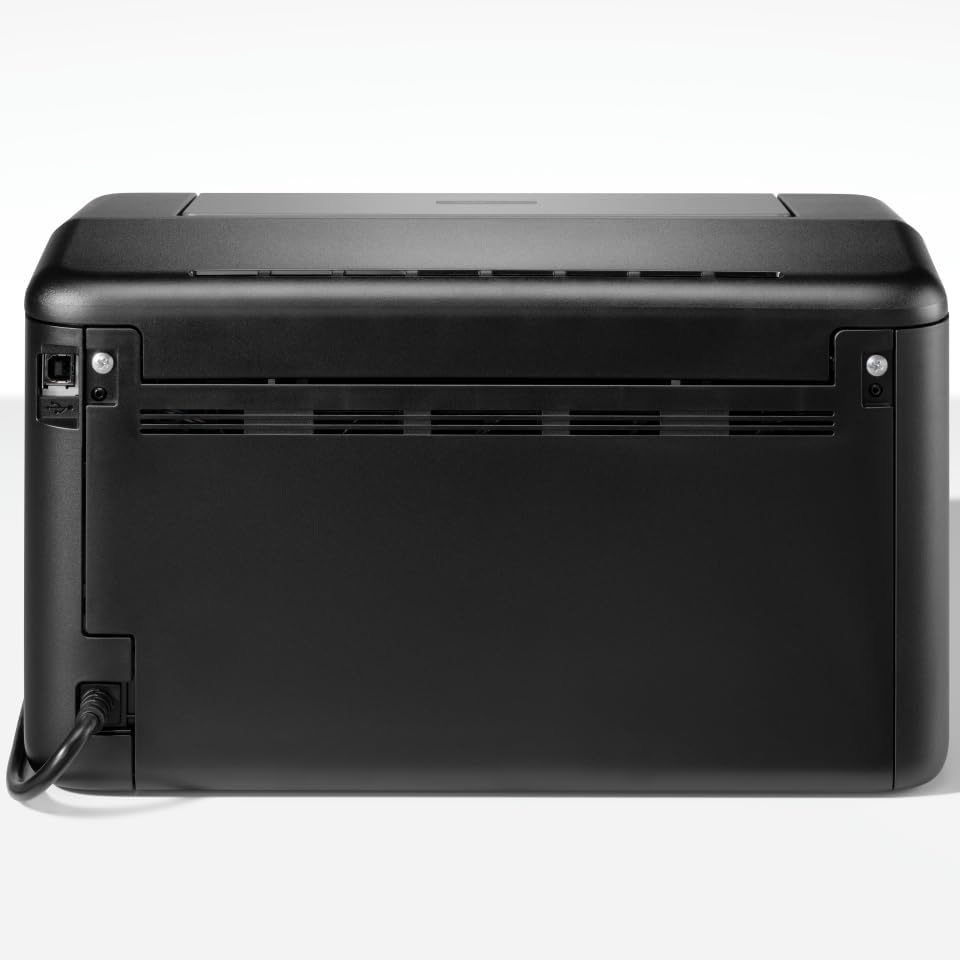
شکل 3: شاته view of the Brother HL-L1242W printer, displaying the power input and USB port.
۴.۳ د ټونر کارتریج نصب کول
- Open the front cover of the printer to access the toner compartment.
- Locate the orange protective paper inside the compartment. This paper is attached to the toner support.
- Gently remove the toner support to detach the orange paper.
- Unpack the new toner cartridge from its sealed bag. Remove any orange plastic protective pieces from the toner cartridge.
- Insert the toner cartridge into the drum unit. Ensure it clicks into place.
- Slide the combined toner and drum unit back into the printer until it locks securely.
- مخکینۍ پوښ وتړئ.
2.3 د بریښنا نښلول
Connect the AC power cable to the printer and then to a power outlet. Press the power button to turn on the printer.
2.4 Connectivity and Driver Installation
Your Brother HL-L1242W printer supports both USB and Wi-Fi connectivity.
د USB پیوستون:
- پرنټر د USB کیبل په کارولو سره خپل کمپیوټر سره وصل کړئ (شامل نه دی).
- Install the printer drivers from the official Brother support website. Follow the on-screen instructions.
د وای فای اتصال:
- Download the Brother iPrint&Scan app on your mobile device or visit the Brother support website for PC/Mac setup.
- Follow the instructions provided by the app or website to connect your printer to your wireless network. This process typically involves selecting your Wi-Fi network and entering the password.
- Ensure your printer and device are on the same network for successful wireless printing.
3. عملیات
3.1 د کاغذ پورته کول
Open the paper tray and load up to 150 sheets of plain or recycled A4 paper. Adjust the paper guides to fit the paper size.

Figure 4: A user loading paper into the front paper tray of the Brother HL-L1242W printer.
۵.۲ د اسنادو چاپول
Once the printer is connected and drivers are installed, you can print from your computer or mobile device.
- هغه سند یا انځور پرانیزئ چې تاسو یې چاپ کول غواړئ.
- Select the "Print" option from your application's menu (e.g., File > چاپ).
- Choose your Brother HL-L1242W printer from the list of available printers.
- د اړتیا سره سم د چاپ ترتیبات تنظیم کړئ (د مثال په توګه، د کاپيونو شمیر، د کاغذ اندازه).
- "چاپ" کلیک وکړئ.
۴.۲ دوه اړخیزه (دوه اړخیزه) چاپ
The HL-L1242W supports manual duplex printing.
- In your print settings, select the option for manual duplex printing.
- The printer will first print all odd-numbered pages.
- Once the first side is printed, a prompt will appear on your computer screen instructing you to reinsert the printed pages into the paper tray. Follow the on-screen instructions carefully regarding paper orientation.
- Confirm the reinsertion, and the printer will then print the even-numbered pages on the reverse side.
4. ساتنه
۵.۱ د ټونر کارتوس بدلول
When the toner cartridge is low or empty, the printer's status indicator will alert you. Replace the toner cartridge with a genuine Brother TN-1150 toner cartridge for optimal print quality and printer longevity.
- ډاډ ترلاسه کړئ چې پرنټر فعال دی.
- د مخ پوښ خلاص کړئ.
- زوړ ټونر کارتوس او د ډرم یونټ اسمبلۍ لرې کړئ.
- Separate the old toner cartridge from the drum unit. Dispose of the old toner cartridge according to local regulations.
- نوی ټونر کارتوس خلاص کړئ او د ډرم واحد کې یې نصب کړئ تر هغه چې لاک شي.
- د ټونر او ډرم واحد اسمبلۍ بیا په پرنټر کې دننه کړئ.
- مخکینۍ پوښ وتړئ.
The included starter toner cartridge is rated for approximately 450 pages. Actual yield may vary based on usage.
4.2 د پرنټر پاکول
منظم پاکول د چاپ کیفیت ساتلو کې مرسته کوي او ستاسو د پرنټر ژوند اوږدوي.
- بهر: د پرنټر بهرنۍ برخه د نرم، لینټ نه پاک ټوکر سره پاکه کړئ. د کثافاتو پاکوونکو یا محلولونو څخه کار مه اخلئ.
- داخلي: Periodically open the front cover and gently wipe away any loose toner dust with a dry, lint-free cloth. Avoid touching the drum unit's surface directly.
5. ستونزه حل کول
This section addresses common issues you might encounter with your Brother HL-L1242W printer.
۷.۱ چاپګر ځواب نه ورکوي
- Ensure the printer is powered on and the power cable is securely connected.
- Check USB cable connections if using a wired connection.
- For Wi-Fi, verify that the printer is connected to your network and that your computer/mobile device is on the same network. Restarting the printer and your router may resolve connectivity issues.
- Confirm that the correct printer driver is installed and selected on your computer.
۵.۲ د چاپ خراب کیفیت
- د ټونر کچه وګورئ. که چیرې ټونر کارتوس ټیټ یا خالي وي، نو بدل یې کړئ.
- Ensure you are using appropriate paper for laser printing.
- Clean the drum unit and other internal components as described in the maintenance section.
5.3 د کاغذ جامونه
- پرنټر بند کړئ او د بریښنا له سایټ څخه یې وباسئ.
- Carefully open all covers and gently remove any jammed paper. Avoid tearing the paper, as small pieces can cause further issues.
- Ensure the paper is loaded correctly in the paper tray and that the paper guides are adjusted properly.
- ټول پوښونه وتړئ، پرنټر ولګوئ، او بیرته یې چالان کړئ.
د نورو تفصيلي ستونزو حلولو لپاره، د ورور ملاتړ ته مراجعه وکړئ webسایټ یا د پیرودونکي خدمت سره اړیکه ونیسئ.
6. مشخصات
| فیچر | مشخصات |
|---|---|
| د ماډل نوم | HL-L1242W |
| د چاپګر ډول | مونوکروم لیزر |
| د چاپ اعظمي سرعت (مونوکروم) | په یوه دقیقه کې تر 20 پاڼو پورې |
| د اعظمي چاپ ریزولوشن | 2400 x 600 dpi |
| ډوپلیکس چاپ کول | لارښود |
| ارتباط | Wi-Fi (5 GHz), USB |
| د کاغذ داخلولو ظرفیت | تر 150 شیټونو پورې |
| د رسنیو اعظمي اندازه | A4 (210 x 297 mm) |
| د رسنیو ملاتړ شوي ډولونه | ساده کاغذ، بیا کارول شوی کاغذ |
| د بریښنا مصرف | 380 Watts (printing) |
| ابعاد (D x W x H) | 23.8 cm x 34 cm x 18.9 cm |
| وزن | 4764 ګرامه |
| شاملې برخې | Brother HL-L1242W Printer, Starter Toner Cartridge(s), AC Power Cable, Warranty Card |
7. تضمین او ملاتړ
7.1 د محصول تضمین
The Brother HL-L1242W printer comes with a standard manufacturer's warranty. Please refer to the warranty card included in your product packaging for specific terms, conditions, and duration of coverage.
7.2 د پیرودونکي ملاتړ
د تخنیکي مرستې، د ډرایور ډاونلوډونو، FAQs، او اضافي ملاتړ سرچینو لپاره، مهرباني وکړئ د ورور رسمي ملاتړ ته مراجعه وکړئ. website. You can also contact Brother customer service for personalized help.


