1. پیژندنه
The KinetCam CAM-A is a 4G LTE cellular security camera designed for monitoring locations without Wi-Fi access. It provides 2K HD video, automatic night vision, and intelligent motion detection, making it suitable for various off-grid environments such as cabins, RVs, barns, and remote properties. This manual provides detailed instructions for setting up, operating, and maintaining your camera.

Image 1.1: KinetCam CAM-A 4G LTE Cellular Security Camera.
2. د بسته محتويات
مهرباني وکړئ د لاندې توکو لپاره په بسته کې وګورئ:
- KinetCam CAM-A 4G LTE Cellular Security Camera
- Pre-installed SIM Card (with 100MB trial data)
- د نصبولو سکرو
- د USB چارج کیبل
- د کارونکي لارښود (دا لاسوند)

Image 2.1: KinetCam CAM-A camera, highlighting its compact size and 4G SIM card functionality.
3. محصول ختم شوview
The KinetCam CAM-A features a compact design with essential components for cellular surveillance.
3.1 مهمې برخې
- د کیمرې لینز: Captures 2K HD video.
- انفراریډ LEDs: Enable automatic night vision.
- د پییر سینسر: Detects motion from people and pets.
- د سیم کارت سلاټ: For 4G LTE connectivity.
- د مایکرو ایس ډی کارت سلاټ: د محلي ذخیره کولو لپاره تر 128GB پورې ملاتړ کوي.
- د USB چارج بندر: د داخلي بیټرۍ د چارجولو لپاره.
- د بریښنا تڼۍ/د شاخص رڼا: For device control and status.

Image 3.1: KinetCam CAM-A mounted, illustrating its discreet placement capability.
4. د تنظیم کولو لارښود
4.1 ابتدايي چارج کول
Before first use, fully charge the camera using the provided USB cable and a standard 5V/1A USB power adapter (not included). The indicator light will show charging status and turn off when fully charged.
۲.۱ د سیم کارت فعالول او نصب کول
The camera comes with a pre-installed SIM card and 100MB trial data. This SIM card is compatible with AT&T, T-Mobile, and Verizon networks and will automatically connect to the strongest 4G LTE signal. No manual SIM card installation is typically required for initial setup.
- Ensure the camera is powered off before handling the SIM card slot.
- If replacing the SIM card, carefully insert the new 4G LTE SIM card into the designated slot with the gold contacts facing down.
- After using the trial data, you will need to top up cellular data via the companion mobile application.
۵.۳ د مایکرو ایس ډی کارت نصب کول (اختیاري)
For local video storage, a MicroSD card (up to 128GB, not included) can be installed.
- کیمره بنده کړئ.
- د مایکرو ایس ډی کارت سلاټ ومومئ.
- مایکرو ایس ډی کارت په نرمۍ سره دننه کړئ تر هغه چې دا په خپل ځای کې کلیک وکړي.
- Format the MicroSD card via the mobile application after powering on the camera for optimal performance.

Image 4.1: Illustration of MicroSD card and SIM card insertion points on the KinetCam CAM-A.
4.4 Mobile Application Download and Pairing
په ژوندۍ بڼه د لاسرسي لپاره view, recordings, and settings, download the KinetCam mobile application from your device's app store.
- لټون "KinetCam" in the App Store (iOS) or Google Play Store (Android).
- اپلیکیشن ډاونلوډ او نصب کړئ.
- یو ګڼون جوړ کړئ او لاګ ان شئ.
- Follow the in-app instructions to add your KinetCam CAM-A device. This typically involves scanning a QR code on the camera or entering its serial number.
4.5 د کیمرې پورته کول
The camera can be placed on a flat surface or mounted using the included mounting screws.
- هغه ځای غوره کړئ چې مطلوب چمتو کوي viewing angle and is within 4G LTE signal range.
- Ensure the camera is positioned to avoid direct sunlight or strong light sources that could affect image quality.
- For wall mounting, use the provided screws to secure the camera bracket.

Image 4.2: KinetCam CAM-A demonstrating flexible placement and mounting options.
5. عملیاتي لارښوونې
5.1 بریښنا کول / بندول
Press and hold the power button for a few seconds to power the camera on or off. The indicator light will confirm the status.
5.2 ژوندی View
Open the KinetCam mobile application and select your camera from the device list to access the live 2K HD video feed. You can view the feed remotely via the 4G LTE connection.
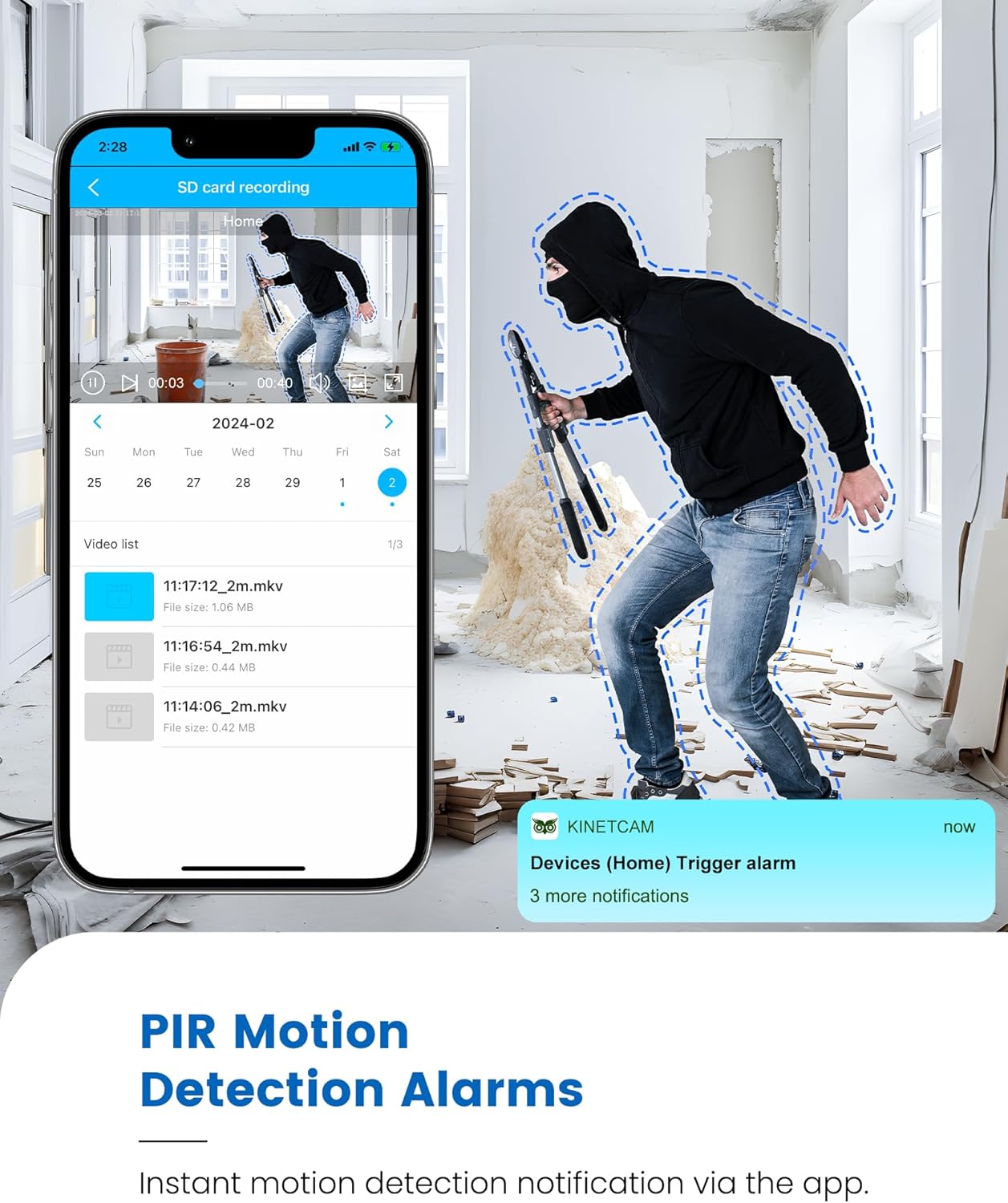
Image 5.1: Live 2K video feed and automatic night vision capability of the KinetCam CAM-A.
۵.۳ د حرکت کشف او خبرتیاوې
The camera uses an advanced PIR sensor for accurate motion detection, primarily identifying people and pets.
- Enabling/Disabling: Adjust motion detection sensitivity and enable/disable alerts within the app settings.
- د ریښتیني وخت خبرتیاوې: When motion is detected, the camera sends real-time notifications to your paired smartphone.
- مهمه یادونه: PIR sensors do not detect motion through glass. Avoid placing the camera behind windows if motion detection is critical for that area.

Image 5.2: Smartphone displaying a motion detection alert from the KinetCam CAM-A.
5.4 د شپې لید
The camera automatically activates infrared night vision in low-light conditions, providing clear footage تر 20 فوټو پورې.
۴.۵ د ویډیو ثبت او ذخیره کول
The KinetCam CAM-A supports two primary storage methods:
- د مایکرو ایس ډی کارت: ریکارډونه footage directly to an installed MicroSD card (up to 128GB). Recordings can be accessed and managed via the mobile app.
- د بادل ذخیره کول: An optional cloud storage service is available for secure off-site backup of your video recordings. Details and subscription options are available within the KinetCam application.
5.6 د بیټرۍ مدیریت
The camera features a rechargeable battery offering up to 30 days of standby time with motion-activated recording or 10+ hours of continuous operation. Battery status can be monitored through the mobile application.
Image 5.3: Visual representation of the KinetCam CAM-A's 30-day battery life.
6. ساتنه
6.1 پاکول
Gently wipe the camera lens and body with a soft, dry cloth. Avoid using harsh chemicals or abrasive materials that could damage the camera.
6.2 د بیټرۍ پاملرنه
- Charge the camera regularly, especially if it will be stored for an extended period.
- Avoid exposing the camera to extreme temperatures, which can affect battery life.
6.3 د فرم ویئر تازه معلومات
Periodically check the KinetCam mobile application for available firmware updates. Keeping your camera's firmware updated ensures optimal performance and access to new features.
7. ستونزه حل کول
7.1 Camera Not Connecting to 4G LTE
- Ensure the camera is in an area with good 4G LTE signal coverage.
- Check if the SIM card has active data. Top up data via the app if necessary.
- کیمره بیا پیل کړئ.
۶.۳ د حرکت کشف خبرتیاوې نشته
- Verify that motion detection is enabled and sensitivity settings are appropriate in the app.
- ډاډ ترلاسه کړئ چې کیمره view خنډ نه دی.
- Remember that PIR sensors do not detect motion through glass.
- په خپل سمارټ فون کې د اپلیکیشن خبرتیا تنظیمات وګورئ.
۶.۳ د ویډیو خراب کیفیت
- د کیمرې لینز پاک کړئ.
- د ورځې په اوږدو کې کافي رڼا ډاډمنه کړئ.
- Check 4G LTE signal strength, as poor signal can affect streaming quality.
۵.۱ بیټرۍ په چټکۍ سره ختمیږي
- Frequent motion detection events and continuous live viewing will consume more battery. Adjust settings to optimize.
- ډاډ ترلاسه کړئ چې کیمره په بشپړه توګه چارج شوې ده.
- Extreme temperatures can reduce battery efficiency.
8. مشخصات
| فیچر | تفصیل |
|---|---|
| د ماډل نوم | CAM-A |
| ارتباط | د 4G LTE سیلولر |
| د ویډیو حل | 2K HD |
| د شپې لید لړۍ | تر 20 فوټو پورې |
| د حرکت کشف | AI PIR Sensor |
| د بیټرۍ ژوند (ستونزه) | تر 30 ورځو پورې |
| د بیټرۍ ظرفیت | 2800mAh |
| ځایی ذخیره | مایکرو ایس ډی کارت (تر ۱۲۸ جي بي پورې، شامل نه دی) |
| د کلاوډ ذخیره | اختیاري |
| ابعاد | 1.5 x 1.2 x 1.2 انچه |
| وزن | 4.2 اونس |
| د کور دننه / بهر کارول | دننه |
9. تضمین او ملاتړ
KinetCam products are designed for reliability and performance. For specific warranty details, please refer to the warranty card included with your product or visit the official KinetCam webسایټ
For technical support, troubleshooting assistance, or any questions regarding your KinetCam CAM-A, please contact KinetCam customer service through the mobile application or the official website. Please have your model number (CAM-A) and purchase information ready when contacting support.


