1. پیژندنه
This user manual provides detailed instructions for the Bemi Cognita Tab 6+ E-Reader. Please read this manual carefully before using your device to ensure proper operation and to maximize your reading experience. Keep this manual for future reference.
1.1 د بسته محتويات
- Bemi Cognita Tab 6+ E-Reader
- د USB چارج کیبل
Ensure all items are present and in good condition upon unboxing.
2. وسیله ختمه شوهview
Familiarize yourself with the physical components of your Bemi Cognita Tab 6+ E-Reader.

شکل 2.1: مخکی view of the Bemi Cognita Tab 6+ E-Reader. The device features a 6-inch E-Ink display with the Bemi logo and model name visible. The screen is designed to mimic paper for a comfortable reading experience.

شکل 2.2: مخکی او شاته view of the Bemi Cognita Tab 6+ E-Reader. This image highlights the device's thin design and the textured back cover, which provides a secure grip.

شکل 2.3: اړخ view of the Bemi Cognita Tab 6+ E-Reader, illustrating the location of the power button and a small LED indicator. This button is used for turning the device on/off and waking it from sleep.
۳.۱ مهمې برخې:
- 6-inch E-Ink Touchscreen: Glare-free display for comfortable reading.
- د بریښنا تڼۍ: Located on the side for turning the device on/off and sleep/wake.
- د USB-C پورټ: د چارج کولو او ډیټا لیږد لپاره.
- د مایکرو ایس ډی کارت سلاټ: Expandable storage up to 256GB.
- د غاړې کنټرول تڼۍ: For page turning and navigation.
- SMARTlight: Adjustable front light for reading in various conditions.
3. ترتیب کول
3.1 ابتدايي چارج کول
Before first use, fully charge your Bemi Cognita Tab 6+ E-Reader. Connect the provided USB cable to the device's USB-C port and the other end to a compatible USB power adapter (not included) or a computer's USB port.
- بشپړ چارج معمولا شاوخوا ۲-۳ ساعته وخت نیسي.
- د چارج کولو شاخص څراغ به د چارج کولو حالت وښيي.
3.2 بریښنا کول / بندول
- د فعالولو لپاره: Press and hold the Power button (refer to Figure 2.3) for a few seconds until the screen activates.
- د بریښنا بندولو لپاره: Press and hold the Power button until a power-off menu appears, then select "Power Off".
- د خوب/پاڅېدو لپاره: په لنډه توګه د بریښنا تڼۍ فشار ورکړئ ترڅو وسیله د خوب حالت ته واچوئ یا یې راویښ کړئ.
3.3 د وای فای اتصال
Connecting to Wi-Fi allows you to download books, transfer files, and access online services.
- From the home screen, tap the ترتیبات icon
- وټاکئ وای فای.
- د وای فای سویچ دې ته واړوئ On.
- The device will scan for available networks. Select your desired network from the list.
- که چیرې غوښتنه وشي نو پټنوم دننه کړئ، بیا کلیک وکړئ نښلول.
3.4 ابتدايي ترتیب
Upon first power-on, you may be guided through initial setup steps, including language selection and time zone settings. Follow the on-screen prompts.
4. عملیاتي لارښوونې
۴.۱ د انٹرفیس نیویګیټ کول
The Bemi Cognita Tab 6+ features a touch-sensitive E-Ink screen and physical side buttons for navigation.
- د لمس اشارې: د انتخاب لپاره ټایپ کړئ، د سکرول کولو لپاره سوائپ کړئ، د زوم کولو لپاره پنچ کړئ (چیرې چې ملاتړ کیږي).
- د غاړې تڼۍ: Use the physical buttons on the side to turn pages forward or backward during reading.
- جی سینسر: The device automatically rotates the screen orientation based on how you hold it, accommodating both right and left-handed users.
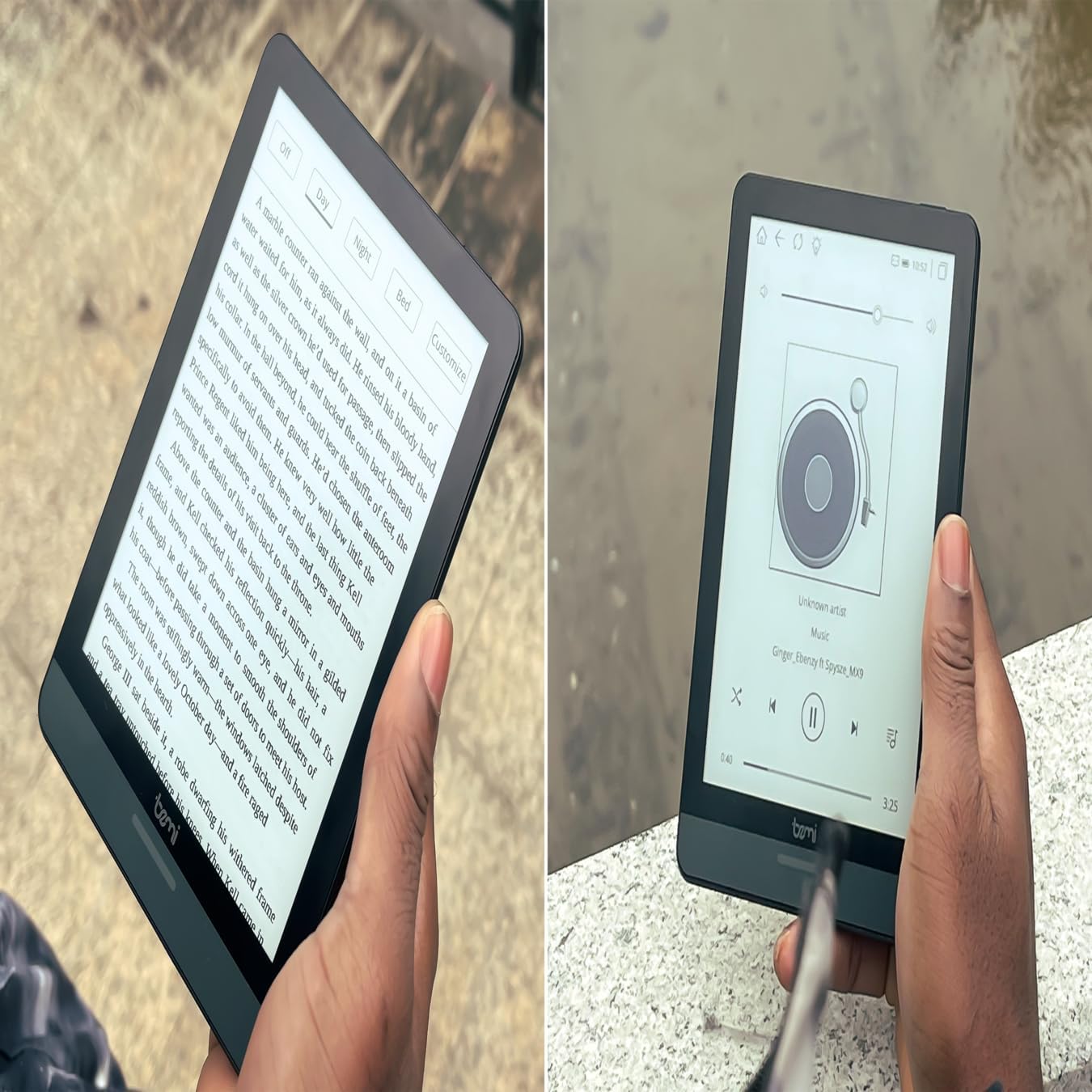
شکل 4.1: User holding the Bemi Cognita Tab 6+ E-Reader while reading. The image shows the clear text display on the E-Ink screen, highlighting the device's readability.
۴.۲ د کتابونو لوستل
د کتاب د خلاصولو او لوستلو لپاره:
- From the home screen, tap on the کتابتون or کتابونه icon
- Browse your collection or use the search function to find a book.
- Tap on the book cover to open it.
- Use the touch screen or side buttons to turn pages.
4.3 Adjusting SMARTlight
The SMARTlight feature allows you to adjust both the brightness and color temperature of the screen's front light.
- During reading, tap the center of the screen to bring up the reading menu.
- د لټون لپاره رڼا or SMARTlight icon
- Adjust the sliders for brightness (intensity) and color temperature (warm to cool) to your preference.
۳.۱ لیږدول Files
You can transfer e-books and other supported files to your device via Wi-Fi or USB cable.
- د وای فای له لارې: If your device supports cloud services or direct Wi-Fi transfer, follow the specific application instructions.
- د USB کیبل له لارې:
- Connect your E-Reader to a computer using the provided USB cable.
- The device will appear as a removable storage drive on your computer.
- خپل مطلوب کش کړئ او پریږدئ files (e.g., EPUB, PDF, MOBI) into the appropriate folders on the E-Reader (e.g., "Books" folder).
- د کیبل له منحل کولو دمخه وسیله په خوندي ډول له خپل کمپیوټر څخه وباسئ.
4.5 Using MicroSD Card
To expand storage, insert a microSD card (up to 256GB) into the designated slot.
- Gently insert the microSD card with the gold contacts facing down until it clicks into place.
- د لرې کولو لپاره، کارت په نرمۍ سره دننه خوا ته فشار ورکړئ تر هغه چې راووځي.
- Files on the microSD card will be accessible through the device's file manager or library.
5. ساتنه
5.1 د وسیلې پاکول
- د وسیلې سکرین او بدن په نرمۍ سره پاکولو لپاره یو نرم، لینټ نه پاک ټوکر وکاروئ.
- د سختو داغونو لپاره، لږ څهampد اوبو یا سکرین کلینر سره ټوکر چې په ځانګړي ډول د برقیاتو لپاره ډیزاین شوی.
- د سختو کیمیاوي موادو، خړوبونکو موادو، یا ډیر رطوبت کارولو څخه ډډه وکړئ.
5.2 د بیټرۍ پاملرنه
- د بیټرۍ د ژوند اوږدولو لپاره، د بیټرۍ په مکرر ډول د بشپړ چارج کولو څخه ډډه وکړئ.
- کله چې د اوږدې مودې لپاره نه کارول کیږي، وسیله په یخ او وچ ځای کې وساتئ.
- Charge the device regularly, even if not used, to prevent deep discharge.
5.3 ذخیره کول
When not in use, store your E-Reader in a protective case to prevent scratches and damage to the screen.
6. ستونزه حل کول
If you encounter issues with your Bemi Cognita Tab 6+, refer to the following common solutions:
| ستونزه | د حل لاره |
|---|---|
| وسیله نه ورځي. | Ensure the battery is charged. Connect the device to a power source for at least 30 minutes. If it still doesn't turn on, try a hard reset by holding the power button for 10-15 seconds. |
| سکرین کنګل شوی یا غیر ځواب ورکوونکی دی. | Perform a soft reset by holding the power button for 5-7 seconds until the device restarts. If the issue persists, try a hard reset. |
| د وائی فای سره وصل نشو. | Check if Wi-Fi is enabled in settings. Verify the Wi-Fi password. Restart your E-Reader and your Wi-Fi router. Ensure you are within range of the Wi-Fi signal. |
| Books are not appearing in the library. | ډاډ ترلاسه کړئ files are in a supported format (e.g., EPUB, PDF). If transferred via USB, ensure they are in the correct folder. Try refreshing the library or restarting the device. |
| بیټرۍ په چټکۍ سره وچیږي. | Reduce screen brightness. Turn off Wi-Fi and Bluetooth when not in use. Close background applications. Ensure the device is not constantly searching for networks. |
7. مشخصات
| فیچر | تفصیل |
|---|---|
| د ماډل نوم | Bemi Cognita Tab 6+ |
| د سکرین اندازه | 6 Inches (E-Ink Carta, 1024x758, 212 ppi) |
| داخلي حافظه | 32 جي بي |
| د پراخیدو وړ ذخیره | د مایکرو ایس ډی کارت سلاټ، تر ۳۲ جي بي پورې |
| ارتباط | وای فای، بلوتوث |
| عملیاتي سیسټم | Android 8.1 |
| د انسان انٹرفیس ننوت | Touchscreen, Side Control Buttons |
| ځانګړي ځانګړتیاوې | Adjustable SMARTlight, G-Sensor for auto-rotation, Glare-Free & Eye-Friendly E-Ink Display |
| ابعاد (تقریبا) | 7 ملي متره ضخامت |
| شاملې برخې | USB کیبل |
8. تضمین او ملاتړ
8.1 د تضمین معلومات
Your Bemi Cognita Tab 6+ E-Reader comes with a standard manufacturer's warranty. Please refer to the warranty card included in your product packaging or visit the official Bemi webد تضمین پوښښ او مودې په اړه د مفصلو شرایطو او مقرراتو لپاره سایټ.
د پراخ پوښښ لپاره ممکن اختیاري محافظتي پلانونه شتون ولري. مهرباني وکړئ د جزیاتو لپاره له خپل پرچون پلورونکي سره وګورئ.
8.2 د پیرودونکي ملاتړ
For technical assistance, troubleshooting beyond this manual, or warranty claims, please contact Bemi customer support:
- Webسایټ: www.bemi-electronics.com
- بریښنالیک: Refer to the Bemi webد اړیکې بریښنالیک لپاره سایټ.
- تلیفون: Refer to the Bemi webد اړیکو د تلیفون شمیرو لپاره سایټ.
When contacting support, please have your device model (Cognita Tab 6+) and purchase information ready.


