Pamray 71-Inch U-Shaped Computer Desk with Power Outlets (Model S9Vintage71)
د لارښوونې لارښود
1. پیژندنه
This manual provides detailed instructions for the assembly, operation, and maintenance of your Pamray 71-Inch U-Shaped Computer Desk with Power Outlets. Designed for home office, work, and gaming, this desk offers a spacious and functional workspace. Please read this manual thoroughly before beginning assembly or use to ensure proper setup and safe operation.
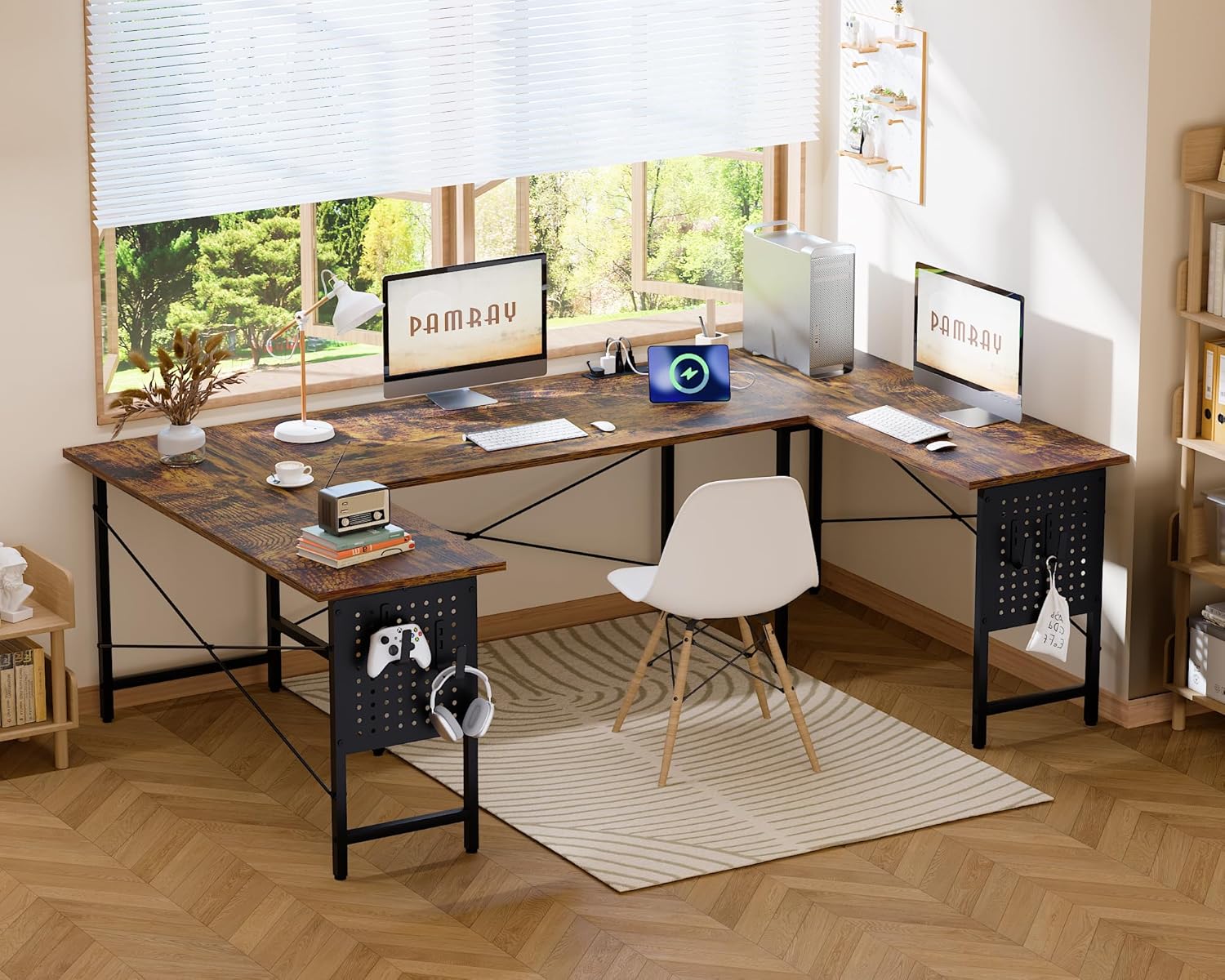
Image 1: The Pamray 71-Inch U-Shaped Computer Desk, showcasing its spacious design and vintage ختمول.
2. تنظیم او مجلس
Your Pamray U-Shaped Computer Desk is designed for straightforward assembly. All necessary tools and clear installation instructions are included in the accessory box. For additional guidance, comprehensive installation videos are available by scanning the QR code provided on the product packaging.
Follow the step-by-step instructions provided to assemble the desk frame.
Attach the three desktop sections, ensuring secure connections.
Install the pegboards on the desired sides of the desk.
Connect the power outlets and USB charging ports according to the wiring diagram.
د پښو پیډونه تنظیم کړئ ترڅو ډاډ ترلاسه شي چې میز مستحکم او په نا مساوي فرشونو کې برابر دی.
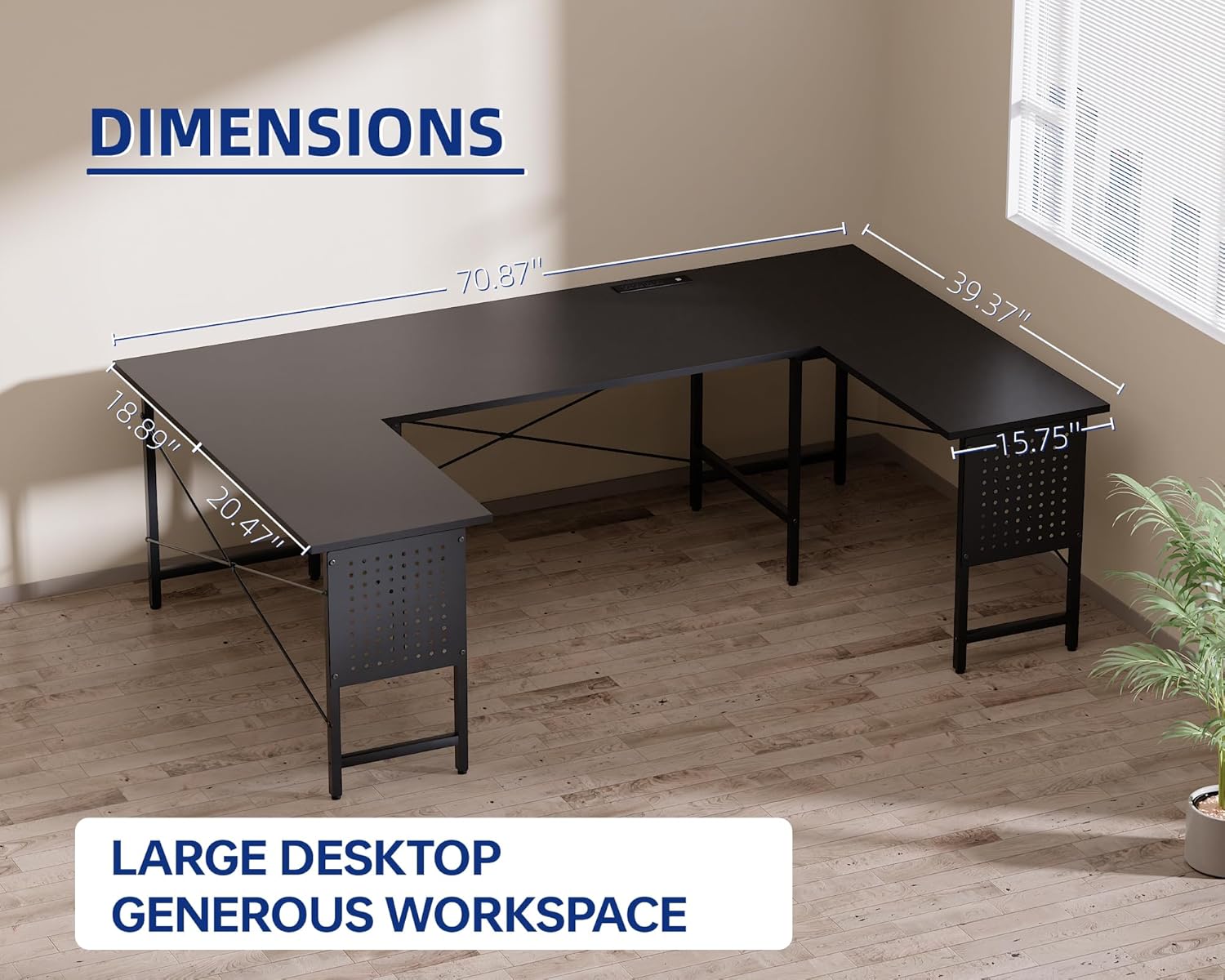
Image 2: Detailed dimensions of the Pamray U-Shaped Computer Desk, illustrating its overall size and segment measurements.
2.2. د نصبولو ویډیو
For a visual guide to the assembly process, please refer to the official installation video below. This video demonstrates the steps for setting up your U-shaped desk.
Video 1: Official Pamray "U shaped desk" assembly guide, demonstrating the installation process.
3. عملیاتي لارښوونې
3.1. U-Shaped Workspace
The U-shaped design provides three distinct desktop areas, allowing for versatile use. You can dedicate one section for computer work, another for gaming, and a third for writing or creative tasks. This maximizes your functional space, especially in corner setups.
انځور ۲.۲: یو پخوانیample setup of the U-shaped desk, illustrating how different sections can be utilized for various activities like work and gaming.
3.2. Integrated Power Outlets and USB Ports
The desk includes a built-in power strip with 4 AC outlets (125V/12A) and 2 USB charging ports (5V/2A). This allows for convenient charging of laptops, phones, gaming accessories, and other electronic devices directly from your workspace. The power cord is 4.92 feet long, and the rated power is 1500W.
انځور ۳.۱: نږدې انځور view of the integrated power outlets and USB charging ports, demonstrating their functionality for device charging.
3.3. Pegboard Storage
Each side of the desk features a pegboard for customizable storage. Use the included hooks (4 large, 2 small) to hang headphones, game controllers, or other small accessories, keeping your desktop clear and organized.
Image 5: The DIY pegboard feature, showing a gaming controller and headphones neatly stored, highlighting customizable organization.
4. ساتنه
4.1. پاکول
The desktop surface is water-resistant, making it easy to clean. Wipe spills immediately with a dry cloth. For general cleaning, use a soft, damp cloth and a mild detergent. Avoid abrasive cleaners or harsh chemicals that could damage the finish.
Image 6: A visual representation of the desk's water-resistant surface, showing water droplets beading on the material.
4.2. Stability Check
Periodically check all screws and connections to ensure they remain tight. Re-tighten if necessary. The adjustable leg pads should be checked and adjusted as needed to maintain desk stability, especially on uneven flooring.
5. ستونزه حل کول
۶.۴. د ثبات مسلې
If the desk feels wobbly or unstable, ensure all assembly screws are securely tightened. Adjust the leg pads on the bottom of each leg to level the desk on uneven surfaces. The desk's sturdy steel frame and "X"-shaped back braces are designed for stability, supporting up to 150 lbs.
۷.۳. د برېښنا ساکټونه کار نه کوي
Check that the desk's main power cord is securely plugged into a functional wall outlet. Verify that the power strip itself is properly connected within the desk. If issues persist, ensure the total power draw of connected devices does not exceed the rated power of 1500W.
۱. ورکې شوې برخې
In the event of missing components, such as bolts for the pegboard, please contact Pamray customer support immediately. Provide your product model number (S9Vintage71) and a description of the missing parts for assistance.
6. د محصول مشخصات
فیچر
تفصیل
برانډ
Pamray
د ماډل شمیره
S9Vintage71
د میز ډیزاین
U-Shaped Computer Desk
د محصول ابعاد (د x څلویښتم x څلویښتم)
۱۶"د x ۲۶"وچ x ۴۷"ح
د توکي وزن
18.63 کیلوګرامه
رنګ
وینtage
د پورته موادو ډول
د FSC تصدیق شوی لرګی
اساسی مواد
فلزي
د اعظمي وزن سپارښتنه
150 پونډه
ځواک بریښنا
۳ د AC آوټ لیټونه (۱۲۵V/۱۲A)
USB بندرونه
2 USB Charging Ports (5V/2A)
درجه بندي ځواک
1500W
ځانګړي ځانګړتیاوې
Built-in Outlet, Built-in USB Port, Pegboard, Adjustable Leg Pads, Water Resistant Surface, Triple X-frame design
مجلس ته اړتیا ده
هو (وسایل پکې شامل دي)
۷. تضمین او د پیرودونکو ملاتړ
For any questions, concerns, or assistance with your Pamray U-Shaped Computer Desk, please contact Pamray customer support. If you encounter any issues with missing parts or product defects, please reach out to us with your model number (S9Vintage71) and purchase details.
While specific warranty details are not provided in this manual, Pamray is committed to customer satisfaction. Please refer to your purchase documentation or the official Pamray webد تضمین په اړه د تازه معلوماتو لپاره سایټ.
د اړیکو معلومات: مهرباني وکړئ لیدنه وکړئ Pamray Store on Amazon for support and additional product information.
اړوند اسناد - S9Vintage71
د پامري L شکل لرونکي کمپیوټر میز اسمبلۍ لارښوونې د پامري L-شکل شوي کمپیوټر میز لپاره د اسمبلۍ تفصيلي لارښوونې، په شمول د برخو لیست او د ښي او چپ اړخ دواړو شیلفینګ ترتیباتو لپاره ګام په ګام لارښوونې.