1. پیژندنه
The KEF XIO Dolby Atmos 5.1.2 Soundbar is engineered to deliver a truly cinematic audio experience with its full 5.1.2 speaker configuration and 12 discreet amplifiers. This manual provides essential information for setting up, operating, and maintaining your KEF XIO Soundbar to ensure optimal performance and longevity.
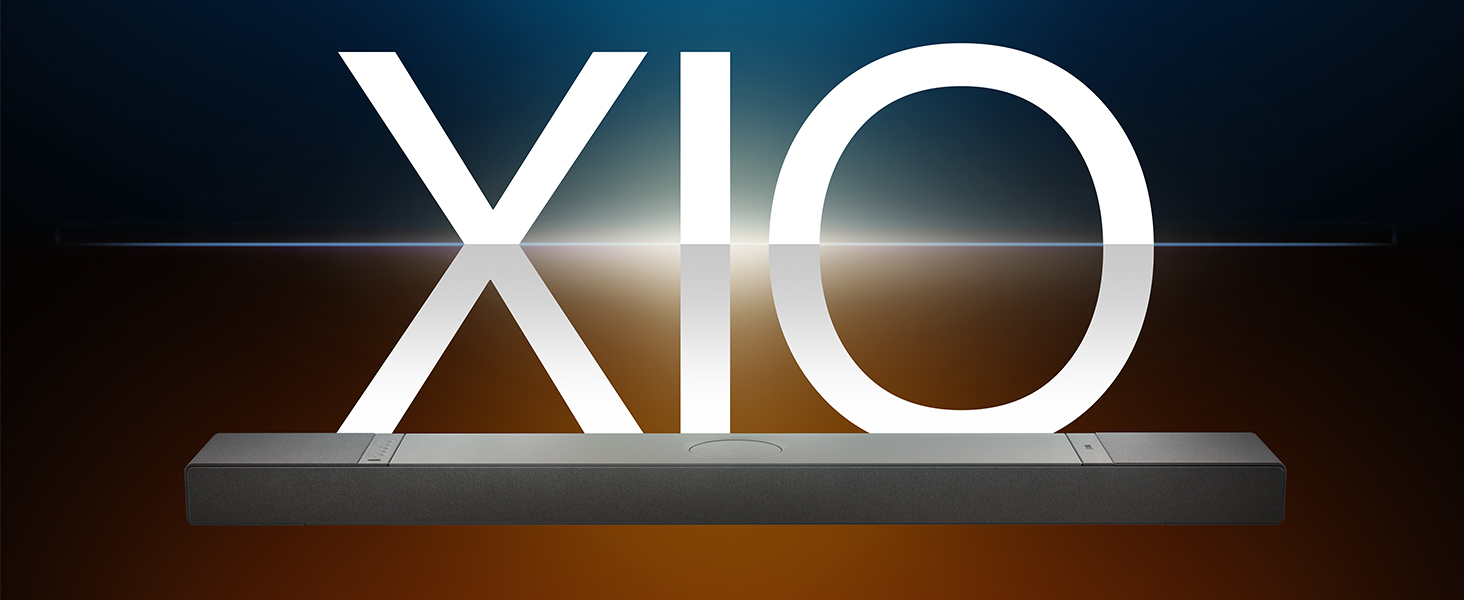
Image: The KEF XIO Soundbar, showcasing its sleek design and the XIO branding.
2. د خوندیتوب معلومات
Please read all safety instructions carefully before using the KEF XIO Soundbar. Retain this manual for future reference.
- د بریښنا رسول: Use only the power cable provided. Ensure the voltage ستاسو د محلي بریښنا رسولو سره سمون لري.
- وینټیلیشن: د هوا د بهېدو لارې مه بندوئ. د جوړونکي د لارښوونو سره سم نصب کړئ.
- اوبه او رطوبت: Do not expose the soundbar to rain, moisture, dripping, or splashing. Do not place objects filled with liquids, such as vases, on the apparatus.
- تودوخه: د تودوخې کومې سرچینې ته نږدې مه نصب کړئ لکه ریډیټرونه، د تودوخې راجسترونه، بخارۍ، یا نور وسایل (په شمول ampلایفیر) چې تودوخه تولیدوي.
- پاکول: Unplug the soundbar from the power outlet before cleaning. Clean only with a dry cloth.
- خدمت کول: د دې محصول پخپله خدمت کولو هڅه مه کوئ. ټول خدمتونه وړ خدماتي پرسونل ته راجع کړئ.
۲. په بکس کې څه دي؟
د تنظیم کولو دمخه ډاډ ترلاسه کړئ چې ټولې برخې شتون لري.
- KEF XIO Dolby Atmos 5.1.2 Soundbar
- د بریښنا کیبل
- ریموټ کنټرول
- HDMI کیبل
- د دیوال پورته کولو بریکٹ
- د دیوال نصبولو کينډۍ
- د چټک پیل لارښود
4. ترتیب کول
۴.۴ د ځای پر ځای کولو اختیارونه
The KEF XIO Soundbar offers flexible placement options to suit your home environment. It can be placed on a credenza or mounted to a wall using the included hardware. The soundbar automatically senses its position and adjusts its speakers accordingly for optimal audio performance.

Image: The KEF XIO Soundbar positioned on a credenza beneath a television in a modern living room setting.

Image: The KEF XIO Soundbar wall-mounted below a large screen in a dedicated gaming or entertainment area.

انځور: یو مفصل view of the KEF XIO Soundbar resting on a credenza, highlighting its sleek profile.
۳.۲ ستاسو د غږ بار سره نښلول
The KEF XIO Soundbar offers a variety of connectivity options for seamless integration with your home entertainment system.

Image: The rear panel of the KEF XIO Soundbar, displaying the various input ports including HDMI eARC, Optical, and Ethernet.
- HDMI EARC: Connect the included HDMI cable from the HDMI eARC port on your soundbar to the HDMI eARC/ARC port on your television for high-quality audio transmission and control.
- نظري: For devices without HDMI eARC, use an optical cable to connect to the soundbar's optical input.
- ځواک: د بریښنا کیبل د غږ بار سره او بیا د دیوال آوټ لیټ سره وصل کړئ.
- شبکه (اختیاري): For wired network connectivity, connect an Ethernet cable to the LAN port.
For wireless connectivity (Wi-Fi, Bluetooth), refer to the "Operating" section for initial pairing and setup.
۶. ستاسو د غږ بار چلول
5.1 د کنټرول میتودونه
You can control your KEF XIO Soundbar using the included customizable remote, the KEF Connect App, or your smart remote.
- ریموټ کنټرول: Use the dedicated remote for power, volume, input selection, and sound mode adjustments.
- KEF Connect App: Download the KEF Connect App from your device's app store for advanced control, settings customization, and firmware updates.
- سمارټ ریموټ: If your TV supports HDMI CEC (Consumer Electronics Control), you may be able to control basic functions like volume and power using your TV's remote.
5.2 د غږ طریقې
Easily switch between optimized sound modes for different content types:
- د فلم حالت: Enhances cinematic audio with immersive surround sound.
- د خبرو اترو طریقه: Clarifies spoken words, making conversations easier to understand.
- د شپې حالت: د خاموش اوریدلو لپاره متحرک حد کموي، د شپې ناوخته لپاره مناسب viewing.
۴.۲ اتصال او جریان
The KEF XIO is engineered for seamless connectivity and easy streaming, supporting a wide range of wireless technologies and services.

Image: The KEF XIO Soundbar displayed with icons representing its support for Google Cast, Amazon Music, Qobuz, Apple Music, Bluetooth, Spotify, and Tidal.
- وای فای: Connect to your home Wi-Fi network via the KEF Connect App for access to online streaming services and multi-room audio.
- د ایپل ایر پلی: په مستقیم ډول له خپلو ایپل وسیلو څخه آډیو واورئ.
- بلوتوث 5.3: Pair your smartphone, tablet, or other Bluetooth-enabled devices for wireless audio playback.
- د خپریدو خدمتونه: Enjoy direct integration with Spotify Connect, Tidal Connect, Google Cast, Apple Music, Amazon Music, and Qobuz Connect.
5.4 Spatial Audio Support
The KEF XIO brings the world of spatial audio into your home, transforming your entertainment experience. It effortlessly plays Dolby Atmos, DTS:X, Sony 360 Reality Audio, and more by up-mixing mono/stereo content.

Image: An artistic representation of sound waves emanating from the KEF XIO Soundbar, illustrating immersive audio filling a living space.
6. ساتنه
Proper care will ensure the longevity and performance of your KEF XIO Soundbar.
- پاکول:
- Always unplug the soundbar before cleaning.
- د سطحو د پاکولو لپاره نرم، وچ، له لینټ څخه پاک ټوکر وکاروئ.
- Do not use liquid cleaners, aerosol sprays, or abrasive chemicals, as they may damage the finish.
- دوړې: Regularly dust the soundbar to prevent accumulation, especially around speaker grilles and ventilation openings.
- ذخیره کول: If storing the soundbar for an extended period, place it in its original packaging in a cool, dry place.
7. ستونزه حل کول
If you encounter issues with your KEF XIO Soundbar, refer to the following common problems and solutions.
| ستونزه | احتمالي لامل | د حل لاره |
|---|---|---|
| هیڅ ځواک نشته | د برېښنا کیبل نه دی وصل شوی؛ د برېښنا رسۍ فعاله نه ده. | ډاډ ترلاسه کړئ چې د بریښنا کیبل په خوندي ډول د غږ بار او د کار کولو بریښنا سایټ سره وصل دی. |
| غږ نشته | Incorrect input selected; volume too low; audio cable loose/damaged; TV audio output settings. | Select correct input; increase volume; check audio cable connections; adjust TV audio output to external speakers (e.g., PCM, Bitstream). |
| د بلوتوټ جوړه کولو مسلې | ساؤنډ بار د جوړې کولو حالت کې نه دی؛ وسیله ډیره لرې ده؛ مداخله. | Ensure soundbar is in Bluetooth pairing mode; move device closer; minimize interference from other wireless devices. |
| ریموټ کنټرول کار نه کوي | بیټرۍ ختمې شوې؛ خنډ؛ ریموټ له حد څخه بهر. | Replace batteries; remove obstructions between remote and soundbar; ensure remote is within range. |
| ضعیف غږ کیفیت | Incorrect sound mode; improper placement; source audio quality. | Try different sound modes; ensure soundbar is placed optimally (refer to placement section); check source audio quality. |
If the problem persists, please contact KEF customer support for assistance.
8. مشخصات
| فیچر | تفصیل |
|---|---|
| د ماډل نوم | XIO |
| د توکي ماډل شمیره | XIOSB |
| د سپیکر ډول | ساؤنډ بار |
| شاوخوا د غږ چینل ترتیب کول | 5.1.2 |
| د سپیکر اعظمي تولید ځواک | 820 واټ |
| د نصب کولو ډول | Wall Mount, Credenza |
| د ارتباط ټیکنالوژي | Bluetooth, Wi-Fi, Ethernet, HDMI (eARC), Optical, IR |
| د بې سیمه مخابراتو ټیکنالوژي | ایر پلی، بلوتوث، وای فای |
| د آډیو وتلې حالت | محاصره |
| ځانګړي ځانګړتیاوې | Bass Boost, Hi Res Audio, Dolby Enabled, Built-in Microphone, Automatic Position Sensing |
| د محصول ابعاد (د x څلویښتم x څلویښتم) | ۱۶"د x ۲۶"وچ x ۴۷"ح |
| د توکي وزن | 23.1 پونډه |
| رنګ | Black (Slate Black) |
| UPC | 637203051234 |

Image: An exploded diagram of the KEF XIO Soundbar, illustrating its internal components including speakers and circuitry.

انځور: یو مفصل view of one of the internal speaker drivers, showcasing its design and construction.
9. تضمین او ملاتړ
KEF products are designed and manufactured to the highest quality standards. For warranty information and customer support, please refer to the warranty card included with your product or visit the official KEF webسایټ
For technical assistance or service inquiries, please contact KEF customer support through their official channels. Keep your purchase receipt as proof of purchase for warranty claims.
تاسو کولی شئ په دې اړه نور معلومات او ملاتړ سرچینې ومومئ KEF Brand Store on Amazon.