پیژندنه
Thank you for choosing the Moman CP-E Motorcycle Intercom Headset. This device is designed to enhance your riding experience by providing reliable communication, entertainment, and safety features. Please read this manual thoroughly before use to ensure proper operation and to maximize the product's potential.

Image: The Moman CP-E intercom main unit, showcasing its sleek design and control knob.
د بسته محتويات
ډاډ ترلاسه کړئ چې لاندې ټول توکي ستاسو په کڅوړه کې شامل دي. که کوم توکي ورک یا زیانمن شوي وي، مهرباني وکړئ د پیرودونکو ملاتړ سره اړیکه ونیسئ.
- Moman CP-E Intercom Unit
- Headphones (Speakers)
- Microphone (Boom or Wired)
- Mounting Bracket (Clip-on)
- Adhesive Mounting Bracket
- د USB چارج کیبل
- د کارن لارښود
- Accessory Kit (Velcro pads, Allen wrench, etc.)

Image: A visual representation of all components included in the Moman CP-E product box.
تنظیم او نصب کول
1. د وسیلې چارج کول
Before first use, fully charge the Moman CP-E unit.
- Connect the USB charging cable to the charging port on the intercom unit.
- Connect the other end to a USB power adapter (not included) or a computer USB port.
- د شاخص څراغ به د چارج کولو حالت وښيي (د مثال په توګه، د چارج کولو لپاره سور، د بشپړ چارج لپاره نیلي).
- بشپړ چارج معمولا شاوخوا وخت نیسي ۸ ساعته. The 900mAh battery provides up to 28 hours of talk time and 300 hours of standby time.

Image: Illustration detailing the 900mAh battery, charging time, working time, and standby time.
2. Installing on Your Helmet
The Moman CP-E offers two installation methods: a clip-on bracket or an adhesive bracket. Choose the method best suited for your helmet.

Image: Step-by-step guide showing both clip-on and adhesive installation methods for the intercom unit on a helmet.
- د نصب کولو ځای غوره کړئ: Select a flat area on the left side of your helmet where the intercom unit will not obstruct your vision or movement.
- سپیکرونه نصب کړئ:
- Remove the helmet's inner lining.
- Attach the speakers to the ear pockets using the provided Velcro pads. Ensure they are centered over your ears for optimal sound.
- Route the speaker wires discreetly under the lining.
- مایکروفون نصب کړئ:
- For full-face helmets, use the soft-wire microphone and attach it to the inside of the chin bar with Velcro, positioning it close to your mouth.
- For open-face helmets, use the boom microphone and attach it to the helmet lining, positioning it in front of your mouth.
- د ماونټ انټرکام واحد:
- Clip-on Method: Slide the metal clip between the helmet shell and the inner lining. Secure it firmly.
- د چپکولو طریقه: Clean the chosen area on the helmet. Peel off the protective film from the adhesive bracket and firmly press it onto the helmet for at least 30 seconds. Allow 24 hours for the adhesive to cure before attaching the intercom unit.
- کیبلونه وصل کړئ: Plug the speaker and microphone cables into the corresponding ports on the intercom unit.
- Reinstall Lining: Carefully reinstall your helmet's inner lining, ensuring no wires are pinched.
3. Initial Pairing with Mobile Device
The Moman CP-E uses an upgraded wireless chip for quick and stable pairing.
- Ensure the CP-E unit is turned off.
- Press and hold the Power button (or main function button) until the indicator light flashes red and blue alternately, indicating pairing mode.
- On your mobile device, go to Bluetooth settings and search for "Moman CP-E".
- Select "Moman CP-E" to connect. Once paired, the indicator light will flash blue slowly.

Image: Diagram illustrating the upgraded wireless chip for faster, more stable, and low-power consumption Bluetooth connectivity.
عملیاتي لارښوونې
Device Controls (Glove-Friendly Knob)
The Moman CP-E features a smart, glove-friendly knob for easy operation while riding.

Image: Close-up of the Moman CP-E unit highlighting the large, rotatable knob and its functions for music, FM radio, AI voice assistant, and phone control.
- پاور آن/بند: د 3 ثانیو لپاره اصلي تڼۍ فشار کړئ او ونیسئ.
- د حجم سمون: Rotate the knob clockwise to increase volume, counter-clockwise to decrease.
- میوزیک چلول / بندول: اصلي تڼۍ لنډ فشار ورکړئ.
- راتلونکی / مخکینی لار: Rotate the knob quickly twice (specific gesture may vary, refer to quick start guide).
- ځواب / پای کال: اصلي تڼۍ لنډ فشار ورکړئ.
- زنګ رد کړئ: د 2 ثانیو لپاره اصلي تڼۍ فشار کړئ او ونیسئ.
- د غږ معاون (سري/ګوګل معاون) فعال کړئ: Double-press the main button.
- د ایف ایم راډیو فعال/بند: Press the FM button (if available, or specific knob action).
- Change FM Station: Rotate the knob while FM radio is active.
د انټرکام مخابرات
The Moman CP-E supports group intercom for up to 6 riders with a range of 2000 meters, and 2 riders up to 1000 meters. It also supports universal pairing with other brands.

Image: An illustration showing multiple riders communicating via the Moman CP-E intercom system, highlighting the 2000M range for 6 riders and 1000M for 2 riders.
- د دوو واحدونو جوړه کول:
- Ensure both CP-E units are off.
- On both units, press and hold the Intercom button (or main button if it serves this function) until they enter pairing mode (e.g., flashing red/blue).
- One unit will connect to the other automatically. The indicator lights will change to a slow blue flash.
- د انټرکام پیل کول: After pairing, a short press of the Intercom button on either unit will initiate the intercom conversation. Another short press will end it.
- Group Intercom (3-6 Riders):
- Pair the first two units as described above.
- To add a third unit, put the third unit into pairing mode. Then, on one of the already paired units, press the Intercom button twice quickly.
- Repeat this process for additional units, pairing each new unit to the last one added to the chain.
- Once all units are paired, any rider can initiate group communication by pressing their Intercom button.
- نړیواله جوړه: The CP-E supports pairing with other brands of helmet intercom headsets. Follow the pairing instructions for the other brand's device and then initiate pairing on the CP-E.
Music Sharing & FM Radio
Enjoy your favorite tunes or stay updated with FM radio while riding. Music sharing is available for two riders.
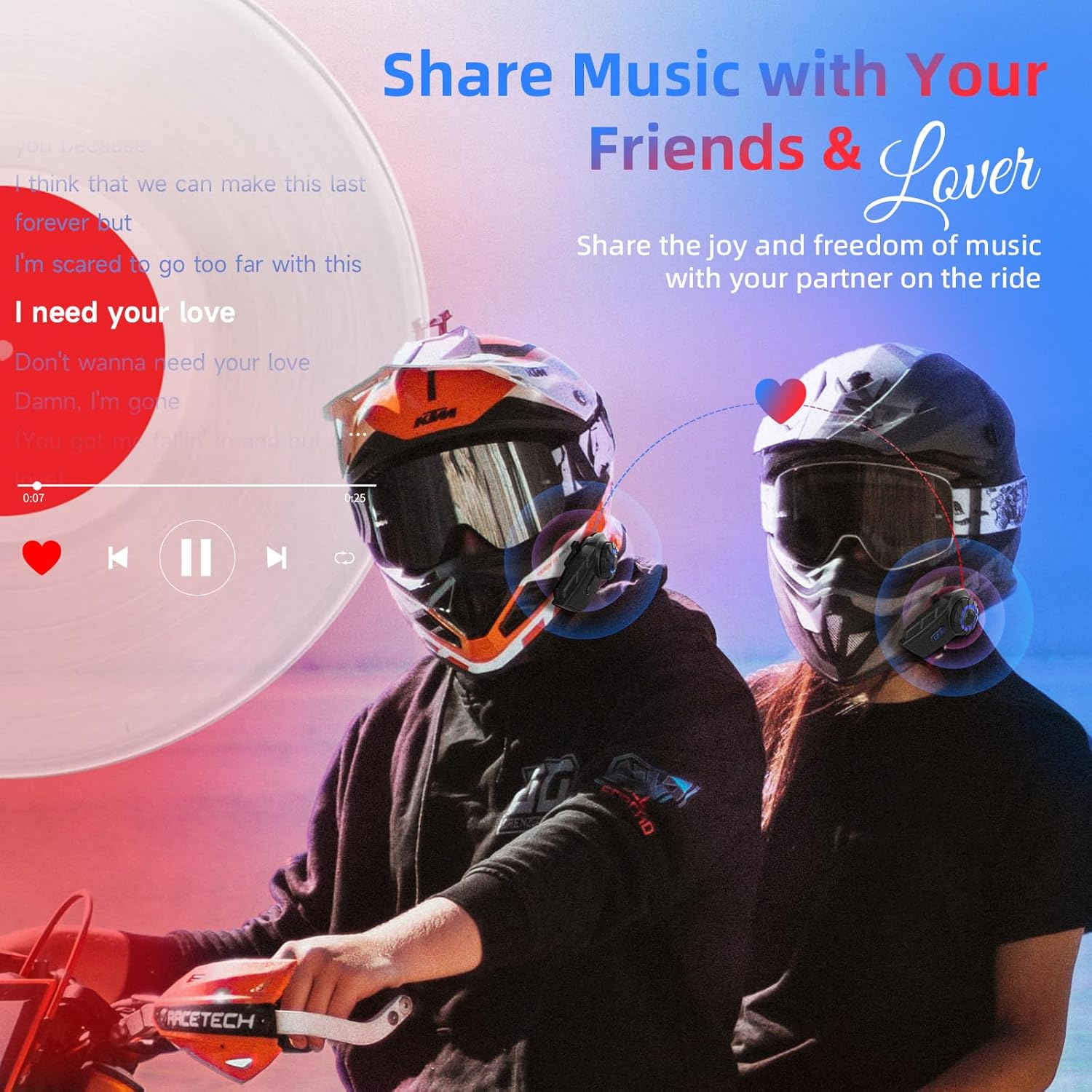
Image: Two riders on motorcycles, sharing music through their Moman CP-E intercoms, with a music player interface overlaid.
- د موسیقۍ غږول: Once paired with your phone, music will play through the 40mm Hi-fi speakers. Use the knob for play/pause and track control.
- د موسیقۍ شریکول: While two CP-E units are connected via intercom, one rider can initiate music sharing. The music will then be streamed to both headsets. (Note: Intercom mode is typically paused during music sharing and must be manually re-engaged).
- ایف ایم راډیو: Activate the FM radio function via the dedicated button or knob action. Rotate the knob to scan for stations.

Image: Two panels showing a rider using AI voice assistant (e.g., "Hey, Siri") for calls and GPS, and another rider listening to FM radio with a frequency display.
ساتنه او پالنه
- د پنروک ډیزاین: The Moman CP-E features an IP65 waterproof rating, protecting it from rain and dust. However, avoid submerging the device in water.
- پاکول: یونټ د نرم سره پاک کړئ ، دamp ټوکر د سختو کیمیاوي موادو یا خړوبولو پاکونکو څخه کار مه اخلئ.
- د بیټرۍ پاملرنه: To prolong battery life, avoid fully discharging the battery frequently. Charge the device regularly, especially if it will be stored for extended periods.
- ذخیره کول: وسیله په یخ او وچ ځای کې ذخیره کړئ کله چې نه کارول کیږي.

Image: An illustration demonstrating the IP65 waterproof and dustproof capabilities of the Moman CP-E intercom, showing it resistant to rain, snow, and mud.
د ستونزو حل کول
| ستونزه | احتمالي لامل | د حل لاره |
|---|---|---|
| وسیله فعاله نه ده. | بیټرۍ ټیټه ده؛ وسیله کنګل شوې ده. | Charge the device for at least 30 minutes. Perform a hard reset (refer to specific reset instructions in the full manual, if available, or hold power button for 10+ seconds). |
| Cannot pair with phone/another intercom. | وسیله د جوړې کولو په حالت کې نه ده؛ ډېره لرې ده؛ مداخله. | Ensure device is in pairing mode (flashing red/blue). Bring devices closer. Turn off other Bluetooth devices. Clear previous pairings and try again. |
| Low audio volume or unclear sound. | Speakers misaligned; helmet lining obstruction; high ambient noise. | Adjust speaker position in helmet to be directly over ears. Check helmet lining for obstructions. Ensure microphone is positioned correctly. The DSP and CVC noise reduction technology should help, but extreme conditions may affect clarity. |
| د انټرکام اړیکه ډیری وخت پرې کېږي. | له حد څخه بهر؛ خنډونه؛ لاسوهنه. | Stay within the specified range (2000M for 6 riders, 1000M for 2 riders). Avoid physical obstructions between units. |
مشخصات
| فیچر | تفصیل |
|---|---|
| د ماډل نوم | CP-E |
| د ارتباط ټیکنالوژي | بېسیم (بلوتوث ۵.۳) |
| د انټرکام رینج | Up to 2000M for 6 riders, 1000M for 2 riders |
| د شور کنټرول | DSP and 12th generation CVC Noise Reduction |
| د بیټرۍ ظرفیت | 900mAh |
| د چارج کولو وخت | نږدې 2 ساعته |
| د خبرو وخت | تر 28 ساعتونو پورې |
| ولاړ وخت | تر 300 ساعتونو پورې |
| د اوبو د مقاومت کچه | IP65 پنروک |
| د سپیکر اندازه | 40mm Hi-fi Speaker |
| د کنټرول ډول | غوټۍ، لمس |
| مواد | پلاستیک |
| د محصول ابعاد | 7.09 x 3.15 x 4.33 انچه |
| د توکي وزن | 12.3 اونس |

Image: Visual explanation of the HIFI stereo audio, 40mm HD speaker, DSP noise cancelling, and CVC noise reduction technologies.
تضمین او ملاتړ
Moman provides customer support and warranty services for its products. For specific warranty details, please refer to the warranty card included with your product or visit the official Moman webسایټ
- د پیرودونکو خدمت: If you encounter any issues or have questions regarding your Moman CP-E headset, please contact Moman customer support. Contact information can typically be found on the product packaging, the official Moman webسایټ، یا ستاسو د پیرود پلیټ فارم له لارې.
- د تضمین ادعاوې: Keep your proof of purchase for any warranty claims. Some users have reported positive experiences with Moman's warranty support for replacement parts.
د اضافي سرچینو او محصول معلوماتو لپاره، تاسو کولی شئ لیدنه وکړئ Moman Store on Amazon.


