1. پیژندنه
Thank you for choosing the AVMATRIX SD1242-4K HDMI Splitter. This device is designed to distribute a single HDMI 2.0 input signal to four HDMI 2.0 outputs, supporting resolutions up to 4K@60Hz with RGB 4:4:4 color space. It features EDID management and dual power supply options (USB-C and DC) for versatile use in various professional and home environments.
2. د خوندیتوب معلومات
- ډاډ ترلاسه کړئ چې وسیله په ښه هوا کې ځای پرځای شوي ترڅو د ډیر تودوخې مخه ونیسي.
- وسیله د لندبل، باران، یا ډیرې تودوخې سره مه مخ کوئ.
- یوازې چمتو شوی بریښنا اډاپټر یا د بریښنا مناسب سرچینه وکاروئ.
- Avoid disassembling the unit; refer all servicing to qualified personnel.
- وسیله د قوي مقناطیسي ساحو څخه لرې وساتئ.
3. د بسته محتويات
مهرباني وکړئ د لاندې توکو لپاره په بسته کې وګورئ:
- AVMATRIX SD1242-4K HDMI Splitter Unit
- د بریښنا اډاپټر
- د USB ډول - سي کیبل
- د کارونکي لارښود (دا لاسوند)
4. محصول ختم شوview
The AVMATRIX SD1242-4K is a compact and robust HDMI splitter designed for high-quality video distribution. It features one HDMI input and four HDMI outputs, allowing a single source to be displayed on up to four screens simultaneously.
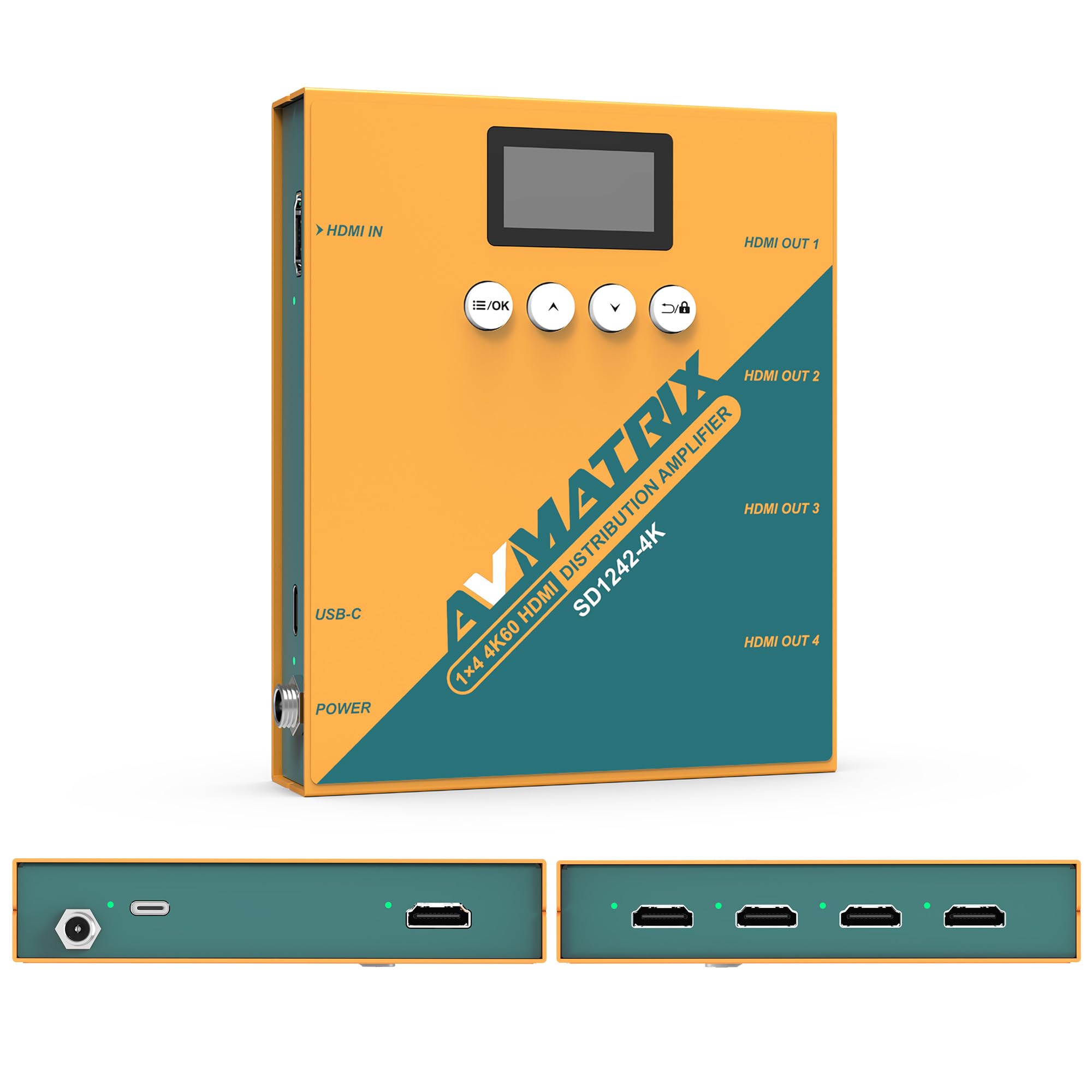
شکل ۲.۲: مخکینۍ او شاته view of the AVMATRIX SD1242-4K HDMI Splitter, showing HDMI input, four HDMI outputs, USB-C, and DC power ports.

Figure 2: The AVMATRIX SD1242-4K HDMI Splitter highlighting its HDMI 2.0 inputs/outputs and support for up to 4K@60Hz resolution for ultra-high-definition picture quality.
4.1 ځانګړتیاوې
- 1 HDMI 2.0 input to 4 HDMI 2.0 outputs.
- Supports resolutions up to 4K@60Hz (RGB 4:4:4).
- EDID management with Auto, Standard, Customize, and EDID Copy modes.
- Dual power supply: USB Type-C and DC 12V.
- Built-in OLED display for real-time status.
- Control via front panel buttons or PC software.
5. ترتیب کول
Follow these steps to set up your AVMATRIX SD1242-4K HDMI Splitter:
- د HDMI سرچینه وصل کړئ: Connect your HDMI source device (e.g., PS4, Blu-ray player, computer) to the HDMI IN port on the splitter using a high-quality HDMI 2.0 cable.
- د HDMI ښودنې سره وصل کړئ: Connect up to four HDMI display devices (e.g., HDTVs, monitors, projectors) to the HDMI OUT 1-4 ports on the splitter using high-quality HDMI 2.0 cables.
- بریښنا وصل کړئ: Connect the provided power adapter to the DC 12V port on the splitter, or connect a USB Type-C cable to the USB-C port and a compatible USB power source. The device supports both power options.
- پاور آن: Ensure all devices (source, splitter, displays) are powered on. The splitter's OLED display will show its status.
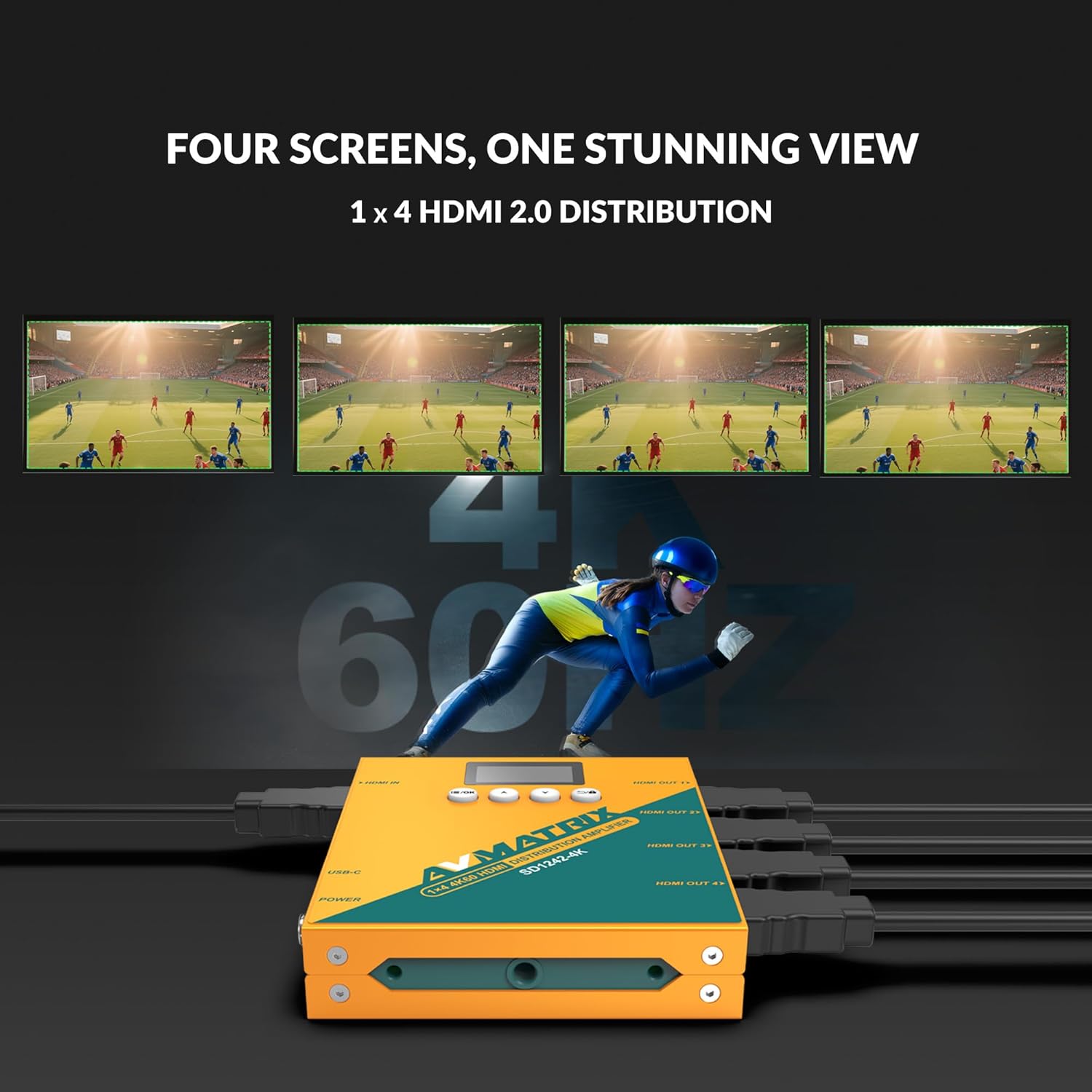
Figure 3: Illustration of the AVMATRIX SD1242-4K HDMI Splitter distributing a single video source to four separate display screens, demonstrating its 1x4 distribution capability.
6. عملیاتي لارښوونې
6.1 د EDID مدیریت
The SD1242-4K features EDID management to ensure optimal compatibility and performance between your source and display devices. You can configure EDID settings using the front panel buttons or the PC control software.

Figure 4: Comparison of a display without EDID management (left, showing potential compatibility issues) and with EDID management (right, showing seamless communication and optimal display).
There are four EDID modes available:
- اتومات: The splitter automatically detects and selects the best EDID settings based on the connected displays.
- معیاري: Uses a default, common EDID setting for broad compatibility.
- دودیز کول: Allows users to upload a custom EDID file via PC software.
- د EDID کاپي: Copies the EDID from a specific output display (e.g., Output 1) to be used for all outputs.
۱ د کنټرول اختیارونه
The device can be controlled via its front panel buttons or through dedicated PC software.

Figure 5: Demonstrates the two primary control methods for the AVMATRIX SD1242-4K: direct interaction with the front panel buttons and comprehensive control via PC software interface.
- مخکینۍ تڼۍ: Use the buttons located on the front panel to navigate menus on the OLED display and adjust basic settings, including EDID modes.
- د کمپیوټر سافټویر کنټرول: Connect the splitter to a computer via its USB port. Install the AVMATRIX control software to access advanced settings, customize EDID, and monitor device status.
۴.۲ د بریښنا رسولو اختیارونه
The SD1242-4K offers flexible power options for convenience.

Figure 6: Illustrates the dual power supply capabilities of the AVMATRIX SD1242-4K, showing both the traditional DC power input and the modern USB Type-C power input.
- د DC بریښنا رسول: Use the included 12V DC power adapter for stable and continuous power.
- USB Type-C Power Supply: For portability or when a DC outlet is unavailable, power the device using a standard USB Type-C cable connected to a compatible USB power source (e.g., power bank, computer USB port).
7. ساتنه
- پاکول: د وسیلې بهرنۍ برخه پاکولو لپاره نرم، وچ ټوکر وکاروئ. مایع یا ایروسول پاکوونکي مه کاروئ.
- ذخیره کول: کله چې د اوږدې مودې لپاره نه کارول کیږي، وسیله په یخ او وچ ځای کې د مستقیم لمر وړانګو څخه لرې وساتئ.
- د فرم ویئر تازه معلومات: Check the AVMATRIX official webد غوره فعالیت او مطابقت ډاډمن کولو لپاره د فرم ویئر تازه معلوماتو لپاره په دوره یي ډول سایټ وګورئ.
8. ستونزه حل کول
If you encounter issues with your AVMATRIX SD1242-4K, refer to the following common problems and solutions:
| ستونزه | احتمالي لامل | د حل لاره |
|---|---|---|
| No video output on displays. | Loose HDMI cables, incorrect EDID setting, power issue. | Check all HDMI cable connections. Ensure the splitter is powered on. Try different EDID modes (Auto or Standard). Test with a different HDMI source or display. |
| Video flickering or unstable image. | Poor quality HDMI cables, signal interference, EDID mismatch. | Use certified high-speed HDMI 2.0 cables. Ensure cables are not excessively long. Adjust EDID settings. Reduce cable length if possible. |
| Displays show different resolutions. | EDID setting not optimized for all displays. | Use EDID Copy mode from the lowest resolution display or a custom EDID that all displays can support. |
| وسیله نه چلیږي. | Power adapter not connected, faulty power source. | Verify power adapter is securely connected to both the splitter and a working power outlet. Try the USB-C power option if DC fails, or vice-versa. |
9. مشخصات
| فیچر | تفصیل |
|---|---|
| ماډل | SD1242-4K |
| د ویډیو داخلول | 1x HDMI ډول A |
| د ویډیو تولید | 4x HDMI ډول A |
| د HDMI معیاري | HDMI 2.0 |
| د اعظمي پریکړه | 4096x2160p 60/59.94/50/30/29.97/25/24/23.98 |
| Color Space & Precision | RGB 4:4:4 8 bit, YUV 4:2:2 8 bit, YUV 4:4:4 8 bit |
| د بریښنا رسول | DC 12V / USB-C |
| د بریښنا مصرف | 6W |
| والیtage Range (USB) | USB 5V-5.5V |
| والیtage رینج (DC) | DC 5.5V-24V |
| ابعاد (LWD) | 125.5 x 104 x 24.5 mm |
| خالص وزن | 471 ګرامه |
| د عملیاتي حرارت درجه | -20°C ~ 60°C |
| د ذخیرې د حرارت درجه | -30°C ~ 70°C |
10. د تضمین معلومات
AVMATRIX products are covered by a limited warranty against defects in materials and workmanship. The warranty period typically begins from the date of purchase. Please retain your proof of purchase for warranty claims. For specific warranty terms and conditions, refer to the warranty card included with your product or visit the official AVMATRIX webسایټ
This warranty does not cover damage caused by improper installation, accident, misuse, abuse, natural disaster, or unauthorized modification of the product.
11. د پیرودونکي ملاتړ
If you require further assistance or have questions not covered in this manual, please contact AVMATRIX customer support:
- Webسایټ: www.avmatrix.net (for product information, drivers, and firmware updates)
- بریښنالیک: چارواکي ته مراجعه وکړئ webد ځانګړو ملاتړ بریښنالیک پتو لپاره سایټ.
- تلیفون: چارواکي ته مراجعه وکړئ webد سیمه ایزو اړیکو شمیرو لپاره سایټ.
When contacting support, please have your product model (SD1242-4K) and a detailed description of your issue ready.


