1. پیژندنه
دا لارښود ستاسو د تور رنګ خوندي او مؤثره کارونې لپاره اړین معلومات چمتو کويview Active 5 Rugged Tablet PC. Please read these instructions carefully before using the device and retain them for future reference. The Blackview Active 5 is designed for durability, featuring IP68/IP69K water and dust resistance, MIL-STD-810H compliance, and a robust design suitable for challenging environments.
2. د بسته محتويات
مهرباني وکړئ د لاندې توکو لپاره په بسته کې وګورئ:
- تورview Active 5 Rugged Tablet PC
- USB کیبل
- د بریښنا اډاپټر
- د سیم Ejector وسیله
- د چټک پیل لارښود / د خوندیتوب معلومات
که کوم توکي ورک یا زیانمن شوي وي، مهرباني وکړئ خپل پرچون پلورونکي سره اړیکه ونیسئ.
3. وسیله ختمه شوهview
د خپل تور رنګ د فزیکي برخو سره ځان آشنا کړئview Active 5 tablet.

انځور ۱.۱: مخ او شا view د تور پوستوview Active 5 Rugged Tablet PC, showcasinد دې قوي ډیزاین او د کیمرې ماډل سره.
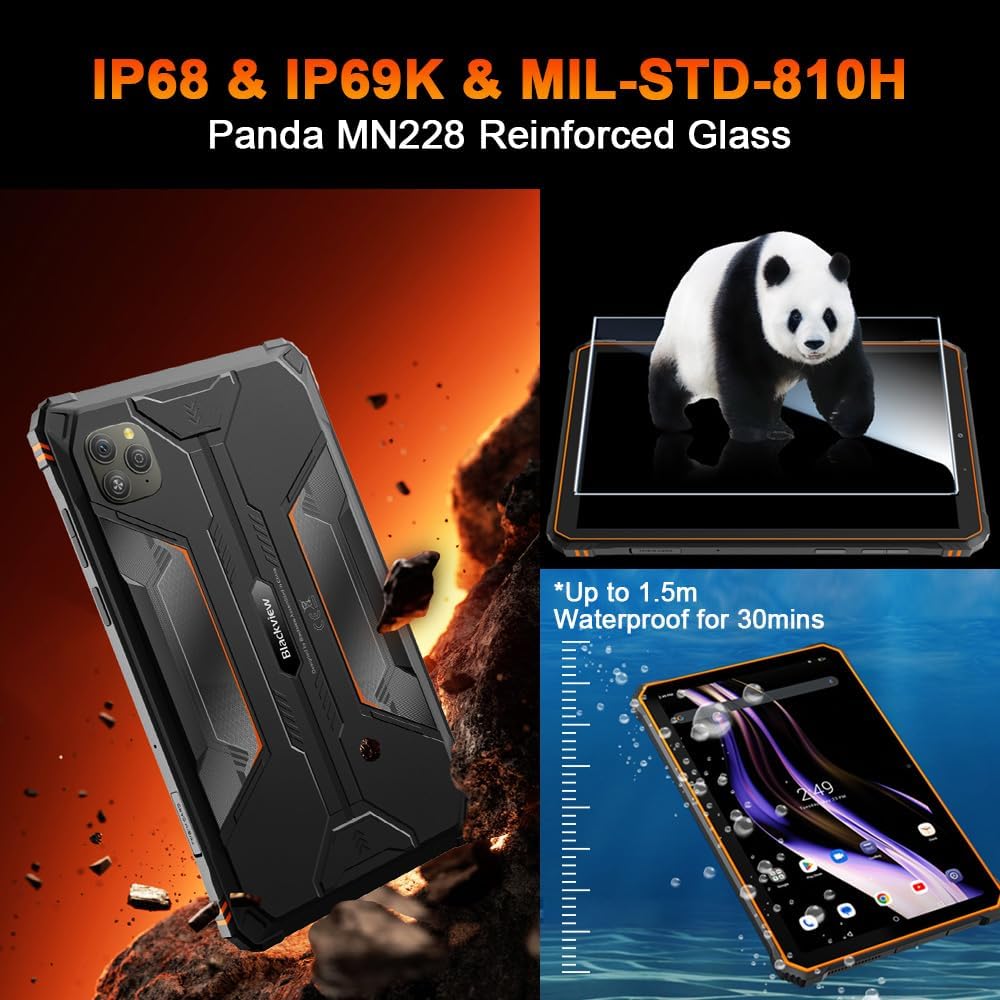
Image 3.2: Visual representation of the tablet's IP68/IP69K water and dust resistance, and MIL-STD-810H military standard compliance, including Panda MN228 Reinforced Glass.

Image 3.3: Details of the 8.68-inch Compact IPS Screen, highlighting its 800x1340 resolution, 90Hz Smart Refresh Rate, 360 nits brightness, and 85% screen-to-body ratio.
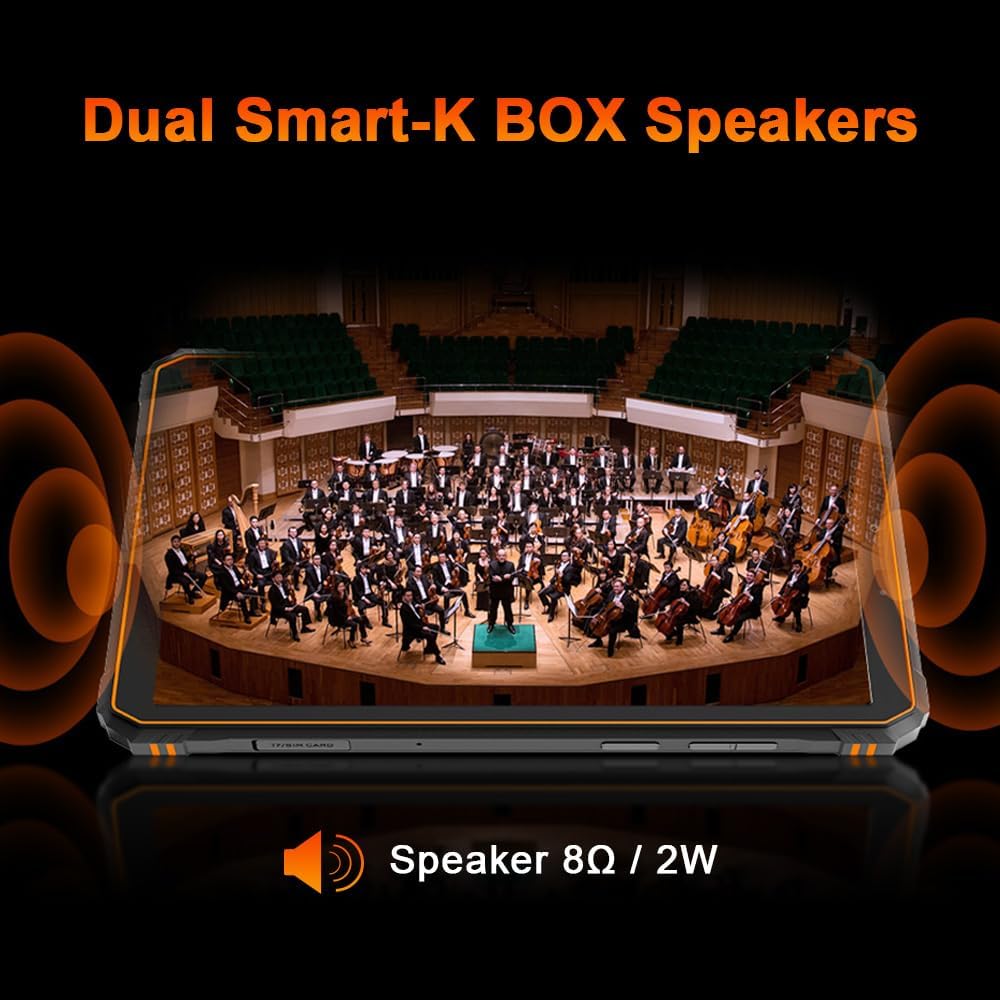
Image 3.4: Illustration of the tablet's Dual Smart-K BOX Speakers, indicating 8Ω / 2W output for enhanced audio.
4. ترتیب کول
۳.۲. د سیم او ایس ډي کارت داخلول
- د ټابلیټ په اړخ کې د سیم/ایس ډی کارت ټری ومومئ.
- د سیم ایجیکټر وسیله د ټری تر څنګ په کوچني سوري کې دننه کړئ ترڅو یې خلاص کړئ.
- Place your Nano-SIM card(s) and/or microSD card (up to 2TB) into the designated slots, ensuring correct orientation.
- په نرمۍ سره ټری بیرته ټابلیټ ته فشار ورکړئ تر هغه چې دا په خپل ځای کې کلیک وکړي.
۴. لومړنی بریښنا فعالول
- د بریښنا تڼۍ (معمولا په اړخ کې) فشار ورکړئ او ونیسئ تر هغه چې تور ويview لوګو ښکاري.
- د لومړني تنظیم بشپړولو لپاره په سکرین کې لارښوونې تعقیب کړئ، پشمول د ژبې انتخاب، د وای فای اتصال، او د ګوګل حساب تنظیم کول.
5. عملیاتي لارښوونې
5.1. بنسټیز نیویګیشن
تورview Active 5 runs on Android 15 with DokeOS P 4.2. Use touch gestures for navigation:
- ټایپ: یو توکي غوره کړئ یا یو اپلیکیشن خلاص کړئ.
- سوائپ: د سکرینونو یا لیستونو له لارې سکرول وکړئ.
- چنه په انځورونو کې زوم ان یا آوټ کړئ او web پاڼې
- اوږد پریس: د شرایطو مینو ته لاسرسی ومومئ یا عکسونه حرکت وکړئ.
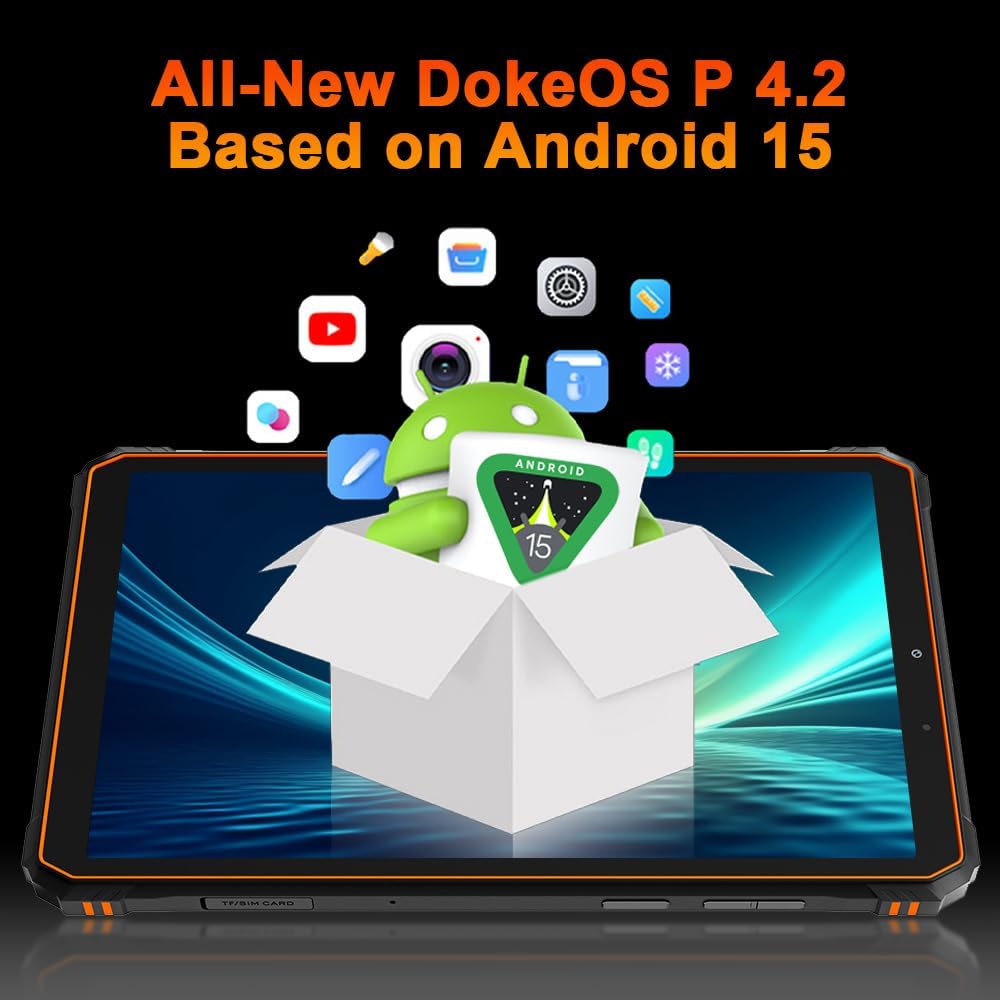
Image 5.1: The Blackview Active 5 tablet displaying the All-New DokeOS P 4.2 interface, built upon Android 15.
۳.۲. فعالیت او ذخیره کول
The tablet is powered by an Octa-core Unisoc T615 processor, ensuring smooth performance for multitasking and applications. It features 8GB of base RAM, expandable with an additional 16GB of virtual RAM for a total of 24GB. Internal storage is 128GB, which can be expanded up to 2TB using a microSD card.
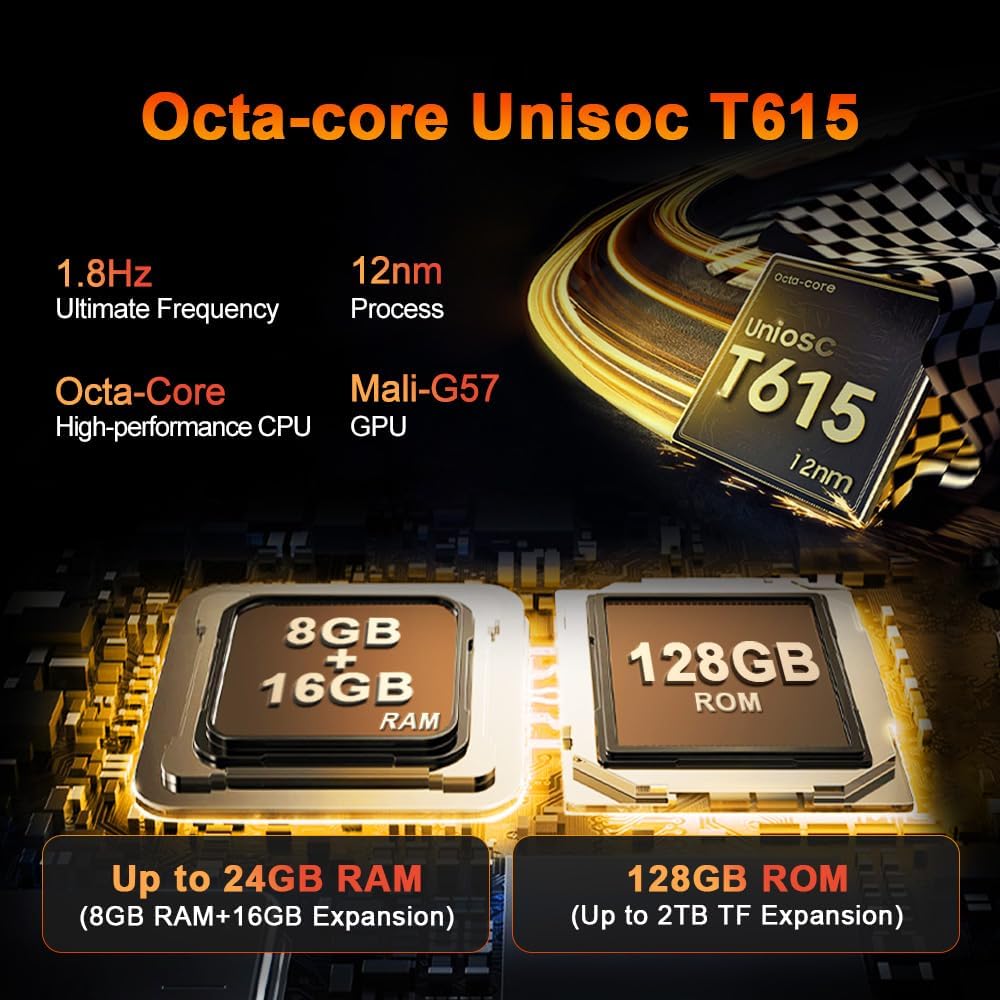
انځور ۲: تفصیلي view of the Octa-core Unisoc T615 processor (1.8Hz, 12nm process, Mali-G57 GPU) and memory configuration, showing 8GB+16GB RAM expansion and 128GB ROM with up to 2TB TF expansion.
۷. د کیمرې دندې
تورview Active 5 is equipped with a 16MP AI rear camera and a 13MP AI front camera. These cameras are designed to capture clear images and videos in various lighting conditions.
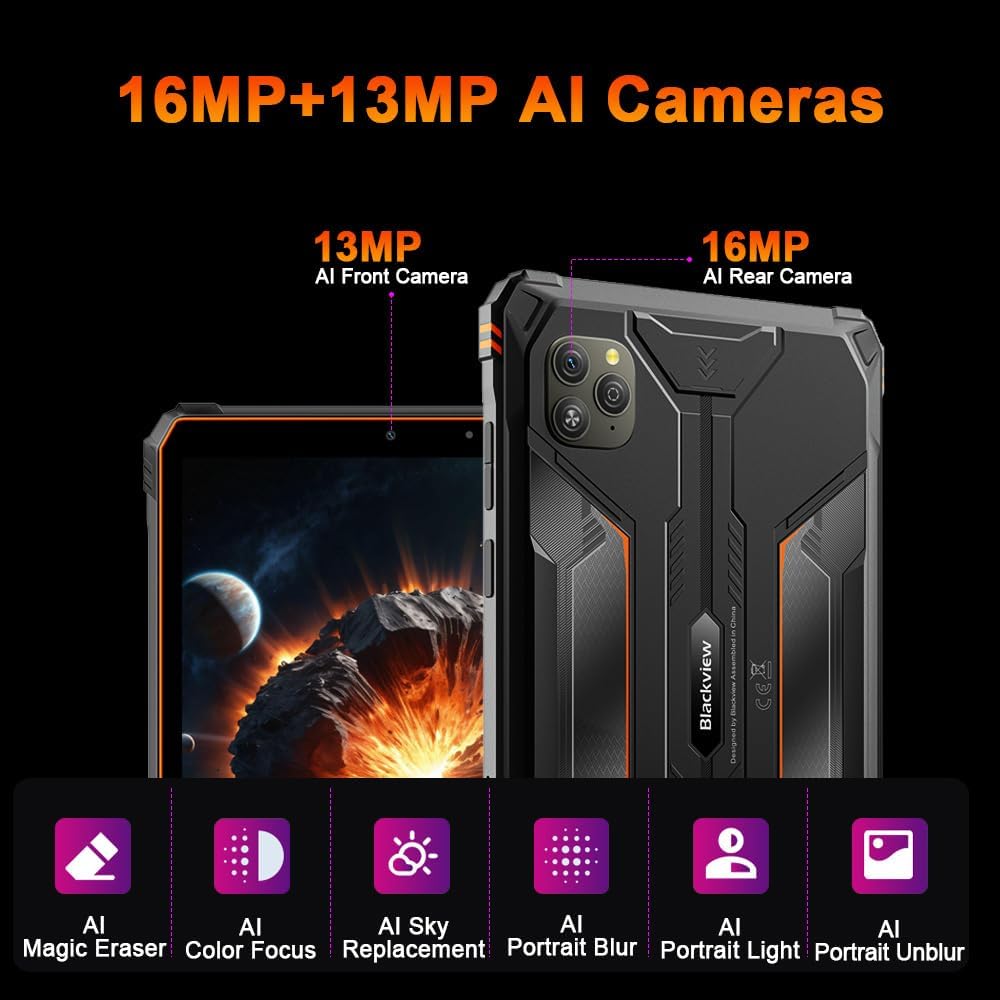
انځور 5.3: اوورview of the tablet's camera system, featuring a 13MP AI Front Camera and a 16MP AI Rear Camera, along with AI-powered features like Magic Eraser, Color Focus, Sky Replacement, Portrait Blur, Portrait Light, and Portrait Unblur.
5.4. Doke AI Features
The tablet integrates Blackview's Doke AI, offering various intelligent functionalities to enhance user experience.

Image 5.4: Representation of the Blackview Doke AI, showcasing integration with various applications and AI capabilities such as Deepseek DeepThinking(R1), ChatGPT-40 mini, and Gemini AI with FlashThinking Experimental.
6. ارتباط
تورview Active 5 supports a range of connectivity options:
- دوه ګونی 4G LTE: For cellular data and calls.
- 5G وائی فای: Supports 802.11ax and 802.11g for fast wireless internet.
- بلوتوث: د بېسیم لوازمو د نښلولو لپاره.
- NFC: د تماس پرته تادیاتو او چټکې جوړې لپاره.
- GPS: د نیویګیشن او موقعیت خدماتو لپاره.
- OTG (په لاره کې): Allows the tablet to act as a host for USB devices, such as flash drives or keyboards.
7. د بیټرۍ مدیریت
The tablet is equipped with a 6600mAh mega battery, providing extended usage times.

انځور 7.1: اوورview of the 6600mAh Mega Battery, indicating usage times such as 6 hours for gaming, 7 hours for video, 22 hours for calls, 9 hours for website browsing, 15 hours for music, and 360 hours standby.
7.1. چارج کول
Use the provided power adapter and USB cable to charge the tablet. Ensure the charging port is clean and dry before connecting the cable.
7.2. OTG Power Sharing
تورview Active 5 supports OTG functionality, allowing you to use it to charge other compatible devices. Connect the devices using an OTG cable (sold separately).
۴. سخت ځانګړتیاوې
تورview Active 5 is built to withstand harsh conditions:
- IP68 او IP69K: Certified for water and dust resistance, allowing submersion in water up to 1.5 meters for 30 minutes and protection against high-pressure, high-temperature water jets.
- مل-ایسټ-۸۱۰ ایچ: Complies with military standards for drop protection, shock, and extreme temperatures.
- Panda Glass: The display is protected by Panda Glass, offering enhanced scratch and breakage resistance.
9. مشخصات
| فیچر | مشخصات |
|---|---|
| د ماډل نوم | تورview فعال 5 |
| عملیاتي سیسټم | Android 15 (DokeOS P 4.2) |
| د ښودلو اندازه | ۷۸۷ انچه |
| د ښودلو ریزولوشن | 1340 x 800 پکسلز |
| پروسیسر | یونیساک T615 اوکټا کور |
| RAM | ۲۲ جي بي (۱۲ جي بي + ۱۰ جي بي مجازي) |
| داخلي ذخیره | 128 جي بي |
| د پراخیدو وړ ذخیره | تر ۲ TB پورې (مایکرو ایس ډي) |
| شاته کیمره | ۱۶ میګاپکسله مصنوعي ذهانت |
| مخکینۍ کیمره | ۱۶ میګاپکسله مصنوعي ذهانت |
| د بیټرۍ ظرفیت | 6600 mAh |
| ارتباط | Dual 4G LTE, 5G Wi-Fi (802.11ax, 802.11g), Bluetooth, NFC, GPS, OTG |
| سختوالی | IP68/IP69K، MIL-STD-810H |
| ځانګړي ځانګړتیاوې | Cellular Connectivity, Phone Call Functionality, Stereo Speakers, USB OTG Support, Expandable Storage |
| ابعاد | 31.5 x 26.7 x 6.7 cm (Package); 840 grams |
10. ساتنه
ستاسو د تور رنګ د اوږد عمر او غوره فعالیت ډاډمن کولو لپارهview Active 5 tablet:
- پاکول: یو نرم استعمال کړئ، دamp cloth to clean the tablet. Avoid harsh chemicals or abrasive materials. Ensure all ports are closed before cleaning with water.
- دحرارت درجه: Avoid exposing the tablet to extreme temperatures (very hot or very cold) for prolonged periods.
- ذخیره کول: When not in use for an extended period, store the tablet in a cool, dry place with approximately 50% battery charge.
- د سافټویر تازه معلومات: Regularly check for and install software updates to benefit from performance improvements and security enhancements.
11. ستونزه حل کول
If you encounter issues with your tablet, try the following common solutions:
- وسیله بې ځوابه: د بریښنا تڼۍ د شاوخوا ۱۰-۱۵ ثانیو لپاره فشار ورکړئ او ونیسئ ترڅو بیا پیل کړئ.
- د شبکې مسلې: Check if your SIM card is properly inserted. Toggle Airplane Mode on and off. Restart the tablet. For Wi-Fi, ensure you are within range and have the correct password.
- د بیټرۍ په چټکۍ سره وچول: Reduce screen brightness, close unused apps, disable unnecessary connectivity features (Bluetooth, GPS, Wi-Fi) when not in use.
- د اپلیکیشنونو خرابېدل: د ستونزې لرونکي اپلیکیشن لپاره کیش او ډیټا په ترتیباتو > ایپسونو کې پاک کړئ. که ستونزه دوام ومومي، اپلیکیشن غیر نصب او بیا نصب کړئ.
- ورو فعالیت: Close background apps, clear cache, and ensure sufficient storage space. A factory reset can resolve persistent performance issues (back up your data first).
For more complex issues, refer to the Blackview ملاتړ webسایټ یا د پیرودونکي خدمت سره اړیکه ونیسئ.
12. تضمین او ملاتړ
تورview Active 5 Rugged Tablet PC comes with a 24-month warranty. Blackview provides a warranty and repair center in Europe. For any questions or support needs, please contact Blackview customer service. They aim to respond within 24 hours.
For further assistance, please visit the official Blackview webسایټ ته مراجعه وکړئ یا د دوی مجاز خدماتو مرکزونو سره اړیکه ونیسئ.


