د خوندیتوب مهمې لارښوونې
مهرباني وکړئ د دې محصول کارولو دمخه د خوندیتوب ټولې لارښوونې ولولئ او پوه شئ. د دې لارښوونو په تعقیب کې پاتې راتلل ممکن د بریښنا شاک، اور، یا جدي ټپي کیدو لامل شي.
- ماشومان لرې وساتئ: دا محصول د لوبو نه دی. د ماشومانو د لاسرسي څخه لرې وساتئ.
- د بریښنا شاک خطر: To reduce the risk of electric shock, do not plug this power strip into another relocatable power tap or an extension cord.
- Dry Location Use Only: Use this device only in dry indoor locations. Do not expose to water or moisture.
- سمه ځمکه کول: Ensure the wall outlet is properly grounded before plugging in the surge protector.
- د ډیر بار کولو څخه ډډه وکړئ: Do not exceed the maximum power rating of 1250W/10A. Overloading can cause overheating and fire.
- بې ځایه مه کوئ: Do not attempt to open, modify, or repair the device. This will void the warranty and may cause safety hazards.
- په منظمه توګه معاینه کول: Periodically inspect the power strip and cord for any damage. Discontinue use if any damage is found.
محصول پای ته ورسیدview
The ORICO Surge Protector Power Strip (Model OG-6A2U2C-US) is designed to provide versatile power distribution and surge protection for your electronic devices. It features a compact design with multiple outlets and USB charging ports, making it ideal for various environments such as dorms, offices, and homes.
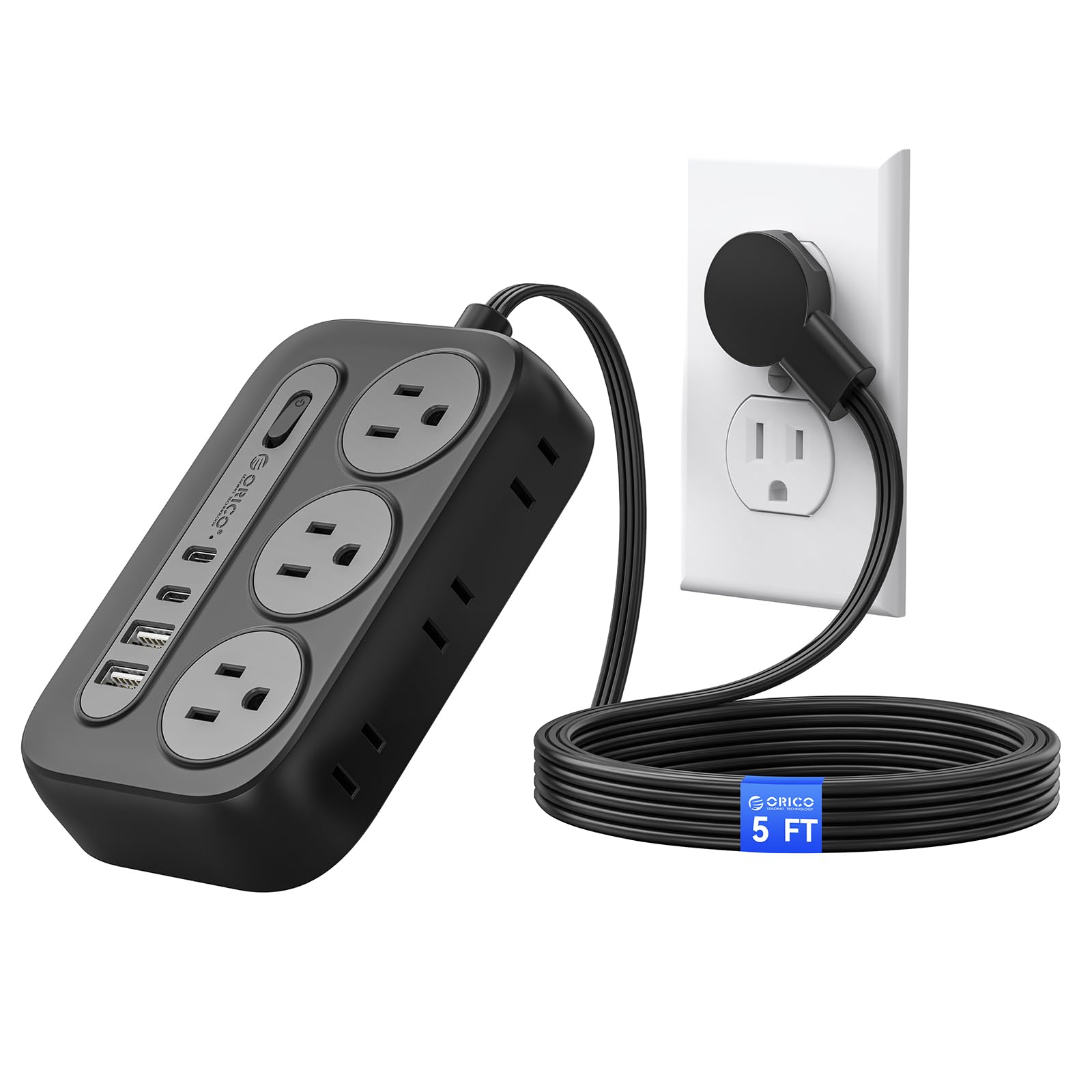
Figure 1: ORICO Surge Protector Power Strip (Black, 5ft)
کلیدي ځانګړتیاوې:
- د ۷-in-۱ بریښنا حل: Equipped with 6 AC outlets (3 grounded, 3 ungrounded), 2 USB-A ports, and 2 USB-C ports to power and charge up to 10 devices simultaneously.
- پرمختللي سرج محافظت: Certified by FCC and UL Test Report, offering comprehensive protection against short circuits, overheating, over-current, and over-voltage. Constructed with fire-resistant PC shell for enhanced safety.
- د ځای خوندي کولو فلیټ پلګ: Features an ultra-thin (0.35 inches) 45° angled flat plug that fits easily behind furniture and prevents blocking adjacent wall outlets.
- دیوال د نصب وړ ډیزاین: Includes 2 keyhole slots for easy wall mounting on workbenches, walls, or under counters, along with 4 rubber feet for secure placement on flat surfaces.
- ۴.۹ فوټه غځېدلی تار: برابروي ample reach for flexible placement.

Figure 2: Layout of AC Outlets and USB Ports

Figure 3: USB Intelligent Charging Capability
تنظیم او نصب کول
Using the Flat Plug:
The ultra-thin, 45-degree angled flat plug is designed to maximize space and allow furniture to sit closer to the wall. Simply plug the power strip into a standard wall outlet. The angled design ensures it does not obstruct the second wall outlet.

Figure 4: Flat Plug Design for Space Saving

Figure 5: Flat Plug vs. Standard Plug Comparison
دیوال نصبول:
The power strip can be securely mounted to a wall or other surfaces using the integrated keyhole slots on the back. Adhesive pads are also provided for alternative mounting without screws.
- د پیچونو کارول:
- د نصبولو مطلوب ځای وپیژنئ.
- Use the provided wall mount screw position maker (template) to mark the screw locations on the wall.
- Drill pilot holes and insert the screws, leaving a small portion of the screw head exposed.
- Align the keyhole slots on the back of the power strip with the screw heads and slide the power strip down to secure it.
- Using Adhesive Pads:
- Clean the mounting surface thoroughly to ensure it is free of dust and grease.
- Peel off the backing from the adhesive pads and apply them to the designated areas on the back of the power strip.
- Press the power strip firmly onto the desired surface for several seconds to ensure a strong bond.

Figure 6: Wall Mount Keyhole Slots and Rubber Feet
ویډیويي مظاهرې:
Video 1: Official ORICO demonstration of the Flat Plug Power Strip with 4 USB Ports (2 USB-C), showcasing its features and compact design. (Source: ORICO SmartChip Direct Store)
Video 2: User review demonstrating the ORICO Surge Protector Power Strip, including unboxing, features, and the wall mounting template. (Source: Distractor_Beam)
Video 3: User review highlighting the wall-mountable feature and overall performance of the ORICO Power Strip. (Source: Michael Noble)
عملیاتي لارښوونې
بریښنا کول / بندول:
The power strip features an integrated On/Off switch. Press the switch to turn the power strip on or off. An indicator light will illuminate when the power is on.
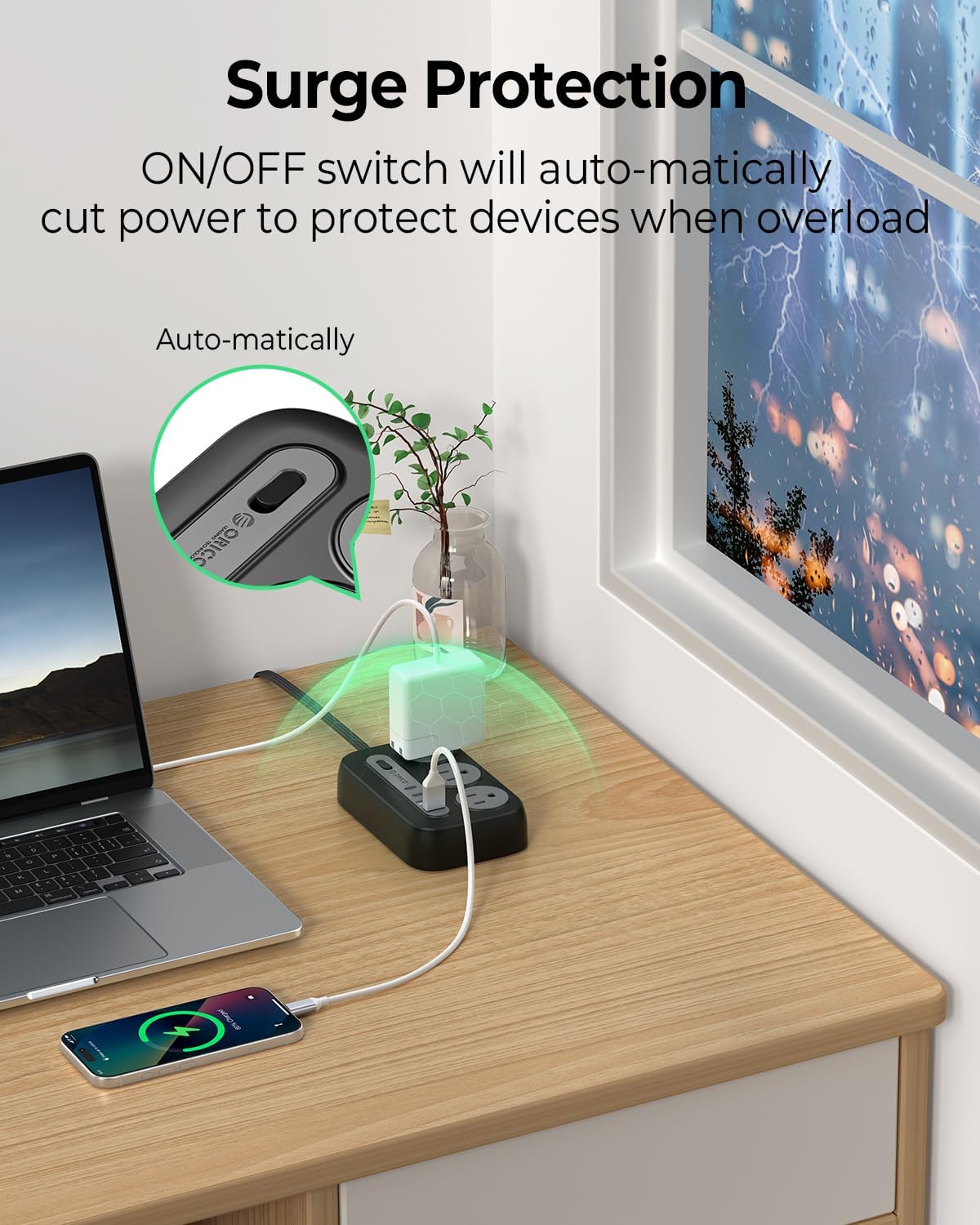
Figure 7: On/Off Switch and Overload Protection
د AC ساکټونو کارول:
Plug your devices into any of the 6 AC outlets. The outlets are widely spaced (1.7 inches apart) to accommodate larger power adapters without blocking adjacent ports.
د USB چارج کولو پورټونو کارول:
Connect your USB-powered devices to the 2 USB-A ports or 2 USB-C ports. The USB ports provide intelligent charging with a total output of 5V=3.1A (15.5W).
ساتنه
- Keep the power strip clean and free from dust and debris. Use a dry cloth for cleaning.
- Ensure the power strip is not exposed to liquids or excessive humidity.
- Avoid placing heavy objects on the power cord or the power strip itself.
- Do not attempt to open or modify the power strip. Refer to qualified personnel for any repairs.
د ستونزو حل کول
- وسایلو ته هیڅ ځواک نشته:
- Check if the power strip's On/Off switch is in the 'On' position and its indicator light is illuminated.
- Ensure the power strip's flat plug is securely inserted into a functioning wall outlet.
- د بل وسیلې سره د ازموینې له لارې تایید کړئ چې د دیوال آوټ لیټ پخپله بریښنا لري.
- د اوورلوډ محافظت فعال شوی:
- If the power strip automatically shuts off, it may be due to an overload. Disconnect some devices to reduce the total power draw.
- Press the On/Off switch to reset the power strip after reducing the load.
- ورو USB چارج کول:
- Ensure your device and charging cable support fast charging if you expect higher speeds.
- The total USB output is shared. If multiple devices are connected, charging speeds may be reduced.
مشخصات
| فیچر | مشخصات |
|---|---|
| ماډل | OG-6A2U2C-US |
| ځواک بریښنا | 6 AC Outlets (3-prong, 2-prong) |
| د USB چارجر ماډل | 2 USB-A Ports, 2 USB-C Ports |
| د بریښنا درجه | 1250W / 125V / 10A |
| والیtage مطابقت | 100-240V~، 50/60Hz |
| Output Per USB-A Port | 5V=2.4A |
| ټول USB محصول | ۵.۰ وولټ=۳.۰ الف (۱۵.۰ واټ) |
| ځانګړي ځانګړتیاوې | Lightweight, Mountable, On/Off Switch, Surge Protection, USB Slots |
| د تړلو موادو | Fire-resistant PC Shell |
| د تار اوږدوالی | 5 فوټ |
| تصدیقونه | FCC, UL Test Report |
تضمین او ملاتړ
This ORICO Surge Protector Power Strip comes with a د 12 میاشتو تضمین د پیرود نیټې څخه. دا تضمین د عادي استعمال لاندې د تولید نیمګړتیاوې او کاري وړتیا پوښي.
For warranty claims, technical support, or any product-related inquiries, please contact ORICO customer service through the retailer where the product was purchased or visit the official ORICO webد ملاتړ اړیکو معلوماتو لپاره سایټ.
مهرباني وکړئ د تضمین تصدیق لپاره د پیرود ثبوت وساتئ.


