پیژندنه
This manual provides detailed instructions for the setup, operation, and maintenance of your Parsonver Smart Watch PSSW8. Please read thoroughly to ensure optimal performance and longevity of your device.
په بکس کې څه دي:
- 1x Smartwatch
- 1x چارج کیبل
- 1x د کارونکي لارښود
چمتو کول
۴. لومړنی چارج
Before first use, fully charge your smartwatch using the provided magnetic charging cable. Connect the USB end of the cable to a standard USB power adapter (not included) and align the magnetic end with the charging points on the back of the watch. A full charge typically takes approximately 2 hours.
انځور: سمارټ واچ د خپل مقناطیسي چارج کولو کیبل سره وصل دی.
۴.۲. د اپلیکیشن ډاونلوډ او جوړه کول
Download the companion app (VeryFit) to your smartphone. The app can be found by scanning the QR code in the user manual or searching in your device's app store. Ensure Bluetooth is enabled on your smartphone. Open the app and follow the on-screen instructions to pair your smartwatch. You will need to set up your personal profile within the app for accurate data tracking.

Image: The companion app interface on a smartphone, displaying various watch face options.
۵.۳. د بند بدلول
The smartwatch bands are easily replaceable. To remove a band, locate the small pin on the underside where the band connects to the watch face. Pull the pin inwards and gently detach the band. To attach a new band, align the pin with the holes on the watch face and release the pin to secure it.
Image: A close-up of the smartwatch, demonstrating how to remove and attach the interchangeable bands using the quick-release pin.
د سمارټ واچ چلول
1. نیویګیشن
- ښکته سویپ: خبرتیاو ته لاسرسی.
- پورته کښته کول: Access quick settings (e.g., brightness, battery status, do not disturb).
- کیڼ/ښي خوا ته سوپ کړئ: Scroll through various widgets and features (e.g., heart rate, SpO2, stress, sleep, weather, music control, activity stats).
- پورته تڼۍ: کور سکرین ته د راستنیدو لپاره فشار ورکړئ.
- لاندې تڼۍ: Press to access the workout menu.
۵. د مخ لید تنظیم کول
The smartwatch features a 1.27-inch (32mm) 360x360 Ultra HD display. You can customize your watch face through the companion app's 'Dial Center'. Choose from over 100 pre-installed watch faces or create your own DIY watch face using personal photos.
Image: The companion app interface on a smartphone, displaying various watch face options for customization.
د روغتیا څارنه
The smartwatch offers 24/7 wellness monitoring, providing insights into your health data directly on your wrist and synced to the app.
- د زړه ضربان څارنه: Tracks your heart rate continuously. Customizable alerts can be set for exceeding specific thresholds.
- د SpO2 څارنه: ستاسو د وینې اکسیجن کچه اندازه کوي.
- د فشار څارنه: د ورځې په اوږدو کې د فشار کچه څاري.
- د خوب څارنه: Analyzes sleep patterns, recording deep, light, and REM stages, along with naps.
- د ښځو د روغتیا تعقیب: Supports data-driven cycle management.
- Guided Breathing Sessions: د آرامۍ لپاره د تنفس لارښود تمرینونه وړاندې کوي.
- سمارټ خبرتیاوې: Provides gentle reminders to stand up, drink water, take medication, or wash hands.
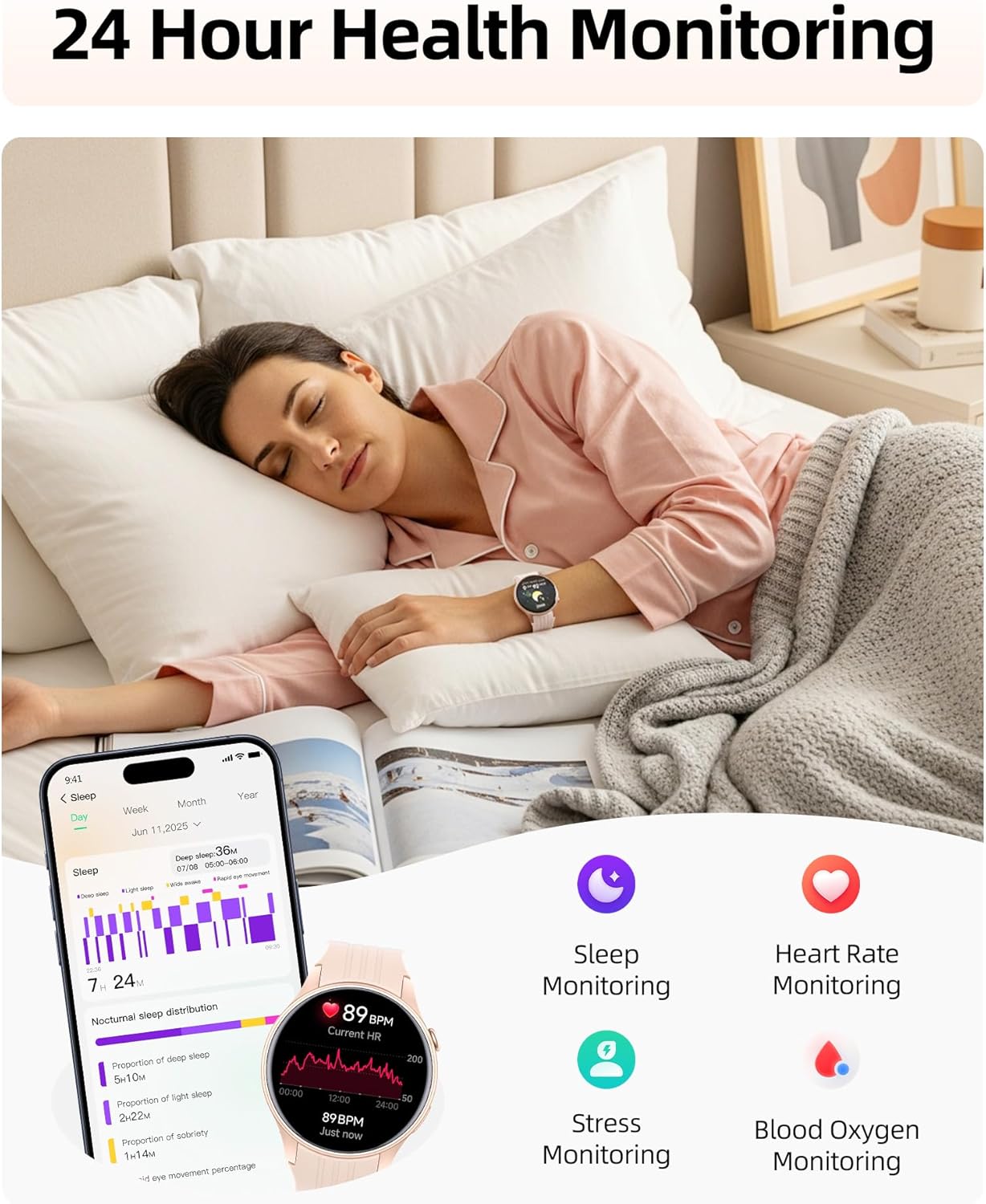
Image: A woman sleeping while wearing the smartwatch, with icons illustrating sleep, heart rate, stress, and blood oxygen monitoring features.
د فټنس تعقیب
1. 100+ سپورت موډونه
Choose from over 100 sports modes, including running, cycling, yoga, and strength training. The smartwatch automatically detects and records key metrics such as heart rate, calories, distance, and pace for each workout. Set goals and track your progress within the app.

Image: Illustrations of various sports activities, with the smartwatch displaying real-time metrics for different sports modes.
2. جوړ شوی GPS
The high-precision built-in GPS chip accurately tracks your routes, distance, pace, and calories without requiring your phone. All journey data is automatically mapped and synced to the app for review.

Image: A woman running outdoors, with the smartwatch and a smartphone displaying GPS-tracked routes and fitness data.
3. 24/7 Activity Tracking
Track steps, calories, distance, and activity time around the clock to stay motivated towards your fitness goals. The app allows you to unlock achievement badges at every milestone.
ارتباط او سمارټ ځانګړتیاوې
1. Bluetooth 5.3 Calling & Smart Alerts
With dual Bluetooth support (BT 3.0 + BLE 5.3) and a premium microphone, you can make and receive crystal-clear calls directly from your wrist. Receive instant notifications for calls, texts, and popular apps like WhatsApp and Facebook. Simply raise your wrist to view خبرتیاوې

Image: A woman lifting weights, with the smartwatch on her wrist showing an incoming call and various app notification icons.
2. Quick Call Replies
For Android users, the smartwatch supports quick call replies, allowing you to respond instantly during meetings or cycling without reaching for your phone. This feature is not available for iPhone.
3. Smart Life Assistant
Beyond fitness, the smartwatch offers various smart assistant features:
- Weather tracking
- Music and camera control
- الارمونه او ټایمرونه
- د ساه ایستلو لارښود
- Find my phone function
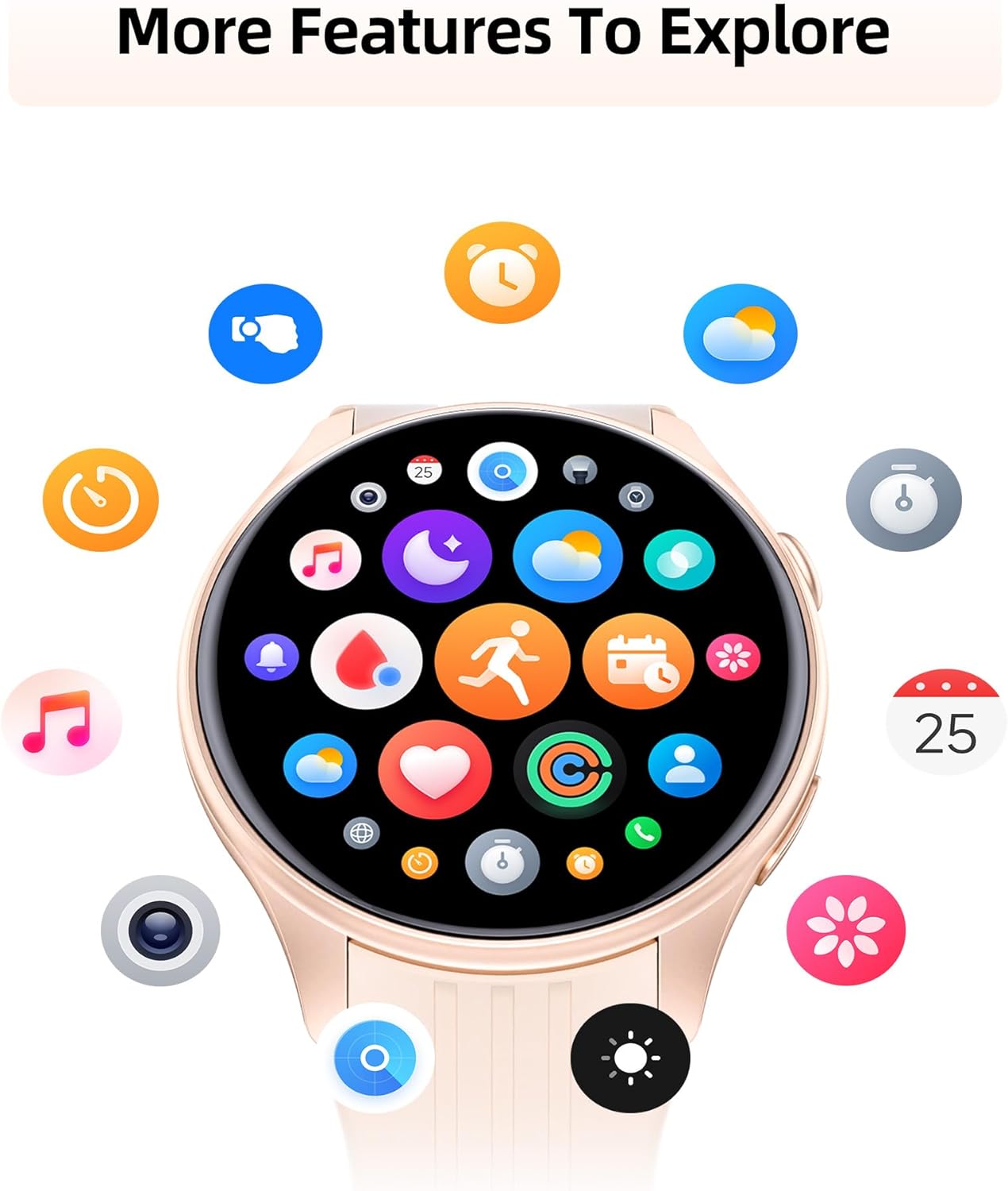
انځور: د سمارټ واچ ښودنهasing a variety of app icons, representing features such as music control, weather updates, camera remote, and alarm settings.
د اوبو مقاومت
The smartwatch is IP68 water- and dust-resistant, rigorously tested to withstand splashes, hand washing, face washing, and intense sweat. This makes it suitable for daily wear and various activities. یادونه: It is not recommended for showering, swimming, or sauna use.
Video: A demonstration of the smartwatch's water resistance, showing it being submerged in water and functioning normally.
Battery Life & Compatibility
The smartwatch offers extended battery life, providing up to 7 days of typical use or 30 days of standby time on a quick 2-hour charge. It is compatible with Android (5.0+) and iOS (12.0+) smartphones.
ساتنه
To ensure the longevity and proper functioning of your smartwatch, follow these maintenance guidelines:
- پاکول: Regularly wipe the watch face and band with a soft, dry cloth. If necessary, use a slightly damp cloth for the silicone band.
- چارج کول: Use only the provided magnetic charging cable. Avoid exposing the charging contacts to water or sweat.
- ذخیره کول: سمارټ واچ په یخ او وچ ځای کې وساتئ کله چې نه کارول کیږي.
- د سختو شرایطو څخه ډډه وکړئ: ساعت د سختې تودوخې، د اوږدې مودې لپاره مستقیم لمر وړانګو، یا سخت کیمیاوي موادو ته مه ښکاره کوئ.
د ستونزو حل کول
If you encounter any issues with your smartwatch, try the following steps:
- نه چلول: ډاډ ترلاسه کړئ چې ساعت په بشپړه توګه چارج شوی دی. دا چارجر سره وصل کړئ او د بیا چالانولو هڅه کولو دمخه یو څو دقیقې انتظار وکړئ.
- د جوړه کولو مسلې: Make sure Bluetooth is enabled on your smartphone and the smartwatch is within range. Try restarting both devices and attempting the pairing process again.
- ناسم معلومات: Ensure your personal profile information (height, weight, gender) in the app is accurate. For health monitoring, ensure the watch is worn snugly on your wrist.
- خبرتیاوې ندي ترلاسه شوي: Check the notification settings within the companion app and your smartphone's system settings to ensure app notifications are enabled and synced.
- سکرین غیر ځواب ورکوونکی/کنګل شوی: Try restarting the device by pressing and holding the power button. If unresponsive, allow the battery to fully drain and then recharge.
مشخصات
| فیچر | تفصیل |
|---|---|
| د محصول ابعاد | 11.02 x 3.35 x 0.71 انچه |
| د توکي وزن | 40 ګرامه (1.41 اونس) |
| د توکي ماډل شمیره | PSSW8 |
| د ولاړ سکرین نندارې اندازه | ۷۸۷ انچه |
| د سکرین ریزولوشن | 360x360 Ultra HD |
| د بیټرۍ ظرفیت | 270 ملیونهamp ساعتونه |
| د بیټرۍ ژوند (عام استعمال) | تر 7 ورځو پورې |
| د بیټرۍ ژوند (ستونزه) | تر 30 ورځو پورې |
| د چارج کولو وخت | نږدې 2 ساعته |
| د اوبو مقاومت | IP68 |
| د ارتباط ټیکنالوژي | Bluetooth 5.3 (BT 3.0 + BLE 5.3) |
| د عملیاتي سیسټم مطابقت | iOS 12.0/Android 5.0 یا پورته |
| ځانګړی ځانګړنه | جوړ شوی GPS |
تضمین او ملاتړ
Your Parsonver Smart Watch PSSW8 is supported by 24/7 customer service. For any inquiries or assistance, please refer to the contact information provided in your user manual or visit the official Parsonver support channels.


