پیژندنه
This manual provides comprehensive instructions for the installation, operation, and maintenance of your REOLINK Argus Series B430-B Battery-WiFi Camera. Please read this manual carefully before using the product to ensure proper functionality and safety.
په بکس کې څه دي
- REOLINK Argus Series B430-B Camera
- Mounting Kit (screws, wall anchors)
- د USB چارج کیبل
- د چټک پیل لارښود
محصول پای ته ورسیدview
Familiarize yourself with the camera's components and design.
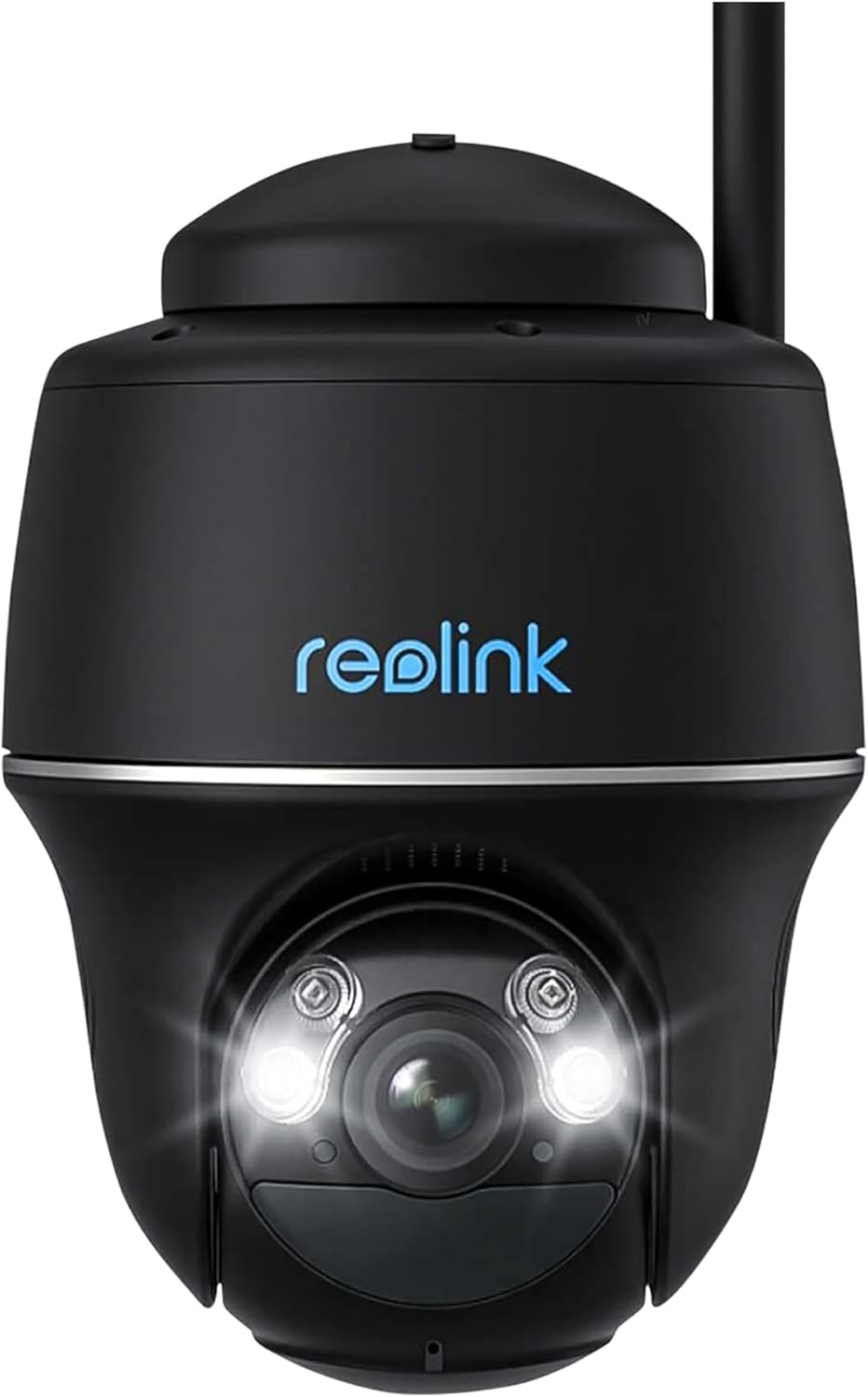
شکل 1: مخکی view of the REOLINK Argus Series B430-B Battery-WiFi Camera, showing the lens, LED lights, and Reolink logo. This camera features a dome form factor and is designed for versatile placement.
The REOLINK Argus Series B430-B is a battery-powered Wi-Fi security camera designed for both indoor and outdoor use. It features a dome form factor, 1440p video resolution, and supports voice control via Amazon Alexa and Google Assistant.
چمتو کول
1. د بیټرۍ چارج کول
Before initial use, fully charge the camera battery using the provided USB cable and a 5V/2A power adapter (not included). The charging indicator light will turn solid blue when fully charged.
2. Downloading the Reolink App
Download and install the Reolink App from the App Store (iOS) or Google Play (Android). The app is essential for camera setup and operation.
۱. د کیمرې لومړنی تنظیم
- د ریو لینک اپلیکیشن پرانیزئ او د نوي وسیله اضافه کولو لپاره "+" آیکون باندې کلیک وکړئ.
- د کیمرې په بدن کې د QR کوډ سکین کړئ.
- د کیمرې د خپل 2.4GHz وای فای شبکې سره د وصل کولو لپاره په سکرین کې لارښوونې تعقیب کړئ.
- د خپلې کیمرې لپاره د وسیلې پټنوم او نوم جوړ کړئ.
4. د کیمرې نصب کول
The camera can be mounted indoors or outdoors, including ceiling installation. Ensure the mounting location has good Wi-Fi signal strength.

شکل 2: The REOLINK Argus Series B430-B camera mounted on an exterior wall, demonstrating a typical installation scenario for outdoor surveillance.
دیوال نصبول:
- د نصب شوي ټیمپلیټ مطابق سوراخونه ډرل کړئ.
- Insert wall anchors if mounting on masonry or concrete.
- د نصب کولو بریکٹ د پیچونو سره خوندي کړئ.
- Attach the camera to the bracket and adjust the angle.
Optional Solar Panel Installation: For continuous power, consider connecting a compatible REOLINK solar panel. Ensure the solar panel is positioned to receive maximum sunlight.
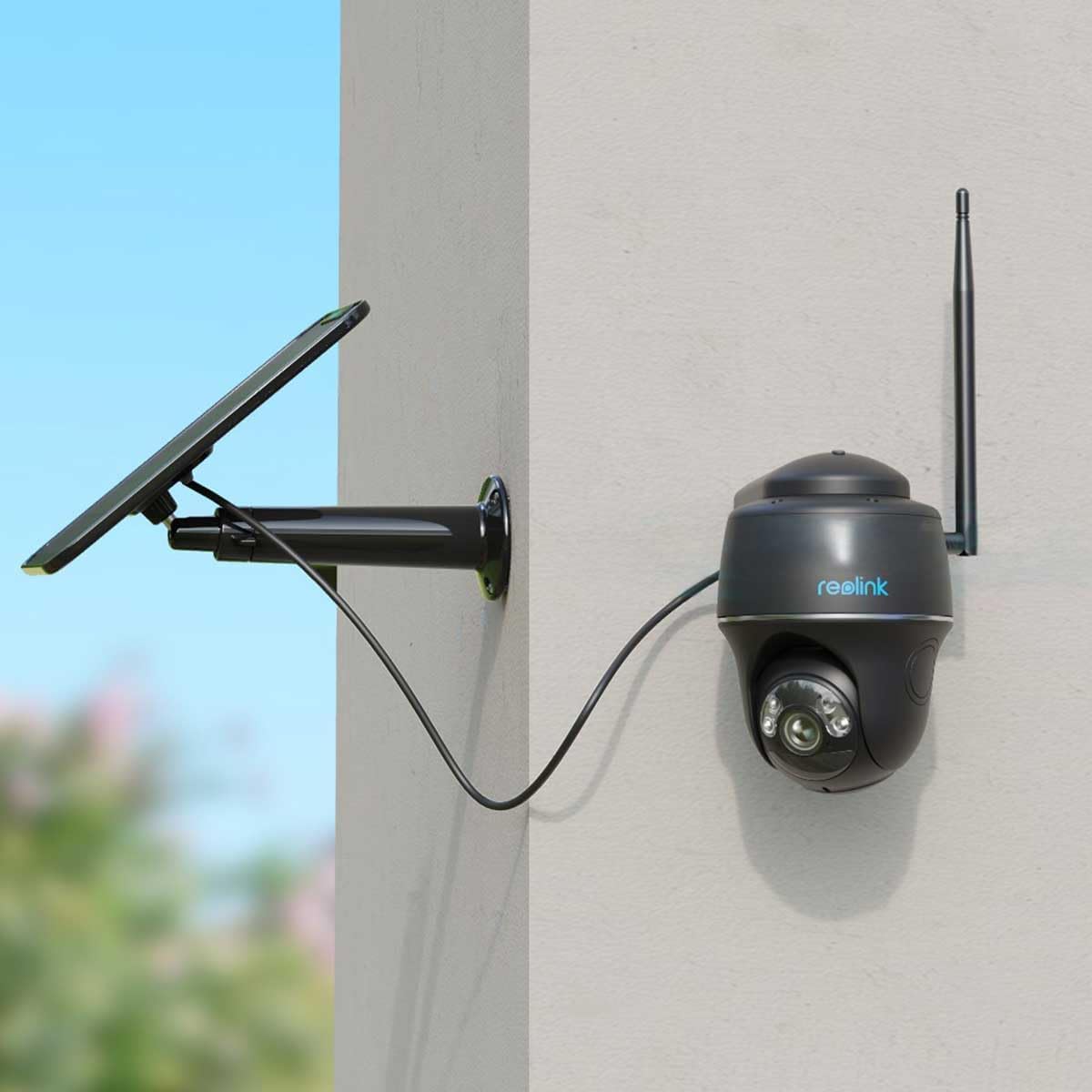
شکل 3: The REOLINK Argus Series B430-B camera connected to an external solar panel for continuous charging, mounted on a wall. This setup provides extended battery life.

شکل 4: The REOLINK Argus Series B430-B camera and its solar panel installed outdoors, demonstrating its waterproof design and resilience in rainy conditions.
د کیمرې چلول
1. ژوندی View
Open the Reolink App and tap on your camera to access the live view. You can pan, tilt, and zoom digitally, as well as use two-way audio to communicate through the camera.
۹. ثبت او پلې بیک
The camera records motion-triggered events. Access recorded footage via the "Playback" section in the Reolink App. You can filter by date and event type to quickly find specific recordings.
3. Motion Detection Settings
Customize motion detection sensitivity, detection zones, and notification preferences in the camera settings within the app. This helps reduce false alarms and ensures you receive relevant alerts.
۴.۵. د سمارټ کور ادغام
The REOLINK Argus Series B430-B supports Amazon Alexa and Google Assistant. Follow the instructions in the Reolink App or your smart home device app to link your camera for voice control and live view په مطابقت لرونکو سمارټ ډیسپلیو کې.
ساتنه
1. د بیټرۍ پاملرنه
- Avoid exposing the camera to extreme temperatures, which can affect battery life.
- Recharge the battery promptly when the low battery notification appears.
- If using a solar panel, ensure it is clean and receives adequate sunlight for optimal charging.
2. پاکول
د کیمرې لینز او بدن د نرم، d سره پاک کړئamp cloth. Do not use harsh chemicals or abrasive cleaners, as these can damage the camera's surfaces or lens coating.
3. د فرم ویئر تازه معلومات
د ریو لینک اپلیکیشن له لارې د فرم ویئر تازه معلومات په منظم ډول وګورئ او نصب کړئ ترڅو غوره فعالیت، امنیت، او نوي ځانګړتیاو ته لاسرسی ډاډمن کړئ.
د ستونزو حل کول
کیمره د وای فای سره نه نښلیږي
- Ensure your Wi-Fi network is 2.4GHz, as the camera does not support 5GHz networks.
- Check Wi-Fi signal strength at the camera's location. Move the camera closer to the router if the signal is weak.
- Restart your router and the camera to refresh network connections.
- د تنظیم کولو پرمهال داخل شوی د وای فای پټنوم سم دی تایید کړئ.
د ویډیو خراب کیفیت
- Check your internet upload speed; a stable connection is crucial for clear video.
- ډاډ ترلاسه کړئ چې د کیمرې لینز پاک او له دوړو یا داغونو څخه پاک دی.
- Adjust video quality settings in the Reolink App to a lower resolution if bandwidth is limited.
بیټرۍ په چټکۍ سره له مینځه ځي
- Reduce motion detection sensitivity or detection zones to minimize unnecessary recordings.
- Ensure the camera is not in an area with constant motion, which triggers frequent recordings.
- Consider connecting a REOLINK solar panel for continuous charging and extended battery life.
مشخصات
| فیچر | تفصیل |
|---|---|
| ماډل | B430-B |
| د ویډیو حل | ۷۲۰ مخونه (۱۳۶۶x۷۶۸) |
| د چوکاټ نرخ | په هره ثانیه کې 15 چوکاټونه |
| ارتباط | ۲.۴GHz وای فای (IEEE ۸۰۲.۱۱b/g/n) |
| د بریښنا سرچینه | Rechargeable Battery (compatible with Reolink Solar Panel) |
| د اوبو مقاومت | پنروک |
| د فارم فکتور | گنبد |
| د سمارټ کور مطابقت | ایمیزون الیکسا، د ګوګل مرستیال |
| د نصب کولو ډول | چت ، وال |
| عملیاتي چاپیریال | دننه او بهر |
| رنګ | تور |
تضمین او ملاتړ
For warranty information and technical support, please visit the official REOLINK webسایټ یا د دوی د پیرودونکو خدماتو سره اړیکه ونیسئ. تاسو کولی شئ په دې کې نورې سرچینې هم ومومئ REOLINK Brand Store.


